1. Introduction
This manual provides essential information for the proper use and maintenance of your Brother Genuine DR-820 Drum Unit. The DR-820 is a mono laser drum unit designed for seamless integration with compatible Brother laser printers and all-in-ones. It is engineered to work in conjunction with Brother Genuine toner cartridges (sold separately) to deliver consistent, high-quality print output.
The Brother DR-820 drum unit is a critical component in the laser printing process, responsible for transferring toner to the paper. Regular replacement of the drum unit ensures optimal print quality and extends the life of your printer.
2. Safety Information
Please read and follow these safety guidelines to prevent injury and ensure proper handling of the drum unit:
- Keep out of reach of children: The drum unit contains small parts and toner residue that could be harmful if ingested.
- Avoid direct sunlight and bright light: Exposure to light can damage the drum unit. Keep it in its protective packaging until ready for installation.
- Handle with care: The drum unit's surface is delicate. Avoid touching the green drum surface to prevent damage and print quality issues.
- Do not incinerate: Toner powder is flammable. Do not dispose of the drum unit in fire.
- Recycle responsibly: Follow local regulations for recycling electronic waste and printer consumables. Brother offers environmentally responsible disposal options.
3. Setup & Installation
This section outlines the general procedure for replacing the DR-820 drum unit. Specific steps may vary slightly depending on your Brother printer model. Always refer to your printer's user manual for detailed instructions.
3.1 Unpacking the Drum Unit
Carefully remove the new DR-820 drum unit from its packaging. Keep it in its protective bag until you are ready to install it to prevent exposure to light and dust.
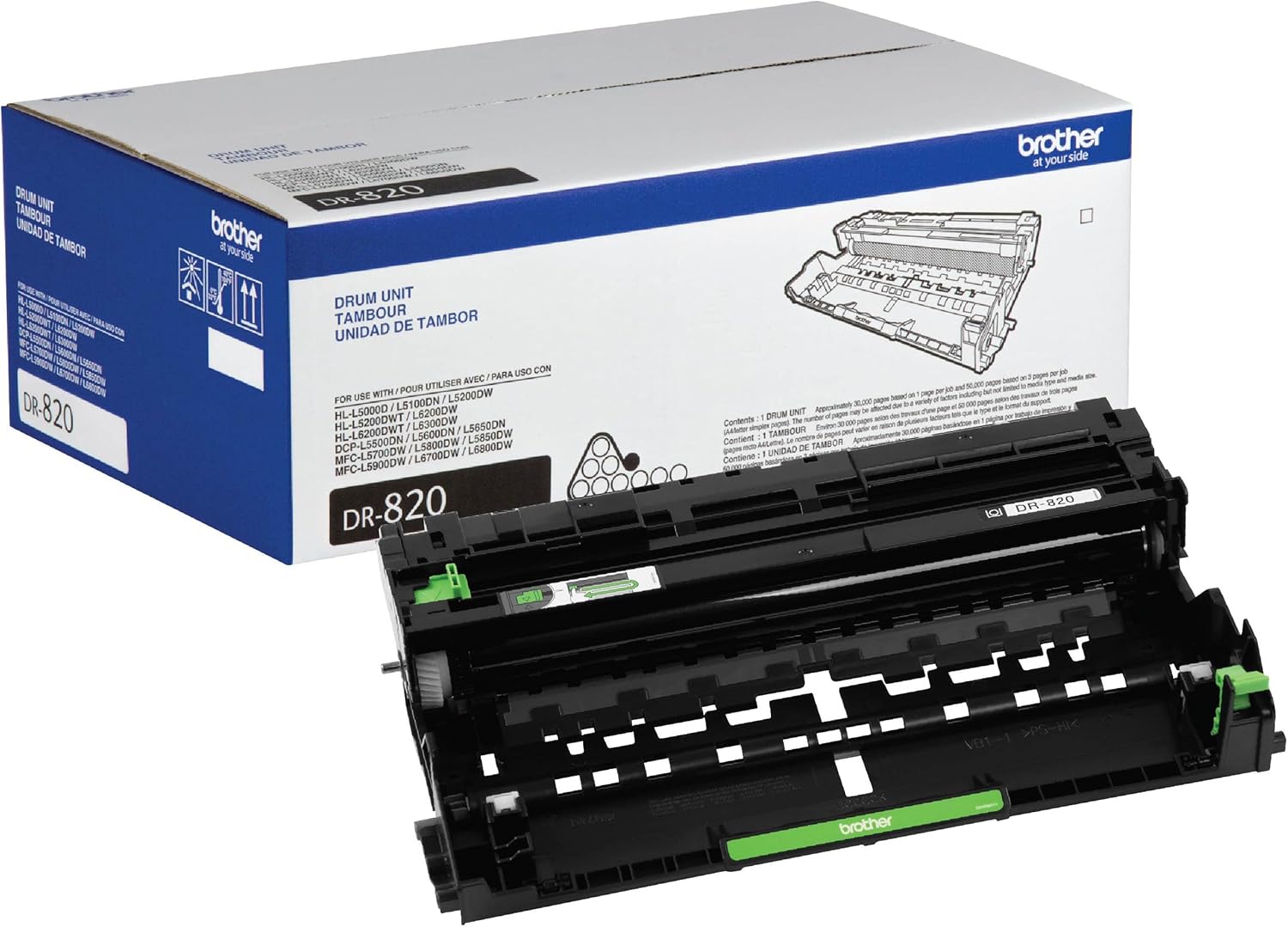
Image: The Brother Genuine DR-820 Drum Unit shown alongside its retail packaging, illustrating the product as it appears when new.
3.2 Replacing the Drum Unit
- Power Off and Open: Ensure your Brother printer is powered off. Open the front cover of your printer to access the drum and toner cartridge assembly.
- Remove Assembly: Carefully pull out the drum unit and toner cartridge assembly from the printer.
- Separate Toner: Press the green lock lever on the drum unit and remove the toner cartridge from the old drum unit.
- Install Toner into New Drum: Unpack the new DR-820 drum unit. Insert the toner cartridge firmly into the new drum unit until it locks into place. You should hear a click.
- Clean Corona Wire: Gently slide the green tab on the new drum unit from left to right and right to left several times to clean the corona wire. Return the tab to the home position (indicated by an arrow).
- Insert Assembly: Place the new drum unit and toner cartridge assembly back into the printer.
- Close Cover: Close the front cover of the printer.
- Power On: Turn on your printer. The printer should recognize the new drum unit.
Important: Do not discard the old drum unit immediately. Brother encourages recycling. Refer to Brother's recycling program for proper disposal.
4. Operation
Once installed, the Brother Genuine DR-820 Drum Unit operates automatically as part of your printer's imaging system. It is designed to work seamlessly with Brother Genuine toner cartridges to produce high-quality monochrome prints.
- Page Yield: The DR-820 drum unit has an approximate yield of 30,000 pages. This yield is based on 1 page per job and 50,000 pages based on 3 pages per job (letter/A4 simplex pages). Actual page yield may vary significantly based on print content, media type, media size, and environmental conditions.
- Print Quality: Expect crisp, sharp text and graphics. If print quality degrades, refer to the Maintenance or Troubleshooting sections.

Image: A person holding a printed document, emphasizing the superior print quality achieved with Brother Genuine supplies.
5. Maintenance
Proper maintenance ensures the longevity and performance of your drum unit and printer.
- Corona Wire Cleaning: Periodically clean the corona wire inside the drum unit. This is typically done by sliding the green tab on the drum unit from side to side several times. Refer to your printer's manual for the recommended frequency.
- Storage: Store new drum units in their original, unopened packaging in a cool, dry place away from direct sunlight and extreme temperatures.
- Handling: Always handle the drum unit by its designated handles or edges. Avoid touching the photosensitive drum surface, as oils from your skin can cause print defects.
6. Troubleshooting
If you encounter issues after installing or during the use of your DR-820 drum unit, consider the following common solutions:
- "Replace Drum" Message: If the printer continues to display a "Replace Drum" message after installation, ensure the drum counter has been reset. The procedure for resetting the drum counter varies by printer model; consult your printer's user manual.
- Print Quality Issues (Streaks, Spots, Fading):
- Ensure the corona wire has been cleaned as described in the Maintenance section.
- Check if the toner cartridge is properly seated within the drum unit.
- Inspect the drum surface for any visible damage or foreign particles. If damaged, the drum unit may need replacement.
- Verify that you are using Brother Genuine toner cartridges, as non-genuine supplies can affect print quality.
- Paper Jams: While less common for drum units, ensure the drum unit and toner assembly are correctly installed and seated firmly in the printer.
For more complex issues or specific error codes, refer to your Brother printer's comprehensive user manual or contact Brother customer support.
7. Specifications
| Feature | Detail |
|---|---|
| Model Number | DR-820 |
| Product Type | Mono Laser Drum Unit |
| Manufacturer | Brother |
| Approximate Page Yield | 30,000 pages (based on 1 page per job) |
| Item Weight | 1.5 pounds (0.68 kg) |
| Product Dimensions (LxWxH) | 14.2 x 9 x 5.2 inches (36.07 x 22.86 x 13.21 cm) |
| UPC | 012502642527 |
7.1 Compatible Printer Models
The Brother Genuine DR-820 Drum Unit is compatible with the following Brother mono laser printers and all-in-ones:
- DCP-L5500DN, DCP-L5600DN, DCP-L5650DN
- HL-L5000D, HL-L5100DN, HL-L5200DW, HL-L5200DWT, HL-L6200DW, HL-L6200DWT, HL-L6300DW, HL-L6400DW
- MFC-L5700DW, MFC-L5800DW, MFC-L5850DW, MFC-L5900DW, MFC-L6700DW, MFC-L6800DW, MFC-L6900DWT

Image: A visual representation listing the various Brother printer models compatible with the DR-820 drum unit.
8. Warranty & Support
Brother Genuine replacement supplies, including the DR-820 Drum Unit, are backed by Brother's 'At Your Side' Warranty. This warranty ensures that your genuine Brother products meet high-quality standards.
Customers using Brother Genuine supplies also benefit from lifetime technical support for the life of their Brother printers. For warranty claims, technical assistance, or further information, please visit the official Brother support website or contact their customer service.
Online Support: For the most up-to-date support resources, FAQs, and contact information, please visit the official Brother Support Website.