1. Introduction
This manual provides essential instructions for the proper use and maintenance of the Kodak Professional Ektatherm 6800/6850 6R Print Kit. This kit is designed to produce high-quality 6x8 inch or 5x7 inch glossy photographic prints when used with compatible Kodak Professional Ektatherm 6800 or 6850 thermal printers. Each kit contains a ribbon cartridge and a roll of photographic paper sufficient for 375 prints.
Please read this manual thoroughly before installing and operating the print kit to ensure optimal performance and print quality.
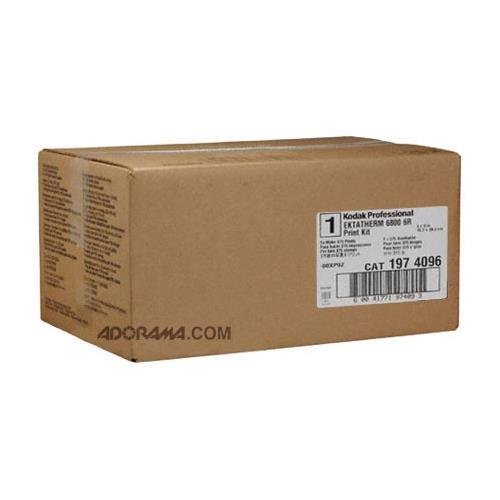
Figure 1: Contents of the Kodak Professional Ektatherm 6R Print Kit, including the ribbon cartridge and a stack of photographic paper.
2. Setup and Installation
Follow these steps to correctly install the ribbon and paper into your Kodak Professional Ektatherm 6800 or 6850 printer.
- Prepare the Printer: Ensure your Kodak Ektatherm 6800 or 6850 printer is powered off and unplugged from the electrical outlet before beginning installation. Open the printer's front cover or access panel according to your printer's specific instructions.
- Remove Used Supplies (if applicable): If replacing an empty kit, carefully remove the used ribbon cartridge and paper roll. Dispose of them responsibly according to local regulations.
- Install Paper Roll:
- Unpack the new paper roll from the kit. Handle the paper by its edges to avoid fingerprints or damage to the print surface.
- Locate the paper spindle or tray within the printer.
- Load the paper roll onto the spindle, ensuring the paper feeds correctly into the printer mechanism. Refer to your printer's manual for the exact paper path.
- Ensure the paper is seated firmly and aligned properly to prevent jams.
- Install Ribbon Cartridge:
- Unpack the new ribbon cartridge. Avoid touching the ribbon film directly.
- Insert the ribbon cartridge into its designated slot within the printer. The cartridge is designed to fit only one way.
- Gently push until it clicks into place, ensuring it is securely seated.
- Close Printer Cover: Close the printer's front cover or access panel. Ensure it is latched securely.
- Power On: Plug the printer back into the electrical outlet and power it on. The printer may perform a self-test or calibration.
Note: Always refer to your specific Kodak Professional Ektatherm 6800 or 6850 printer manual for detailed, model-specific installation instructions and diagrams.
3. Operating Instructions
Once the Kodak Professional Ektatherm 6R Print Kit is installed, you can begin printing. These instructions assume your printer is connected to a computer or other imaging device and the necessary drivers are installed.
- Prepare Your Image: Open the image you wish to print using your preferred photo editing software. Ensure the image resolution and dimensions are appropriate for 6x8 inch or 5x7 inch prints.
- Access Print Settings: From your software, select "Print" and choose your Kodak Professional Ektatherm 6800 or 6850 printer. Access the printer properties or preferences.
- Configure Print Options:
- Paper Size: Select "6x8" or "5x7" as the paper size, matching the paper loaded in the kit.
- Paper Type: Choose "Glossy" or "Photo Paper Glossy" if available.
- Print Quality: Select the desired print quality setting (e.g., "Standard," "High," or "Best"). Higher quality settings may increase print time.
- Color Management: Ensure color management settings are appropriate for your workflow to achieve accurate color reproduction.
- Initiate Printing: Confirm all settings and click "Print." The printer will begin processing and printing your image.
- Collect Prints: Once printing is complete, carefully remove the prints from the output tray. Allow a few moments for prints to cool if they feel warm.
Tip: For best results, ensure your printer drivers are up-to-date and perform regular printer calibration as recommended by Kodak.
4. Maintenance and Storage
Proper maintenance and storage of your Kodak Professional Ektatherm 6R Print Kit components will help ensure consistent print quality and extend the life of the supplies.
- Storage:
- Store unused print kits in their original sealed packaging in a cool, dry place, away from direct sunlight and extreme temperatures.
- Avoid areas with high humidity or dust.
- Handling Paper:
- Always handle photographic paper by the edges to prevent fingerprints, smudges, or damage to the emulsion surface.
- Do not bend or crease the paper.
- Handling Ribbon:
- Avoid touching the ribbon film directly. Oils from your skin can affect print quality.
- Ensure the ribbon cartridge is kept free from dust and debris.
- Printer Cleaning: Regularly clean your Kodak Professional Ektatherm printer according to its specific manual. This typically involves cleaning the print head and paper path to prevent dust and debris from affecting print quality or causing jams.
5. Troubleshooting
This section addresses common issues you might encounter when using the Kodak Professional Ektatherm 6R Print Kit.
| Problem | Possible Cause | Solution |
|---|---|---|
| Poor Print Quality (streaks, faded colors) |
|
|
| Paper Jams |
|
|
| Printer Not Recognizing Kit |
|
|
| Incorrect Print Size/Cropping |
|
|
If these solutions do not resolve your issue, please consult your Kodak Professional Ektatherm 6800/6850 printer manual or contact Kodak customer support.
6. Specifications
Key specifications for the Kodak Professional Ektatherm 6800/6850 6R Print Kit:
- Product Type: Thermal Dye Transfer Print Kit
- Compatibility: Kodak Professional Ektatherm 6800 and 6850 Printers
- Print Capacity: 375 prints per kit
- Print Sizes: 6x8 inches (15x20 cm) or 5x7 inches (13x18 cm)
- Paper Finish: Glossy
- Components: 1 Ribbon Cartridge, 1 Roll of Photographic Paper
- ASIN: B01AQB4OBS
- Brand: KODAK
7. Warranty Information
Kodak Professional Ektatherm 6R Print Kits are manufactured to high-quality standards. This product is covered by a limited warranty against defects in materials and workmanship under normal use. The warranty period typically extends for a specified duration from the date of purchase or until the expiration date printed on the packaging, whichever comes first.
For detailed warranty terms, conditions, and claim procedures, please refer to the documentation included with your purchase or visit the official Kodak Professional website. Keep your proof of purchase for warranty claims.
Note: Damage resulting from improper handling, storage, or use with non-compatible equipment may void the warranty.
8. Customer Support
If you require further assistance, have questions about your Kodak Professional Ektatherm 6R Print Kit, or need technical support, please contact Kodak Customer Service.
- Online Support: Visit the official Kodak Professional website for FAQs, support articles, and contact forms. www.kodak.com/go/professional
- Telephone Support: Refer to the contact information provided on the Kodak Professional website for your region.
When contacting support, please have your product model (Ektatherm 6R Print Kit) and any relevant purchase information ready.


