
1. Introduction
Thank you for choosing the Came A3000 230V 3M Swing Gate Opener Kit. This manual provides essential information for the safe and efficient installation, operation, and maintenance of your new gate automation system. Please read these instructions carefully before beginning any work.
2. Safety Information
Important Safety Instructions:
- Installation and maintenance must be performed by qualified personnel only.
- Disconnect power before performing any service or maintenance.
- Keep children and pets away from the gate area during operation.
- Do not operate the gate if any part is damaged or malfunctioning.
- Ensure all safety devices (photocells, safety edges) are correctly installed and functioning.
- Refer to local regulations and standards for gate automation systems.
3. Product Overview
The Came A3000 is a 230V DC irreversible motor designed for automating swing gates. It is suitable for gate leaves up to 3 meters in length and weighing up to 400 kg each. The system features a fully covered and protected worm screw mechanism for durability and reliable operation.
Key Components:
- A3000 Motor Unit: The primary actuator for gate movement.
- Control Panel: Houses the electronic board for system management.
- Remote Controls: For wireless operation of the gate.
- Mounting Brackets and Hardware: For secure installation.

Image 3.1: The Came A3000 swing gate opener motor unit. This is the main component responsible for opening and closing the gate.

Image 3.2: Side view of the Came A3000 motor unit, showing its compact design.

Image 3.3: Interior view of the Came control panel, showing the electronic board and wiring terminals.
4. Setup and Installation
Proper installation is crucial for the safe and reliable operation of your gate opener. It is highly recommended that installation be performed by a qualified technician.
4.1 Pre-Installation Checks
- Ensure the gate structure is sound and moves freely without obstruction.
- Verify that the gate hinges are in good condition and properly lubricated.
- Confirm the gate dimensions and weight are within the A3000's specifications (max 3m length, 400kg weight per leaf).
- Plan the cable routing for power supply and control wiring.
4.2 Mounting the Motor Unit
- Determine the optimal mounting position for the motor unit on the gate post, considering the maximum Cmax distance of 60mm.
- Securely attach the rear mounting bracket to the gate post using appropriate fasteners.
- Mount the A3000 motor unit onto the rear bracket.
- Attach the front mounting bracket to the gate leaf.
- Connect the motor unit to the front bracket, ensuring proper alignment and smooth movement throughout the gate's travel.

Image 4.1: Detail of the motor unit's mounting point, showing the attachment mechanism.
4.3 Electrical Connections
- Connect the 230V AC power supply to the control panel, ensuring it is protected by a suitable circuit breaker.
- Wire the motor units to the control panel according to the provided wiring diagram.
- Install and connect all safety devices (photocells, flashing lights, emergency stop buttons) to the control panel.
- Connect any optional accessories such as keypads or intercom systems.
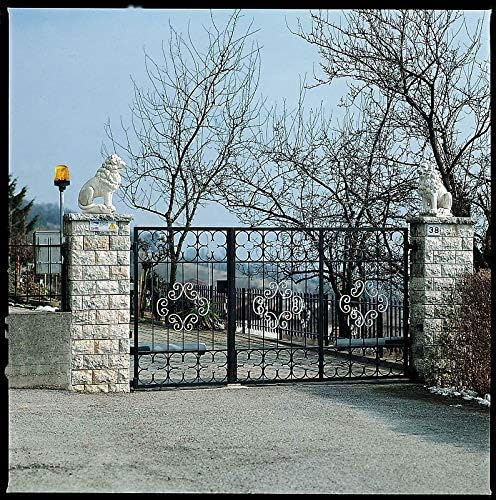
Image 4.2: An example of an installed swing gate system, featuring the gate opener and a safety flashing light.
4.4 Limit Switch Adjustment
Adjust the internal limit switches on the motor unit to define the open and closed positions of the gate. This ensures the gate stops precisely at the desired points and prevents over-travel.

Image 4.3: Close-up of the worm screw mechanism, showing the adjustable limit switch components.
5. Operating Instructions
Once installed and configured, the Came A3000 system offers convenient and secure gate operation.
5.1 Remote Control Operation
- Press the designated button on your remote control to open or close the gate.
- Pressing the button again during operation will stop the gate. A third press will reverse its direction.
- Ensure a clear line of sight to the gate and that no obstacles are present before operating.

Image 5.1: Example of Came remote controls used to operate the gate opener.
5.2 Manual Release
In case of power failure or system malfunction, the gate can be operated manually using the release mechanism.
- Locate the manual release key slot on the motor unit.
- Insert the provided key and turn it to disengage the motor.
- The gate can now be moved manually.
- To re-engage the motor, turn the key back to its original position and close the cover.

Image 5.2: The manual release mechanism on the Came A3000 motor unit, allowing for manual gate operation during power outages.
6. Maintenance
Regular maintenance ensures the longevity and safe operation of your Came A3000 system.
6.1 Routine Checks (Monthly)
- Inspect the gate for any signs of wear, damage, or obstruction.
- Check the functionality of all safety devices (photocells, flashing lights).
- Ensure the gate moves smoothly and quietly.
- Verify that all mounting bolts and connections are secure.
6.2 Professional Servicing (Annually)
It is recommended to have the system inspected and serviced by a qualified technician at least once a year. This includes:
- Lubrication of mechanical parts.
- Checking electrical connections and wiring.
- Testing motor performance and limit switch accuracy.
- Updating firmware if necessary.
7. Troubleshooting
This section provides solutions to common issues you might encounter.
| Problem | Possible Cause | Solution |
|---|---|---|
| Gate does not move. | No power, remote control battery dead, safety device activated, motor disengaged. | Check power supply, replace remote battery, clear safety device path, re-engage motor. |
| Gate stops unexpectedly. | Obstruction detected, safety device triggered, motor overheating. | Remove obstruction, check safety devices, allow motor to cool down. |
| Remote control not working. | Dead battery, out of range, remote not programmed. | Replace battery, move closer to gate, reprogram remote control (refer to control panel manual). |
If the problem persists after attempting these solutions, please contact qualified technical support.
8. Specifications
| Feature | Detail |
|---|---|
| Brand | Came |
| Model Name | kit ati |
| Model Number | 001U7090 |
| Manufacturer | Came S.P.A. |
| Voltage | 230 Volts |
| Product Dimensions | 0.03 x 0.03 x 0.03 cm |
| Product Weight | 26 kg |
| Max Gate Leaf Length | 3 meters |
| Max Gate Leaf Weight | 400 kg |
| Max Cmax Distance | 60 mm |
| Color | Gray |
| Included Components | 1 kit 001U7090 (Motor unit, control panel, remote controls, mounting hardware) |
| Batteries Required | No (for main unit) |
| Battery Electrical Charge | 3000 mAh (likely for remote controls or backup battery, if applicable) |
9. Warranty and Support
For warranty information, please refer to the documentation provided with your purchase or contact your local Came distributor. Came products are manufactured to high standards, and specific warranty terms may vary by region.
For technical support, troubleshooting assistance beyond this manual, or to purchase spare parts, please contact your authorized Came service center or visit the official Came website.
Online Resources: www.came.com


