Introduction
This manual provides essential information for the setup, operation, and maintenance of your Qisan Magicforce 68-Key Mini Mechanical Keyboard. Please read this manual thoroughly before using the product to ensure proper functionality and longevity.
Package Contents
- 1 x Qisan Magicforce 68-Key Mini Mechanical Keyboard
- 1 x USB Cable
Setup
Follow these steps to set up your Qisan Magicforce keyboard:
- Connect the USB Cable: Locate the micro USB port on the underside of the keyboard. Connect one end of the provided USB cable to this port.
- Route the Cable: Utilize the integrated cable management channels on the keyboard's underside to route the USB cable neatly. This helps prevent cable strain and keeps your workspace tidy.
- Connect to Computer: Plug the other end of the USB cable (USB-A) into an available USB port on your computer.
- Driver Installation: The keyboard is plug-and-play. Your operating system should automatically detect and install the necessary drivers. No additional software installation is typically required.
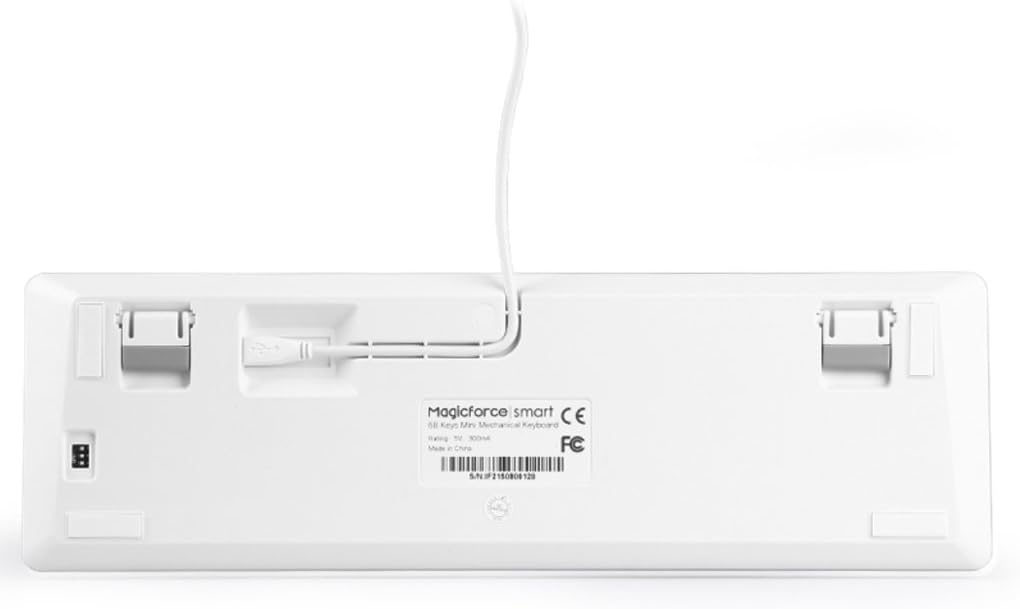
Image: Underside of the keyboard with the USB cable connected and routed through the management channels.
Operating Instructions
The Qisan Magicforce 68-Key Mini Mechanical Keyboard features a compact US layout and Blue mechanical switches, providing a tactile and audible typing experience. It is designed for gaming and general use, offering ergonomic benefits.
Key Features:
- 68-Key US Layout: A compact design that saves desk space while retaining essential keys.
- Blue Mechanical Switches: Provides a distinct tactile bump and an audible click for each keystroke, preferred by many typists and gamers.
- 6-Key Roll-Over Anti-Ghosting: Ensures that up to 6 simultaneous key presses are registered accurately, crucial for fast-paced gaming.
- Ergonomic Design: Features step-wise keycaps for comfortable typing and a linear action for consistent key presses.
- FN Key Combinations: The keyboard includes an FN (Function) key that, when pressed in combination with other keys, activates various multimedia and system shortcuts. Refer to the keycap legends for specific functions (e.g., F1-F12, volume control, media playback).

Image: Top view of the Qisan Magicforce 68-Key Mini Mechanical Keyboard.
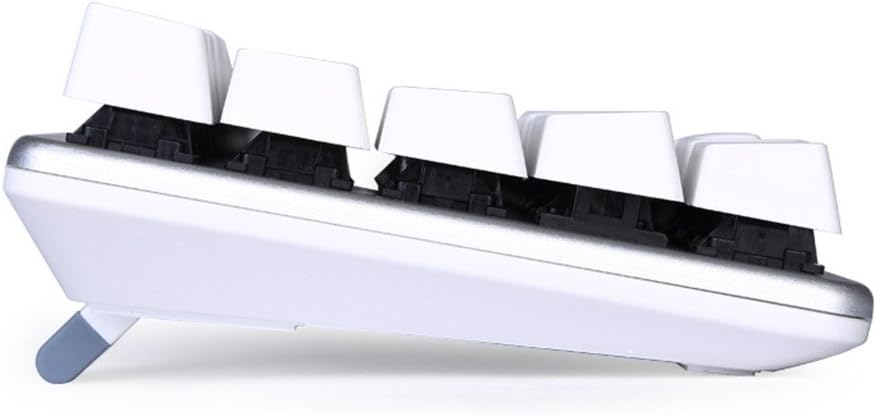
Image: Side view illustrating the keycap profile and adjustable feet.
Video: Demonstration of the Qisan Mechanical Keyboard with OUTEMU Blue Switches, showcasing its tactile and audible feedback.
Maintenance
To ensure the longevity and optimal performance of your keyboard, follow these maintenance guidelines:
- Cleaning: Regularly clean the keyboard with a soft, dry cloth. For deeper cleaning, you may use compressed air to remove dust and debris from between the keycaps.
- Keycap Removal: Keycaps can be carefully removed for cleaning or replacement. Use a keycap puller to avoid damaging the switches.
- Avoid Liquids: Do not expose the keyboard to liquids. In case of spills, immediately disconnect the keyboard and allow it to dry completely before reconnecting.
- Cable Care: Avoid bending or twisting the USB cable excessively to prevent internal damage.
Troubleshooting
If you encounter issues with your keyboard, try the following troubleshooting steps:
- Keyboard Not Responding:
- Ensure the USB cable is securely connected to both the keyboard and the computer.
- Try connecting the keyboard to a different USB port on your computer.
- Test the keyboard on another computer to determine if the issue is with the keyboard or your system.
- Specific Keys Not Working:
- Remove the affected keycap and check for any obstructions or debris around the switch.
- Gently press the switch stem to see if it actuates properly.
- Ghosting or Incorrect Key Presses:
- Ensure no other software or drivers are interfering with keyboard input.
- Verify that the 6-key roll-over anti-ghosting feature is functioning as expected.
Specifications
| Model Number | eQuteCOO31H22 |
| Brand | Qisan |
| Product Dimensions | 13.19"L x 3.93"W x 1.46"H (33.5cm x 10cm x 3.7cm) |
| Item Weight | 1.19 pounds (0.54 kg) |
| Connectivity Technology | USB, USB-A |
| Keyboard Description | Mechanical, 68-Key US Layout |
| Switch Type | OUTEMU Blue Mechanical Switches |
| Recommended Uses | Gaming |
| Special Feature | Ergonomic |
| Color | White Silver |
| Material | Acrylonitrile Butadiene Styrene (ABS) |
Warranty and Support
Specific warranty details and support contact information are not provided in the product data. Please refer to the product packaging or the manufacturer's official website for the most up-to-date warranty terms and customer support options.