1. Introduction and System Overview
This manual provides comprehensive instructions for the ANNKE 4K 8-Channel NVR Surveillance System. This system is designed for reliable 24/7 recording and advanced security monitoring, featuring 8x 8MP PoE IP cameras with integrated microphones, smart dual light technology, human and vehicle detection, and color night vision. The NVR utilizes H.265+ video compression for efficient storage management.
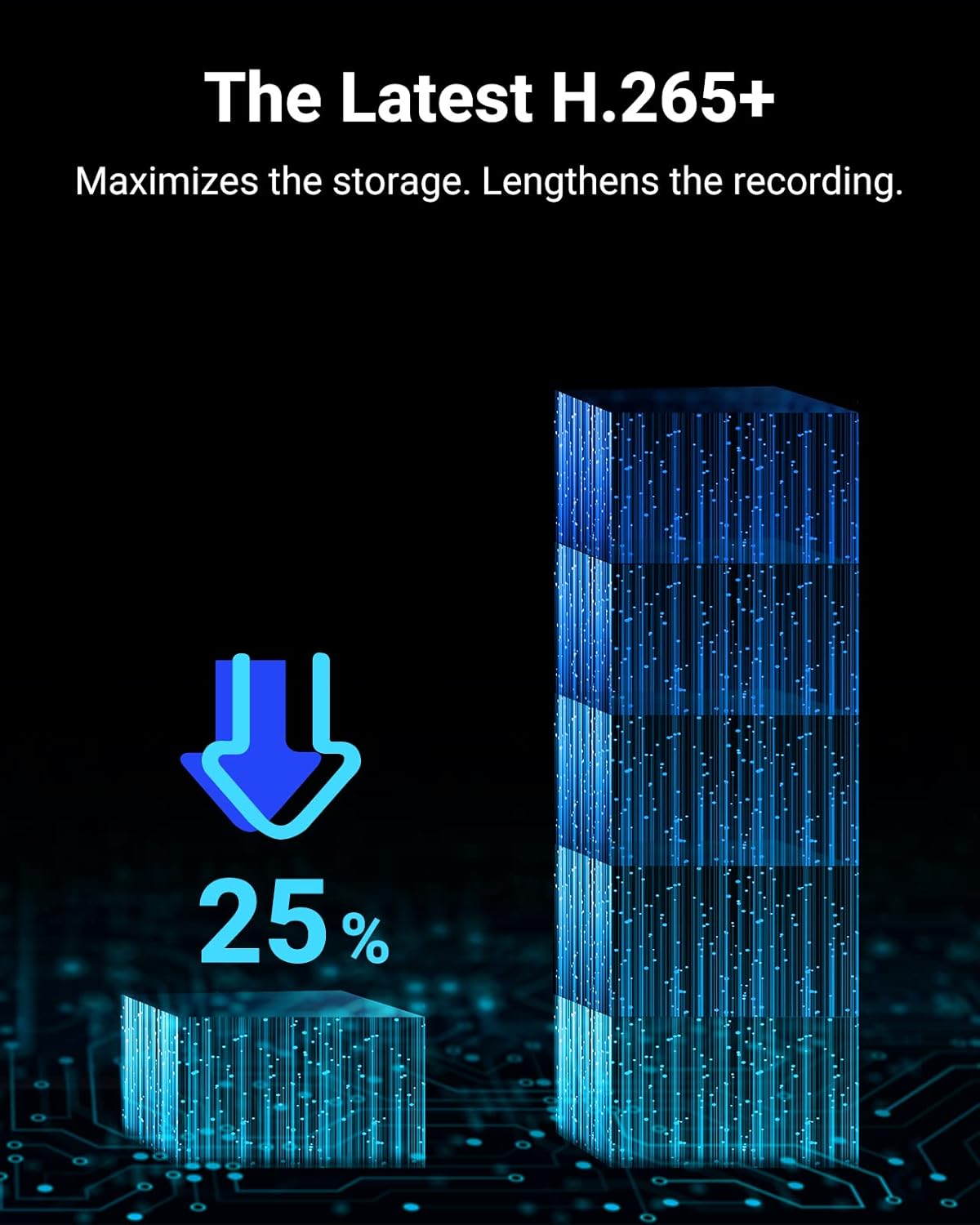
Image: Overview of the ANNKE 4K Dual Light Security Camera System with NVR and multiple cameras.
Key Features:
- Flexible Night Modes: Choose from Smart Light, IR Light, or White Light modes. Smart mode activates white light for color vision upon human/vehicle detection.
- Plug-and-Play PoE: Simplified setup with a single PoE cable for power and data transmission to each camera.
- H.265+ Video Compression: Maximizes storage space and reduces bandwidth usage without compromising image quality. Automatically adapts to H.265, H.264+, or H.264.
- Accurate Human & Vehicle Detection: Advanced algorithms provide 99% accuracy, reducing false alarms from environmental factors.
- 4K Ultra HD Resolution: Delivers crisp 3840x2160 video quality, optimized for 16:9 aspect ratio monitors.
2. Package Contents
Verify that all items listed below are included in your package. If any items are missing or damaged, please contact ANNKE customer support.

Image: Visual representation of all components included in the ANNKE 4K Surveillance System package.
- 1x ANNKE NVR (Network Video Recorder)
- 8x ANNKE 8MP PoE IP Cameras
- 1x Power Adapter for NVR
- 1x USB Mouse
- 4x 30m Network Cables
- 4x 18m Network Cables
- 1x HDMI Cable
- 1x Short Network Cable (for NVR to router connection)
- 1x Wall Sticker (24-Hour Video Surveillance)
- 1x User Manual (this document)
- 8x Mounting Screws for Cameras
- 8x Waterproof Lids for Network Connections
3. System Setup
Follow these steps to set up your ANNKE 4K Surveillance System.
3.1 Hardware Connection
- Connect Cameras: Connect each PoE IP camera to an available PoE port on the NVR using the provided network cables.
- Connect NVR to Monitor: Use the HDMI cable to connect the NVR's HDMI output to your monitor or TV.
- Connect NVR to Network: Connect the NVR's LAN port to your router using a network cable for internet access and remote viewing.
- Connect USB Mouse: Plug the USB mouse into an available USB port on the NVR.
- Power On: Connect the power adapter to the NVR and then plug it into a power outlet. The system will power on automatically.

Image: Diagram illustrating the simple plug-and-play PoE connection of cameras to the NVR and NVR to a monitor and network.
3.2 Initial Configuration
Upon first boot, the NVR will guide you through a setup wizard to configure basic settings such as language, date/time, network settings, and password creation. Follow the on-screen prompts.
3.3 Remote Access Setup
To access your surveillance system remotely via smartphone or tablet:
- Download the App: Search for the official ANNKE Vision app on the Apple App Store or Google Play Store.
- Create Account: Register for an ANNKE account within the app.
- Add Device: Follow the in-app instructions to add your NVR by scanning the QR code displayed on the NVR's monitor or by manually entering its serial number.
- View Live Feed: Once added, you can view live camera feeds, playback recordings, and receive alerts from anywhere.

Image: A person viewing live camera footage on a smartphone via the ANNKE app, demonstrating remote access capabilities.
4. Operating Instructions
This section covers the primary operational features of your ANNKE surveillance system.
4.1 Night Vision Modes
The system offers three flexible night vision modes:
- IR Light Mode: Infrared (IR) LEDs provide clear black and white video in low-light conditions.
- White Light Mode: The camera's built-in white light illuminates the area, providing full-color night vision.
- Smart Light Mode: IR LEDs are active by default. When human or vehicle motion is detected, the white light automatically turns on, switching the video to color for enhanced detail.

Image: A camera with dual light mode activated, illuminating a person at night and triggering a motion detection alert on a smartphone.
4.2 Human and Vehicle Detection
The system's AI-powered detection distinguishes between humans, vehicles, and other moving objects, significantly reducing false alarms. You can configure specific detection zones and sensitivity settings via the NVR interface or the mobile app.
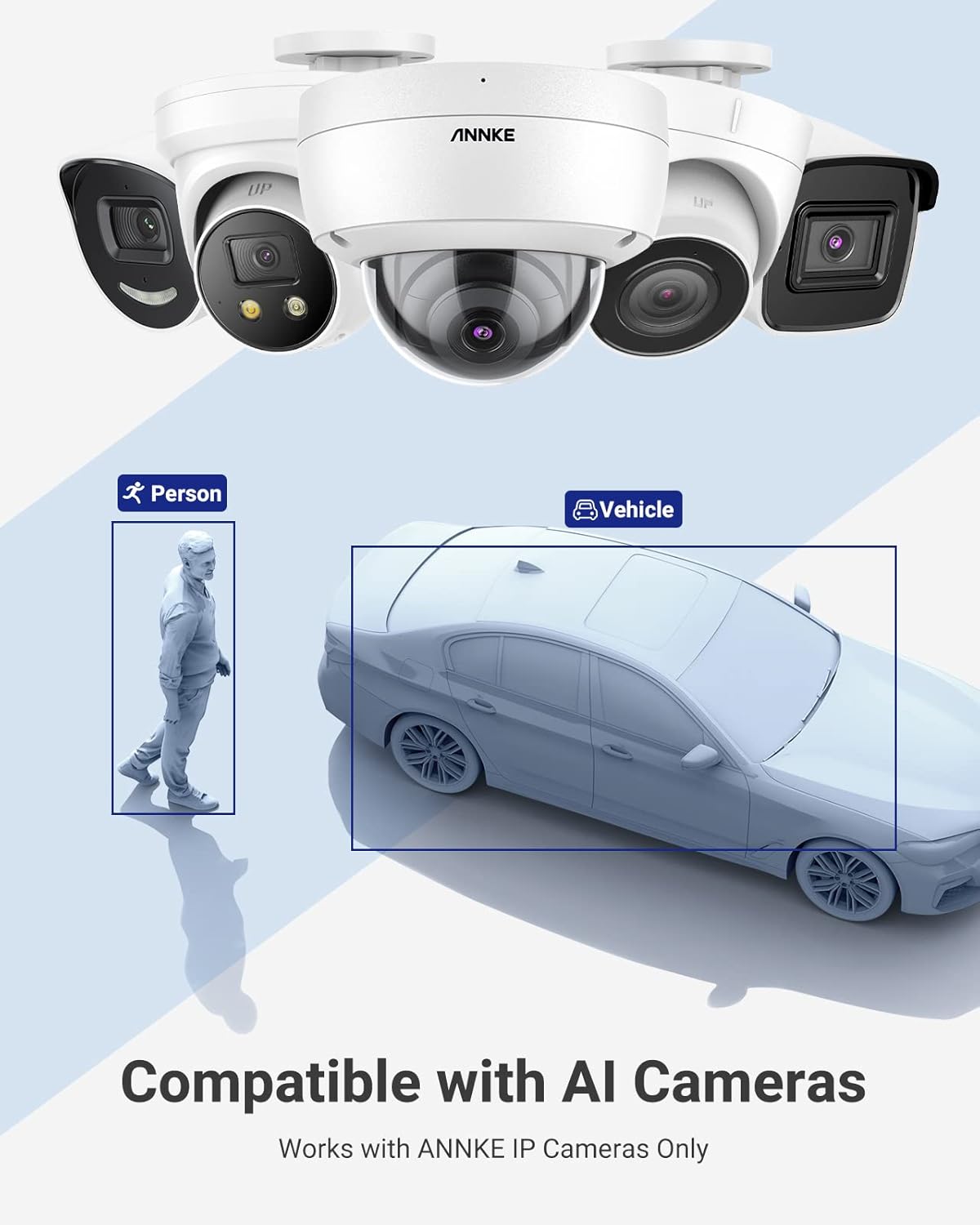
Image: An illustration showing how the system identifies and outlines a person and a vehicle for accurate detection.
4.3 4K Video Quality and H.265+ Compression
The 8MP cameras capture video in stunning 4K Ultra HD (3840x2160) resolution, ensuring clear and detailed footage. The NVR utilizes H.265+ compression technology, which efficiently encodes video to save storage space and bandwidth while maintaining high image quality. This allows for longer recording times compared to older compression standards.

Image: A visual comparison demonstrating the superior detail and clarity of 4K resolution compared to 2K and 1080p.

Image: A graphic illustrating the storage savings achieved with H.265+ compression, showing a 25% reduction in storage requirements.
4.4 Additional Camera Features
- Built-in Microphone: Each camera includes a noise-cancelling microphone for audio recording, providing an additional layer of security information.
- IP67 Weatherproof Rating: The cameras are designed to withstand harsh outdoor conditions, being dust and waterproof.

Image: A visual showing the camera's built-in microphone for audio recording and its IP67 rating, indicating dust and waterproof capabilities.
5. Maintenance
Regular maintenance ensures optimal performance and longevity of your surveillance system.
- Clean Camera Lenses: Periodically clean camera lenses with a soft, damp cloth to remove dust, dirt, or smudges that may affect image clarity. Avoid abrasive cleaners.
- Check Cable Connections: Ensure all network and power cables are securely connected to prevent signal loss or power interruptions.
- Firmware Updates: Check the ANNKE official website or the mobile app for available firmware updates for your NVR and cameras. Keeping firmware updated can improve performance, add features, and enhance security.
- Review Recordings: Regularly review recorded footage to ensure the system is functioning as expected and capturing necessary events.
- Hard Drive Health: If an HDD is installed (not included in this specific package), monitor its health through the NVR's system settings to prevent data loss.
6. Troubleshooting
If you encounter issues with your ANNKE surveillance system, refer to the following common troubleshooting steps.
6.1 No Video Display on Monitor
- Check Power: Ensure the NVR is powered on and the power adapter is securely connected to a working outlet.
- HDMI/VGA Connection: Verify that the HDMI or VGA cable is correctly connected between the NVR and the monitor. Try a different cable or monitor if possible.
- Monitor Input: Ensure your monitor is set to the correct input source (HDMI/VGA).
6.2 Cameras Not Displaying Video
- PoE Connection: Confirm that the network cable from the camera is securely plugged into a PoE port on the NVR.
- Cable Integrity: Inspect the network cable for any damage. Try swapping with a known working cable.
- Camera Power: Ensure the NVR's PoE ports are providing power. Check the NVR's status indicators.
- Camera Compatibility: Ensure the cameras are compatible with the NVR. This system works best with ANNKE 4K/8/6/5MP IP cams.
6.3 Remote Access Issues
- Network Connection: Verify that the NVR is connected to the internet and has a stable network connection. Check your router and NVR's network settings.
- App Login: Ensure you are logged into the ANNKE Vision app with the correct account credentials.
- Device Status: Check the device status in the app. If offline, re-add the device or check NVR's network settings.
- Firewall/Router Settings: Ensure your router's firewall is not blocking the NVR's access to the internet. Port forwarding may be required in some complex network setups.
6.4 False Alarms
- Adjust Sensitivity: Reduce the motion detection sensitivity in the NVR or app settings.
- Configure Detection Zones: Define specific areas for motion detection, excluding areas with frequent irrelevant movement (e.g., trees swaying, busy roads).
- Clear Obstructions: Ensure there are no objects (e.g., spiderwebs, leaves) directly in front of the camera lens that could trigger motion.
For more detailed troubleshooting, refer to the full digital user manual available on the ANNKE support website or contact ANNKE customer support.
7. Specifications
Detailed technical specifications for the ANNKE 4K 8-Channel NVR Surveillance System.

Image: Diagram showing the physical dimensions of both the NVR unit and an individual camera.
| Feature | Specification |
|---|---|
| Brand | ANNKE |
| Model Number | AU-N48PAW0-V4-98DL |
| Connectivity Technology | Wired (PoE) |
| Video Capture Resolution | 4K (3840x2160) |
| Number of Channels | 8 |
| Special Features | Image Sensor, Night Vision, Human & Vehicle Detection, Built-in Microphone |
| Power Source | PoE (Power over Ethernet) |
| NVR Dimensions (L x W x H) | 12.4 x 9.4 x 1.9 inches (315 x 240 x 48 mm) |
| Camera Dimensions (L x W x H) | Approx. 6.7 x 2.7 x 2.6 inches (170.8 x 69.7 x 66 mm) |
| Item Weight | 18.05 pounds (total package) |
| Compatible Devices | Smartphones, Tablets |
| Low Light Technology | Night Vision (IR, White Light, Smart Dual Light) |
| IP Rating (Cameras) | IP67 (Dust & Weatherproof) |
| Video Compression | H.265+, H.265, H.264+, H.264 |
| UPC | 750810077500 |
8. Warranty and Support
ANNKE is committed to providing high-quality products and customer satisfaction.
8.1 Product Warranty
For detailed information regarding the product warranty period and terms, please refer to the official ANNKE website or the warranty card included with your purchase. Warranty coverage typically includes defects in materials and workmanship under normal use.
8.2 Technical Support
If you require technical assistance, have questions about installation, operation, or troubleshooting that are not covered in this manual, please contact ANNKE customer support through the following channels:
- Official Website: Visit the ANNKE official website for FAQs, support articles, software downloads, and contact information.
- Email Support: Send an email to ANNKE's support team for assistance.
- Online Chat: Some regions may offer live chat support on the ANNKE website.
Please have your product model number (AU-N48PAW0-V4-98DL) and purchase information ready when contacting support.


