1. Introduction and Overview
The Cobra ACXT345 is a rugged, weather-resistant two-way radio/walkie talkie designed for recreational or business use. It offers reliable communication over longer distances with features like NOAA Weather Alerts and Voice-Activated Transmission (VOX).

Image: A pair of Cobra ACXT345 walkie talkies, showcasing their compact design and digital display.
2. Key Features
- Rugged and Weather-Resistant: Water-resistant (IPX2) design ensures clear communication even in challenging weather conditions, with a range of up to 25 miles under ideal circumstances.
- 22 Channels and 121 Privacy Codes: Provides a total of 22 channels combined with 121 privacy codes to secure your conversations and minimize interference.
- NOAA Weather Channels: Offers 24/7 access to NOAA weather channels, keeping you informed of changing weather conditions.
- Voice-Activated Transmission (VOX): Enables hands-free operation by automatically transmitting when you speak, ideal for situations where your hands are occupied.
- Call Tones: Features 5 selectable call tones to differentiate between incoming calls from various parties.
- Channel Scan: Automatically scans channels for incoming transmissions, helping you find active conversations quickly.
- USA Engineered & Supported: Backed by over 50 years of proven reliability, these communication solutions are engineered and supported in the USA.

Image: Visual representation of the weather-resistant feature, 22 channels, and NOAA weather alert capability.
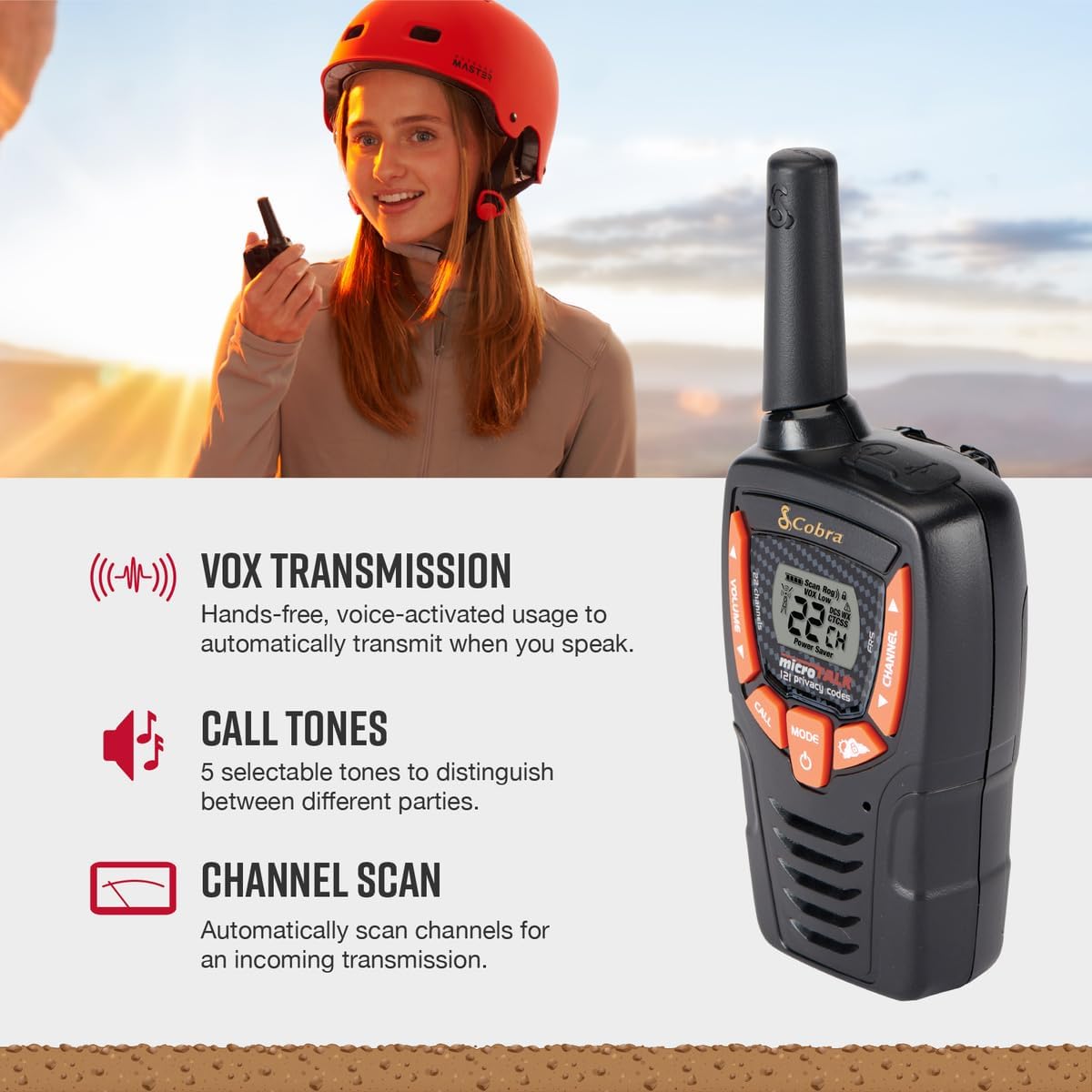
Image: Illustrates the VOX hands-free transmission, customizable call tones, and channel scanning features.
3. What's in the Box
Your Cobra ACXT345 package includes the following items:
- 2 x ACXT345 Walkie Talkies
- 6 x AA NiMH Rechargeable Batteries
- 2 x Belt Clips
- 1 x USB-Y Cable for Charging

Image: All components included in the ACXT345 two-way radio package.
4. Setup
4.1 Battery Installation and Charging
- Open the battery compartment cover on the back of each walkie talkie.
- Insert the 3 AA NiMH rechargeable batteries into each unit, ensuring correct polarity (+/-).
- Close the battery compartment cover securely.
- To charge the batteries, connect the USB-Y cable to the charging port on the walkie talkie and plug the other end into a compatible USB power source (e.g., computer USB port, USB wall adapter).
- The battery indicator on the display will show charging status. Allow sufficient time for a full charge before first use.
4.2 Attaching the Belt Clip
- Align the belt clip with the grooves on the back of the walkie talkie.
- Slide the belt clip downwards until it clicks securely into place.
- To remove, push the release tab on the belt clip and slide it upwards.
5. Operating Instructions
5.1 Power On/Off
- To power on, press and hold the Power button until the display illuminates.
- To power off, press and hold the Power button until the display turns off.
5.2 Channel Selection
- With the radio on, press the Mode button until the channel number flashes.
- Use the Up or Down arrow buttons to select your desired channel (1-22).
- Press the Mode button again to confirm the selection or wait a few seconds for it to set automatically.
5.3 Volume Adjustment
- Use the Volume Up or Volume Down buttons (often integrated with channel arrows) to adjust the listening volume.
5.4 Transmitting and Receiving
- To transmit, press and hold the Push-to-Talk (PTT) button located on the side of the radio. Speak clearly into the microphone.
- Release the PTT button to stop transmitting and listen for a response.
- Ensure both radios are on the same channel and privacy code for successful communication.
5.5 VOX (Voice-Activated Transmission)
- VOX allows hands-free transmission. To activate, consult your radio's specific menu options (usually accessed via the Mode button).
- Once activated, the radio will transmit automatically when it detects your voice. Adjust VOX sensitivity as needed to prevent accidental transmissions or missed words.
5.6 Call Tones
- To send a call tone, briefly press the Call button. This sends an audible alert to other radios on the same channel.
- You can select from 5 different call tones via the radio's menu settings.
5.7 Channel Scan
- To activate channel scan, press the Scan button (often labeled 'CH/Scan'). The radio will cycle through all channels, stopping on any active transmission.
- To stop scanning, press the Scan button again.
5.8 NOAA Weather Channels
- To access NOAA weather channels, navigate through the radio's menu using the Mode button until you find the weather channel option.
- Select the appropriate weather channel for your region to receive continuous weather broadcasts and alerts.
6. Maintenance
- Cleaning: Wipe the radio with a soft, damp cloth. Do not use abrasive cleaners or solvents.
- Battery Care: For optimal battery life, fully charge the batteries before first use and when the low battery indicator appears. If storing the radios for an extended period, remove the batteries.
- Storage: Store the radios in a cool, dry place away from extreme temperatures and direct sunlight.
7. Troubleshooting
| Problem | Possible Cause | Solution |
|---|---|---|
| No power | Batteries are dead or incorrectly installed. | Recharge or replace batteries. Ensure correct polarity. |
| Poor range or static | Obstructions (buildings, terrain), distance, or low battery. | Move to an open area. Recharge batteries. Note that advertised range is under ideal conditions. |
| Cannot transmit or receive | Radios are on different channels/privacy codes, or PTT button not pressed. | Verify both radios are on the same channel and privacy code. Press and hold PTT button firmly when speaking. |
| VOX not working | VOX sensitivity too low or feature is off. | Adjust VOX sensitivity in the menu. Ensure VOX is enabled. |
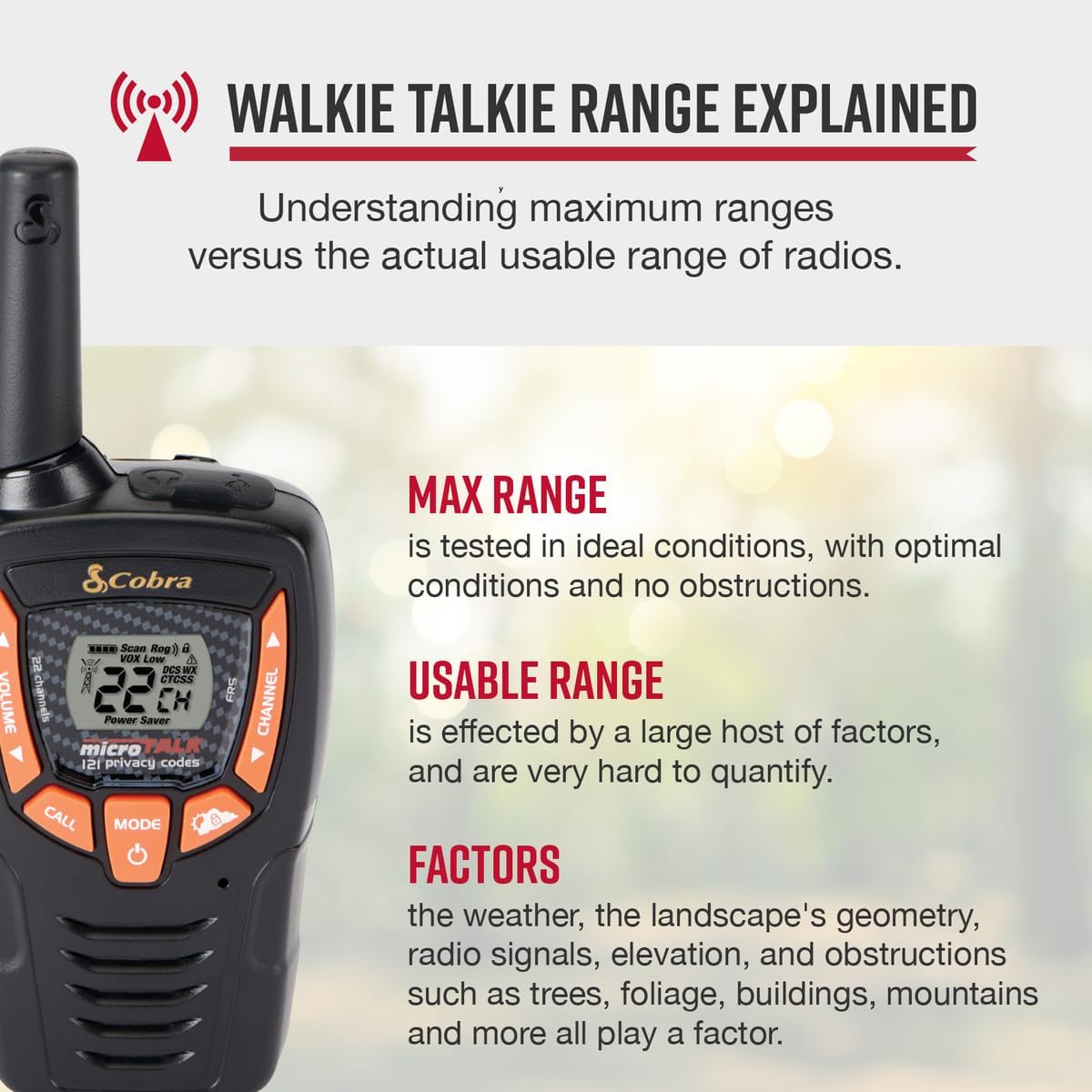
Image: Explanation of walkie talkie range, highlighting factors that can affect actual usable range.
8. Specifications
- Model: ACXT345
- Product Dimensions: 6.04 x 2.42 x 1.63 inches (1.55"D x 2.41"W x 6.05"H)
- Item Weight: 4.8 ounces
- Batteries: 6 AA NiMH rechargeable batteries (included)
- Number of Channels: 22
- Privacy Codes: 121
- Frequency Range: UHF band (300 MHz - 3 GHz)
- Talking Range Maximum: Up to 25 Miles (under ideal conditions)
- Tuner Technology: UHF
- Voltage: 3 Volts
- Water Resistance Level: IPX2 (Water-Resistant)
- Color: Black and Orange
- Manufacturer: Cobra Electronics
- Country of Origin: China
- Date First Available: January 1, 2016
9. Warranty and Support
Cobra products are USA engineered and supported, reflecting over 50 years of proven reliability in communication solutions. For specific warranty details, technical assistance, or customer support, please refer to the official Cobra Electronics website or contact their customer service department. Keep your purchase receipt for warranty claims.