
Important Safety Information
Before operating this appliance, please read this manual thoroughly and retain it for future reference. Always follow basic safety precautions to reduce the risk of fire, electric shock, and injury.
- Ensure the refrigerator is properly grounded.
- Do not use electrical appliances inside the food storage compartments unless they are of the type recommended by the manufacturer.
- Keep ventilation openings, in the appliance enclosure or in the built-in structure, clear of obstruction.
- Do not damage the refrigerant circuit.
- Do not store explosive substances such as aerosol cans with a flammable propellant in this appliance.
- Unplug the appliance before cleaning or performing maintenance.
Setup and Installation
1. Unpacking
Remove all packaging materials, including foam and adhesive tape. Inspect the refrigerator for any shipping damage. Report any damage immediately to the retailer.
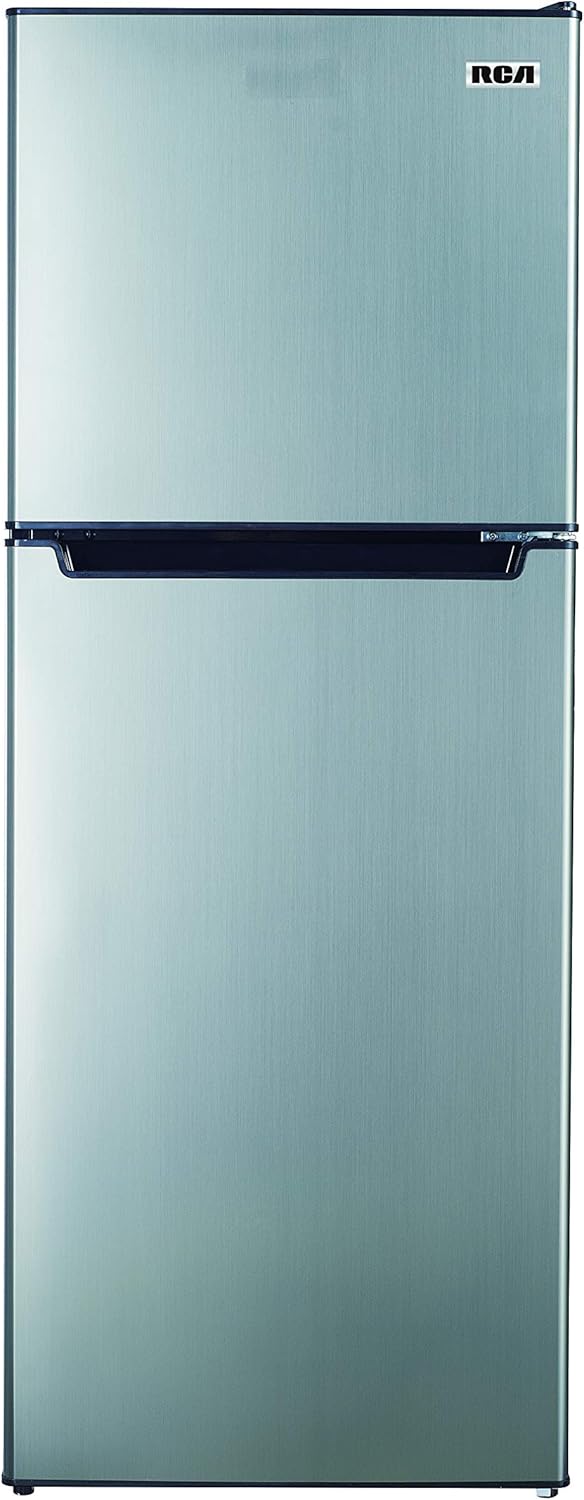
Image: Front view of the ARCTIC CHEF FR725 refrigerator. This image displays the sleek platinum finish and the two-door design, with the freezer compartment on top and the refrigerator compartment below.
2. Location
Place the refrigerator on a firm, level floor. Ensure there is adequate air circulation around the appliance. Allow at least 4 inches (10 cm) of space at the back and sides for proper ventilation. Avoid direct sunlight and heat sources.

Image: The ARCTIC CHEF FR725 refrigerator positioned in a kitchen. This image illustrates the compact size and how the appliance fits seamlessly into a typical kitchen environment, next to a counter and sink.
3. Leveling
Adjust the leveling feet at the bottom front of the refrigerator to ensure it is stable and level. A level appliance operates more efficiently and prevents door alignment issues.
4. Door Reversal
This refrigerator features reversible doors, allowing them to open from either the left or right side to suit your kitchen layout. Refer to the detailed instructions in the full product manual for the door reversal procedure.
5. Power Connection
Plug the refrigerator into a dedicated 120 Volt, 60 Hz grounded electrical outlet. Do not use extension cords. Allow the appliance to stand upright for at least 2-4 hours before plugging it in to allow refrigerants to settle.
Operating Instructions
1. Temperature Control
The refrigerator is equipped with an adjustable thermostat. Locate the temperature control dial inside the fresh food compartment. Turn the dial to adjust the cooling intensity. A higher number typically indicates a colder setting. Allow several hours for the temperature to stabilize after adjustment.

Image: Interior view of the ARCTIC CHEF FR725 refrigerator. This image highlights the adjustable glass shelves, door bins for bottles, and the crisper drawer at the bottom, along with the freezer compartment above.
2. Food Storage
- Refrigerator Compartment: Ideal for fresh foods, dairy products, and beverages. Utilize the adjustable shelves and door bins for organized storage.
- Freezer Compartment: Suitable for long-term storage of frozen foods. Ensure packages are sealed to prevent freezer burn.
- Avoid overloading the compartments to allow for proper air circulation.
3. Automatic Defrost System
This appliance features an automatic defrost system, eliminating the need for manual defrosting in both the refrigerator and freezer compartments. Water from the defrost cycle is evaporated automatically.
Maintenance and Care
1. Cleaning
- Interior: Unplug the refrigerator. Wash interior surfaces with a solution of warm water and baking soda (2 tablespoons baking soda to 1 quart water). Rinse and dry thoroughly.
- Exterior: Clean the exterior with a mild detergent and warm water. Wipe dry with a soft cloth.
- Door Gaskets: Clean door gaskets regularly to ensure a proper seal.
2. Power Outage
In case of a power outage, keep the refrigerator and freezer doors closed as much as possible to maintain internal temperatures. Food should remain frozen for approximately 24 hours if the doors are kept closed.
3. Vacation
- Short Vacations: Leave the refrigerator operating.
- Long Vacations: Remove all food, unplug the appliance, clean it thoroughly, and leave the doors ajar to prevent odors and mold growth.
Troubleshooting Guide
| Problem | Possible Cause | Solution |
|---|---|---|
| Refrigerator does not operate. | Not plugged in; circuit breaker tripped; temperature control set to OFF. | Ensure plug is secure; reset circuit breaker; adjust temperature control. |
| Temperature is too warm. | Door opened too frequently; warm food placed inside; poor ventilation; temperature control set too high. | Minimize door openings; allow food to cool before storing; ensure proper clearance; adjust temperature control to a colder setting. |
| Unusual noises. | Appliance not level; objects vibrating against the unit; normal operating sounds. | Level the refrigerator; ensure nothing is touching the unit; some sounds (e.g., refrigerant flow) are normal. |
| Door does not close properly. | Appliance not level; door gasket dirty or damaged; food packages obstructing closure. | Level the refrigerator; clean or replace gasket; rearrange food items. |
Product Specifications
| Brand | ARCTIC CHEF |
| Model Number | FR725 |
| Color | Platinum |
| Capacity | 7.2 Cubic Feet |
| Dimensions (W x D x H) | 57.79 x 57.79 x 147.32 cm (22.75 x 22.75 x 58 inches) |
| Weight | 40.37 kg (89 lbs) |
| Voltage | 120 Volts |
| Material | Plastic |
| Special Features | Reversible Door, Adjustable Thermostat, Interior Light |
| Defrost System | Automatic |
| Configuration | Top Freezer |
| Number of Doors | 2 |
Warranty Information
This ARCTIC CHEF appliance comes with a limited manufacturer's warranty. Please refer to the warranty card included with your purchase or visit the official ARCTIC CHEF website for detailed terms and conditions, including coverage period and service procedures. Keep your proof of purchase for warranty claims.
Customer Support
For technical assistance, service inquiries, or to order replacement parts, please contact ARCTIC CHEF customer support.
- Website: www.arcticchef.com (Note: This is a placeholder URL, please refer to your product documentation for the actual website.)
- Phone: Refer to your product documentation for regional contact numbers.
- When contacting support, please have your model number (FR725) and serial number ready.
