Important Safeguards
When using electrical appliances, basic safety precautions should always be followed to reduce the risk of fire, electric shock, and injury to persons, including the following:
- Read all instructions before operating the appliance.
- Do not touch hot surfaces. Use handles or knobs.
- To protect against electrical shock, do not immerse cord, plug, or appliance in water or other liquid.
- Close supervision is necessary when any appliance is used by or near children.
- Unplug from outlet when not in use and before cleaning. Allow to cool before putting on or taking off parts.
- Do not operate any appliance with a damaged cord or plug, or after the appliance malfunctions or has been damaged in any manner. Return appliance to the nearest authorized service facility for examination, repair, or adjustment.
- The use of accessory attachments not recommended by the appliance manufacturer may cause injuries.
- Do not use outdoors.
- Do not let cord hang over edge of table or counter, or touch hot surfaces.
- Do not place on or near a hot gas or electric burner, or in a heated oven.
- Extreme caution must be used when moving an appliance containing hot oil or other hot liquids.
- Always attach plug to appliance first, then plug cord into the wall outlet. To disconnect, turn any control to 'OFF', then remove plug from wall outlet.
- Do not use appliance for other than intended use.
- A fire may occur if the toaster oven is covered or touching flammable material, including curtains, draperies, walls, and the like, when in operation.
- Do not place any materials other than manufacturer's recommended accessories in this oven when not in use.
- Do not place any of the following materials in the oven: paper, cardboard, plastic, and the like.
- Do not cover crumb tray or any part of the oven with metal foil. This will cause overheating of the oven.
- Exercise extreme caution when removing tray or disposing of hot grease.
Parts and Features
Familiarize yourself with the components of your IMUSA GAU-18214 Toaster Oven:
- Toaster Oven Unit: The main appliance housing the heating elements and controls.
- Tempered Glass Door: Provides durability and visibility of food during cooking.
- Wire Rack: A removable rack for supporting food items.
- Bake Tray: A removable tray for baking or collecting drippings.
- Temperature Control Dial: Adjusts oven temperature from 200°F to 450°F.
- Function Selector: Allows selection of Bake, Broil, or Toast modes.
- 30-Minute Timer Dial: Sets cooking time up to 30 minutes and includes a 'Ready Bell' feature.
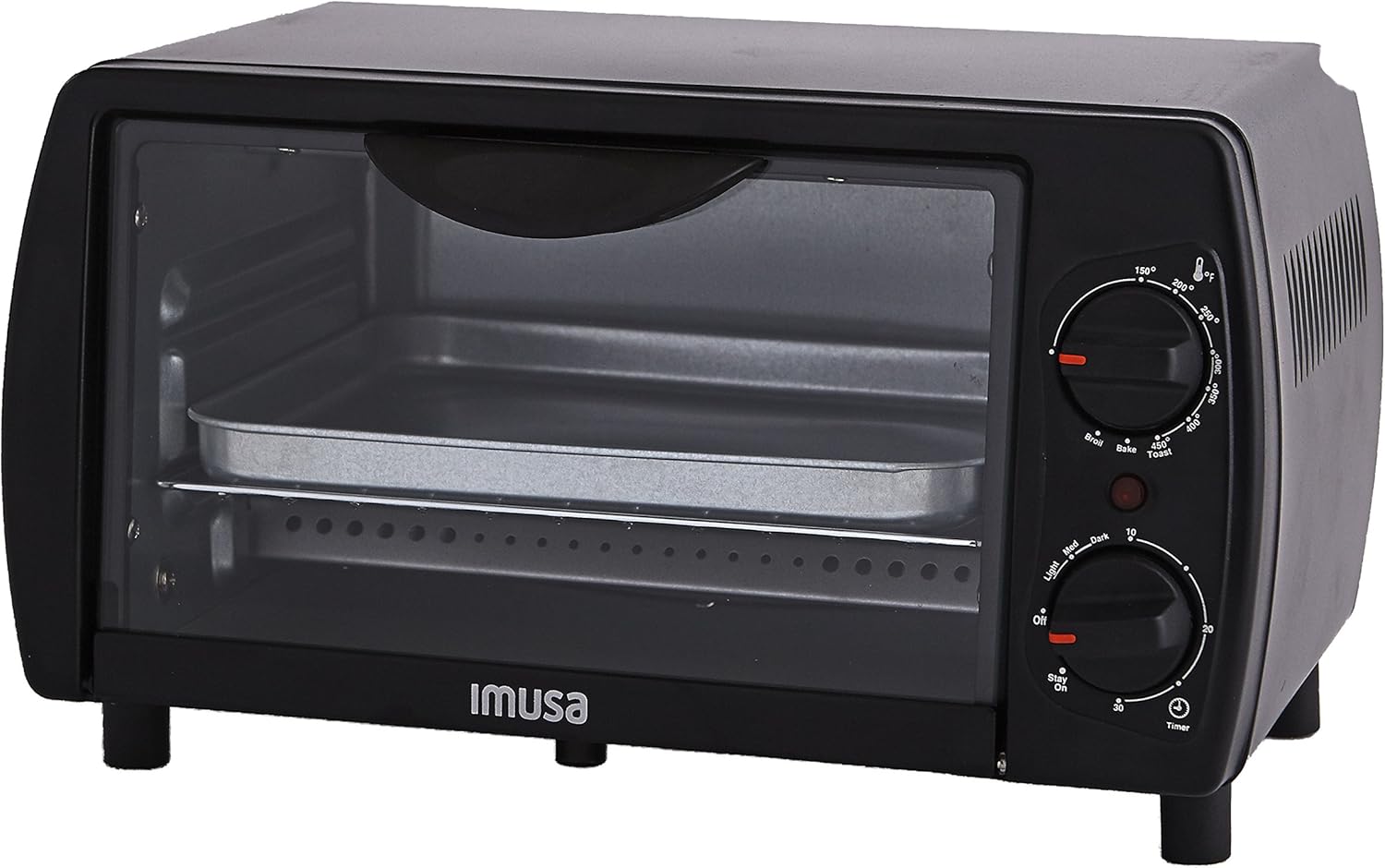
Figure 1: Front view of the IMUSA GAU-18214 Toaster Oven, showing the control knobs on the right side and the tempered glass door.

Figure 2: Front view of the IMUSA GAU-18214 Toaster Oven with the tempered glass door open, revealing the removable wire rack and bake tray inside.
Setup
- Unpacking: Carefully remove the toaster oven and all accessories from the packaging. Remove any protective film or packing materials.
- Placement: Place the toaster oven on a stable, heat-resistant, and level surface. Ensure there is adequate clearance (at least 4 inches) on all sides and above the appliance for proper ventilation. Do not place it directly against a wall or under cabinets.
- Initial Cleaning: Before first use, wipe the exterior with a damp cloth. Wash the wire rack and bake tray in warm, soapy water, rinse thoroughly, and dry completely. Do not immerse the main unit in water.
Operating Instructions
Before First Use (Initial Burn-Off)
It is recommended to run the toaster oven empty for approximately 15 minutes on the highest temperature setting (450°F) in the 'Bake' mode. This will help burn off any manufacturing residues and odors. Ensure the area is well-ventilated during this process.
General Operation
- Prepare Food: Place food items on the bake tray or wire rack as appropriate.
- Insert Tray/Rack: Slide the bake tray with food or the wire rack into the desired rack position inside the oven.
- Close Door: Ensure the tempered glass door is fully closed.
- Select Function: Turn the function selector dial to the desired cooking mode: 'Bake', 'Broil', or 'Toast'.
- Set Temperature: Turn the temperature control dial to the desired temperature, ranging from 200°F to 450°F. For toasting, the temperature is typically pre-set or not adjustable.
- Set Timer: Turn the timer dial clockwise to the desired cooking time, up to 30 minutes. The oven will begin heating. A 'Ready Bell' will sound when the set time has elapsed and the oven will turn off. To turn off the oven manually before the timer expires, turn the timer dial to the 'OFF' position.
- Monitor Cooking: Use the tempered glass door to observe the cooking process.
- Remove Food: Once cooking is complete and the timer bell has sounded, carefully open the door and use oven mitts to remove the hot tray or rack.
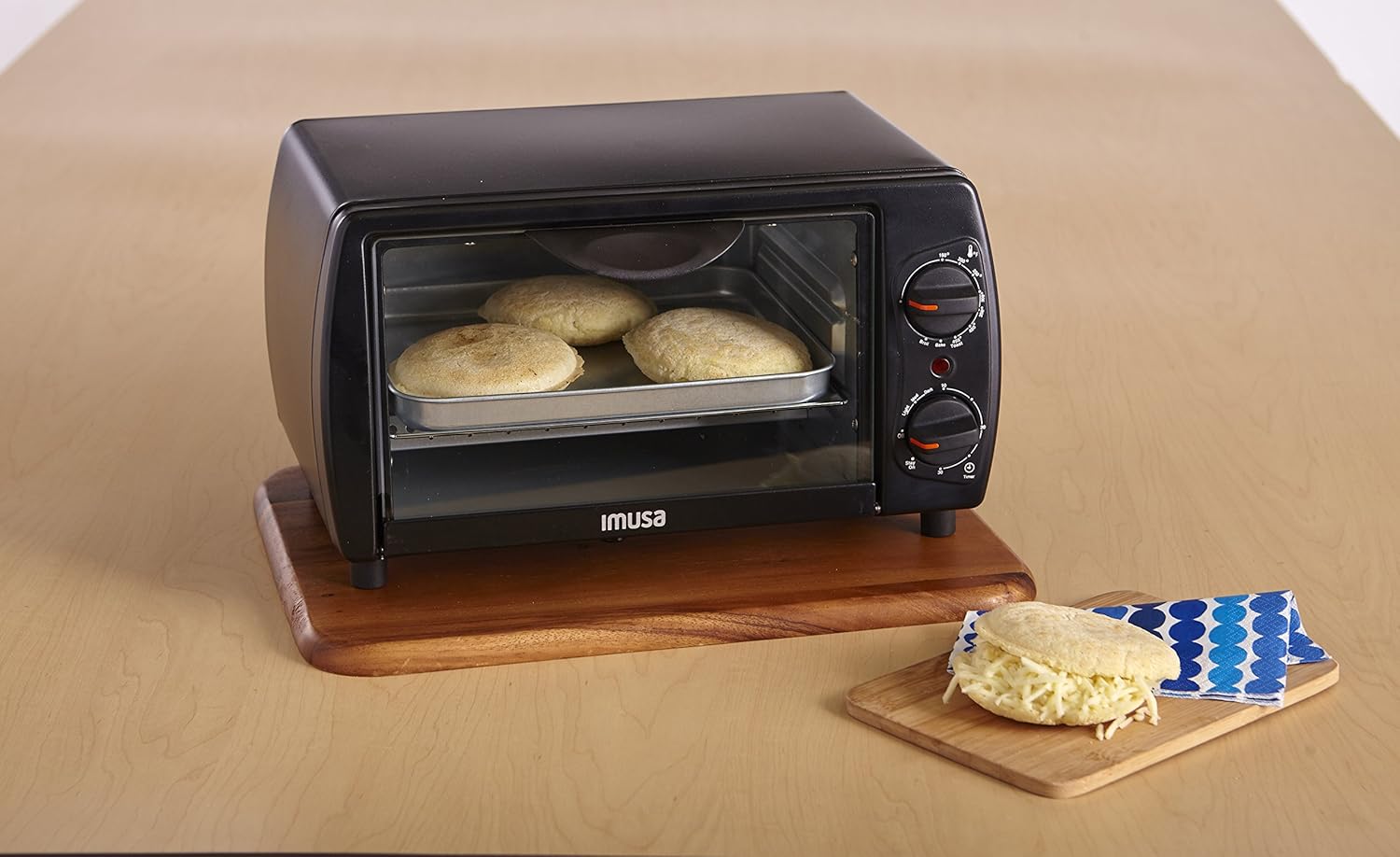
Figure 3: The IMUSA GAU-18214 Toaster Oven in use, with several round food items baking on the tray inside, demonstrating its cooking capacity.

Figure 4: The IMUSA GAU-18214 Toaster Oven in use, with a long, open-faced sandwich baking on the tray, illustrating its ability to accommodate various food types.
Maintenance and Cleaning
Regular cleaning ensures optimal performance and extends the life of your toaster oven.
- Always Unplug: Before cleaning, ensure the toaster oven is unplugged from the electrical outlet and has completely cooled down.
- Clean Removable Parts: The wire rack and bake tray can be washed in warm, soapy water. For stubborn food residue, soak them before cleaning. Rinse thoroughly and dry completely before returning to the oven.
- Clean Interior: Wipe the interior walls with a damp cloth and mild detergent. Avoid abrasive cleaners or scouring pads, as they can damage the non-stick surfaces. For baked-on food, a paste of baking soda and water can be applied, left for a few minutes, then wiped clean.
- Clean Exterior: Wipe the exterior surface with a damp cloth. Do not use harsh chemicals or abrasive cleaners.
- Clean Glass Door: The tempered glass door can be cleaned with a damp cloth and a non-abrasive glass cleaner.
- Crumb Tray: The bake tray often serves as a crumb tray. Ensure it is regularly cleaned to prevent grease buildup and potential fire hazards.
Troubleshooting
If you encounter issues with your toaster oven, refer to the following common problems and solutions:
- Oven does not turn on:
- Ensure the power cord is securely plugged into a working electrical outlet.
- Check if the timer dial is set to an 'ON' position or a specific time. The oven will not operate if the timer is set to 'OFF'.
- Verify that the circuit breaker has not tripped.
- Food is not cooking evenly or taking too long:
- Ensure the temperature dial is set correctly for the recipe.
- Preheat the oven for a few minutes before placing food inside.
- Avoid overcrowding the oven; cook in smaller batches if necessary.
- Check that the wire rack and bake tray are positioned correctly.
- Smoke or unusual odor during operation:
- A slight odor and smoke may occur during the initial burn-off (first use). This is normal.
- Excessive smoke usually indicates food drippings or residue on the heating elements or interior. Unplug the oven, allow it to cool, and clean the interior thoroughly.
- Ensure no flammable materials are near or inside the oven.
- Timer bell does not sound:
- Ensure the timer dial was turned past the 'OFF' position to engage the timer mechanism.
If the problem persists after attempting these solutions, please contact customer support.
Specifications
| Brand: | Imusa |
| Model Number: | GAU-18214 |
| Power: | 800 Watts |
| Temperature Range: | 200°F to 450°F |
| Timer: | 30 Minutes with Ready Bell |
| Control Type: | Knob |
| Door Material: | Tempered Glass |
| Product Dimensions: | 8.5 x 14 x 7.5 inches |
| Item Weight: | 5.75 pounds |
| Included Components: | Toaster oven, Wire Rack, Bake Tray, Instruction Manual |
Warranty and Support
For specific warranty information, please refer to the warranty card included with your product at the time of purchase or visit the official IMUSA USA website. Warranty terms and conditions may vary.
For technical support, replacement parts, or any questions not covered in this manual, please contact IMUSA USA customer service. Contact information can typically be found on the manufacturer's website or on the product packaging.
IMUSA USA Website: www.imusausa.com


