
Introduction
The VTech Spin & Learn Color Flashlight is an interactive toy designed for children aged 12 months to 3 years. It combines the fun of a flashlight with educational features to introduce colors, animals, letters, and music.
Package Contents
- One VTech Spin & Learn Color Flashlight
- One user manual
- 3 AAA batteries (for demo purposes; replacement recommended for regular use)
Setup
Battery Installation
- Locate the battery compartment on the back of the flashlight.
- Using a screwdriver, loosen the screw on the battery compartment cover.
- Remove the cover.
- Insert 3 new AAA batteries, ensuring correct polarity (+/-).
- Replace the battery compartment cover and tighten the screw.
Note: Batteries included are for demonstration purposes only. For optimal performance, replace with new alkaline batteries.
Operating Instructions
Power On/Off and Mode Selection
Locate the yellow slider switch on the side of the flashlight. This switch controls the power and operating modes:
- Off Position: Slide the switch to the far left to turn the flashlight off.
- Flashlight Mode: Slide the switch to the middle position (light bulb icon). Press the turtle button on the handle to activate the white flashlight beam.
- Play Mode: Slide the switch to the far right (open book icon). In this mode, the flashlight introduces opposites (light on/off) and engages in interactive learning.
Interactive Features
- Color-Changing Ring: Spin the clear ring at the front of the flashlight. The light will change to one of six bold colors (red, orange, yellow, green, blue, purple) and introduce the color and an associated animal.
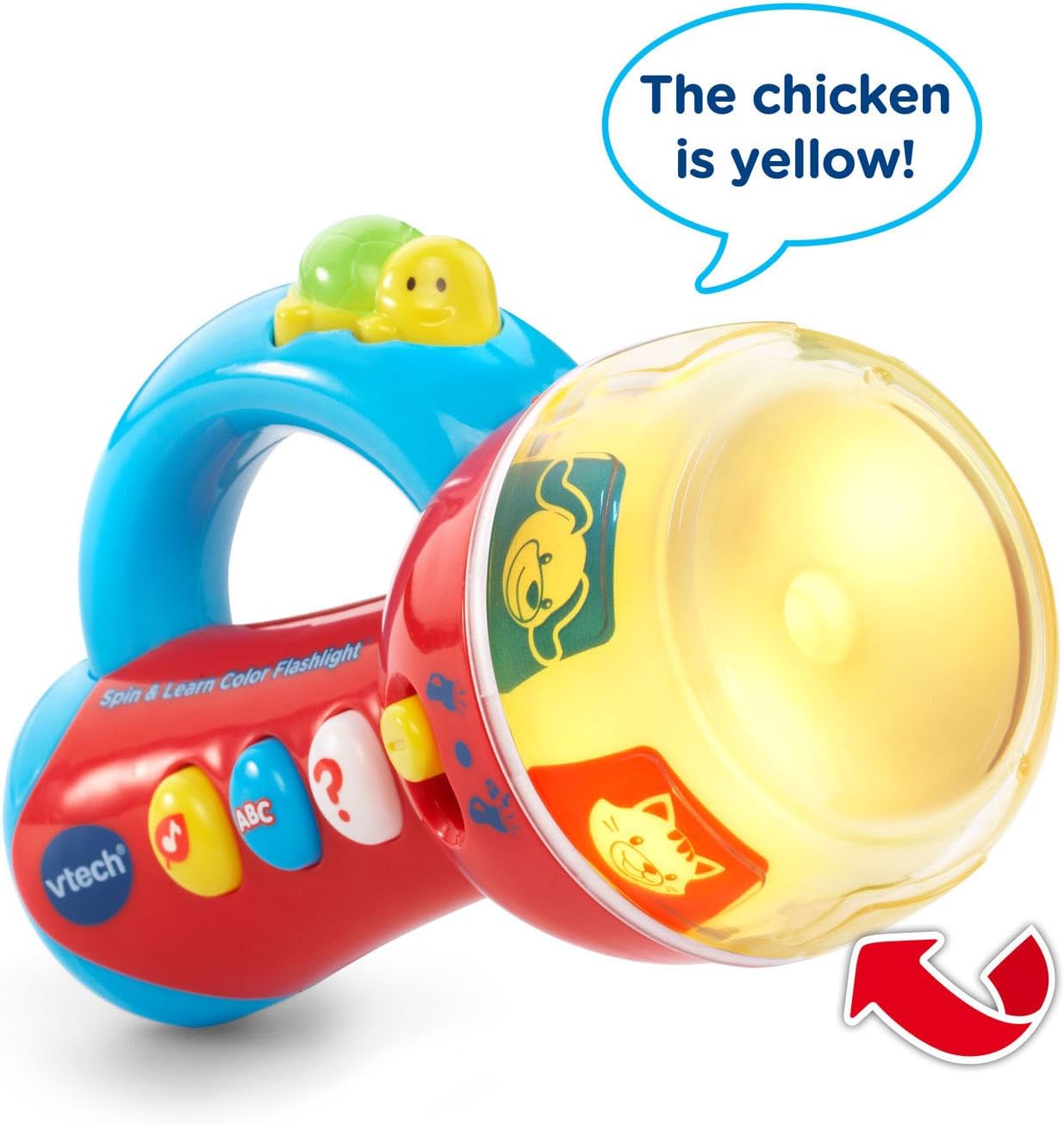
Image: The flashlight head displaying a yellow light with a chicken image, indicating the color and animal. An arrow points to the spinning ring.
- Three Side Buttons: Press the three colored buttons on the side of the flashlight to activate different learning activities:
- Music Button (Yellow Note): Plays fun melodies and nature sounds.
- ABC Button (Blue ABC): Introduces letters and letter sounds.
- Question Button (White Question Mark): Initiates an interactive game where the flashlight asks the child to find a specific color or animal by spinning the ring.
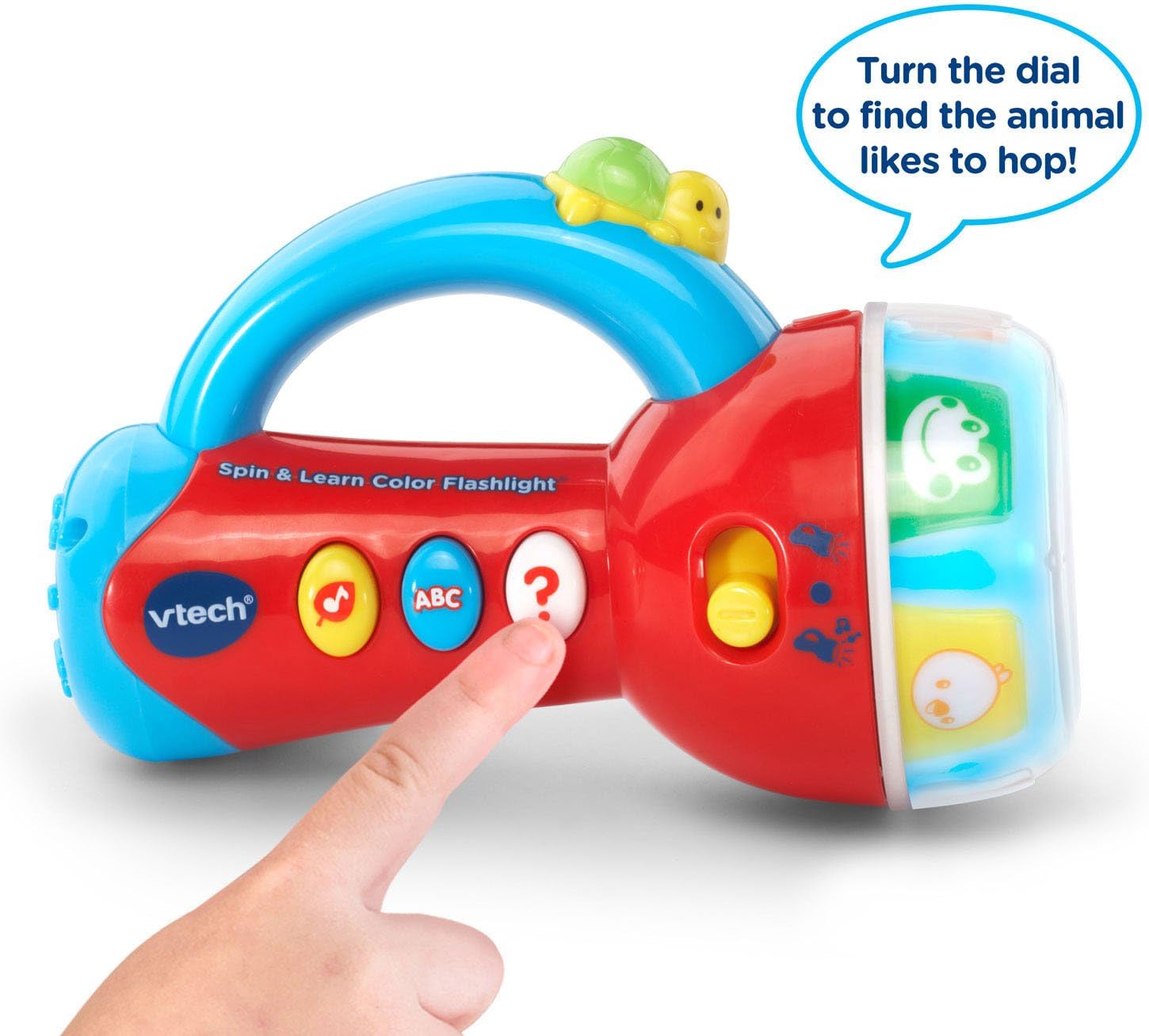
Image: A child's hand pressing the white question mark button on the flashlight, which is in play mode with animal images visible on the spinning ring.
- Turtle Button: In flashlight mode, press the turtle button on the handle to turn the white light beam on or off.

Image: The VTech Spin & Learn Color Flashlight with a red arrow indicating the turtle button on the handle, accompanied by the text "Light the way!".
Automatic Shut-Off
To conserve battery life, the flashlight will automatically shut off after a period of inactivity. Press any button or spin the ring to reactivate it.
Maintenance
- Cleaning: Wipe the flashlight with a soft, damp cloth. Do not immerse in water.
- Battery Care: Remove batteries if the toy will not be used for an extended period. Dispose of old batteries responsibly.
- Storage: Store the flashlight in a cool, dry place away from direct sunlight.
Troubleshooting
| Problem | Solution |
|---|---|
| Flashlight does not turn on. |
|
| Sound is distorted or too low. |
|
| Interactive features are not working correctly. |
|
Specifications
- Model Number: 80-185900
- Product Dimensions: 3.15 x 4.29 x 6.42 inches
- Item Weight: 8.2 ounces
- Recommended Age: 12 months - 3 years
- Batteries: 3 AAA batteries required (included for demo)
- Manufacturer: VTech
Product Videos
VTech Flashlight Demonstration
Video: A demonstration of the VTech Spin & Learn Color Flashlight's features, including its light, sounds, and interactive modes. This video is provided by the seller.
Warranty and Support
For warranty information or customer support, please refer to the contact details provided on the product packaging or visit the official VTech website. Keep your purchase receipt for warranty claims.


