
1. Introduction
The OM SYSTEM OLYMPUS Voice Recorder DM-720 is a high-quality digital voice recorder designed for various recording needs, from lectures and meetings to personal notes. It features a compact, durable metal body, an intuitive interface, and versatile recording and playback functions. This manual provides detailed instructions on setting up, operating, maintaining, and troubleshooting your DM-720 voice recorder.
- 4GB Built-in Memory: Provides ample storage for extended recording sessions.
- Direct PC Connection: Integrated USB connector for easy file transfer and battery charging.
- Micro SD Slot: Expandable memory for even more storage capacity.
- Transcription Mode: Optimized for voice-to-text applications.
2. What's in the Box
Upon opening your OM SYSTEM OLYMPUS Voice Recorder DM-720 package, you should find the following items:
- OM SYSTEM OLYMPUS Voice Recorder DM-720 Unit
- 1 AAA Battery (included)
- Clip/Stand Attachment
3. Product Overview
Familiarize yourself with the various parts and controls of your DM-720 voice recorder.

Figure 3.1: Front angled view of the Olympus DM-720 Voice Recorder.
3.1 Front Panel
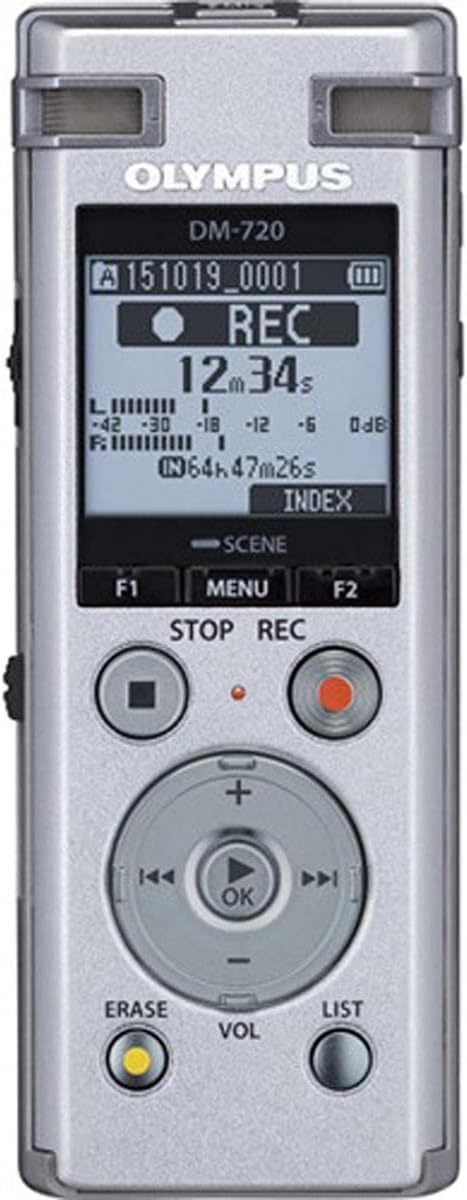
Figure 3.2: Front view of the Olympus DM-720 Voice Recorder, highlighting the display and control buttons.
- LCD Display: Shows recording status, file information, menu options, and battery level.
- Function Buttons (F1, F2): Context-sensitive buttons for menu navigation and specific operations.
- STOP Button: Stops recording or playback.
- REC Button: Starts recording.
- Control Pad (OK, +, -, <<, >>): Used for navigation, volume adjustment, and fast-forward/rewind.
- ERASE Button: Deletes files.
- VOL Button: Adjusts playback volume.
- LIST Button: Accesses the file list.
3.2 Top Panel
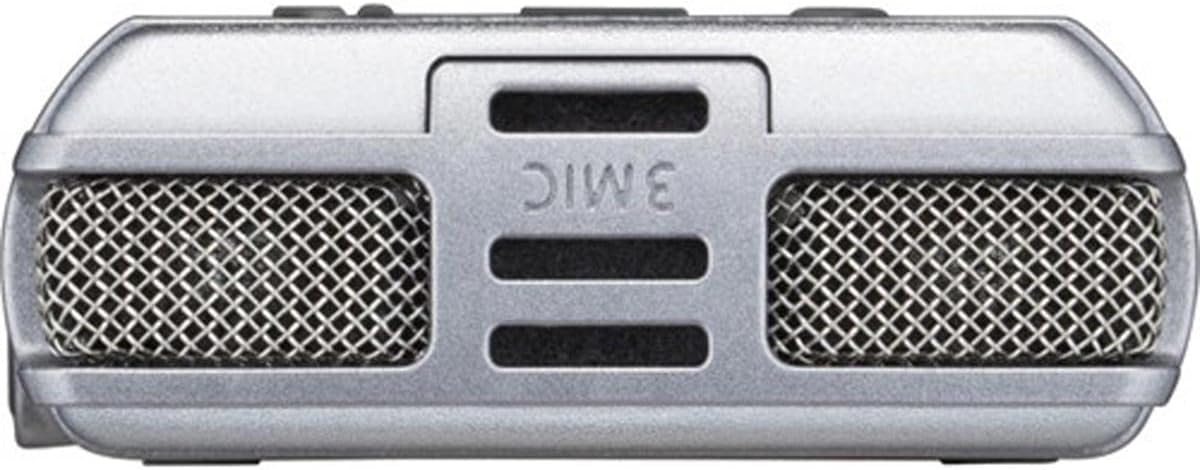
Figure 3.3: Top view of the Olympus DM-720 Voice Recorder, showing the built-in microphones.
- Built-in Microphones: Three microphones for high-quality stereo recording.
3.3 Side Panels

Figure 3.4: Side view of the Olympus DM-720 Voice Recorder, showing the microphone and headphone jacks.
- MIC Jack: For connecting an external microphone.
- EAR Jack: For connecting headphones or earphones.

Figure 3.5: Side view of the Olympus DM-720 Voice Recorder, showing the Power/Hold switch and USB slider.
- Power/Hold Switch: Slides to turn the device on/off or to lock the buttons (Hold function).
- USB Slider: Slides to extend or retract the built-in USB connector.
4. Setup
4.1 Battery Installation
The DM-720 operates on one AAA battery. A rechargeable AAA battery is included.
- Locate the battery compartment cover on the back of the recorder.
- Slide the release button and lift the cover to open the compartment.
- Insert the AAA battery according to the polarity indicators (+/-) inside the compartment.
- Close the battery compartment cover securely until it clicks into place.

Figure 4.1: Inserting a Micro SD card into the battery compartment, which also houses the AAA battery.
4.2 Micro SD Card Insertion (Optional)
The DM-720 has 4GB of internal memory. If you require additional storage, you can insert a Micro SD card (up to 32GB SDHC compatible).
- Open the battery compartment cover as described above.
- Locate the Micro SD card slot next to the battery.
- Gently insert the Micro SD card into the slot until it clicks into place. Ensure the card is oriented correctly.
- Close the battery compartment cover.
4.3 Powering On/Off
To power on the device, slide the Power/Hold switch located on the side of the recorder downwards and hold it for a moment. The LCD display will light up. To power off, slide the switch downwards again and hold until the display turns off.
5. Operating Instructions
5.1 Recording
The DM-720 supports recording in MP3 and PCM (WAV) formats.
- Ensure the recorder is powered on.
- Press the REC button to start recording. The recording indicator will light up, and the recording time will begin counting on the display.
- To adjust the recording level during recording, use the + and - buttons on the control pad. Note: Input levels can only be adjusted while recording is active. Pre-recording level testing is not supported.
- Press the STOP button to stop recording. The file will be saved automatically.
5.2 Playback
- Press the LIST button to view your recorded files.
- Use the + and - buttons to navigate through the file list.
- Press the OK button (center of control pad) to play the selected file.
- Use the VOL button to adjust the playback volume.
- Press the STOP button to stop playback.
5.3 File Management and Transfer
The DM-720 allows for easy transfer of recorded files to a computer using its built-in USB connector.
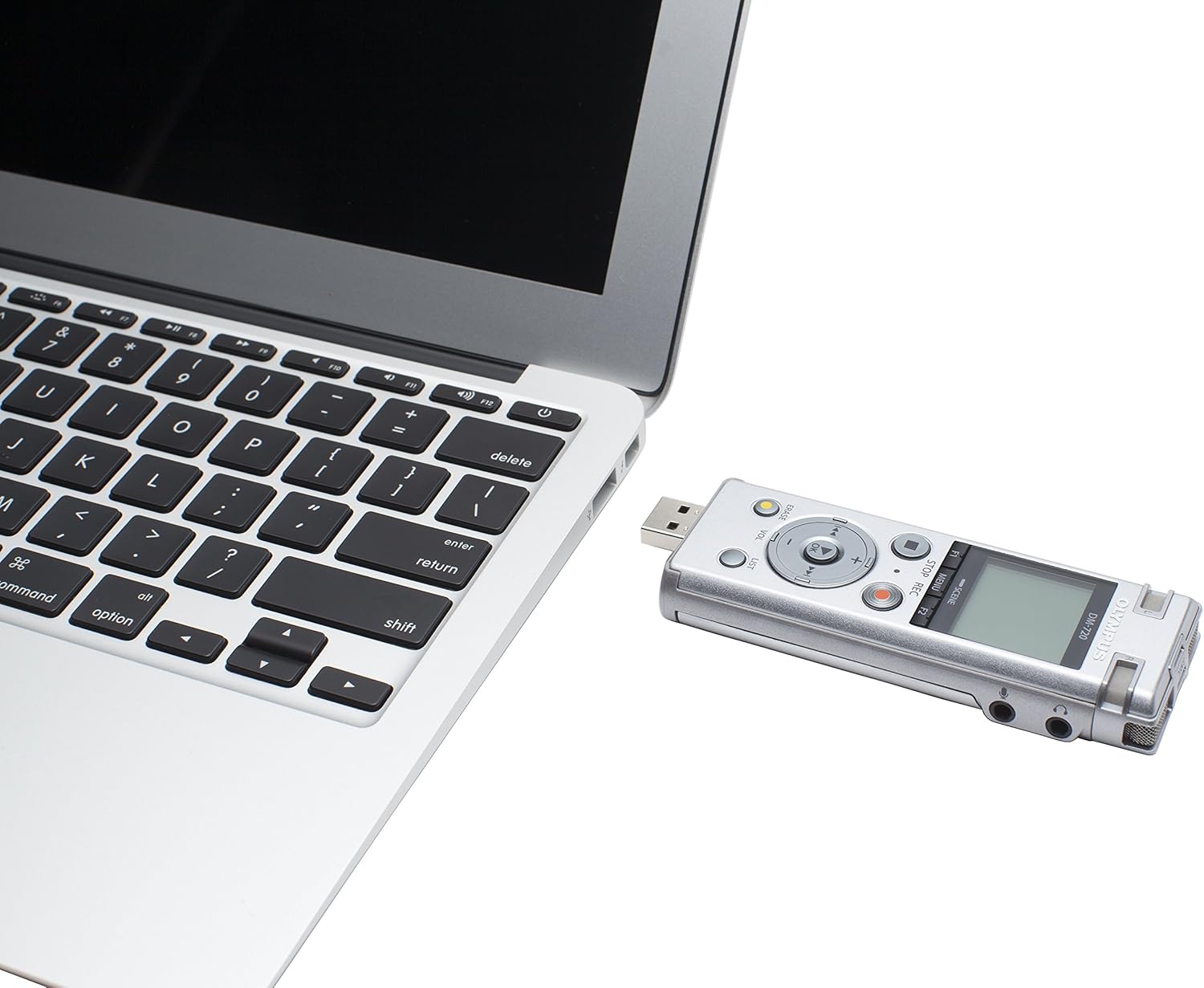
Figure 5.1: The DM-720 connected directly to a laptop's USB port.
- Slide the USB slider on the side of the recorder to extend the USB connector.
- Plug the USB connector directly into an available USB port on your computer.
- The recorder will appear as a removable drive on your computer. You can then drag and drop files to transfer them.
- The device's battery will also charge when connected to a powered USB port.
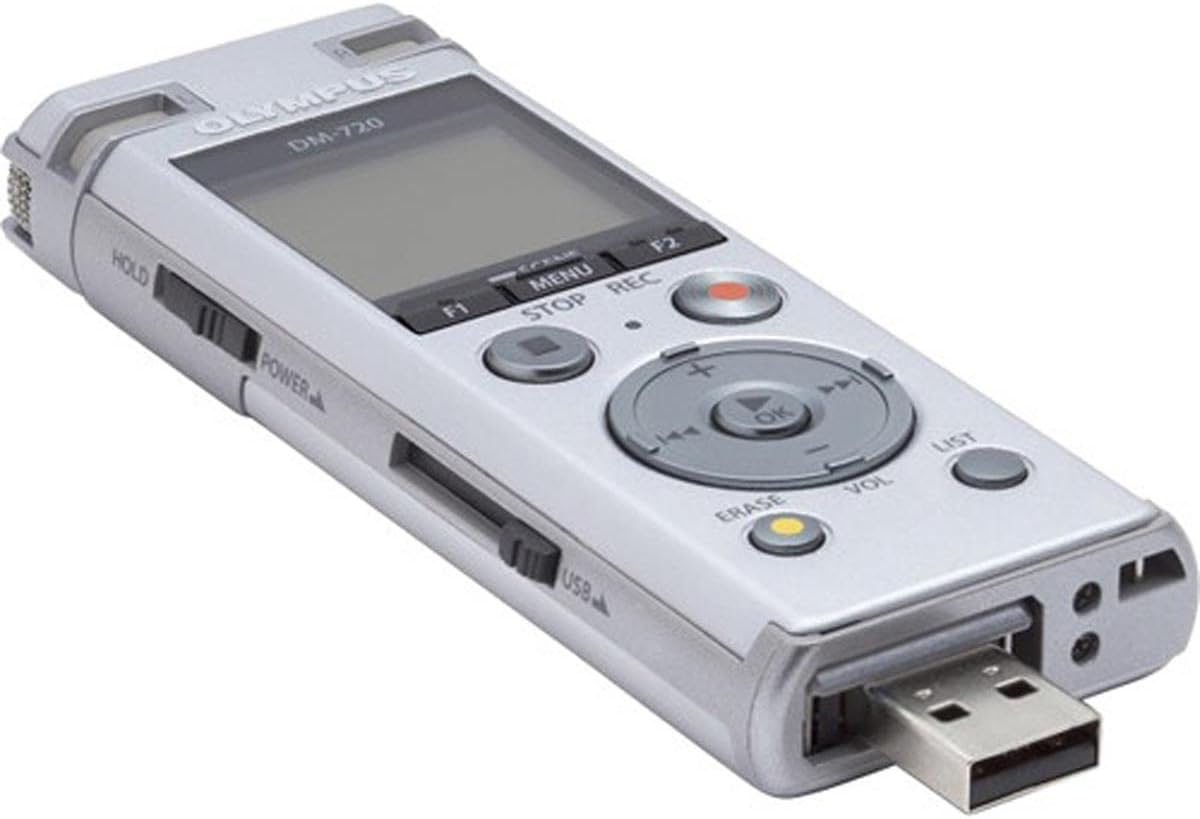
Figure 5.2: The built-in USB connector extended from the DM-720.
5.4 Transcription Mode
The DM-720 features a dedicated Transcription Mode, which optimizes playback for easier transcription of recorded audio. This mode typically includes features like voice balancer, noise cancellation, and playback speed control to enhance clarity for typing.
To activate and configure Transcription Mode, navigate through the device's menu using the MENU button and the control pad. Refer to the on-screen prompts for specific settings.
6. Maintenance
Proper care will ensure the longevity and optimal performance of your DM-720 voice recorder.
- Cleaning: Use a soft, dry cloth to wipe the exterior of the recorder. Do not use liquid cleaners or abrasive materials.
- Storage: Store the device in a cool, dry place away from direct sunlight, extreme temperatures, and high humidity. If storing for an extended period, remove the AAA battery to prevent leakage.
- Battery Care: Use only recommended AAA batteries. If using rechargeable batteries, ensure they are fully charged before use.
7. Troubleshooting
If you encounter issues with your DM-720, try the following solutions before seeking professional assistance.
| Problem | Possible Cause | Solution |
|---|---|---|
| Device does not power on. | Battery is dead or incorrectly inserted. | Replace or recharge the AAA battery. Ensure correct polarity. |
| Cannot record. | Memory is full; device is in HOLD mode. | Delete unnecessary files or insert a Micro SD card. Slide the Power/Hold switch to the OFF position. |
| Poor recording quality. | Microphone is obstructed; recording level is too low/high; environmental noise. | Ensure microphones are clear. Adjust recording level during recording. Record in a quieter environment. |
| Computer does not recognize the device. | USB connection issue; driver issue. | Ensure USB connector is fully extended and securely plugged into the computer. Try a different USB port or computer. |
8. Specifications
| Feature | Detail |
|---|---|
| Model Number | V414111SU000 |
| Internal Memory | 4 GB |
| Expandable Memory | MicroSD slot (up to 32GB SDHC compatible) |
| Recording Formats | MP3, PCM (WAV) |
| Microphone Form Factor | Built-In (3 microphones) |
| Headphones Jack | 3.5 millimeters |
| Power Source | 1 AAA battery (included) |
| USB Connectivity | Built-in USB connector |
| Product Dimensions | 0.57"D x 1.6"W x 4.17"H (approx.) |
| Item Weight | 2.4 Ounces |
9. Warranty and Support
For warranty information, technical support, or service inquiries regarding your OM SYSTEM OLYMPUS Voice Recorder DM-720, please refer to the official Olympus website or contact Olympus customer support directly. Keep your purchase receipt as proof of purchase for warranty claims.
You can visit the official Olympus store for more information: Olympus Store on Amazon


