
1. Introduction
This manual provides essential information for the safe and efficient installation, operation, and maintenance of your Maclean Energy MCE85 Infrared Motion Sensor. Please read these instructions carefully before use and retain them for future reference.
The Maclean Energy MCE85 is an ultra-flat passive infrared (PIR) motion sensor designed for ceiling mounting. It automatically controls lighting or other electrical devices by detecting movement within its detection area, offering convenience, energy efficiency, and enhanced security.
2. Safety Information
- Electrical Hazard: Installation must be performed by a qualified electrician or competent person in accordance with local electrical codes and regulations.
- Power Disconnection: Always disconnect the main power supply before attempting any installation, wiring, or maintenance.
- Indoor Use: This device has an IP20 rating, indicating it is suitable for indoor use only. Avoid exposure to water or high humidity.
- Load Capacity: Do not exceed the maximum load capacity specified in the product specifications to prevent damage to the sensor or connected devices.
- Mounting: Ensure the sensor is securely mounted to a stable surface.
3. Package Contents
Verify that all components are present before beginning installation:
- Maclean Energy MCE85 Infrared Motion Sensor (1 unit)
- Mounting Screws and Wall Anchors (quantity as supplied)
- User Manual (this document)
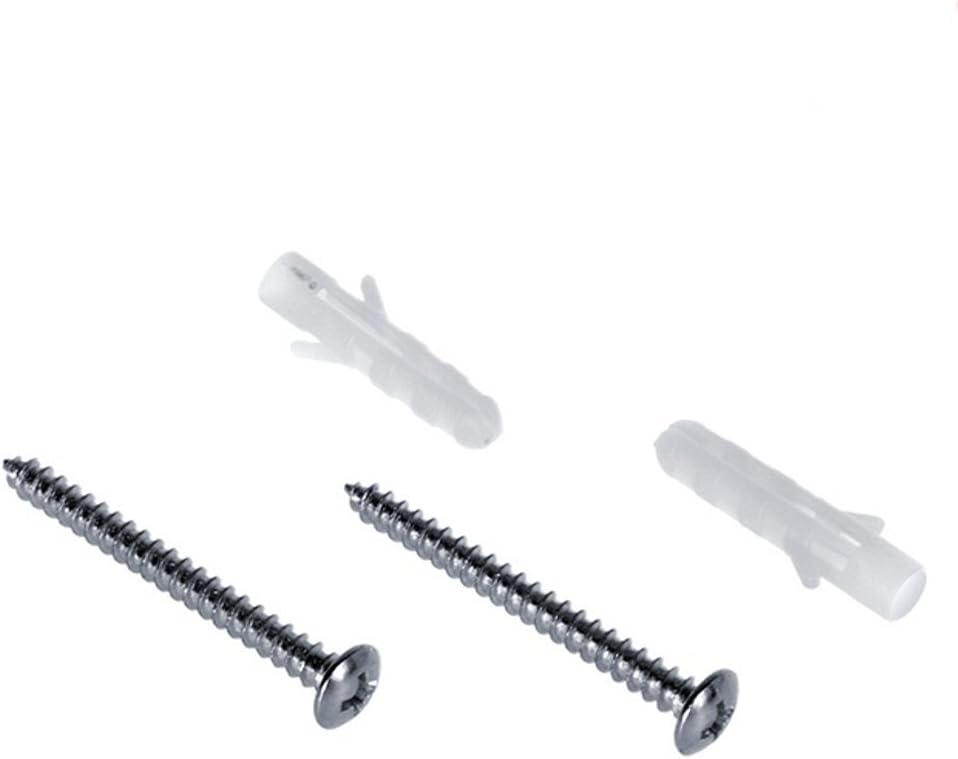
Figure 3.1: Included mounting screws and wall anchors for securing the sensor to a ceiling surface.
4. Product Overview
The Maclean Energy MCE85 motion sensor features a compact, low-profile design for discreet ceiling installation. It integrates a passive infrared sensor to detect heat changes caused by movement.

Figure 4.1: Front view of the MCE85 sensor, showing its ultra-flat design and central detection lens.
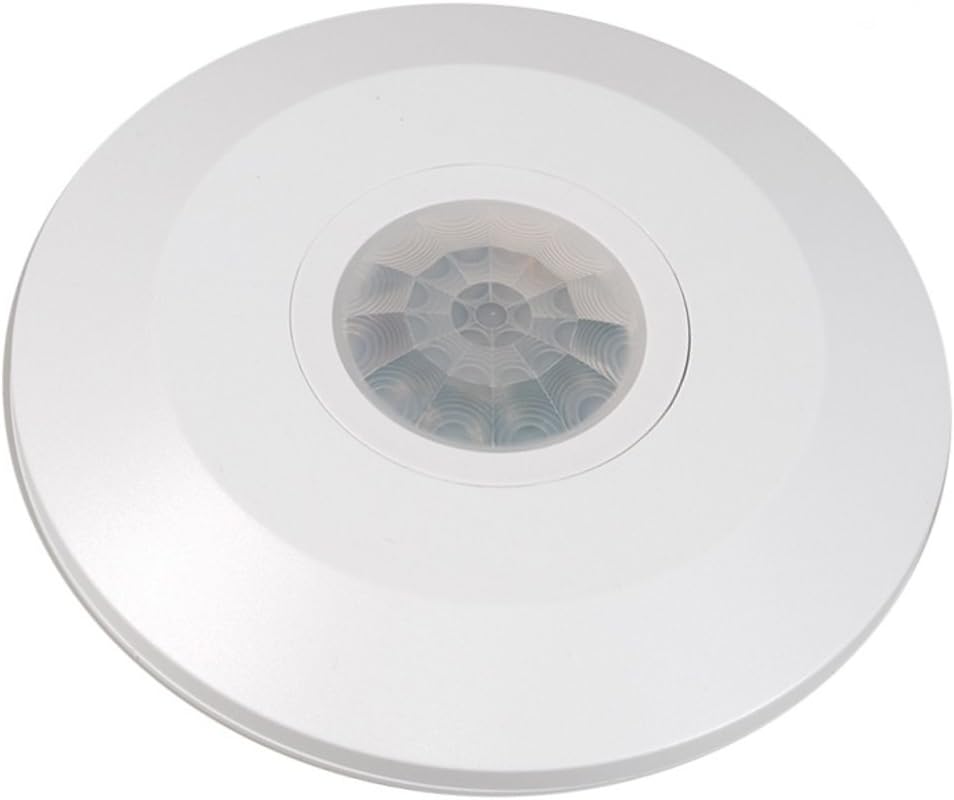
Figure 4.2: Top-down view of the MCE85 sensor, highlighting the 360-degree detection lens pattern.
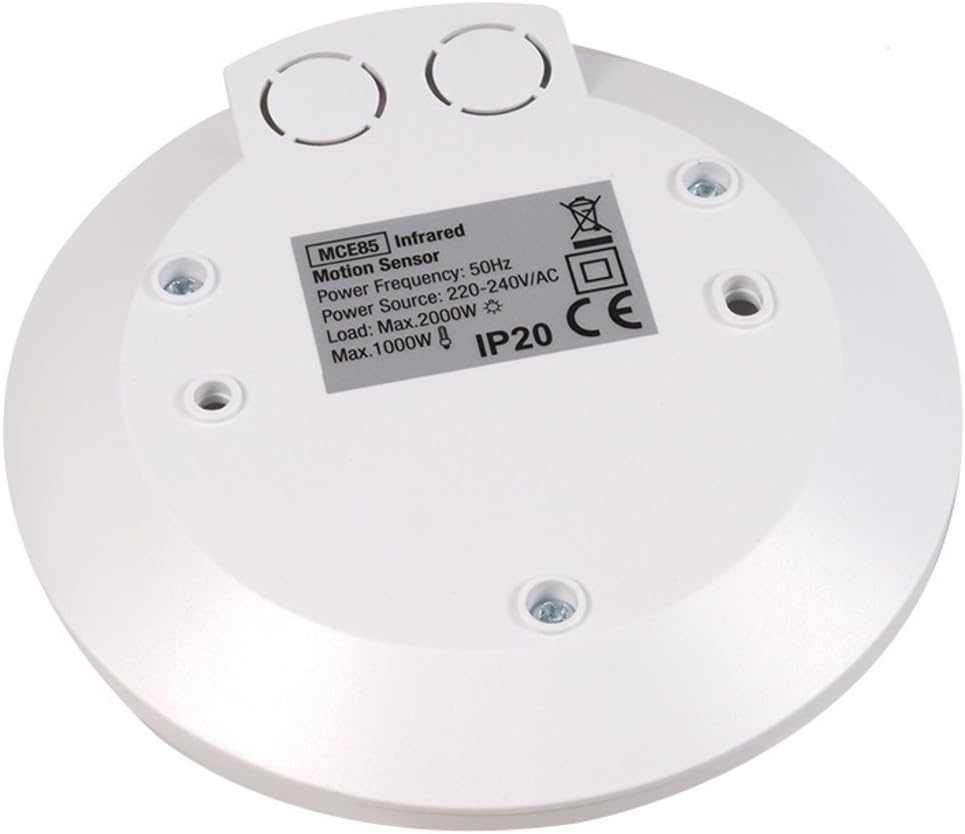
Figure 4.3: Rear view of the MCE85 sensor, displaying electrical ratings, IP code, and mounting screw locations.
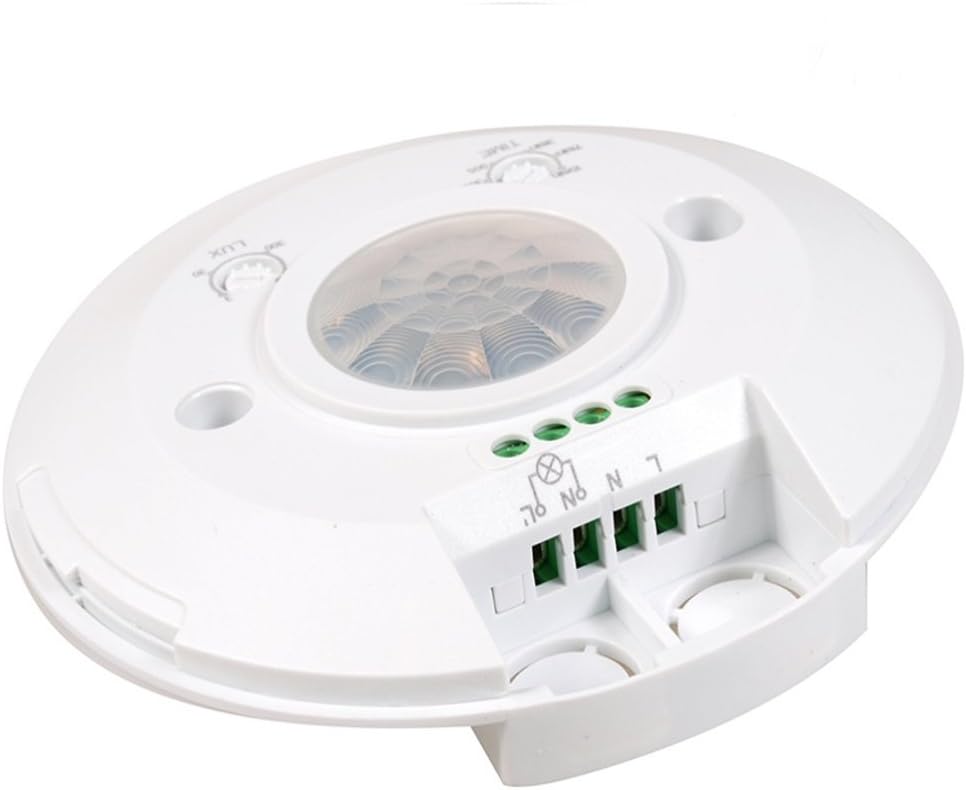
Figure 4.4: Side view illustrating the wiring terminal block and the accessible adjustment dials for time and light sensitivity.
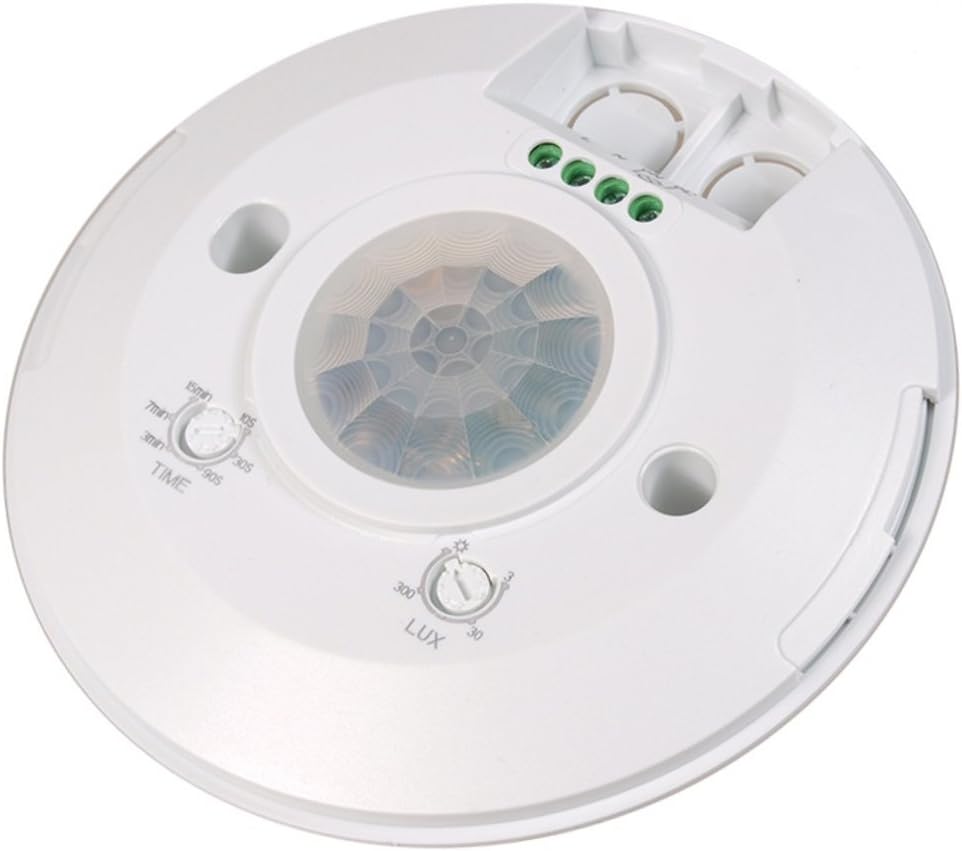
Figure 4.5: Close-up of the 'TIME' and 'LUX' adjustment dials, used to configure the sensor's operational parameters.
5. Installation
5.1 Pre-Installation Checklist
- Ensure the power supply is disconnected at the circuit breaker.
- Confirm the mounting location is stable and free from excessive vibrations.
- Avoid mounting near heat sources (e.g., air conditioners, heaters) or direct sunlight, as these can interfere with sensor performance.
- Ensure the detection area is clear of obstructions.
5.2 Mounting Instructions
- Separate the front cover from the base of the sensor by gently twisting or prying.
- Position the sensor base at the desired ceiling location. Mark the drilling points using the holes on the base.
- Drill holes at the marked positions. Insert the provided wall anchors if mounting into drywall or similar materials.
- Secure the sensor base to the ceiling using the provided screws.
5.3 Wiring Diagram
Refer to the diagram below and the markings on the sensor's terminal block for correct wiring. Ensure all connections are secure.
Figure 5.1: Close-up of the wiring terminals. From left to right: Neutral (N), Live (L), Switched Live (L'), and Neutral for Load (N).
- Connect the Live (L) wire from your power supply to the 'L' terminal on the sensor.
- Connect the Neutral (N) wire from your power supply to the 'N' terminal on the sensor.
- Connect the Switched Live (L') wire from the sensor to the live input of your light fixture or other load.
- Connect the Neutral (N) wire from your light fixture or other load to the 'N' terminal on the sensor (or directly to the main neutral if applicable).
After wiring, carefully reattach the front cover to the sensor base. Restore power only after ensuring all connections are correct and secure.
6. Operation and Settings
The MCE85 sensor features two adjustable dials to customize its operation:
Figure 6.1: The 'TIME' and 'LUX' adjustment dials.
6.1 TIME Adjustment
The 'TIME' dial controls how long the connected light or device remains ON after motion is last detected. Rotate the dial to set the desired duration:
- Minimum: Approximately 10 seconds
- Maximum: Approximately 15 minutes
6.2 LUX Adjustment
The 'LUX' dial determines the ambient light level at which the sensor will activate. This allows the sensor to operate only when natural light is insufficient.
- Sun Symbol (High LUX): The sensor will activate regardless of ambient light (day and night operation).
- Moon Symbol (Low LUX): The sensor will only activate when the ambient light is low (night-time operation).
- Range: Adjustable from approximately 3 lux (dark) to 2000 lux (daylight).
7. Specifications
| Feature | Specification |
|---|---|
| Brand | Maclean |
| Model | MCE85 |
| Dimensions (L x W x H) | 13 x 13 x 4 cm |
| Weight | 250 grams |
| Color | White |
| Power Source | Electric Cable |
| Voltage | 220-240V/AC |
| Frequency | 50Hz |
| Max Load (Incandescent) | 2000W |
| Max Load (LED/Fluorescent) | 1000W |
| IP Rating | IP20 (Indoor Use) |
| Detection Angle | 360° |
| Detection Range | Max 6 meters |
| Time Delay Adjustment | 10 seconds to 15 minutes |
| Light Sensitivity Adjustment | 3 to 2000 lux |
| Mounting Type | Ceiling Mount |
| Operating Temperature | 10°C |
| Compatible Devices | Lights, Fans, LED Lamps |
| Recommended Uses | Home security, automation, energy management |
8. Troubleshooting
| Problem | Possible Cause | Solution |
|---|---|---|
| Light does not turn on when motion is detected. | No power; incorrect wiring; LUX setting too low (sensor thinks it's daytime); faulty bulb/device. | Check power supply; verify wiring connections; adjust LUX setting towards 'Sun' symbol; test connected light/device. |
| Light stays on continuously. | Constant motion in detection area; incorrect wiring (e.g., L' connected directly to L); TIME setting too long; sensor malfunction. | Remove sources of constant motion; re-check wiring; reduce TIME setting; if problem persists, contact support. |
| Light turns on too frequently or not frequently enough. | LUX or TIME settings are not optimal; sensor is detecting unwanted movement (e.g., pets, drafts); sensor is obstructed. | Adjust LUX and TIME settings; reposition sensor to avoid unwanted detection; ensure clear line of sight for the sensor. |
| Detection range is too short or too long. | Mounting height is incorrect; environmental factors (temperature, air currents). | Ensure mounting height is within recommended range (typically 2.2-4m); minimize environmental interference. |
9. Maintenance
The Maclean Energy MCE85 motion sensor requires minimal maintenance.
- Cleaning: Gently wipe the sensor lens and housing with a soft, dry cloth. Do not use abrasive cleaners or solvents.
- Inspection: Periodically check for any loose wiring or physical damage.
- Power Disconnection: Always disconnect power before cleaning or inspecting the device.
10. Warranty and Support
Maclean products are designed for reliability and performance. For warranty information, please refer to the terms and conditions provided at the point of purchase or contact your retailer.
If you encounter any issues or require technical assistance, please contact Maclean customer support or your product retailer. Provide your model number (MCE85) and a detailed description of the problem to facilitate efficient support.