
SYMA X5SW
Syma X5SW FPV Explorers2 Quadcopter User Manual
Model: X5SW | Brand: SYMA
Introduction
The Syma X5SW FPV Explorers2 is a 4-channel, 6-axis gyro quadcopter equipped with a 3MP HD WiFi camera, offering First Person View (FPV) capabilities. Designed for both beginners and experienced pilots, it features a headless mode for easier control and a durable, shatter-resistant plastic construction. This manual provides comprehensive instructions for assembly, operation, maintenance, and troubleshooting to ensure a safe and enjoyable flying experience.
Safety Precautions
- Always operate the quadcopter in open areas, away from people, animals, buildings, and power lines.
- Do not fly in strong winds or adverse weather conditions.
- Ensure the battery is fully charged before each flight.
- Keep fingers, hair, and loose clothing away from rotating propellers.
- Supervise children during operation. Recommended age is 10 years and up.
- Do not attempt to modify or disassemble the quadcopter or its components.
- Use only original or approved replacement parts.
- Turn off the quadcopter and remote controller when not in use.
Package Contents
Verify that all items are present in the package:

Image: The Syma X5SW drone and its accessories, including the remote control, camera, USB cable, phone grip, propeller guards, propellers, and screwdriver, are securely packaged in a foam insert within the box.

Image: A complete view of the Syma X5SW package contents, including the quadcopter, remote controller, spare propellers, propeller guards, USB charging cable, and the instruction manual.
- 1 x Syma X5SW Quadcopter
- 1 x Transmitter (Remote Control)
- 4 x Blades (Propellers)
- 4 x Protecting Frames (Propeller Guards)
- 1 x USB Charging Wire
- 1 x English Manual
- 1 x Screwdriver
- 1 x Phone Attaching Clamp
- 1 x 3.7V 500mAh Lithium Battery (for quadcopter)
Setup
1. Charging the Quadcopter Battery
Connect the quadcopter's 3.7V 500mAh Lithium battery to the USB charging wire. Plug the USB charging wire into a USB port (e.g., computer, USB wall adapter). The charging time is approximately 120 minutes. The indicator light on the USB charger will typically turn off or change color when charging is complete.
2. Installing Propellers and Protecting Frames
Attach the protecting frames to the arms of the quadcopter using the provided screws and screwdriver. Ensure they are securely fastened. Then, attach the propellers to the motor shafts. Note that propellers are marked with 'A' or 'B' and must be installed on the corresponding motor shafts (e.g., 'A' propeller on 'A' motor, 'B' propeller on 'B' motor). Incorrect installation will prevent proper flight.

Image: The Syma X5SW quadcopter viewed from above, showing the correct orientation of the four propellers and the attached propeller guards.
3. Installing Landing Gear
Locate the two landing skids and attach them to the designated slots on the bottom of the quadcopter body. Push firmly until they click into place, ensuring a stable base for landing.
4. Installing the HD WiFi Camera
Carefully slide the HD WiFi camera into the designated slot on the bottom of the quadcopter. Connect the camera's power cable to the port on the quadcopter. Ensure the connection is secure for FPV functionality.

Image: A close-up diagram highlighting key components of the Syma X5SW, including the camera module, landing gear, and propeller attachment points.
5. Remote Controller Setup
Open the battery compartment on the back of the remote controller and insert 4 x AA batteries (not included), observing the correct polarity. Close the compartment. Attach the phone attaching clamp to the top of the remote controller if you plan to use FPV features with your smartphone.
6. Binding the Quadcopter and Remote Controller
- Place the quadcopter on a flat, level surface.
- Turn on the quadcopter by connecting its battery. The indicator lights on the quadcopter will flash.
- Turn on the remote controller. The indicator light on the controller will also flash.
- Push the left throttle stick (Mode 2) all the way up, then pull it all the way down. You will hear a "beep" sound, and the lights on both the quadcopter and controller will become solid, indicating successful binding.
Operating Instructions
Basic Flight Controls (Mode 2)
- Left Stick (Throttle/Yaw):
- Push up: Increase altitude (Ascend)
- Pull down: Decrease altitude (Descend)
- Push left/right: Rotate quadcopter left/right (Yaw)
- Right Stick (Pitch/Roll):
- Push up/down: Move quadcopter forward/backward (Pitch)
- Push left/right: Move quadcopter left/right (Roll)
- Trim Buttons: Use the trim buttons located around the right stick to fine-tune the quadcopter's stability if it drifts in any direction during hover.
Headless Mode
Headless mode simplifies flight by eliminating the need to distinguish the quadcopter's front from its rear. When activated, the quadcopter's orientation is relative to the pilot. Press the headless mode button on the remote controller to activate/deactivate. The quadcopter will typically beep to confirm activation.
360-Degree Eversion (Flips)
To perform a 360-degree flip: Press the 360-degree eversion button (usually on the top right shoulder of the controller). Then, quickly push the right stick in the desired flip direction (forward, backward, left, or right). The quadcopter will perform a flip. Ensure sufficient altitude (at least 3 meters) before attempting flips.
FPV (First Person View) and HD Camera Usage
The Syma X5SW features a 3MP HD WiFi camera for FPV and recording. Download the official Syma FPV app on your smartphone (available for iOS and Android). Connect your smartphone to the quadcopter's WiFi network (usually named "SYMA-X5SW" or similar). Open the app to view the live video feed, take photos, and record videos directly to your phone.
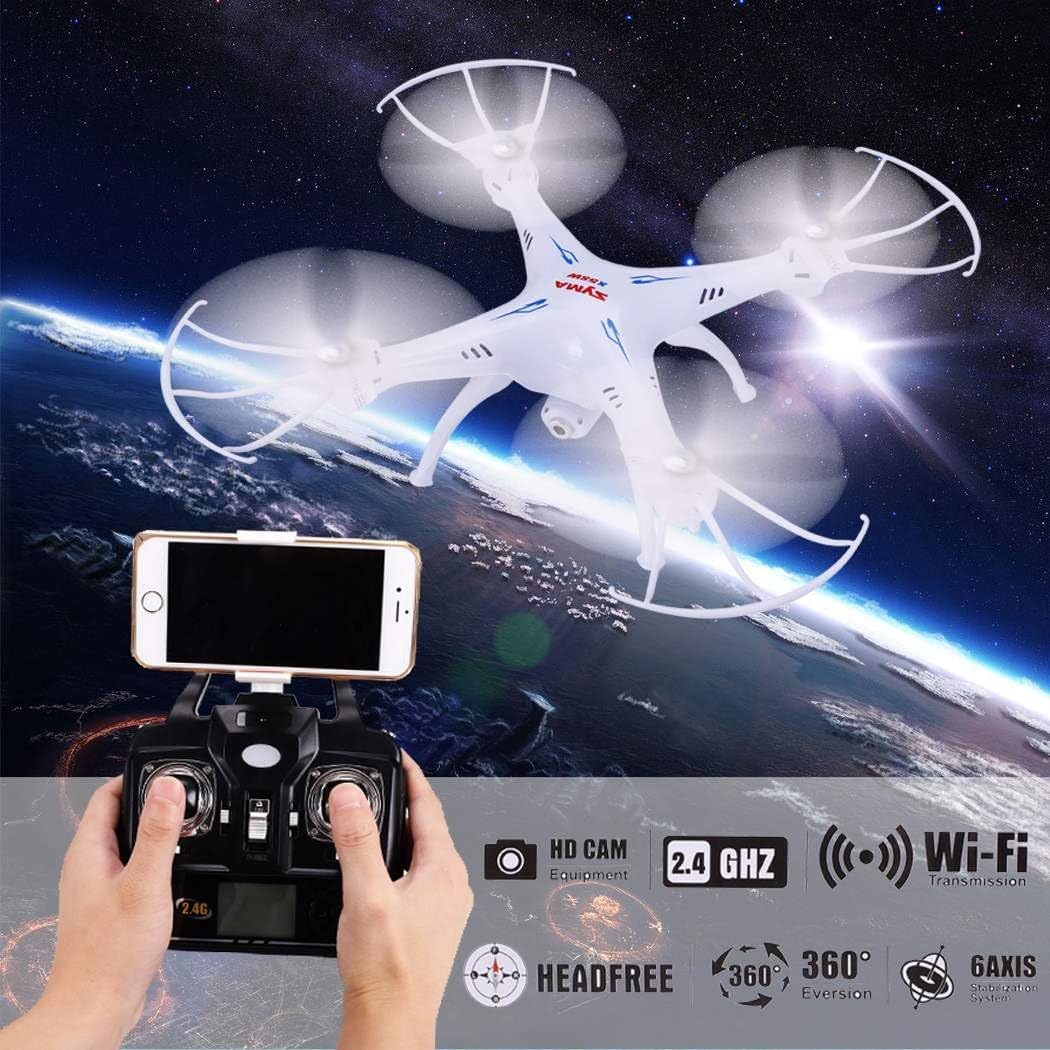
Image: A user's hands operating the Syma X5SW remote controller, with a smartphone mounted on top displaying the live FPV feed from the drone's camera, illustrating the Wi-Fi transmission feature.
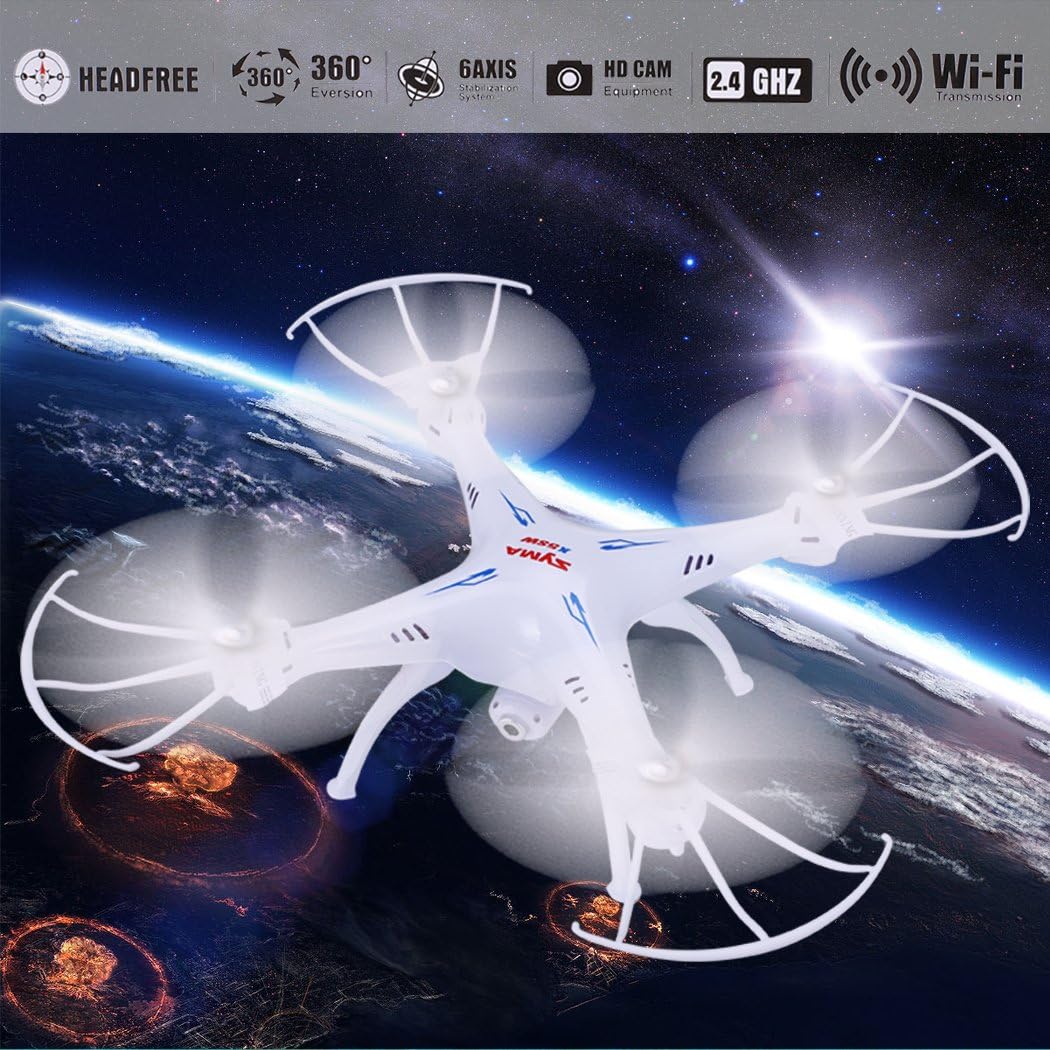
Image: The Syma X5SW drone in flight, with an overlay highlighting its key features: Headfree mode, 360-degree eversion, 6-axis gyro, HD camera, 2.4 GHz frequency, and Wi-Fi transmission, all controlled via a remote with a smartphone attached.
Maintenance
- Cleaning: Use a soft, dry cloth to clean the quadcopter after each flight. Avoid using water or solvents.
- Propeller Replacement: If propellers are damaged or bent, replace them immediately with new ones. Ensure correct 'A' and 'B' propeller placement.
- Battery Care:
- Do not overcharge or over-discharge the battery.
- Store batteries in a cool, dry place away from direct sunlight.
- If the quadcopter will not be used for an extended period, remove the battery.
- Storage: Store the quadcopter and remote controller in a safe, dry place, away from extreme temperatures and direct sunlight.
Troubleshooting
| Problem | Possible Cause | Solution |
|---|---|---|
| Quadcopter does not respond to controller. | Not bound correctly; low battery in controller or quadcopter. | Re-bind the quadcopter and controller; replace/charge batteries. |
| Quadcopter drifts during flight. | Needs trimming; propellers damaged. | Use trim buttons to adjust; replace damaged propellers. |
| No FPV video feed. | WiFi not connected; camera cable loose; app issue. | Ensure phone is connected to quadcopter WiFi; check camera cable connection; restart app/phone. |
| Short flight time. | Battery not fully charged; aging battery. | Ensure full charge (approx. 120 mins); consider replacing battery if performance degrades significantly. |
Specifications

Image: A technical drawing of the Syma X5SW quadcopter, indicating its overall dimensions: 315mm length, 315mm width, and 105mm height.
- Model: X5SW
- Brand: SYMA
- Material: Plastic
- Color: White
- Channels: 4CH
- Gyro: 6-Axis Gyro
- Remote Distance: Approximately 50 meters
- Flying Time: Approximately 6-7 minutes
- Quadcopter Battery: 3.7V 500mAh Lithium battery (Included)
- Charging Time: Approximately 120 minutes (USB charging)
- Controller Battery: 4 x AA batteries (Not included)
- Controller Mode: MODE2 (Left throttle hand)
- Camera: 3MP HD WiFi Camera
- Video Capture Resolution: 1080p (Note: Product description states 3MP HD, specifications list 1080p capture, 480p output)
- Video Output Resolution: 480p
- Product Dimensions (L x W x H): 315mm x 315mm x 105mm (12.4" x 12.4" x 4.13")
- Item Weight: 1.3 pounds
- Recommended Age: 10 years and up
Warranty and Support
For warranty information, technical support, or replacement parts, please contact SYMA customer service. Refer to the contact details provided on the product packaging or the official SYMA website. Keep your purchase receipt as proof of purchase.
Online Resources: For additional support, FAQs, and video tutorials, visit the official SYMA website or search for "Syma X5SW" on popular video platforms.
Related documentsX5SW


Ask a question about this manual
Ask about setup, troubleshooting, compatibility, parts, safety, or missing instructions. Manuals+ will review the question and use this page’s manual context to help answer it.