
1. Introduction
This manual provides essential information for the safe and efficient use of your Volteck LED Desk Lamp, Model 46189. Please read these instructions carefully before operating the product and retain them for future reference.
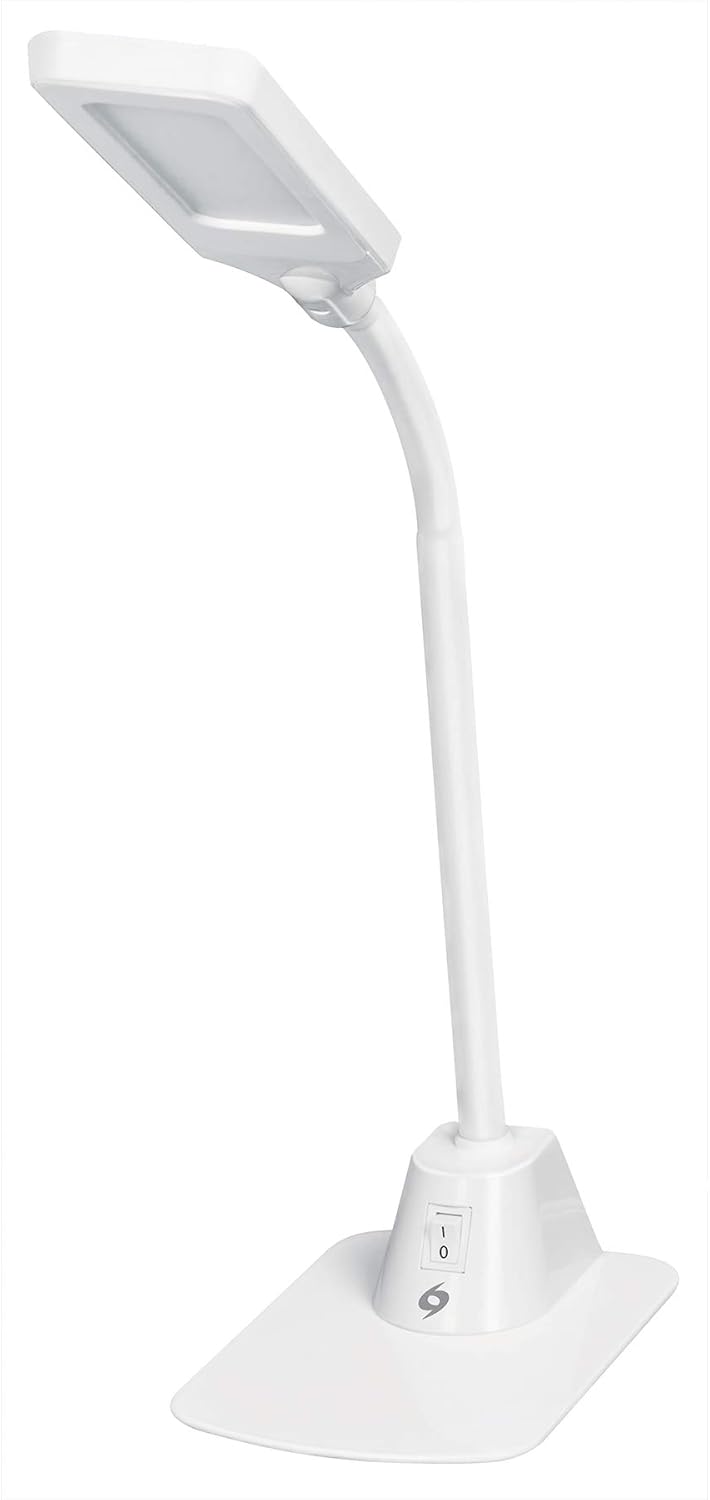
Figure 1: Volteck LED Desk Lamp
2. Product Overview
The Volteck LED Desk Lamp (Model 46189) is designed to provide efficient and adjustable lighting for various tasks. It features a flexible neck and a stable base for versatile positioning.
2.1 Components

Figure 2: Lamp Components
- Acrylic Screen: The light-emitting head of the lamp.
- Silicone Body: The flexible neck allowing for angle adjustments.
- On/Off Switch: Located on the base for power control.
- Steel Base: Provides stability for the lamp.
3. Setup Instructions
- Unpack: Carefully remove all components from the packaging. Ensure all parts are present and undamaged.
- Position: Place the lamp on a stable, flat surface such as a desk or table.
- Connect Power: Insert the power plug into a standard 120V AC electrical outlet.
4. Operating Instructions
The Volteck LED Desk Lamp is simple to operate:
- Power On/Off: Locate the on/off switch on the lamp's base. Press the switch to turn the lamp on or off.
- Adjust Light Angle: Gently bend the flexible silicone neck to direct the light to your desired position.

Figure 3: Operating the On/Off Switch

Figure 4: Adjusting the Lamp Angle
5. Maintenance
To ensure the longevity and optimal performance of your Volteck LED Desk Lamp, follow these maintenance guidelines:
- Cleaning: Disconnect the lamp from the power source before cleaning. Use a soft, dry cloth to wipe the lamp's surfaces. Do not use abrasive cleaners or solvents.
- Storage: When not in use for extended periods, store the lamp in a cool, dry place.
- LED Light Source: The LED light source is integrated and not user-replaceable.
6. Troubleshooting
If you encounter issues with your Volteck LED Desk Lamp, refer to the following common problems and solutions:
| Problem | Possible Cause | Solution |
|---|---|---|
| Lamp does not turn on. | No power supply. | Ensure the power plug is securely inserted into a working electrical outlet. Check if the outlet has power. |
| Light flickers. | Unstable power connection. | Check the power connection. Try plugging into a different outlet. |
| Lamp is unstable. | Uneven surface. | Place the lamp on a flat and stable surface. |
7. Specifications

Figure 5: Lamp Dimensions
| Feature | Detail |
|---|---|
| Model Number | 46189 |
| Part Number | LES-100L |
| Brand | Volteck |
| Light Source Type | LED |
| Wattage | 5 watts |
| Voltage | 120 Volts |
| Color | White |
| Finish Type | Polished |
| Mounting Type | Tabletop |
| Item Weight | 1.1 Kilograms (2.41 pounds) |
| Dimensions (Approx.) | Height: 65 cm (25.6 in), Base Width: 17 cm (6.7 in), Base Depth: 12 cm (4.7 in) |
| Water Resistance Level | Water Resistant |
| Batteries Required | No |
8. Safety Information
- Do not disassemble the lamp. There are no user-serviceable parts inside.
- Keep the lamp away from water or excessive moisture.
- Ensure the lamp is placed on a stable surface to prevent tipping.
- Do not look directly into the LED light source for extended periods.
- Unplug the lamp during electrical storms or when not in use for long periods.
9. Warranty and Support
For warranty information or technical support, please refer to the documentation included with your purchase or contact Volteck customer service. Keep your purchase receipt for warranty claims.
