Introduction
This manual provides essential information for the safe and effective use of your BESTEK 6-Outlet Surge Protector Power Strip, Model BJ6005-FBA. Please read these instructions carefully before use and retain them for future reference. This power strip is designed to provide additional power outlets and basic surge protection for your electronic devices.
Important Safety Instructions
To reduce the risk of electric shock, fire, or injury, always follow these basic safety precautions:
- Do not exceed the electrical ratings of 15A, 1875W, and 125V.
- Do not use in wet environments or near water.
- Do not use with aquariums or other water-related products.
- Do not use with extension cords that are not grounded.
- Do not disassemble or modify the unit.
- Ensure the power strip is plugged into a properly grounded outlet.
- Keep children away from the power strip and connected devices.
- Unplug the power strip from the wall outlet when not in use or before cleaning.
Product Features
The BESTEK 6-Outlet Surge Protector Power Strip offers the following features:
- 6 AC Outlets: Provides power for multiple electronic devices.
- 200 Joules Surge Protection: Offers basic protection against power surges for small appliances, phones, and lamps.
- Integrated 15-Amp Circuit Breaker: Protects against overload, overheating, and short circuits.
- Lighted Power Switch: Indicates when the power strip is active and allows for easy control.
- 6-Foot 14 AWG Power Cord: Durable and long enough for flexible placement.
- Right-Angle Flat Plug: Designed to fit in tight spaces and keep cords close to the wall.
- Keyhole Mounting Tabs: For secure installation on walls or under desks.
- Slim Design: Reduces clutter and fits easily in various environments.
- Detachable Velcro Cord Management: Helps keep the power cord organized.
- ETL Listed: Certified for safety and quality standards.
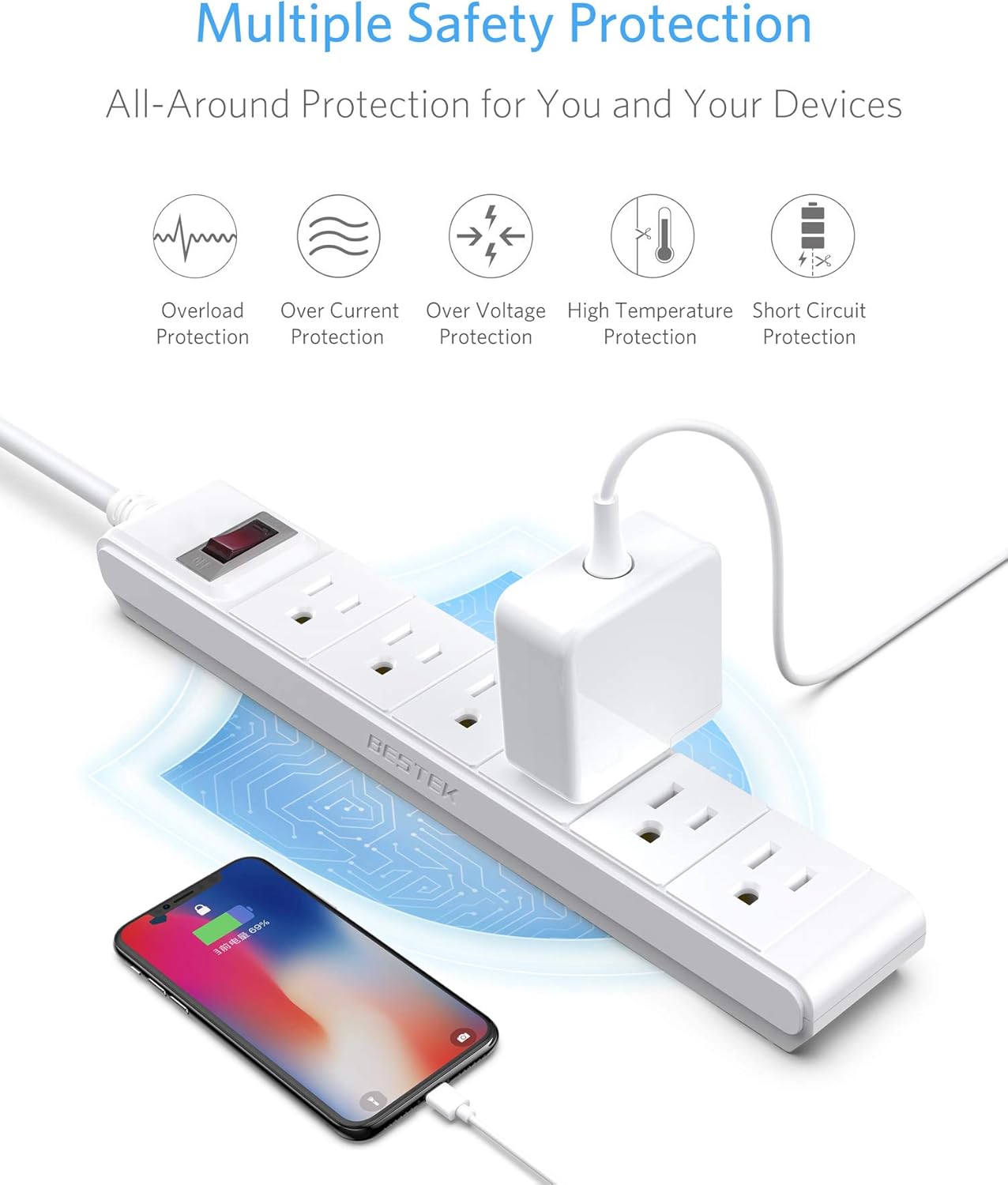
Image: The power strip illustrating its multiple safety protections including overload, over current, over voltage, high temperature, and short circuit protection. A phone is shown charging from one of the outlets.

Image: The power strip with its dimensions (10.83 inches long, 1.76 inches wide, 1.18 inches thick), highlighting its slim and sleek design.

Image: An exploded view of the power strip, revealing its internal structure with phosphor bronze conductors, a 15A overload protection switch, and UL94V-0 flame-retardant alloy plastic casing.

Image: A close-up of the power cord, emphasizing the UL Certified SJT 3x14AWG strong copper wire, designed for efficient electricity conduction with low loss and heat.
Setup
- Unpack: Carefully remove the power strip from its packaging.
- Placement: Position the power strip in a dry indoor location, away from heat sources and direct sunlight. Ensure the 6-foot cord can reach a wall outlet without being stretched or obstructed.
- Mounting (Optional): If desired, use the keyhole mounting tabs on the back of the power strip to secure it to a wall or desk surface using appropriate screws (not included).
- Plug In: Insert the power strip's right-angle flat plug into a standard 3-prong, 125V AC grounded wall outlet.
- Connect Devices: Plug your electronic devices into the 6 AC outlets on the power strip. Ensure the total power consumption of all connected devices does not exceed 1875W.

Image: The power strip positioned on a wooden table, with a phone charging and a small plant, demonstrating a typical setup.
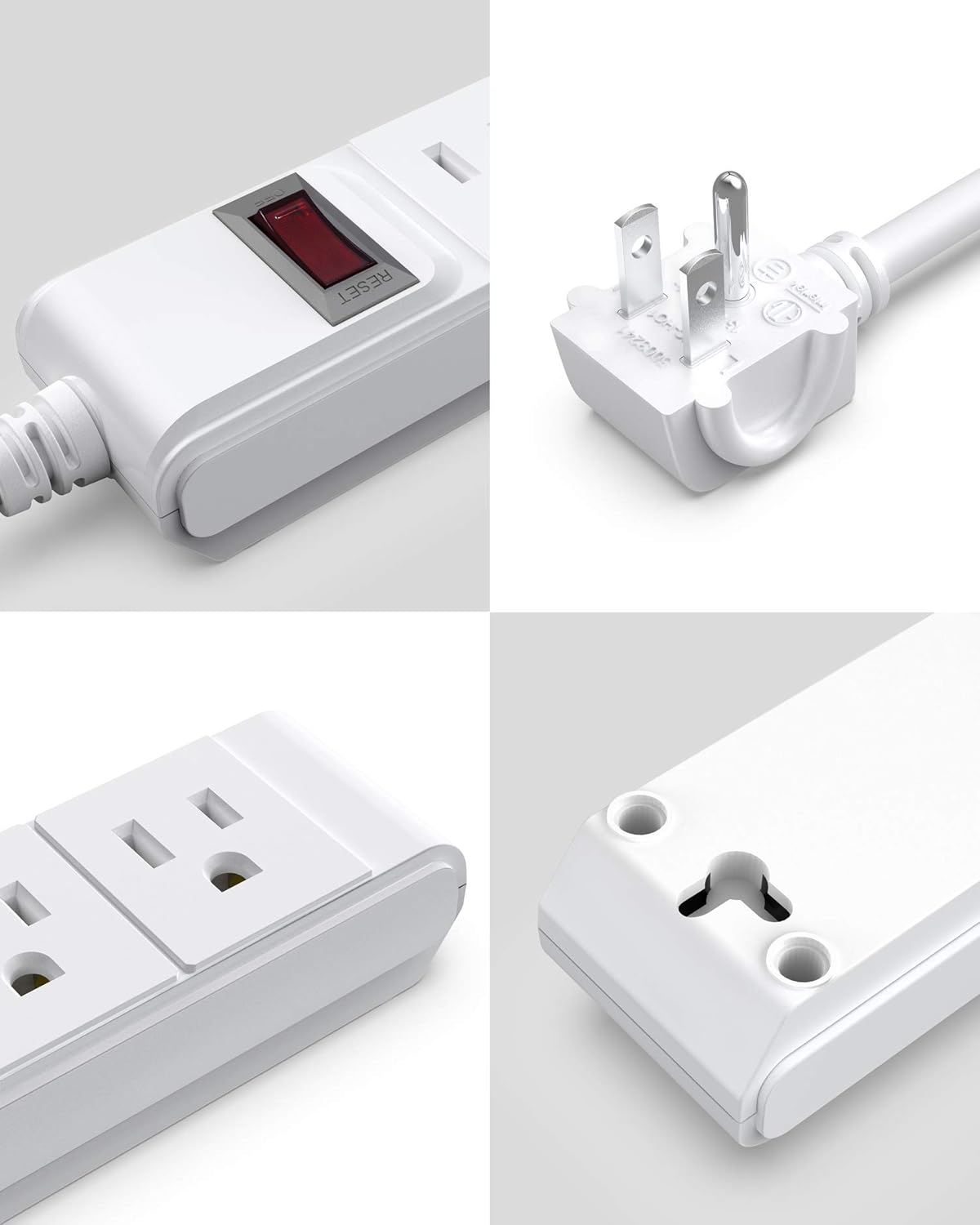
Image: A collage of close-up views showing the lighted power switch with reset button, the right-angle flat plug, the wide-spaced AC outlets, and the keyhole mounting tabs on the back of the unit.
Operating Instructions
- Power On/Off: Press the red lighted power switch to turn the power strip on or off. When the switch is illuminated, power is supplied to the outlets.
- Surge Protection: The power strip provides basic surge protection. In the event of a power surge, the internal components are designed to absorb excess voltage to protect connected devices.
- Overload Protection: The integrated 15-Amp circuit breaker will automatically trip (turn off) if the total current draw from connected devices exceeds 15 Amps (1875 Watts). This prevents overheating and potential damage.
Maintenance
- Cleaning: Disconnect the power strip from the wall outlet before cleaning. Use a dry, soft cloth to wipe the exterior. Do not use liquid cleaners or aerosols.
- Cord Management: Use the included detachable Velcro strap to keep the power cord neatly organized when not in full extension.
- Inspection: Periodically inspect the power strip and its cord for any signs of damage, such as frayed wires or cracked casing. If damage is found, discontinue use immediately.
Troubleshooting
- No Power to Outlets:
- Check if the power strip's lighted switch is ON.
- Ensure the power strip is securely plugged into a working wall outlet.
- If the switch is OFF and won't turn ON, the integrated 15-Amp circuit breaker may have tripped due to an overload. Unplug some devices, then press the switch to reset it.
- Check your home's circuit breaker panel to ensure the wall outlet's circuit has not tripped.
- Device Not Charging/Working:
- Ensure the device is properly plugged into the power strip.
- Test the device by plugging it directly into a known working wall outlet.
- Verify the device's power cord is not damaged.
Specifications
| Model Number | BJ6005-FBA |
| Brand | BESTEK |
| Total Power Outlets | 6 |
| Voltage | 125 Volts |
| Current Rating | 15 Amps |
| Power Rating | 1875 Watts |
| Surge Protection | 200 Joules |
| Cord Length | 6 Feet |
| Plug Type | Right-Angle Flat Plug |
| Product Dimensions | 10.8 x 1.7 x 1.2 inches |
| Item Weight | 1 pound |
| Special Feature | 20,000 Times of Outlets Plug & Play, PC+ABS UL94 V-0 Flame-resistant Material |
| Certifications | ETL Listed |

Image: The underside of the power strip, displaying the ETL Listed certification mark and keyhole mounting tabs.
Warranty and Support
BESTEK provides an 18-month warranty for this product. For warranty claims, technical assistance, or customer service inquiries, please contact BESTEK customer support through their official website or the retailer where the product was purchased. Please have your model number (BJ6005-FBA) and purchase information ready when contacting support.