Introduction
Thank you for purchasing the KORG STB1-BK Digital Piano Stand. This stand is specifically designed to complement your KORG B1 or B2+ Digital Piano, providing a stable and aesthetically pleasing support structure. It elevates your digital piano to a standard playing height, enhancing your musical experience. This manual provides essential information for safe assembly, proper use, and maintenance of your stand.
Safety Information
- Read all instructions carefully before assembly and use.
- Ensure all components are present and undamaged before beginning assembly.
- Assemble the stand on a soft, clean surface to prevent scratches.
- Use only the provided hardware for assembly.
- Do not overtighten screws, as this may damage the material.
- Ensure the stand is placed on a level, stable surface before placing the digital piano on it.
- Do not allow children to climb on or play with the stand.
- Periodically check all fasteners to ensure they remain tight.
Package Contents
Please verify that all the following components are included in your package:
- Left Leg Panel (1)
- Right Leg Panel (1)
- Rear Cross Panel (1)
- Mounting Screws (Quantity as specified in hardware pack)
- Assembly Instructions (This document)
Note: A cross-point (Phillips head) screwdriver is required for assembly and is not included.
Setup and Assembly
Follow these steps to assemble your KORG STB1-BK Digital Piano Stand. It is recommended to have a second person assist during the final placement of the digital piano.
- Unpack Components: Carefully remove all parts from the packaging and lay them out on a soft, clean surface to prevent damage. Identify the Left Leg Panel, Right Leg Panel, and Rear Cross Panel.
- Attach Rear Cross Panel to Leg Panels: Align the pre-drilled holes on the ends of the Rear Cross Panel with the corresponding holes on the inner sides of the Left and Right Leg Panels. Use the provided mounting screws and a cross-point screwdriver to securely fasten the panels together. Ensure the stand forms a stable, rectangular structure. Do not overtighten.

Image: Illustration of the stand's components being assembled. The leg panels are connected by the rear cross panel, forming the base structure.
- Position the Stand: Once assembled, carefully lift the stand and place it in your desired location. Ensure the floor surface is level and stable to prevent wobbling.
- Place the Digital Piano: With assistance, carefully lift your KORG B1 or B2+ Digital Piano and align it with the top edges of the assembled stand. Gently lower the piano onto the stand, ensuring it sits securely and evenly. The stand is designed to cradle the piano, providing a snug fit.
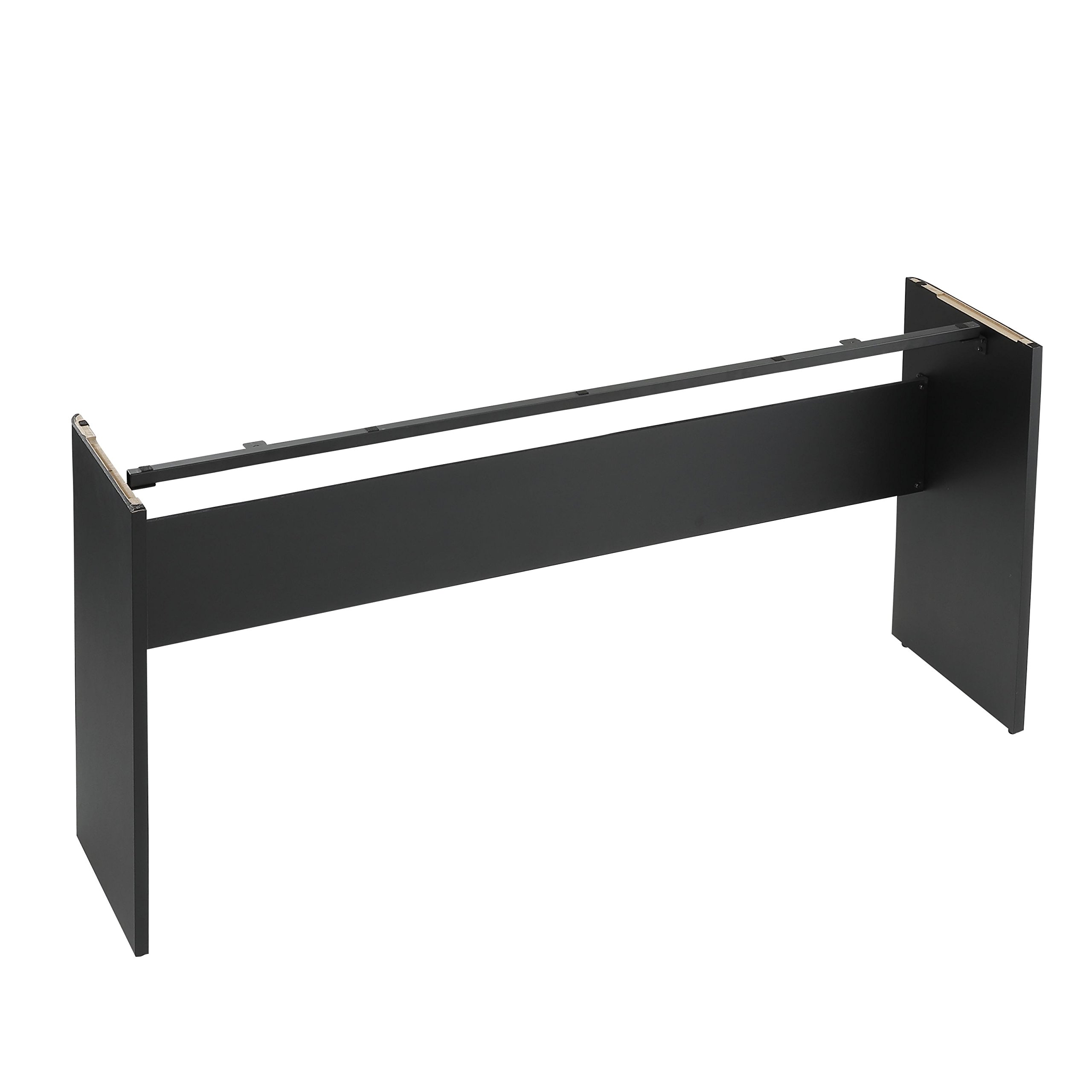
Image: The KORG STB1-BK stand fully assembled with a KORG digital piano placed on it, ready for use.
Operating Instructions
The KORG STB1-BK stand is designed for passive support of your digital piano. Once assembled and the piano is placed, no further operational steps are required for the stand itself.
- Ensure the digital piano is centered and stable on the stand before use.
- Avoid leaning heavily on the stand or applying excessive force, as this may compromise stability.
- If moving the piano and stand, always lift both components carefully, preferably with assistance, to prevent damage or injury.
Maintenance
To ensure the longevity and appearance of your KORG STB1-BK Digital Piano Stand, follow these simple maintenance guidelines:
- Cleaning: Wipe the stand regularly with a soft, dry cloth to remove dust. For stubborn marks, a slightly damp cloth with mild soap can be used, followed by drying thoroughly. Avoid abrasive cleaners or solvents.
- Fastener Check: Periodically (e.g., every 6 months) check all assembly screws to ensure they are still tight. Retighten if necessary, but do not overtighten.
- Environmental Conditions: Avoid placing the stand in direct sunlight or near heat sources, as this can cause material degradation or discoloration. Maintain a stable room temperature and humidity.
Troubleshooting
If you encounter any issues with your KORG STB1-BK Digital Piano Stand, refer to the following common problems and solutions:
| Problem | Possible Cause | Solution |
|---|---|---|
| Stand wobbles after assembly. |
|
|
| Screw does not go all the way in. |
|
|
| Digital piano does not sit securely on the stand. |
|
|
Specifications
- Model: STB1-BK
- Color: Black
- Material: Wood
- Product Dimensions (L x W x H): 51.65 x 13.23 x 24.92 inches (131.2 x 33.6 x 63.3 cm)
- Item Weight: 18.48 pounds (8.4 kg)
- Assembly Required: Yes
- Compatible Models: KORG B1, KORG B2+ Digital Pianos
Warranty and Support
For warranty information and customer support, please refer to the warranty card included with your product or visit the official KORG website. If you require assistance with assembly, troubleshooting, or have questions about your STB1-BK Digital Piano Stand, please contact KORG customer service.
KORG Official Website: www.korg.com


