Introduction
This manual provides comprehensive instructions for the operation and maintenance of your Texas Instruments TI-83 Plus Graphing Calculator. Please read this manual thoroughly to ensure proper use and to maximize the functionality of your device.
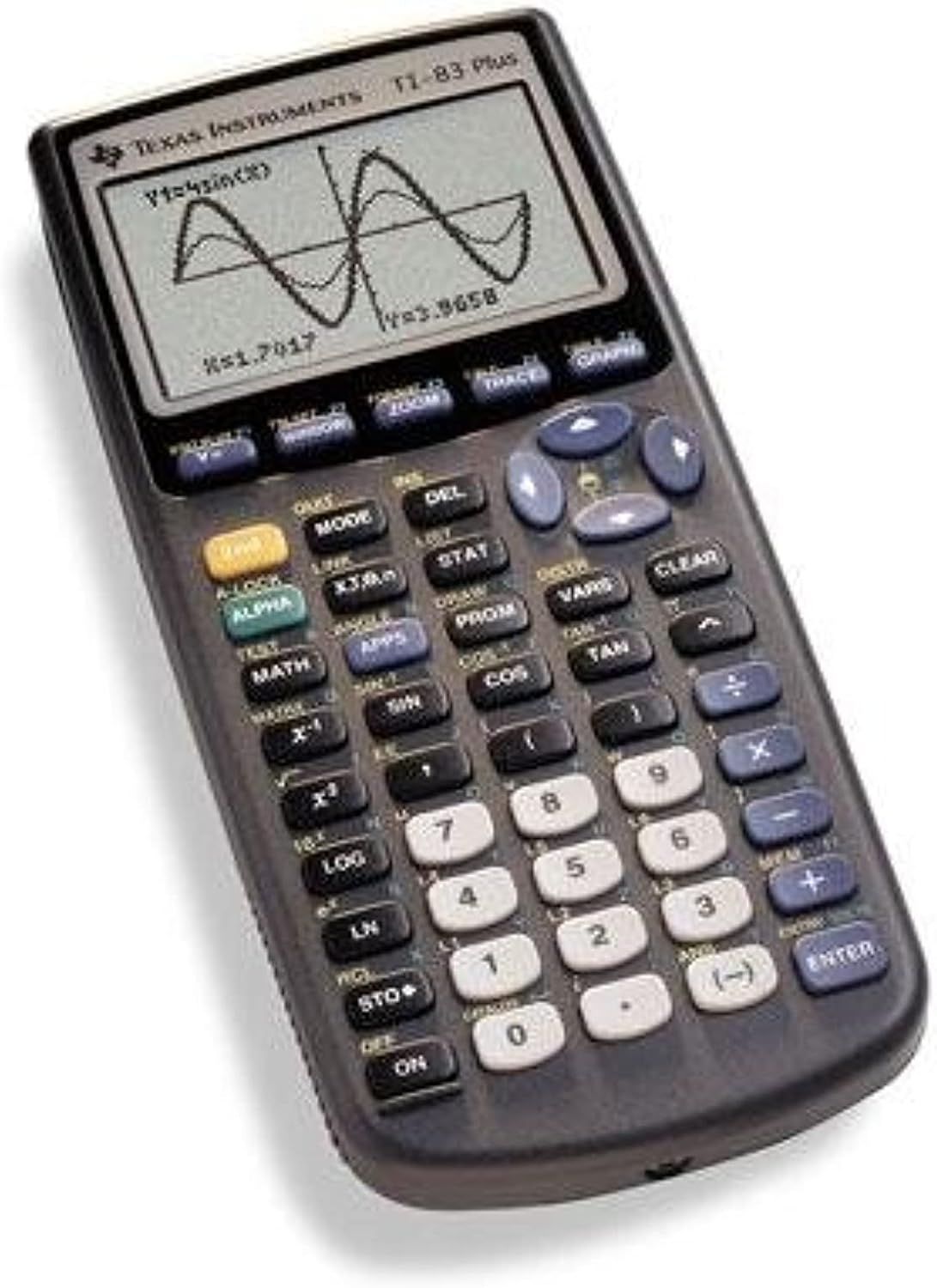
Image: The Texas Instruments TI-83 Plus Graphing Calculator, displaying a graph of a sine wave function on its screen. The calculator features a dark gray casing with a clear LCD screen and an array of black, white, and blue buttons for various mathematical and operational functions.
Setup
Battery Installation
The TI-83 Plus calculator requires four (4) AAA batteries for operation. A small backup battery (CR1616 or CR1620) is also present to retain memory when the main batteries are removed.
- Locate the battery compartment cover on the back of the calculator.
- Slide the cover off.
- Insert four AAA batteries, ensuring correct polarity (+ and -) as indicated inside the compartment.
- Replace the battery compartment cover.
- If the calculator does not turn on, check battery orientation and ensure they are fresh.
Initial Power On
Press the ON button located at the bottom left of the keypad. The calculator should display the home screen or a previous calculation.
Operating Instructions
Basic Calculations
To perform basic arithmetic, enter numbers and operators using the keypad. Press ENTER to display the result.
- Addition: Use the + key.
- Subtraction: Use the - key.
- Multiplication: Use the X key.
- Division: Use the ÷ key.
- Negative Numbers: Use the (-) key for negative signs, not the subtraction key.
Graphing Functions
The TI-83 Plus is designed for graphing mathematical functions.
- Press the Y= button to access the function editor.
- Enter your desired function (e.g., sin(X)) using the appropriate keys. The X,T,θ,n key inserts the variable X.
- Press the GRAPH button to display the graph.
- Use WINDOW to adjust the viewing window (Xmin, Xmax, Ymin, Ymax).
- Use ZOOM for quick window adjustments (e.g., ZoomStd for a standard -10 to 10 view).
Statistical Calculations
The calculator supports various statistical functions.
- Press STAT.
- Select 1:Edit... to enter data into lists (L1, L2, etc.).
- After entering data, press STAT again, then navigate to CALC.
- Choose the desired statistical calculation (e.g., 1-Var Stats for one-variable statistics).
- Specify the list containing your data and press ENTER.
Maintenance
Cleaning
To clean the calculator, use a soft, dry cloth. Do not use liquid cleaners or abrasive materials, as they may damage the screen or casing.
Storage
Store the calculator in a cool, dry place away from direct sunlight and extreme temperatures. If storing for an extended period, it is recommended to remove the AAA batteries to prevent leakage.
Battery Replacement
Replace the four AAA batteries when the display becomes dim or the calculator fails to power on. The backup battery (CR1616 or CR1620) should be replaced every few years or if memory is lost frequently.
Troubleshooting
| Problem | Possible Cause | Solution |
|---|---|---|
| Calculator does not turn on. | Dead or incorrectly installed AAA batteries. | Replace AAA batteries, ensuring correct polarity. |
| Screen is dim or blank. | Low AAA battery power. | Replace AAA batteries. Adjust display contrast (2nd + UP/DOWN arrow keys). |
| Memory is lost after battery replacement. | Backup battery is dead or missing. | Replace the backup battery (CR1616 or CR1620). |
| Error message displayed. | Incorrect syntax, domain error, or memory issue. | Refer to the calculator's built-in error messages for specific guidance. Check input for correctness. Clear memory if necessary (2nd + MEM, then 7:Reset). |
Specifications
- Model: TI-83 Plus
- Brand: Texas Instruments
- Calculator Type: Graphing
- Display: 8 lines, 16 characters per line
- Memory: 24 KB RAM
- Power Source: 4 x AAA batteries (main), 1 x CR1616/CR1620 battery (backup)
- Material: Plastic
- Approximate Weight: 0.01 ounces (Note: This weight seems unusually low and may refer to packaging or a component, actual calculator weight is typically higher)
- Date First Available: December 3, 2015
Warranty and Support
Information regarding the product warranty and customer support for the Texas Instruments TI-83 Plus Graphing Calculator is not available within this manual. Please refer to the official Texas Instruments website or contact their customer service for detailed warranty terms and support options.
Visit the official TI-83 Plus product page for additional resources and support.


