
Introduction
Thank you for choosing the Lexon Hobo Power Bank. This compact and portable power bank is designed to provide convenient charging for your mobile devices on the go. Please read this manual carefully before using the product to ensure proper operation and to maximize its lifespan.
Product Overview
Familiarize yourself with the components of your Lexon Hobo Power Bank.
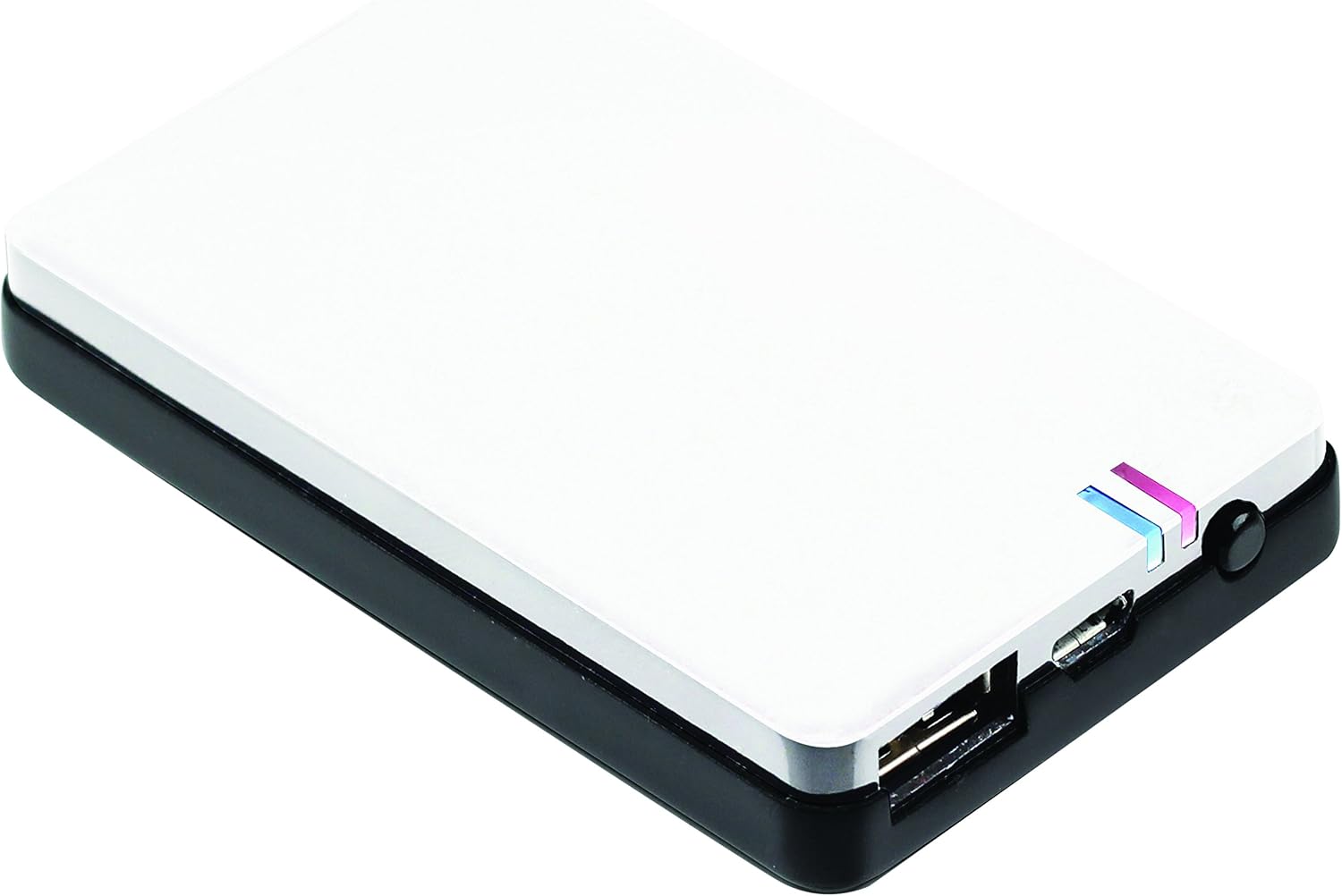
Figure 1: Top view of the Lexon Hobo Power Bank, highlighting its sleek white and black design with visible charging ports and LED indicators.

Figure 2: Side view of the power bank, detailing the USB-A output port (OUT 1A), Micro-USB input port (IN 5V), and a small yellow button, likely for checking battery status.

Figure 3: The power bank being stored in its included protective pouch, showing the USB charging cable alongside it, emphasizing portability and protection.

Figure 4: The protective pouch for the Lexon Hobo Power Bank, closed, featuring a textured fabric and a branded label, designed for secure storage.
Setup
Before first use, it is recommended to fully charge your Lexon Hobo Power Bank.
- Unpack: Carefully remove the power bank and the included USB charging cable from its packaging.
- Initial Charge: Connect the small end of the included USB charging cable (Micro-USB) to the "IN 5V" port on the power bank. Connect the standard USB-A end of the cable to a USB wall adapter (not included) or a computer's USB port.
- Monitor Charging: The LED indicators on the power bank will illuminate to show the charging progress. Once all LEDs are solid, the power bank is fully charged.
Operating Instructions
Charging the Power Bank
To charge your Lexon Hobo Power Bank:
- Locate the Micro-USB input port labeled "IN 5V" on the side of the power bank.
- Connect the Micro-USB end of the provided USB cable to this port.
- Connect the standard USB-A end of the cable to a powered USB port, such as a wall charger, computer, or car charger.
- The LED indicators will show the charging status. A full charge is indicated when all LEDs are continuously lit.
Using the Power Bank to Charge Devices
To charge your mobile device using the Lexon Hobo Power Bank:
- Locate the USB-A output port labeled "OUT 1A" on the side of the power bank.
- Connect your device's charging cable (the cable that came with your phone or tablet) to the "OUT 1A" port on the power bank.
- Connect the other end of your device's charging cable to your mobile device.
- The power bank should automatically begin charging your device. If not, press the small yellow button on the side of the power bank to initiate charging.
- The LED indicators will show the remaining battery level of the power bank.
LED Indicators
The Lexon Hobo Power Bank features LED lights to indicate its battery level and charging status:
- While Charging the Power Bank: The LEDs will blink sequentially, indicating the charge level. When fully charged, all LEDs will remain solid.
- While Charging a Device: The LEDs will show the current remaining battery capacity of the power bank. Each lit LED represents a portion of the total capacity.
- Checking Battery Level: Briefly press the small yellow button on the side of the power bank to display the current battery level via the LEDs.
Maintenance and Care
- Keep the power bank dry. Do not expose it to moisture or liquids.
- Do not store the power bank in extremely hot or cold environments.
- Avoid dropping or subjecting the power bank to strong impacts.
- Clean the power bank with a soft, dry cloth. Do not use harsh chemicals or abrasive cleaners.
- If not used for extended periods, charge the power bank at least once every three months to maintain battery health.
Troubleshooting
| Problem | Possible Cause | Solution |
|---|---|---|
| Power bank not charging. | Cable not connected properly; faulty cable; power source issue. | Ensure cables are securely connected. Try a different USB cable or a different power source. |
| Device not charging from power bank. | Power bank is depleted; device cable issue; power bank not activated. | Charge the power bank fully. Ensure your device's charging cable is functional. Press the yellow button on the power bank to activate output. |
| LEDs not lighting up. | Power bank is completely discharged or damaged. | Try charging the power bank for an extended period. If still unresponsive, the unit may be faulty. |
Specifications
| Brand | Lexon |
| Model | LL107W |
| Model Name | Hobo Power Bank2600 Ma - In A Pouch |
| Battery Cell Composition | Lithium Ion |
| Connectivity Type | USB Cable |
| Power Source | Battery Powered |
| Product Dimensions | 8.8 x 5.5 x 1.2 cm |
| Product Weight | 165 grams |
| Color | White |
Safety Information
Please observe the following safety precautions to prevent damage to the product or injury to yourself:
- Do not disassemble, open, or shred the battery pack or cells.
- Do not expose the power bank to heat or fire. Avoid storage in direct sunlight.
- Do not short-circuit the power bank. Do not store power banks indiscriminately in a box or drawer where they may short-circuit each other or be short-circuited by conductive materials.
- Do not subject the power bank to mechanical shock.
- In the event of a leak, do not allow the liquid to come into contact with the skin or eyes. If contact has been made, wash the affected area with copious amounts of water and seek medical advice.
- Keep the power bank out of the reach of children.
- Do not use any charger other than that specifically provided for use with the equipment.
- Dispose of the power bank properly at designated collection points. Do not dispose of with household waste.
Warranty and Support
For warranty information or technical support, please contact your retailer or the official Lexon customer service. Keep your purchase receipt as proof of purchase.
Website: www.lexon-design.com