
Introduction
This manual provides instructions for the installation and operation of the Adapter Universe Auto Radio AUX Bluetooth Adapter Cable Connector. This module allows you to connect an external audio source, such as a smartphone, tablet, or laptop, to your car radio via Bluetooth. Enjoy wireless streaming of your favorite music directly through your car's audio system.
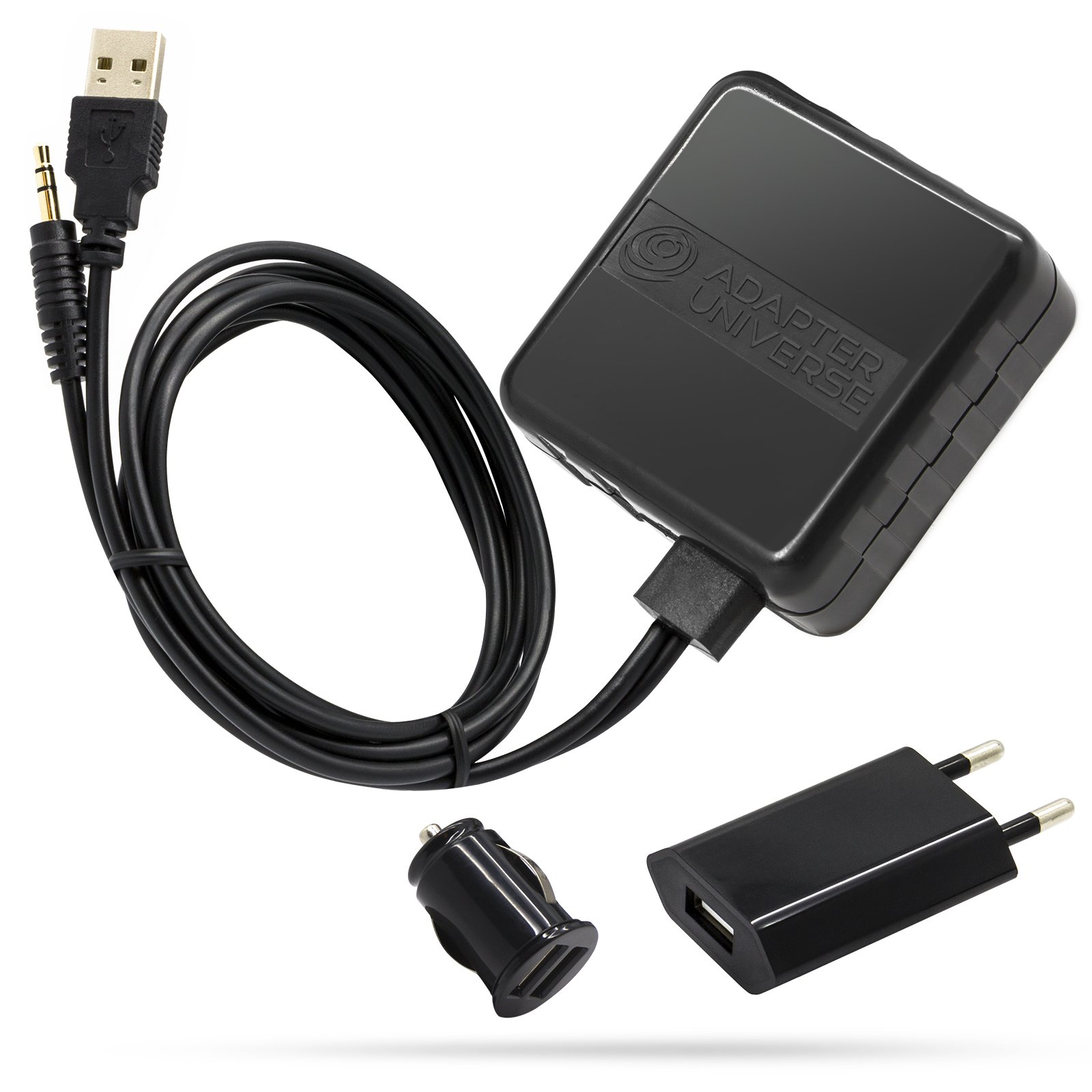
Image: The Adapter Universe Bluetooth AUX Adapter Kit, showing the main components.
Package Contents
- 1 x Bluetooth AUX Adapter with 3.5 mm Jack Connector
- 1 x 12V Car Charger (black)
- 1 x 100-240V AC Wall Charger (black)

Image: The Bluetooth AUX adapter cable featuring a 3.5mm jack and a USB connector.

Image: The included 12V car charger and 100-240V AC wall charger for power supply.
Setup
- Connect the Bluetooth Module: Connect the Bluetooth AUX adapter cable to your car radio's AUX input. Ensure a secure connection.
- Power Supply:
- For in-car use, plug the 12V car charger into your vehicle's cigarette lighter socket. Connect the USB end of the Bluetooth adapter to the car charger.
- For home or other uses, plug the 100-240V AC wall charger into a standard power outlet. Connect the USB end of the Bluetooth adapter to the wall charger.
Note: The included chargers ensure power supply even if your car radio or HiFi system lacks a USB slot.
- Power On: Once connected, the Bluetooth module will power on automatically.
This adapter is designed for "Plug & Play" installation. Consulting a specialist workshop is generally not required, as installation can be performed easily.
Operating Instructions
- Activate Bluetooth: Ensure Bluetooth is enabled on your external audio device (smartphone, tablet, laptop).
- Pairing: Search for available Bluetooth devices on your audio source. Select the Adapter Universe Bluetooth module from the list to pair. No complicated codes are required.
- Select AUX Input: On your car radio or HiFi system, select the AUX input source.
- Stream Music: Once paired and the AUX input is selected, you can stream music wirelessly from your device to your car radio. Playback and title control are managed directly through your connected device.
The system supports all Bluetooth-enabled devices and does not impose functional restrictions on your car radio.
Maintenance
- Keep the adapter and cables clean and dry.
- Avoid exposing the device to extreme temperatures or direct sunlight for prolonged periods.
- Do not attempt to disassemble or modify the adapter, as this may void the warranty and cause damage.
Troubleshooting
- No Power: Ensure all power connections (car charger or wall charger) are securely plugged in and receiving power.
- Cannot Pair: Make sure Bluetooth is enabled on your device and the adapter is powered on. Try restarting both the adapter and your audio device.
- No Audio: Verify that your car radio or HiFi system is set to the correct AUX input. Check the volume levels on both your audio device and the car radio.
- Poor Audio Quality: Ensure your device is within close range of the adapter to maintain a stable Bluetooth connection.
Specifications
| Model Number | 5067 |
| Cable Length | Approximately 1.0 meter |
| Connectors | 1 x USB-A, 1 x 3.5 mm Jack |
| Car Charger Input | 12V DC |
| Car Charger Output | 5V / 1000mA DC |
| Wall Charger Input | 100V - 240V AC |
| Wall Charger Output | 5V / 1000mA DC |
| Color (Cable/Charger) | Black |
Warranty and Support
For warranty information, please refer to the terms and conditions provided by your retailer at the time of purchase. If you encounter any issues or require further assistance, please contact Adapter Universe customer support or your product retailer.
You may also find additional support resources on the official Adapter Universe website: Adapter Universe Brand Store