1. Introduction
This manual provides essential information for the safe and effective use of your BANNER Power Bull Professional P7740 car battery. This 12V lead-acid battery offers a 77Ah capacity and a 680A cold start current, designed for reliable automotive performance. Please read this manual thoroughly before installation and operation to ensure proper handling and longevity of the product.
2. Safety Information
Automotive batteries contain sulfuric acid and produce explosive gases. Failure to follow these safety instructions can result in serious injury or property damage.
- Eye Protection: Always wear appropriate eye protection (safety glasses or goggles) when working with batteries.
- Skin Protection: Wear gloves and protective clothing to prevent contact with battery acid. In case of contact, flush immediately with water and seek medical attention.
- Ventilation: Ensure adequate ventilation when charging or working near batteries to disperse explosive gases.
- No Smoking/Open Flames: Keep sparks, flames, and smoking materials away from batteries.
- Tools: Use insulated tools to prevent short circuits. Avoid placing metal objects on top of the battery.
- Children: Keep batteries out of reach of children.
- Disposal: Dispose of old batteries responsibly at an authorized recycling facility. Do not discard with household waste.
3. Setup and Installation
Proper installation is crucial for battery performance and safety.
3.1 Pre-Installation Checks
- Verify that the new battery's specifications (voltage, capacity, dimensions) match your vehicle's requirements.
- Inspect the battery for any signs of damage during shipping.
- Ensure the battery terminals are clean and free of corrosion.
3.2 Installation Steps
- Safety First: Turn off the vehicle's engine and remove the ignition key. Wear safety glasses and gloves.
- Disconnect Old Battery: First, disconnect the negative (-) terminal cable, then the positive (+) terminal cable. Remove any hold-down clamps.
- Remove Old Battery: Carefully lift the old battery out of its tray. Batteries are heavy; use proper lifting techniques or assistance.
- Clean Battery Tray: Clean the battery tray and terminal clamps thoroughly to remove any corrosion or debris.
- Position New Battery: Place the BANNER Power Bull Professional P7740 battery into the tray, ensuring it is seated securely. The positive terminal is typically on the right side when facing the battery.
- Secure Battery: Fasten the hold-down clamp to prevent movement during vehicle operation.
- Connect New Battery: First, connect the positive (+) terminal cable, then the negative (-) terminal cable. Ensure connections are tight and secure. Do not overtighten.
- Apply Anti-Corrosion: Apply a thin layer of anti-corrosion grease to the terminals to prevent future corrosion.
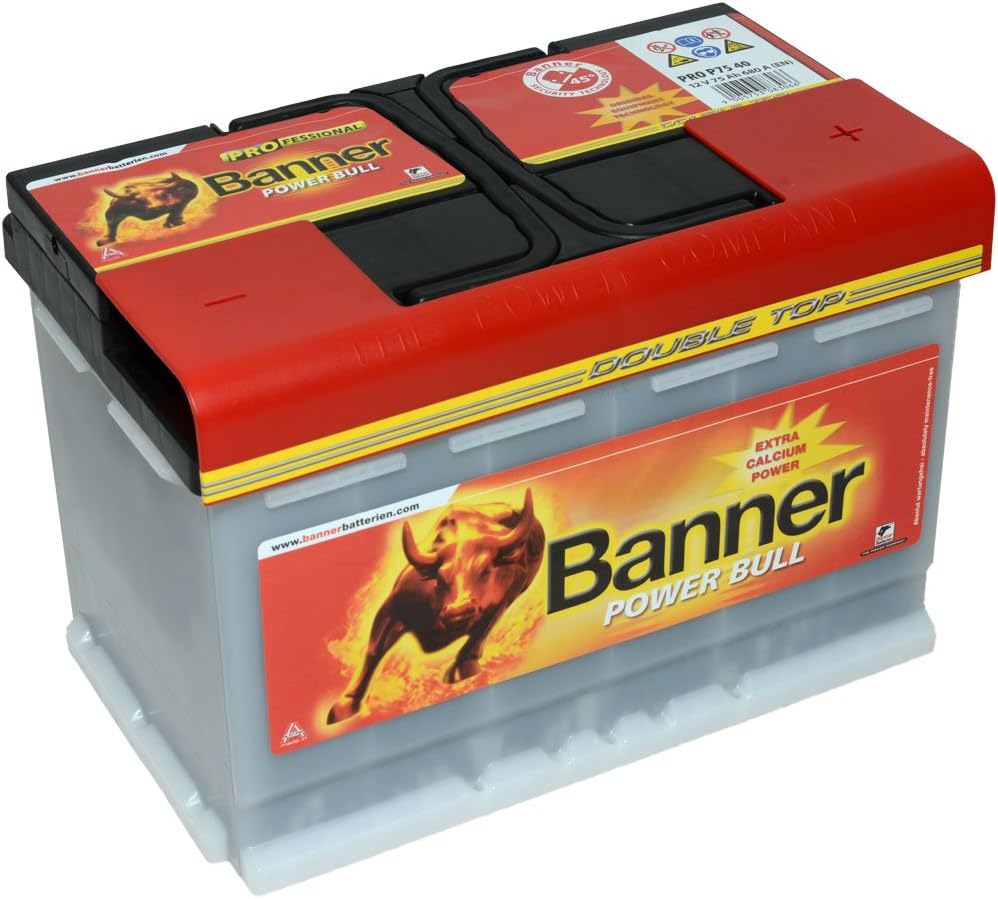
This image displays the BANNER Power Bull Professional P7740 car battery. The battery features a red top cover with integrated handles and black terminal caps. The front label prominently displays the 'Banner Power Bull' logo with a bull graphic, along with 'EXTRA CALCIUM POWER' and 'PROFESSIONAL' markings. The positive terminal is typically located on the right side when viewed from the front, as indicated by the product description.
4. Operating Principles
The BANNER Power Bull Professional P7740 is a 12V lead-acid starter battery. It functions by converting chemical energy into electrical energy to start your vehicle's engine and power its electrical systems when the engine is off. During vehicle operation, the alternator recharges the battery. This battery is designed to be maintenance-free under normal operating conditions, meaning it does not require regular electrolyte level checks.
5. Maintenance
Although designed for minimal maintenance, periodic checks can extend the battery's lifespan.
- Keep Clean: Regularly inspect the battery top and terminals for dirt, moisture, or corrosion. Clean with a solution of baking soda and water, then rinse with clean water and dry thoroughly.
- Check Connections: Ensure terminal connections remain tight and free of corrosion. Loose connections can lead to poor performance and heat buildup.
- Charging: If the vehicle is not used for extended periods, the battery may discharge. Use a suitable automotive battery charger to maintain a full charge. Follow the charger manufacturer's instructions. Avoid overcharging.
- Storage: If storing the battery, ensure it is fully charged and stored in a cool, dry place. Disconnect it from the vehicle to prevent parasitic drains. Periodically check the voltage and recharge if necessary.
6. Troubleshooting
Here are common issues and potential solutions:
| Problem | Possible Cause | Solution |
|---|---|---|
| Engine cranks slowly or not at all | Discharged battery, loose/corroded terminals | Charge battery, clean and tighten terminals |
| Battery light on dashboard | Charging system fault (alternator), battery issue | Test charging system and battery; consult a mechanic |
| Corrosion on terminals | Acid fumes reacting with metal | Clean terminals with baking soda solution, apply anti-corrosion grease |
| Battery not holding charge | Aging battery, internal fault, parasitic drain | Have battery tested, check for vehicle electrical drains, consider replacement |
If troubleshooting steps do not resolve the issue, consult a qualified automotive technician.
7. Specifications
Technical details for the BANNER Power Bull Professional P7740 battery:
| Specification | Value |
|---|---|
| Model Number | P7740 |
| Nominal Voltage | 12 V |
| Capacity (Ah) | 77 Ah |
| Cold Start Current (EN) | 680 A |
| Dimensions (L x W x H) | 278 x 175 x 190 mm |
| Item Weight | 19 kg |
| Battery Cell Composition | Lead-Acid |
| Number of Cells | 6 |
| Terminal Type | Standard Automotive (Marine-terminal listed, but typically refers to standard posts for car batteries) |
| Manufacturer | BANNER |
8. Warranty Information
For specific warranty terms and conditions, please refer to the documentation provided with your purchase or visit the official Banner Batteries website. Warranty coverage typically includes defects in materials and workmanship under normal use and service.
9. Support Information
If you have questions or require assistance with your BANNER Power Bull Professional P7740 battery, please contact your retailer or the manufacturer directly. Ensure you have your purchase details and battery model number available when seeking support.
Manufacturer Website: www.bannerbatterien.com


