
1. Introduction
This manual provides essential information for the safe and efficient use of your BenQ e-Reading LED Desk Lamp, Model AR15_D. Please read these instructions thoroughly before operating the device and retain them for future reference.
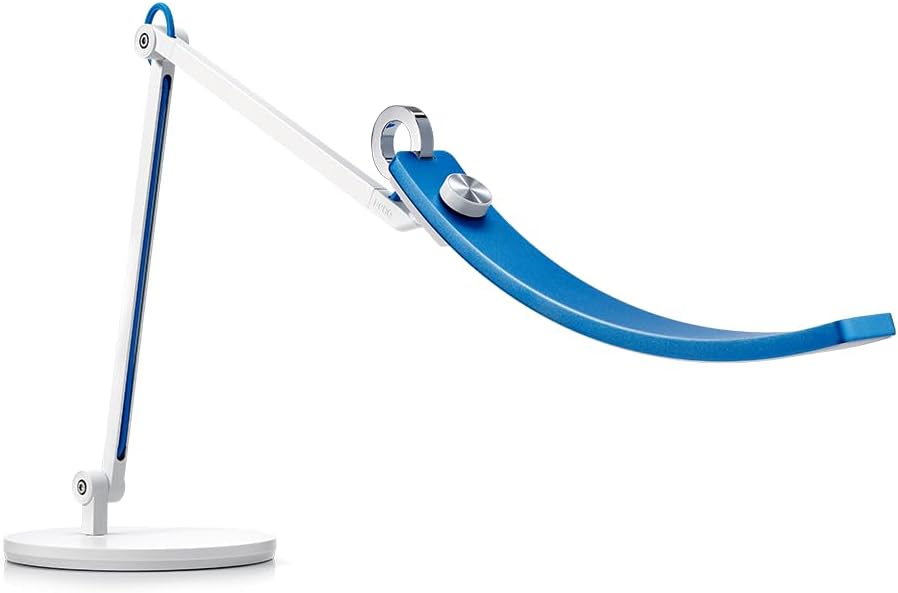
Image 1.1: The BenQ e-Reading LED Desk Lamp (AR15_D) featuring a blue curved light bar and white adjustable swing arm.
2. Safety Information
- Read all instructions carefully before initial use.
- Do not expose the lamp to water or excessive moisture.
- Do not attempt to disassemble or modify the lamp. This may void the warranty and pose a safety risk.
- Use only the power adapter supplied with the product.
- Ensure the lamp is placed on a stable, flat surface to prevent tipping.
- Keep out of reach of children.
3. Package Contents
Verify that all items are present in the package:
- BenQ e-Reading Lamp (AR15_D)
- Pedestal Base
- Power Adapter
- User Manual
4. Setup
Follow these steps to assemble and set up your BenQ e-Reading LED Desk Lamp:
- Unpack Components: Carefully remove all components from the packaging.
- Attach Lamp to Base: Securely attach the lamp arm to the pedestal base. Ensure it is firmly seated.
- Connect Power Adapter: Plug the power adapter into the lamp's power input port. Then, plug the adapter into a standard electrical outlet.
- Position the Lamp: Place the lamp on your desk or desired surface. Adjust the swing arm and light head to achieve optimal illumination for your workspace.

Image 4.1: The BenQ e-Reading LED Desk Lamp set up on a desk, providing illumination for reading.
5. Operating Instructions
The BenQ e-Reading LED Desk Lamp offers intuitive controls for personalized lighting.
5.1 Power On/Off
- Power Button: The lamp is controlled by a touch-sensitive button, typically located on the top of the lamp head or base. Tap once to turn the lamp on or off.
5.2 Brightness Adjustment
- Manual Adjustment: Rotate the control dial (often integrated with the power button) to increase or decrease the brightness level.
5.3 Color Temperature Adjustment
- Manual Adjustment: Rotate the control dial to cycle through different color temperatures, from warm white (around 2700K) to cool white (around 5700K).

Image 5.1: Illustration of the lamp's ability to adjust color temperature from warm (3000K) for relaxation to cool (5700K) for concentration, alongside brightness control.
5.4 e-Reading Mode (Automatic Dimming)
- Activation: The lamp features an intelligent e-Reading mode. This mode automatically detects ambient light levels and adjusts the lamp's brightness and color temperature for optimal viewing conditions, reducing eye strain. Refer to the product's specific instructions for activating this mode, usually a dedicated button or a specific tap sequence on the control dial.

Image 5.2: The lamp offers dual smart dimming modes, optimized for both screen reading and paper reading environments.
6. Key Features
The BenQ e-Reading LED Desk Lamp is designed with several features to enhance your lighting experience:
- Wider Illumination: Provides a broad lighting coverage, illuminating a significant area of your workspace.
- Flexible Height & Angle: Equipped with a double arm and ball joint, allowing for extensive adjustment of height and angle to suit various tasks and preferences.
- ZeroFlicker Technology: Ensures constant, flicker-free, and evenly distributed illumination, which helps protect your eyes from strain during prolonged use.
- Premium Quality & Long Lifespan: Constructed with durable aluminum alloy and high-quality LEDs designed for a long operational life.

Image 6.1: The lamp's unique curved design provides ultrawide illumination, covering an area of approximately 90 cm.

Image 6.2: The lamp's double arm and ball joint design allow for flexible positioning and angle adjustments.
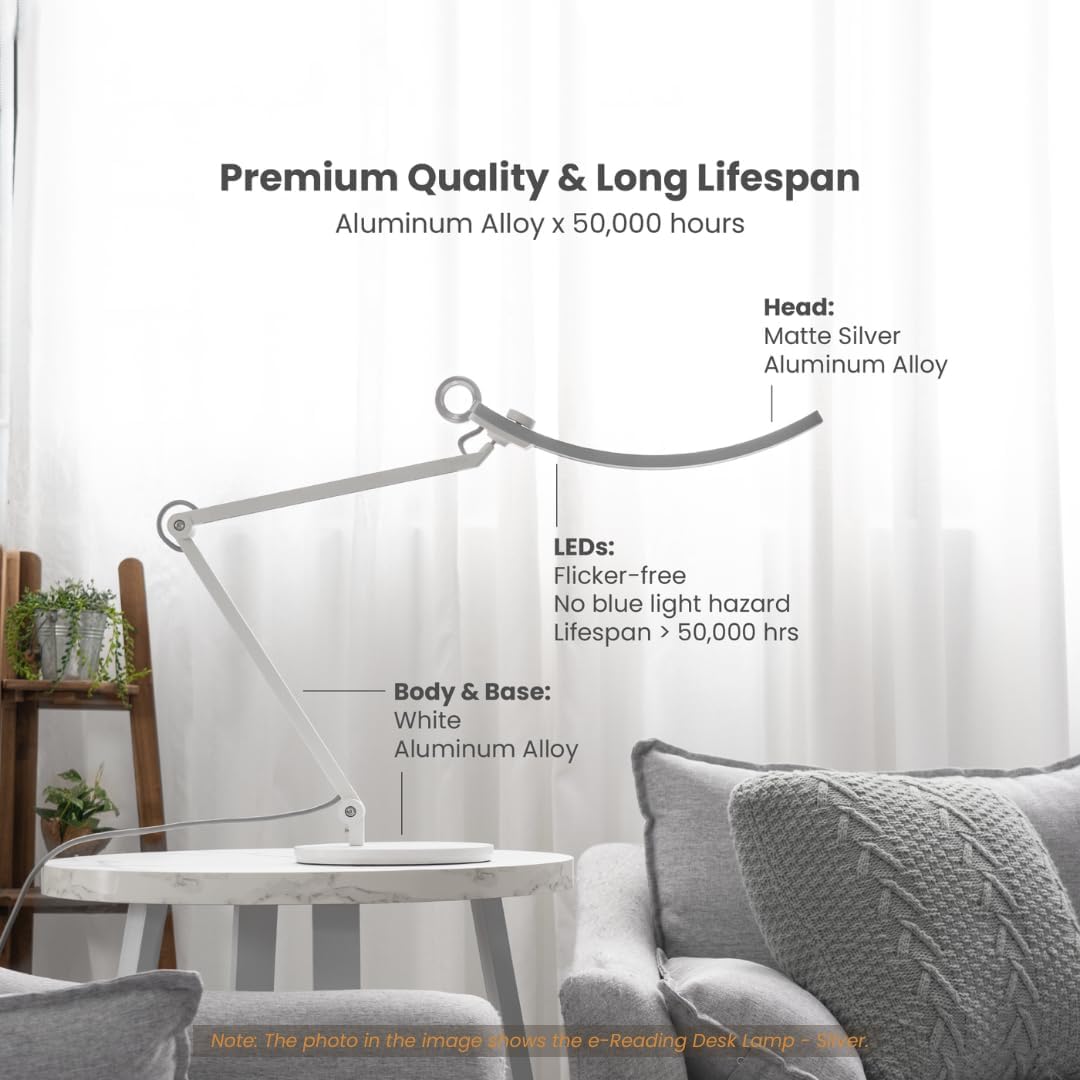
Image 6.3: The lamp features a durable aluminum alloy body and flicker-free LEDs with a lifespan exceeding 50,000 hours.
7. Maintenance
To ensure the longevity and optimal performance of your BenQ e-Reading LED Desk Lamp, follow these maintenance guidelines:
- Cleaning: Disconnect the power before cleaning. Use a soft, dry cloth to wipe the lamp's surfaces. Do not use abrasive cleaners, solvents, or harsh chemicals, as these can damage the finish.
- Dust Removal: Regularly dust the lamp head and arm to prevent accumulation that could affect light output or heat dissipation.
- Cable Care: Avoid bending or crimping the power cable excessively. Ensure it is not placed where it can be tripped over or damaged.
8. Troubleshooting
If you encounter issues with your BenQ e-Reading LED Desk Lamp, refer to the following common problems and solutions:
| Problem | Possible Cause | Solution |
|---|---|---|
| Lamp does not turn on. | No power supply. | Check if the power adapter is securely plugged into both the lamp and the electrical outlet. Test the outlet with another device. |
| Light output is dim or inconsistent. | Brightness setting is low; e-Reading mode active; dust accumulation. | Adjust brightness manually. If e-Reading mode is active, ambient light may be low. Clean the lamp head. |
| Color temperature does not change. | Control dial not functioning; e-Reading mode active. | Rotate the control dial to adjust. If e-Reading mode is active, it may override manual settings. |
| Lamp flickers. | Power supply issue; faulty unit. | Ensure stable power supply. If flickering persists, contact customer support. |
If the problem persists after attempting these solutions, please contact BenQ customer support.
9. Specifications
| Feature | Detail |
|---|---|
| Model Name | AR15_D |
| Product Dimensions | 8.66"D x 35.43"W x 24.61"H |
| Item Weight | 10.4 Pounds |
| Material | Aluminum |
| Base Material | Metal |
| Finish Type | Brushed |
| Shade Color | Blue |
| Light Source Type | LED |
| Brightness | 900 Lumen |
| Color Temperature Range | 2700K - 5700K |
| Color Rendering Index (CRI) | >95 |
| Wattage | 18 watts |
| Voltage | 120 Volts |
| Power Source | Corded Electric |
| Control Method | Touch |
| Special Features | Intelligent e-Reading Mode, Flicker-free |
10. Warranty Information
The BenQ e-Reading LED Desk Lamp, Model AR15_D, comes with a 1-year limited warranty from the date of purchase. This warranty covers manufacturing defects and malfunctions under normal use. It does not cover damage caused by misuse, accidents, unauthorized modifications, or improper installation.
Please retain your proof of purchase for warranty claims. For detailed warranty terms and conditions, refer to the official BenQ website or contact customer support.
11. Customer Support
For technical assistance, warranty claims, or further inquiries regarding your BenQ e-Reading LED Desk Lamp, please contact BenQ customer support through the following channels:
- Website: Visit the official BenQ support website for FAQs, drivers, and contact information.
- Phone: Refer to your product packaging or the BenQ website for regional support phone numbers.
- Email: Contact support via email for non-urgent inquiries.
When contacting support, please have your product model (AR15_D) and serial number ready.


