
1. Introduction
Thank you for choosing the ANNKE C1200 12MP PoE IP Camera. This manual provides essential information for the proper installation, operation, and maintenance of your security camera. Please read this guide thoroughly before using the product to ensure optimal performance and safety.

Image 1.1: ANNKE C1200 12MP PoE IP Camera. This image displays the white and black bullet-style camera with the ANNKE logo, showing its lens and light sensor.
2. Product Overview
2.1 Key Features
- 12MP UHD Resolution: Delivers crisp 4096x3072 images, 6 times sharper than 1080P.
- Smart Dual Light: Offers IR night vision, color night vision, and human/vehicle triggered color night vision up to 100ft.
- Human & Vehicle Detection: Advanced AI features minimize false alarms with up to 99% accuracy.
- Privacy Masking: Allows masking of private areas within the camera's view.
- Smart Search & Playback: Efficiently locate vital video clips.
- Flexible Storage: Supports up to 512GB microSD card (not included) and NVR recording.
- Listen-In Mic: Noise-cancelling audio recording for enhanced surveillance.
- IP67 Weatherproof: Dust and waterproof design for outdoor use.

Image 2.1: Example of 12MP Ultra HD resolution. This image shows a clear, detailed view of a backyard scene, highlighting the camera's high-resolution capabilities (4096x3072).

Image 2.2: Human and Vehicle Detection in action. The image illustrates the camera identifying a person and a vehicle, with an on-screen notification indicating detection.

Image 2.3: Comparison of three night vision modes. This graphic shows examples of 100ft Color Night Vision, 100ft IR Night Vision, and Human & Vehicle Triggered Color Mode, demonstrating the camera's versatility in low-light conditions.
2.2 Package Contents
Verify that all items listed below are included in your package:
- 1 x 12MP Wired PoE Security Camera
- 1 x 1m Ethernet Cable
- 1 x Mounting Screws Kit
- 1 x Waterproof Lid
3. Setup and Installation
3.1 Physical Installation
- Choose a Location: Select an outdoor location that provides the desired viewing angle and is within reach of your PoE network cable. Ensure the camera is mounted securely.
- Mount the Camera: Use the provided mounting screws kit to securely attach the camera to a wall or ceiling. Adjust the camera's angle for optimal coverage.
- Connect PoE Cable: Connect one end of the Ethernet cable to the camera's PoE port and the other end to a PoE-enabled switch or NVR. This single cable provides both power and data.
- Install Waterproof Lid: For outdoor installations, ensure the waterproof lid is correctly installed over the Ethernet connection to protect against environmental elements.
3.2 MicroSD Card Installation (Optional)
The camera supports a microSD card up to 512GB for local storage. To install:
- Locate the microSD card slot on the camera body. This may require opening a small cover.
- Carefully insert the microSD card into the slot until it clicks into place.
- Close the cover securely to maintain the camera's IP67 rating.

Image 3.1: Illustration of microSD card slot. This image shows a close-up of the camera's side, with a microSD card being inserted into the designated slot, indicating support for up to 512GB storage.
4. Operation
4.1 Initial Access and Configuration
- Download ANNKE APP: Search for "ANNKE" in your smartphone's app store and install the official application.
- Add Camera: Follow the in-app instructions to add your C1200 camera to your account. This typically involves scanning a QR code or manually entering device details.
- Set Password: For security, change the default password immediately upon first access.
- Network Settings: Ensure the camera is connected to your network. The PoE connection handles this automatically, but verify network status in the app.
4.2 Key Functions
- Live View: Access real-time video feed from your camera via the ANNKE APP or compatible NVR.
- Recording Modes: Configure continuous, cyclical, scheduled, or motion detection recording settings.
- Smart Detection: Enable Human & Vehicle Detection to receive accurate alerts and reduce false alarms.
- Night Vision Control: Switch between IR night vision, color night vision, or the smart dual-light mode where color vision is triggered by human/vehicle detection.
- Playback: Use the smart search feature to review recorded footage efficiently.
- Privacy Mask: Define specific areas within the camera's view to be masked for privacy protection.
- Audio: Utilize the built-in microphone for listen-in audio recording.

Image 4.1: Smart Search & Playback interface. This image shows a timeline with various recording types (Continuous, Cyclical, Scheduled, Motion Detection) and examples of recorded events, illustrating how users can efficiently find specific footage.

Image 4.2: User-Friendly Customization for Privacy Masking. This image displays a house with designated "Private Areas" masked in black, while other areas are marked as "Detection Areas," demonstrating the ability to customize surveillance zones.
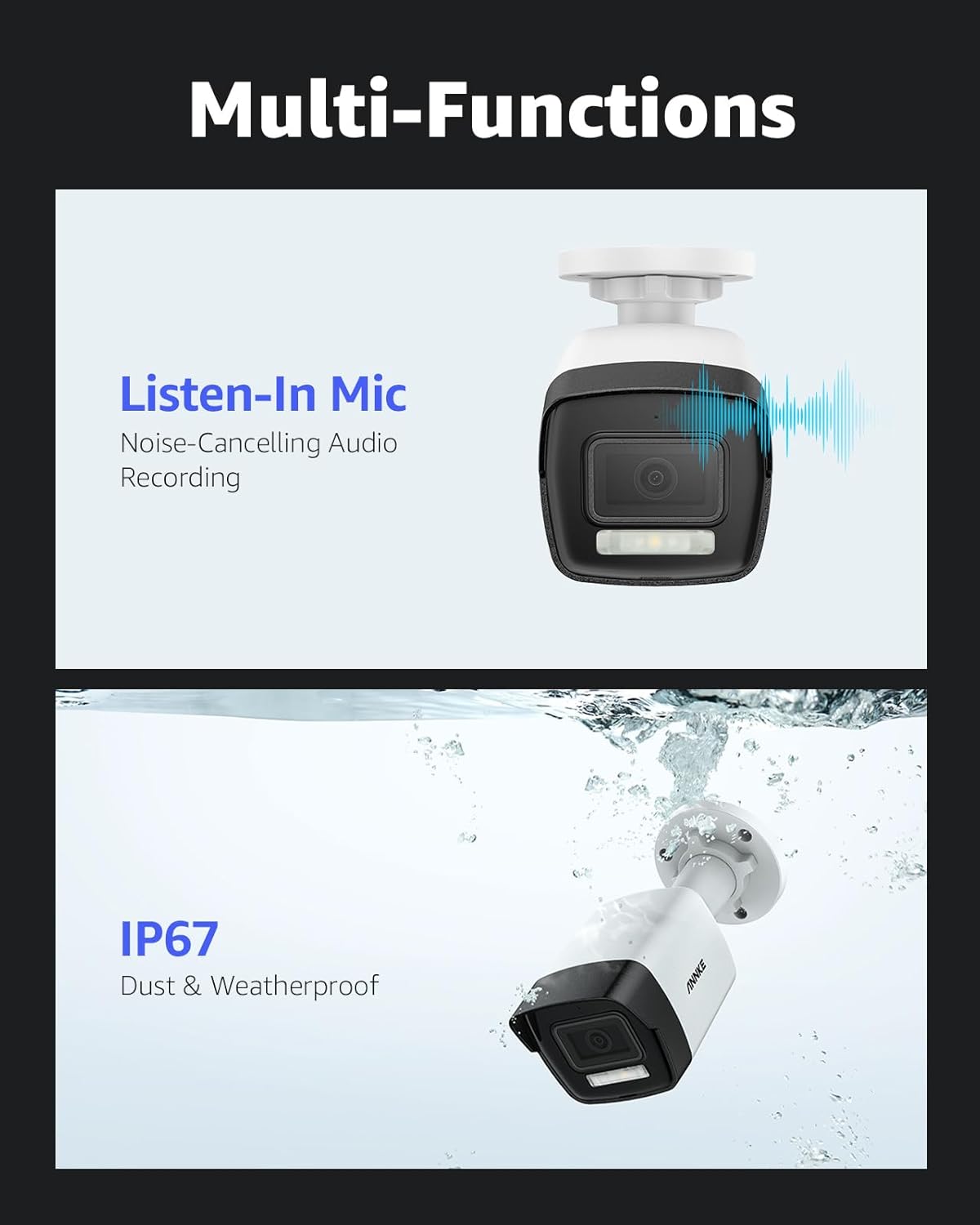
Image 4.3: Multi-Functions of the camera. This image highlights the "Listen-In Mic" for noise-cancelling audio recording and the camera's "IP67 Dust & Weatherproof" rating, showing it submerged in water.
5. Maintenance
5.1 Cleaning
Regular cleaning helps maintain optimal image quality:
- Gently wipe the camera lens and housing with a soft, damp cloth.
- Do not use harsh chemicals or abrasive cleaners, as these can damage the lens or finish.
- Ensure no moisture enters the camera body.
5.2 Firmware Updates
Periodically check for firmware updates through the ANNKE APP or official website. Firmware updates can provide new features, improve performance, and enhance security.
5.3 Storage Management
If using a microSD card, regularly check its status and ensure it has sufficient space. Format the card periodically to maintain performance. For NVR storage, refer to your NVR's manual for maintenance procedures.
6. Troubleshooting
- No Image/Video:
- Check power supply and PoE connection.
- Ensure network cable is securely connected.
- Verify camera is properly added to the ANNKE APP/NVR.
- Network Connection Issues:
- Confirm your router/switch is functioning correctly.
- Restart the camera and network equipment.
- Check network cable integrity.
- False Alarms:
- Adjust motion detection sensitivity settings in the app.
- Utilize Human & Vehicle Detection to filter out irrelevant movements.
- Set up privacy masks for areas with frequent non-threatening activity.
- Poor Image Quality:
- Clean the camera lens.
- Ensure sufficient lighting for optimal night vision performance.
- Check network bandwidth if streaming quality is low.
7. Specifications
| Feature | Description |
|---|---|
| Model Number | AN-I91DD0102 |
| Image Sensor | 1/2.7" Progressive Scan CMOS |
| Resolution | 12MP (4096x3072) |
| Lens | 2.8 mm |
| Angle of View | Horizontal FOV 113°, vertical FOV 62°, diagonal FOV 134° |
| Night Vision Range | Up to 100 ft (30 m) with Smart Dual-Light (IR, White Light) |
| Wide Dynamic Range (WDR) | 120 dB WDR |
| Storage | Built-in microSD/SDHC/SDXC Slot, up to 512 GB |
| Detection | Motion Detection 2.0 (Human & Vehicle detection) |
| Operating Temperature | -22 °F to 140 °F (-30 °C to 60 °C) |
| Power | DC 12 V ± 25%, max. 5 W; PoE (802.3af), max. 6.5 W |
| Ingress Protection | IP67 |
| Material | Aluminum, Metal |
| Connectivity Technology | Wired (PoE) |

Image 7.1: Product dimensions. This image provides a diagram of the camera with measurements, showing a length of 6.7 inches (170.8mm) and a height of 2.7 inches (69.7mm).
8. Warranty and Support
8.1 Warranty Information
ANNKE products typically come with a limited warranty. Please refer to the warranty card included with your product or visit the official ANNKE website for detailed warranty terms and conditions specific to your region and purchase date.
8.2 Technical Support
For technical assistance, troubleshooting, or any questions regarding your ANNKE C1200 camera, please contact ANNKE customer support. Support contact information can usually be found on the official ANNKE website or within the ANNKE APP.


