
VQ 7100
VQ Hepburn Mk II Digital Radio User Manual
Model: Hepburn Mk II (Model 7100)
Brand: VQ
Introduction
Welcome to your VQ Hepburn Mk II Digital Radio. This versatile device combines vintage aesthetics with modern functionality, offering DAB, DAB+, FM radio, Bluetooth connectivity, and an alarm clock. This manual will guide you through its features and operation.
What's in the Box
- Hepburn Mk II DAB/DAB+/FM Radio
- Mains adaptor
- Instruction manual (this document)
Setup
Follow these steps for initial setup:
- Power Connection: Connect the supplied mains adaptor to the DC IN port on the back of the radio and plug it into a wall socket.

Image: Rear view of the VQ Hepburn Mk II radio, highlighting the power input and other connectivity ports.
- Antenna: Fully extend the telescopic antenna for optimal radio reception.

Image: Side view of the VQ Hepburn Mk II radio with its telescopic antenna fully extended for better signal reception.
- First Power On: Press the POWER button to turn on the radio. It will automatically scan for available DAB/DAB+ stations.
Operating Instructions
DAB/DAB+ and FM Radio
The Hepburn Mk II supports both DAB/DAB+ digital radio and traditional FM radio.
Switching Modes
Press the MODE button to cycle between DAB, FM, and Bluetooth modes.
Station Scanning
- DAB/DAB+: The radio performs an automatic scan upon first use. To perform a manual scan, navigate to the DAB menu and select "Full Scan".
- FM: In FM mode, press and hold the SCAN button to automatically tune to the next available station.
Presets
The radio offers 60 preset stations (30 DAB/DAB+, 30 FM).
- Saving a Preset: Tune to your desired station. Press and hold the PRESET button until "Preset Store" appears on the display. Use the TUNING knob to select a preset number (1-30) and press the SELECT button to confirm.
- Recalling a Preset: Press the PRESET button briefly. Use the TUNING knob to select the desired preset number and press SELECT.

Image: Illustration highlighting the 60 available preset slots for storing your favorite radio stations.
Bluetooth Connectivity
Stream music wirelessly from your Bluetooth-enabled device.
- Enter Bluetooth Mode: Press the MODE button until "Bluetooth" is displayed. The radio will enter pairing mode, indicated by a flashing Bluetooth icon.
- Pair Your Device: On your smartphone or tablet, go to Bluetooth settings and select "VQ Hepburn Mk II" from the list of available devices.
- Connection Confirmation: Once paired, the radio display will show "Connect success" and the Bluetooth icon will be solid. You can now play audio from your device through the radio.
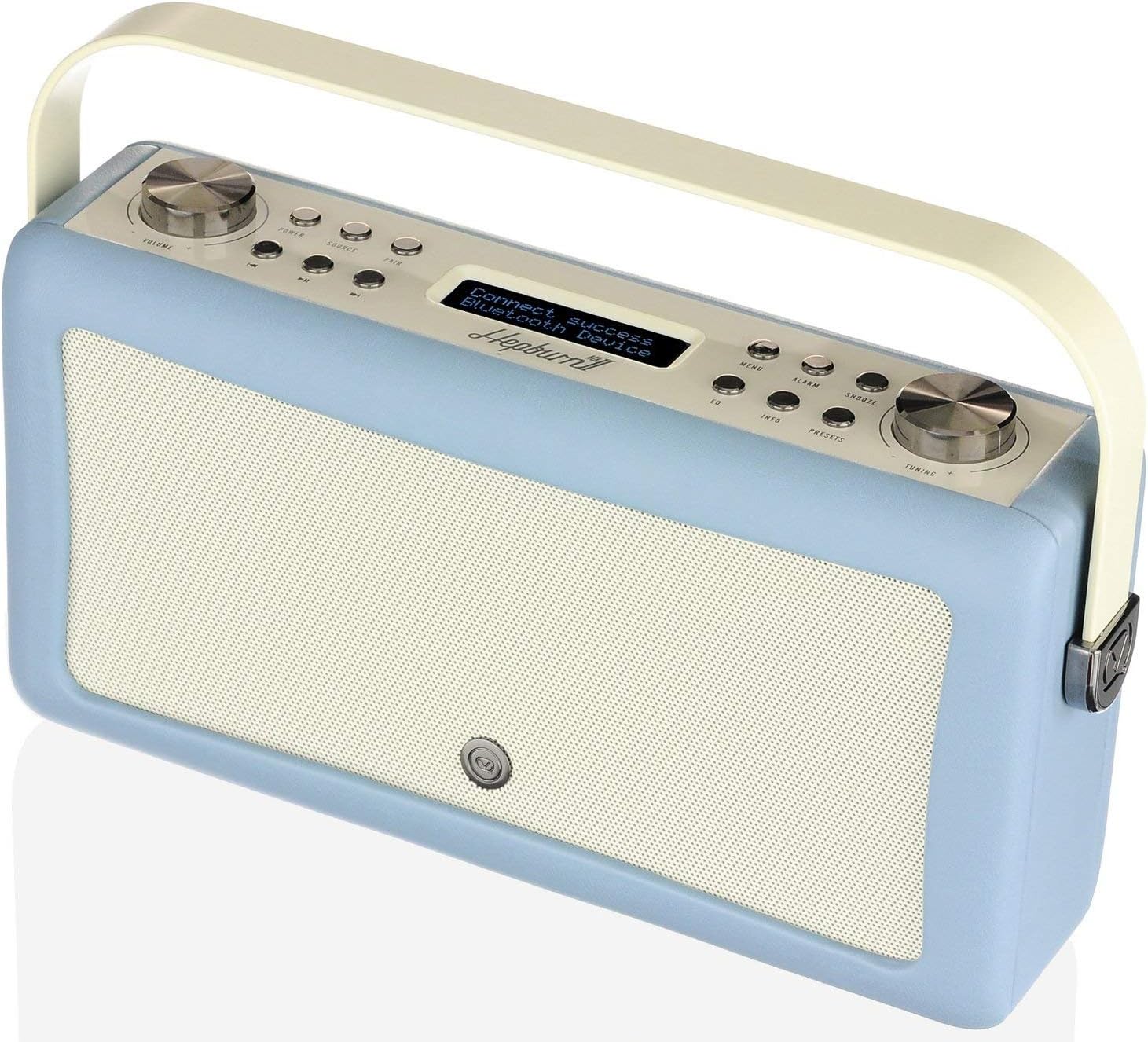
Image: The VQ Hepburn Mk II radio's display showing a successful Bluetooth connection.

Image: A visual representation of connecting a smartphone to the VQ Hepburn Mk II via Bluetooth, illustrating compatibility with various music streaming platforms.
Alarm Clock
The Hepburn Mk II features dual alarm settings.
- Setting an Alarm: Press the ALARM button. Use the TUNING knob to select Alarm 1 or Alarm 2 and press SELECT. Follow the on-screen prompts to set the time, source (DAB, FM, or Tone), and volume.
- Snooze: When an alarm sounds, press any button (except POWER) to activate snooze.
- Sleep Timer: Press the SLEEP button repeatedly to cycle through sleep timer options (e.g., 15, 30, 60 minutes) before the radio automatically turns off.

Image: Icons representing the Dual Alarm, Snooze, and Sleep Timer functionalities of the radio.
Auxiliary Input and USB Charging
The radio includes a 3.5mm AUX-in port and a USB charge port.
- AUX-in: Connect external audio devices (e.g., MP3 players) using a 3.5mm audio cable to the AUX-in port. Select AUX mode using the MODE button.
- USB Charge Port: Use the USB port to charge your smartphone or tablet. This port is for charging only and does not support data transfer.

Image: A detailed diagram illustrating the headphone jack, 3.5mm Aux-in, and USB charge port on the VQ Hepburn Mk II, with a smartphone connected for charging.
Key Features
- Premium Audio Quality: Equipped with dual 10W full-range speakers and ultra-wide cones for balanced acoustics and deep bass.

Image: An internal diagram of the VQ Hepburn Mk II, highlighting its full-range speakers, 10-watt drivers, and ultra-wide cones designed for superior sound.
- Digital Tick Standard: Independently verified for quality, ensuring reception of all broadcast stations and future readiness.

Image: The "Digital Radio Tick Standard" certification mark, indicating the product's verified quality and future compatibility.
- Portable Design: Can be powered by mains or AA batteries (not included) for portability.

Image: The VQ Hepburn Mk II radio placed on a shelf in a bathroom, demonstrating its compact size and suitability for various environments.
Maintenance
- Cleaning: Wipe the radio with a soft, dry cloth. Do not use abrasive cleaners or solvents.
- Antenna Care: Handle the telescopic antenna carefully to prevent damage.
- Battery Replacement (if applicable): If using batteries, replace them when the low battery indicator appears. Ensure correct polarity.
Troubleshooting
| Problem | Solution |
|---|---|
| No power | Check if the mains adaptor is securely connected to both the radio and the power outlet. Ensure the power outlet is active. |
| Poor radio reception | Fully extend the telescopic antenna. Try repositioning the radio to a location with better signal. Perform a full scan for DAB/DAB+ stations. |
| Bluetooth device won't pair | Ensure the radio is in Bluetooth mode and discoverable. Turn off and on Bluetooth on your device. Make sure no other device is currently connected to the radio. |
| No sound | Check the volume level on both the radio and your connected device (if using Bluetooth/AUX). Ensure the correct mode (DAB, FM, Bluetooth, AUX) is selected. |
Specifications
- Product Dimensions: 9.4L x 31.4W x 16.6H centimetres
- Weight: 1.5 kg
- Tuner Technology: DAB, FM, DAB+
- Connectivity: Bluetooth, 3.5mm AUX-in, USB Charge Port
- Power Source: Mains adaptor, Battery Powered (AA batteries not included)
- Special Features: Dual alarm settings, Snooze, Sleep Timer, 60 Presets
- Colour: Blue
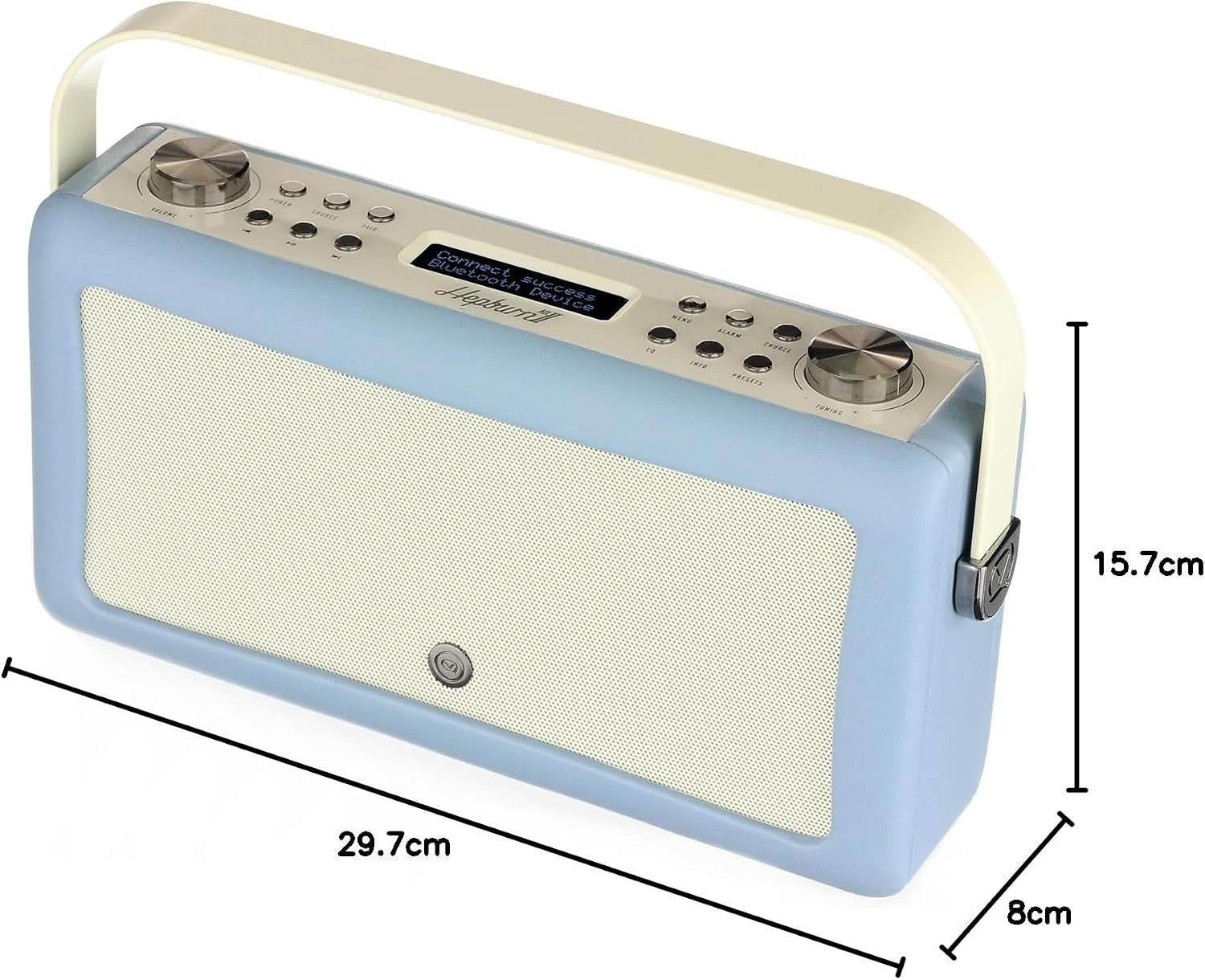
Image: Diagram illustrating the dimensions of the VQ Hepburn Mk II radio.
Warranty & Support
The VQ Hepburn Mk II is covered by a three-year warranty. For technical support or warranty claims, please visit the official VQ website or contact their customer service.
VQ Official Website: www.myvq.com

Image: The product packaging for the VQ Hepburn Mk II, prominently displaying the 3-year warranty logo.
Related documents7100

Ask a question about this manual
Ask about setup, troubleshooting, compatibility, parts, safety, or missing instructions. Manuals+ will review the question and use this page’s manual context to help answer it.