
1. Product Overview
The HOBBYWING EzRun Max 6 is a high-performance sensorless electronic speed controller (ESC) designed for 1/6th and 1/7th scale remote-controlled vehicles. It features a robust design suitable for various operating conditions and offers advanced functionalities for precise control.
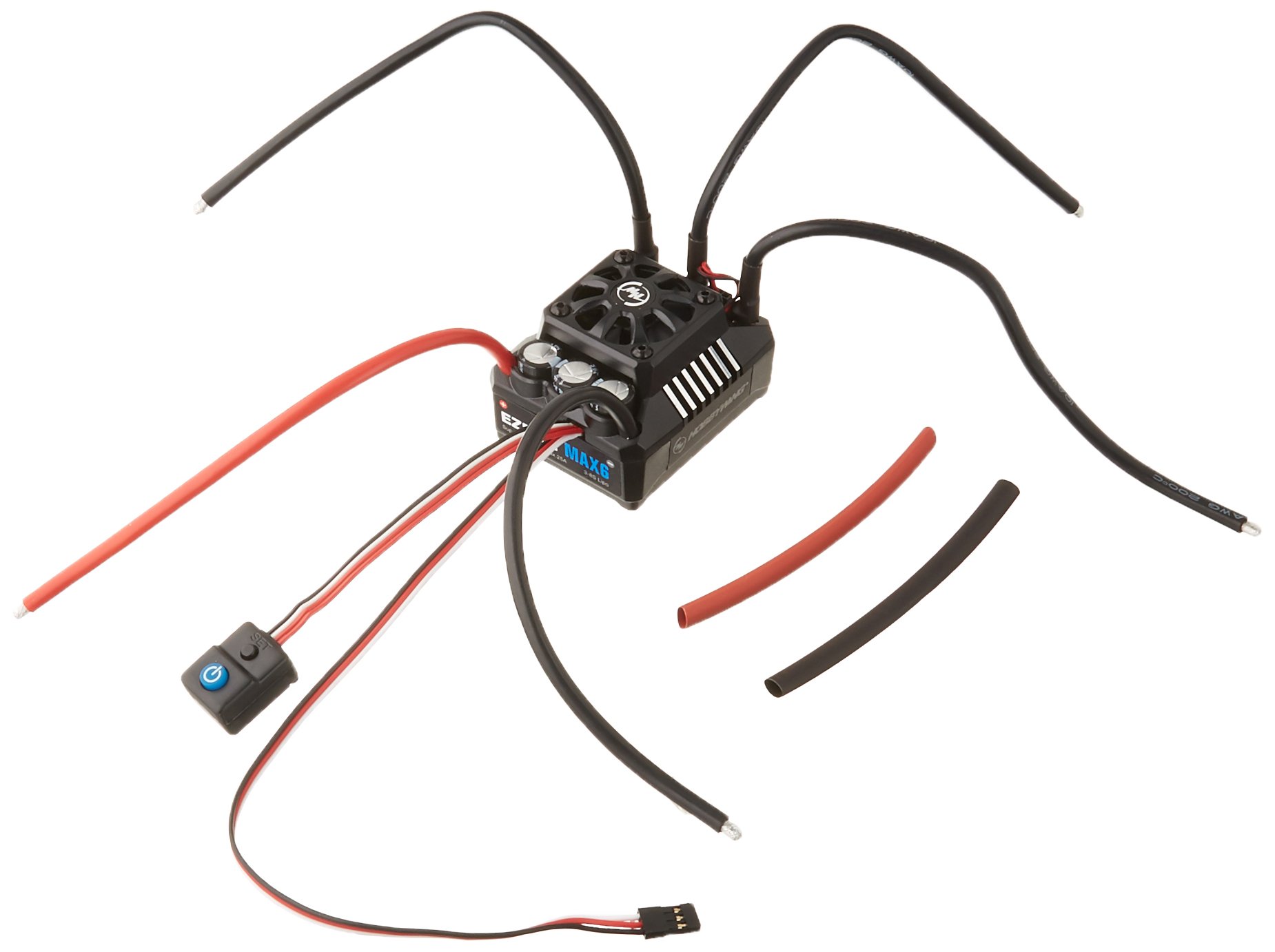
Image: HOBBYWING EzRun Max 6 Electronic Speed Controller, showcasing its compact form factor and connection points.
2. Safety Instructions
- Always disconnect the battery from the ESC when not in use to prevent accidental operation and potential damage.
- Ensure all connections are secure and correctly polarized before powering on the system. Incorrect polarity can cause severe damage to the ESC and battery.
- Operate RC vehicles in open areas, away from people, animals, and obstacles.
- Avoid contact with rotating parts of the motor and vehicle to prevent injury.
- Do not expose the ESC to extreme temperatures or direct sunlight for prolonged periods.
- Use only compatible batteries and motors as specified in the product specifications.
- The ESC features internal anti-spark circuitry; however, exercise caution when connecting high-voltage battery packs (5S/6S/7S/8S) to minimize sparking.
3. Package Contents
The HOBBYWING EzRun Max 6 package typically includes the following items:
- EzRun Max6-V3 Electronic Speed Controller
- User Manual (this document)
- Additional accessories (e.g., double-sided tape, zip ties) may be included.
4. Features
- Waterproof and Dust-proof Design: Allows operation in various weather conditions without damage from water or dust.
- High Voltage (HV) Built-in BEC: Features an output current of up to 25A and a switchable output voltage of 6V or 7.4V, supporting high-voltage servos.
- Electronic Switch: Offers a lifespan exceeding 50,000 on/off cycles, integrated into a waterproof, dust-proof, and shock-resistant housing.
- Firmware Upgradeable: Compatible with Hobbywing USB LINK software and a multifunction LCD program box for regular firmware updates and feature enhancements.
- Shockproof Cooling Fan: Designed to withstand impacts from vehicle jumps and landings, reducing maintenance needs.
- Internal Anti-Spark Circuitry: Protects battery connectors from damage and minimizes sparking during high-voltage battery connections (5S/6S/7S/8S).
- Versatile Application: Suitable for various 1/6th and 1/7th scale vehicles (e.g., Traxxas XO-1) and 1/8th scale heavy vehicles (e.g., CEN GST-E).
5. Specifications
| Parameter | Value |
|---|---|
| Continuous/Peak Current | 160A/1050A |
| Input Voltage | 3-8S LiPo / 9-24 Cells NiMH |
| BEC Output (Switch Mode) | 6V/7.4V, 6A |
| Dimensions (L x W x H) | 70.0 x 56.0 x 46.5 mm |
| Weight | 240 g |
| KV Rating / T Count (6S LiPo) | KV ≤ 1500 |
| KV Rating / T Count (8S LiPo) | KV ≤ 1200 (for 5892 Size Motors) |
| Model Number | HWI30105000 |
| Manufacturer | Hobbywing Technology |
6. Setup and Installation
Proper installation is crucial for the optimal performance and longevity of your EzRun Max 6 ESC. Follow these general guidelines:
- Mounting the ESC: Securely mount the ESC in your vehicle using double-sided tape or screws, ensuring adequate airflow for cooling.
- Motor Connection: Connect the three motor wires to the ESC's motor output terminals. For sensorless motors, the connection order typically does not matter for initial setup, but reversing two wires can change motor rotation if needed.
- Battery Connection: Connect your battery pack to the ESC's battery input connectors. Observe correct polarity. The internal anti-spark circuitry will help mitigate initial sparks with high-voltage batteries.
- Receiver Connection: Plug the ESC's throttle cable into the throttle channel (usually channel 2) of your RC receiver.
- BEC Voltage Selection: If your vehicle's servos require a specific voltage, ensure the BEC output voltage (6V or 7.4V) is correctly set on the ESC. Refer to the detailed programming instructions for this adjustment.
- Calibration: Perform throttle range calibration with your radio transmitter to ensure proper communication between the transmitter, receiver, and ESC.
7. Operating Instructions
Once installed and calibrated, the EzRun Max 6 ESC is ready for operation:
- Power On/Off: Use the integrated electronic switch to power the ESC on or off.
- Basic Operation: Control your vehicle's speed and direction using your radio transmitter.
- Programming: For advanced settings and customization, the ESC can be programmed using the Hobbywing USB LINK software (via a PC) or a multifunction LCD program box. This allows adjustment of parameters such as cut-off voltage, drag brake, punch, and more. Refer to the separate programming guide for detailed instructions.
8. Maintenance
Regular maintenance helps ensure the longevity and reliable performance of your EzRun Max 6 ESC:
- Cleaning: Periodically clean the ESC to remove dirt, dust, and debris. Although waterproof, it is recommended to rinse off mud or saltwater with fresh water and dry thoroughly.
- Cooling Fan Inspection: Check the cooling fan for obstructions or damage. Ensure it spins freely. Replace if necessary.
- Firmware Updates: Check the HOBBYWING website regularly for new firmware versions. Updating the firmware can provide performance improvements and new features.
- Connection Check: Periodically inspect all wiring and connectors for signs of wear, corrosion, or loose connections.
9. Troubleshooting
If you encounter issues with your EzRun Max 6 ESC, consider the following common troubleshooting steps:
- No Power: Check battery connections, ensure the battery is charged, and verify the electronic switch is in the 'ON' position.
- Motor Not Responding: Re-check all motor and receiver connections. Ensure the ESC is calibrated with your transmitter. Verify the motor is not damaged.
- Overheating: Ensure adequate airflow to the ESC. Check motor and gearing for excessive load. Reduce vehicle weight or adjust driving style if consistently overheating.
- Erratic Behavior: Check for radio interference. Ensure all wiring is secure and not damaged. Re-calibrate the ESC.
- ESC Flashing Lights: Refer to the detailed programming manual for specific error codes indicated by LED flashes.
For persistent issues, contact HOBBYWING customer support.
10. Warranty and Support
For warranty information, please refer to the official HOBBYWING website or contact your local distributor. Keep your proof of purchase for any warranty claims.
For technical support, product inquiries, or service, please visit the official HOBBYWING website or contact their customer service department directly. Contact information can typically be found on the product packaging or the manufacturer's website.


