
1. Introduction
Thank you for choosing the LEPOWER Clip-On LED Reading Light. This versatile lamp is designed to provide comfortable and adjustable illumination for various tasks such as reading, working, or as a night light. Its flexible gooseneck and sturdy clip allow for easy positioning on desks, bed headboards, and other surfaces. This manual provides essential information for safe and effective use of your new light.
2. Safety Instructions
- Ensure the power adapter is compatible with your local voltage (110V household current).
- Do not disassemble or modify the lamp. This may cause damage or electrical shock.
- Avoid exposing the lamp to water or high humidity. This product is designed for indoor use only.
- Keep the lamp away from heat sources and direct sunlight to prevent damage.
- Do not stare directly into the LED light source for extended periods, as it may cause eye strain.
- Ensure the clip is securely fastened to a stable surface before use.
3. Package Contents
- 1 x LEPOWER Clip-On Light
- 1 x AC Adapter
- 1 x User Manual
4. Setup
To set up your LEPOWER Clip-On LED Reading Light, follow these steps:
- Attach the Clip: Securely fasten the clip to a stable surface such as a desk, table, or bed headboard. The maximum width for clipping is 2.17 inches. The clip features scratch-resistant foam pads to protect your furniture.
- Position the Light: Adjust the flexible gooseneck to direct the light as desired. The gooseneck can be bent 360 degrees to achieve your ideal spot.
- Connect to Power: Plug the AC adapter into a standard 110V household outlet. Connect the other end of the adapter to the lamp's power cord.

Figure 1: The LEPOWER Clip-On LED Reading Light securely clipped to a surface, showing the flexible gooseneck and power adapter.
5. Operating Instructions
Your LEPOWER Clip-On LED Reading Light features two switches on the cord for easy control of light color and brightness.
- Power On/Off and Color Selection: Use the switch with three options (Warm light, Off, White light) to turn the lamp on or off and select your desired light color.
- Brightness Adjustment: Use the second switch with two options (Dim, Bright) to adjust the intensity of the selected light color.
- Gooseneck Adjustment: The flexible gooseneck allows for precise positioning of the light head. Bend it to direct illumination exactly where needed.

Figure 2: Control switches on the power cord for adjusting light color and brightness.
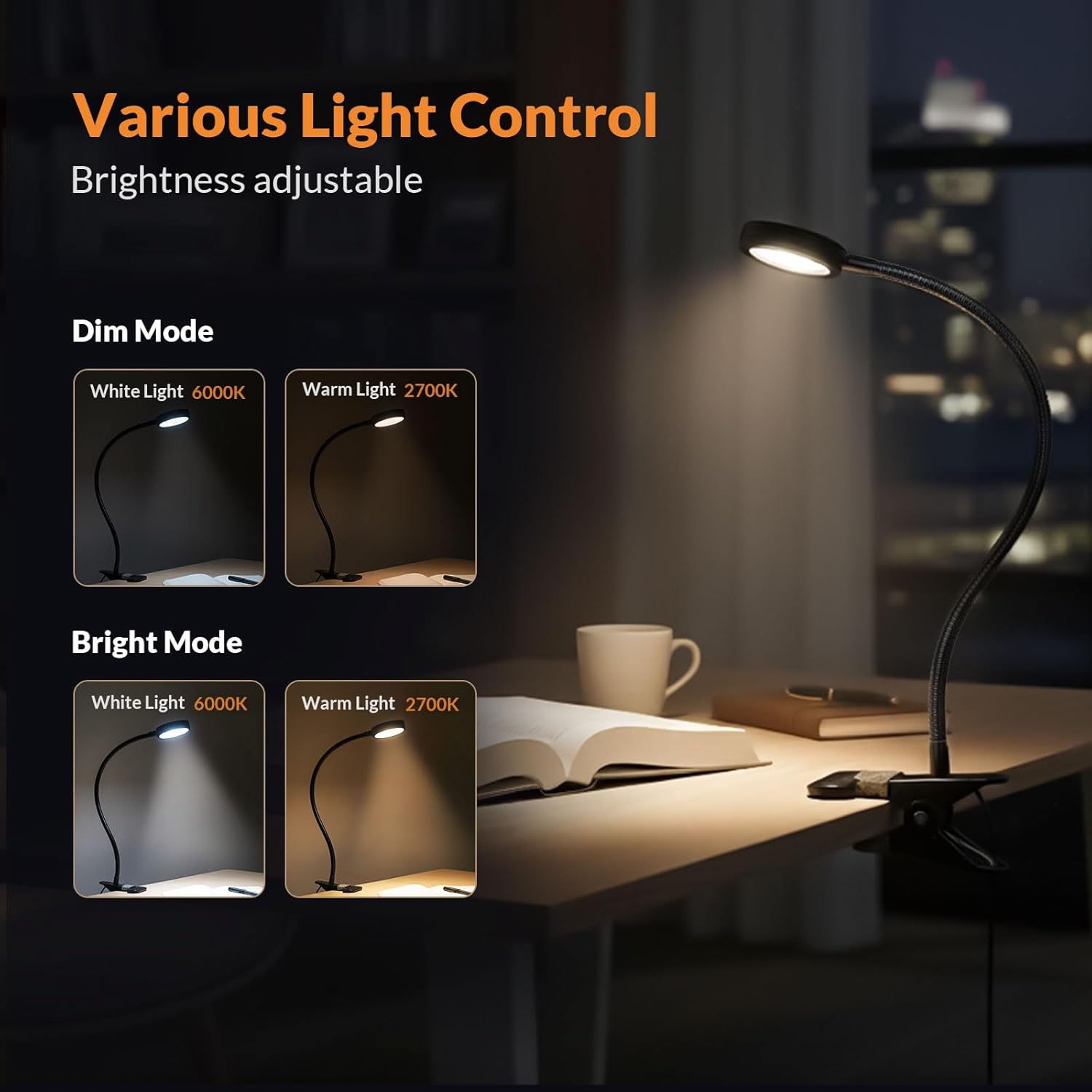
Figure 3: Demonstrates the four different light modes available (warm/white, dim/bright).
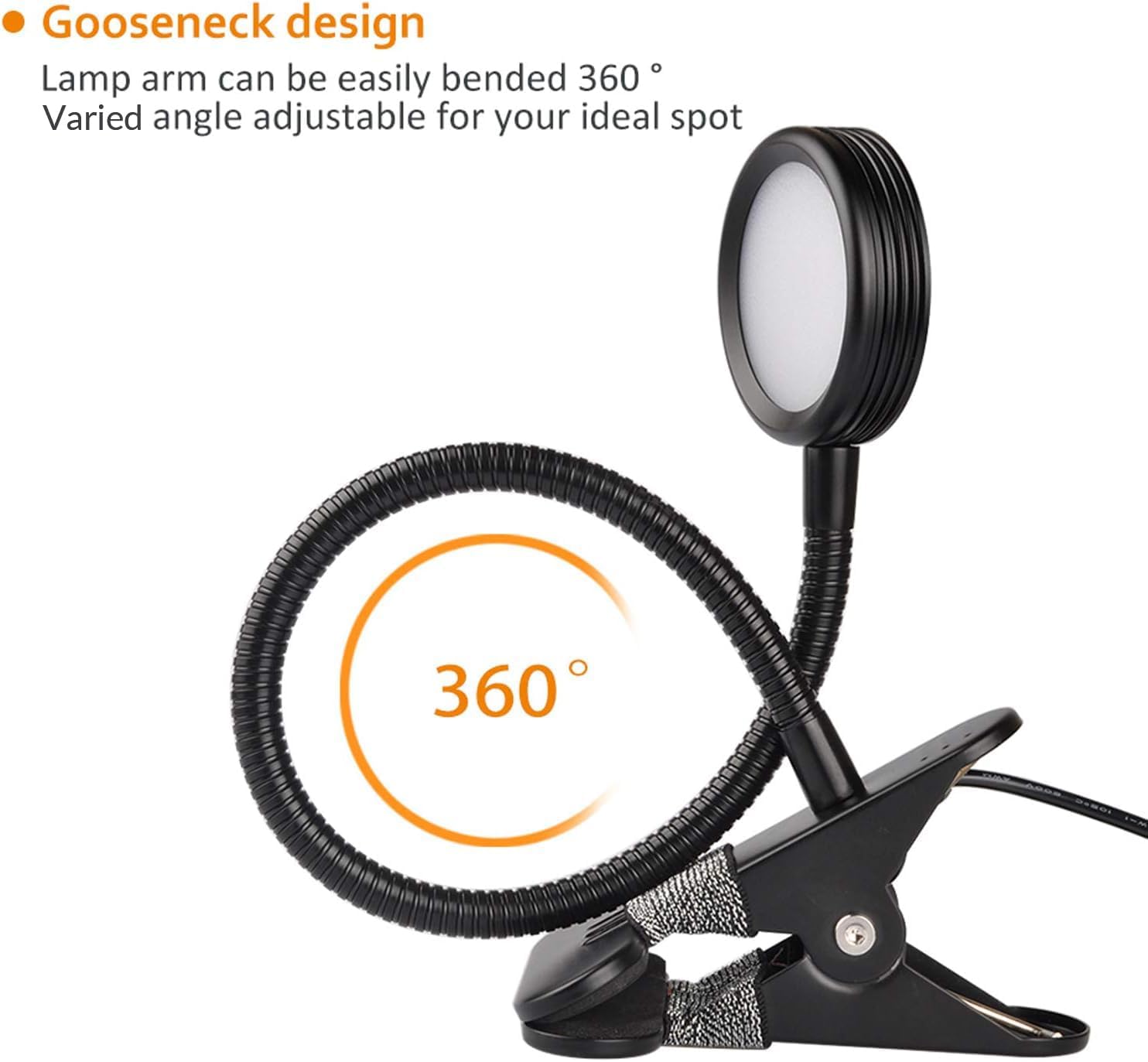
Figure 4: The flexible gooseneck allows for 360-degree adjustment.
6. Maintenance
- To clean the lamp, ensure it is unplugged from the power source.
- Wipe the lamp with a soft, dry cloth. Do not use abrasive cleaners or solvents.
- The LED light source is integrated and not user-replaceable.
7. Troubleshooting
- Light does not turn on:
- Check if the power adapter is securely plugged into both the lamp and the wall outlet.
- Ensure the power outlet is functional by testing it with another device.
- Verify that the switch on the cord is in the 'Warm light' or 'White light' position, not 'Off'.
- Light is too dim or too bright:
- Use the brightness adjustment switch (Dim/Bright) on the cord to set the desired intensity.
- Lamp head does not stay in position:
- Ensure the gooseneck is bent into a stable position. The flexible arm is designed to hold its shape once adjusted.
- Check that the clip is firmly attached to a surface within its maximum width capacity.
8. Specifications
| Feature | Detail |
|---|---|
| Model Number | 908A-03 |
| Power Source | Corded Electric (AC Adapter) |
| Wattage | 5 watts (3 Watts also mentioned) |
| Light Source Type | LED |
| Brightness | 200 Lumens |
| Color Temperature | Warm light, White light (6000 Kelvin) |
| Control Method | Switch on cord (Color, Dimmer) |
| Mounting Type | Clip On (Max 2.17 inch opening) |
| Gooseneck | Adjustable, 360-degree flexibility |
| Material | Silicone Rubber, Metal |
| Product Dimensions | 4.5"D x 3"W x 19.7"H (approx. 11*7.5*48.5cm) |
| Item Weight | 0.4 Kilograms (14.1 ounces) |
| Average Life | 10000 Hours |
9. Warranty and Support
LEPOWER products are designed for durability and performance. For specific warranty details and customer support, please refer to the warranty card included in your product packaging or visit the official LEPOWER website. If you encounter any issues or have questions regarding your Clip-On LED Reading Light, please contact LEPOWER customer service for assistance.