
1. Introduction
This manual provides detailed instructions for the safe and efficient use of your Ansmann 10-Bay 9V Battery Charger. Please read this manual thoroughly before operating the device and retain it for future reference. This charger is designed for charging NiMH 9V batteries.
Safety Information
- Use this charger only for NiMH 9V batteries. Attempting to charge other battery types may cause explosion, rupture, or leakage, leading to personal injury or property damage.
- Do not expose the charger to rain or moisture.
- Do not disassemble or modify the charger.
- Keep out of reach of children.
- Ensure proper ventilation during charging.
- Unplug the charger from the power outlet when not in use.
- Do not use the charger if it is damaged.
2. Package Contents
Verify that all items are present in the package:
- Ansmann 10-Bay 9V Battery Charger
- AC Power Adapter (UL approved)
- 10 x Ansmann 9V 300 mAh NiMH Rechargeable Batteries
- Instruction Manual (this document)

Image: The Ansmann 10-Bay 9V Battery Charger shown alongside its included AC power adapter.
3. Product Features
The Ansmann 10-Bay 9V Battery Charger offers the following key features:
- Ten Individual Charging Channels: Allows simultaneous charging of up to ten 9V NiMH batteries independently.
- Overcharge Protection: Utilizes -delta V technology to prevent overcharging, extending battery life.
- Automatic Trickle Charge: Automatically switches to trickle charge mode once batteries are fully charged, allowing them to remain in the charger without damage.
- Optimized Charge Current: Charges at 75 mA, which is suitable for Ansmann 9V batteries, promoting battery longevity and optimal performance.
- Durable Construction: Features a rugged, impact-resistant plastic housing.
- UL Approved Power Supply: Ensures safety and compliance with electrical standards.
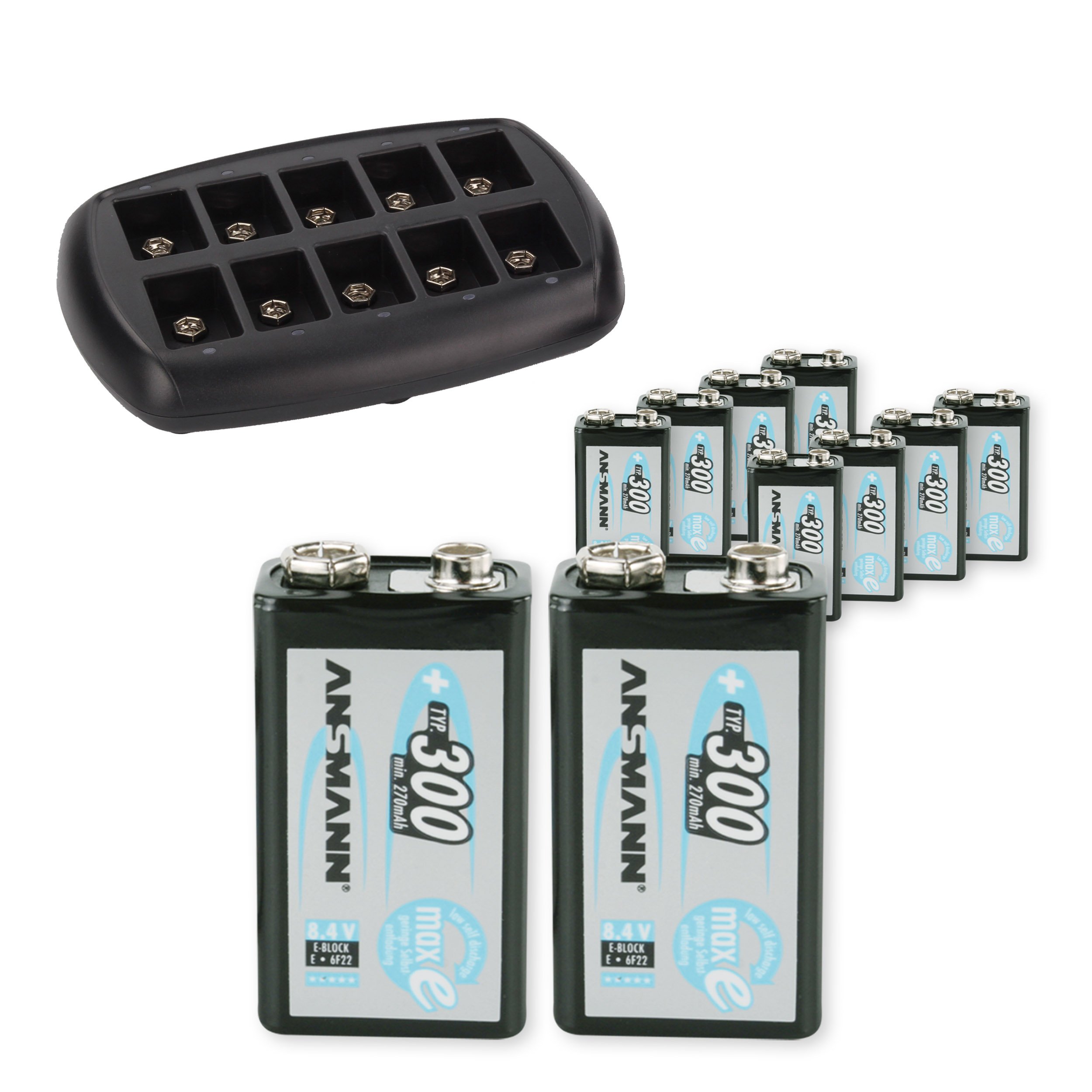
Image: Top view of the Ansmann 10-Bay 9V Battery Charger, showing the ten individual charging bays.
4. Setup
- Connect the Power Adapter: Insert the small plug of the AC power adapter into the DC input jack located on the back or side of the charger. Plug the other end of the AC power adapter into a standard wall outlet (100-240V AC, 50/60Hz).
- Prepare Batteries: Ensure the 9V NiMH batteries are clean and free from damage.
- Insert Batteries: Carefully insert up to ten 9V NiMH batteries into the charging bays. Ensure the positive (+) and negative (-) terminals of the battery align correctly with the corresponding contacts in the charger bay. The positive terminal of the 9V battery is typically the smaller, circular contact, and the negative terminal is the larger, hexagonal contact.

Image: The Ansmann 10-Bay 9V Battery Charger with ten 9V batteries correctly inserted into their respective charging bays.
5. Operating Instructions
Once batteries are correctly inserted and the charger is connected to power, the charging process will begin automatically.
- Charging Indicators: Each charging bay has an LED indicator.
- Red LED: Indicates that the battery in that bay is currently charging.
- Green LED: Indicates that the battery in that bay is fully charged and the charger has switched to trickle charge mode.
- Charging Time: Charging time varies depending on the battery's capacity and its current charge level. For the included 300 mAh NiMH batteries, a full charge from empty typically takes approximately 4-5 hours.
- Trickle Charge: Once a battery is fully charged (Green LED), the charger automatically switches to a low-current trickle charge. This allows batteries to remain in the charger without being overcharged, keeping them at optimal capacity.
- Removing Batteries: To remove a battery, simply pull it gently upwards from its bay. The charging process for other batteries will continue uninterrupted.
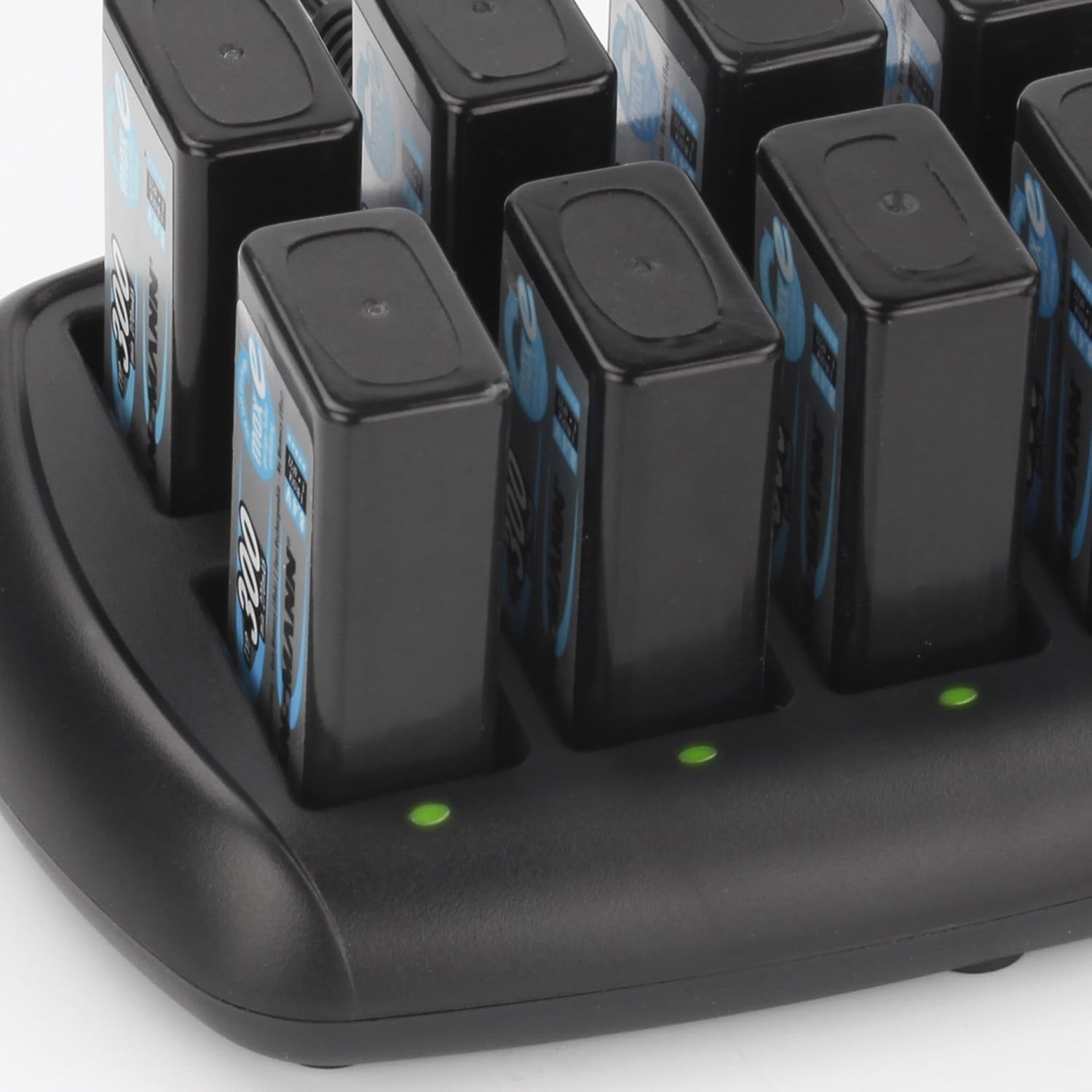
Image: A close-up view of the Ansmann 10-Bay 9V Battery Charger, highlighting the green LED indicators for bays containing fully charged batteries.
6. Maintenance
- Cleaning: Disconnect the charger from the power outlet before cleaning. Use a soft, dry cloth to wipe the exterior of the charger. Do not use liquid cleaners or solvents.
- Storage: When not in use for extended periods, store the charger and batteries in a cool, dry place, away from direct sunlight and extreme temperatures.
- Battery Care: For optimal battery life, avoid completely discharging NiMH batteries before recharging.
7. Troubleshooting
| Problem | Possible Cause | Solution |
|---|---|---|
| Charger LED does not light up. | No power supply; incorrect battery insertion; faulty battery. | Check power connection. Ensure batteries are inserted with correct polarity. Try a different battery. |
| Battery does not charge. | Battery is fully charged; battery is faulty; incorrect battery type. | Check LED indicator (green means charged). Replace faulty battery. Ensure only NiMH 9V batteries are used. |
| Charger or batteries become warm during charging. | Normal operation; poor ventilation. | Slight warmth is normal. Ensure charger is in a well-ventilated area. If excessively hot, discontinue use and contact support. |
8. Specifications
| Model Number | 960-00096-01 |
| Input Voltage | 100-240V AC, 50/60Hz (via included AC adapter) |
| Output Voltage | 9V DC per channel |
| Charge Current | 75 mA per channel |
| Compatible Battery Types | NiMH 9V (6F22) |
| Number of Charging Bays | 10 individual bays |
| Dimensions (Product) | 1.04 x 0.69 x 1.91 inches (charger unit only) |
| Item Weight | 2.4 pounds (charger with batteries) |
| Manufacturer | Ansmann USA Corporation |
| ASIN | B016O5GFU8 |
| UPC | 0720742981848 |

Image: Two Ansmann 9V 300 mAh NiMH rechargeable batteries, similar to those included with the charger.
9. Warranty and Support
For warranty information and customer support, please refer to the official Ansmann website or contact Ansmann USA Corporation directly. Keep your purchase receipt as proof of purchase for warranty claims.
Manufacturer: Ansmann USA Corporation
For the most up-to-date contact information, please visit www.ansmann.de.


