
1. Introduction
This manual provides essential information for the safe and efficient operation of your Neff T46BT60N0 Built-in Induction Hob. Please read these instructions carefully before installation, first use, and maintenance to ensure optimal performance and safety.
The Neff T46BT60N0 is a 60cm induction hob featuring a durable glass ceramic surface, a precise TwistPad control, and a versatile roasting zone. It is designed for seamless integration into your kitchen.
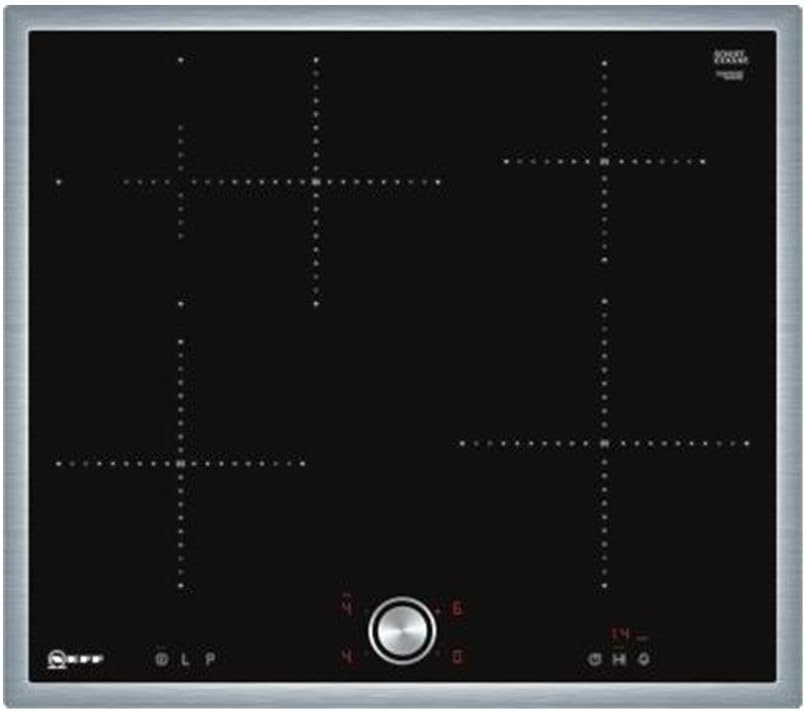
Figure 1.1: Overview of the Neff T46BT60N0 Induction Hob. This image displays the black glass ceramic surface with four cooking zones, marked with crosshairs, and the central silver TwistPad control. The hob features a stainless steel frame.
2. Safety Information
Always adhere to the following safety guidelines to prevent personal injury or damage to the appliance.
- Electrical Safety: Ensure the appliance is correctly installed by a qualified electrician and connected to a properly earthed supply. Do not use adapters or extension cords.
- Hot Surfaces: The hob surface becomes hot during operation. Avoid touching hot cooking zones. Always use oven mitts.
- Children and Vulnerable Persons: This appliance can be used by children aged 8 years and above and persons with reduced physical, sensory or mental capabilities or lack of experience and knowledge if they have been given supervision or instruction concerning use of the appliance in a safe way and understand the hazards involved. Children shall not play with the appliance. Cleaning and user maintenance shall not be made by children without supervision.
- Cookware: Only use cookware suitable for induction hobs. Cookware must have a magnetic base.
- Overheating: Do not leave cooking unattended, especially when cooking with fats or oils, as they can ignite.
- Foreign Objects: Do not place metallic objects such as knives, forks, spoons, and lids on the hob surface as they can become hot.
- Cleaning: Disconnect the appliance from the power supply before cleaning. Do not use abrasive cleaners or sharp metal scrapers.
- Repairs: Repairs should only be carried out by authorized service personnel. Incorrect repairs can lead to significant hazards.
3. Installation and Setup
The Neff T46BT60N0 is a built-in induction hob. Installation must be performed by a qualified professional in accordance with local regulations and the provided installation instructions.
3.1. Dimensions and Niche Requirements
Ensure that the kitchen countertop has the correct cutout dimensions for the hob.
- Appliance Dimensions (W x D): 58.3 cm x 51.3 cm
- Niche Dimensions (H x W x D): 5.5 cm x 56.0 cm x 49.0 cm
- Minimum clearance from cutout to wall (A): ≥ 40 mm
- Immersion depth (B): 55 mm
- Clearance below hob with built-in oven (C): min. 30 mm (may be more, refer to oven's space requirements)

Figure 3.1: Installation dimensions for the Neff T46BT60N0 Induction Hob. The diagram illustrates the hob's overall dimensions (583mm width, 513mm depth, 55mm height) and the required cutout dimensions for installation (560mm width, 490-500mm depth). It also shows minimum clearances to walls and for built-in ovens.
3.2. Electrical Connection
The appliance requires a 230 Volts electrical supply with a wattage of 7400 watts. The electrical connection must be carried out by a licensed electrician. Ensure the main power supply is disconnected before any electrical work.
4. Operating Instructions
Your Neff T46BT60N0 Induction Hob is designed for intuitive operation.
4.1. The TwistPad Control
The TwistPad is a magnetic, removable control knob that allows precise and convenient adjustment of all cooking zones.
- Activating a Cooking Zone: Place the TwistPad on the control panel. Touch the desired cooking zone indicator on the hob surface.
- Adjusting Power: Rotate the TwistPad clockwise to increase power or counter-clockwise to decrease power. The hob offers 17 power levels.
- Deactivating a Cooking Zone: Touch the cooking zone indicator again and rotate the TwistPad to '0', or remove the TwistPad to turn off all active zones.
- Removing the TwistPad: For safety and cleaning, the TwistPad can be easily removed. This also acts as a child safety feature.
4.2. Cooking Zones and Features
- Four Induction Zones: The hob features four independent induction cooking zones.
- Switchable Roasting Zone: Two cooking zones can be combined with a simple touch to form a larger roasting zone, ideal for larger cookware like roasting pans.
- Power Level for Pots and Pans: A dedicated power level provides extra boost for rapid heating.
- Child Safety Lock: The removable TwistPad acts as a primary child safety feature. Additionally, the hob may have an electronic child lock function (refer to the full manual for activation).
- CountUp Timer: Tracks cooking duration.
- 2-Stage Remaining Heat Indicator: After cooking, the hob displays 'H' for high residual heat and 'h' for low residual heat, indicating that the zone is still warm.
4.3. Suitable Cookware
Induction hobs require cookware with a magnetic base. To check if your cookware is suitable, hold a magnet to the bottom of the pan. If it sticks, the pan is suitable for induction.
5. Maintenance and Cleaning
Regular cleaning and maintenance will ensure the longevity and optimal performance of your induction hob.
- Daily Cleaning: After each use, allow the hob to cool down. Wipe the glass ceramic surface with a damp cloth and a small amount of mild detergent. Dry thoroughly with a soft cloth.
- Stubborn Stains: For burnt-on food or stubborn stains, use a specialized ceramic hob cleaner and a hob scraper (plastic or rubber). Follow the cleaner's instructions.
- Avoid Abrasives: Do not use abrasive sponges, scouring pads, or harsh chemical cleaners, as these can scratch or damage the glass ceramic surface.
- TwistPad Cleaning: The TwistPad can be wiped clean with a damp cloth. Ensure it is dry before placing it back on the hob.
- Stainless Steel Frame: Clean the stainless steel frame with a soft cloth and a non-abrasive stainless steel cleaner.
6. Troubleshooting
Before contacting customer service, please refer to the following common issues and their solutions.
| Problem | Possible Cause | Solution |
|---|---|---|
| Hob does not turn on. | No power supply; child safety lock active; TwistPad not correctly placed. | Check power connection; deactivate child safety lock; ensure TwistPad is correctly positioned. |
| Cooking zone not heating. | Cookware not suitable for induction; cookware not centered; pan too small or too large. | Use induction-compatible cookware; center the pan; ensure pan size matches zone. |
| Display shows 'F' or 'E' error code. | Cookware detection issue; internal fault. | Remove and replace cookware; turn off hob at mains for a few minutes, then restart. If error persists, contact service. |
| Hob makes humming or buzzing noise. | Normal operation of induction technology; cookware quality. | This is normal. Some cookware may produce more noise than others. |
| Hob turns off unexpectedly. | Overheating protection activated; liquid spilled on controls. | Allow hob to cool; clean control area and restart. |
7. Technical Specifications
| Feature | Specification |
|---|---|
| Brand | Neff |
| Model | T46BT60N0 |
| Product Dimensions (W x D x H) | 583 x 513 x 55 mm |
| Weight | 11.6 kg |
| Installation Type | Built-In |
| Burner Type | Ceran / Ceramic Induction |
| Number of Heating Elements | 4 |
| Special Features | TwistPad, Switchable Roasting Zone, Child Safety, CountUp Timer, 2-Stage Remaining Heat Indicator |
| Voltage | 230 Volts |
| Wattage | 7400 watts |
| Material Type | Glass Ceramic |
| Colour | Stainless steel frame with twistpad |
| Energy Efficiency Class | B (A+ to G scale) |
8. Warranty and Support
For detailed information regarding your product's warranty, please refer to the official warranty documentation provided with your appliance at the time of purchase or visit the official Neff website.
If you require technical support, service, or spare parts, please contact Neff customer service or an authorized service partner. Ensure you have your appliance's model number (T46BT60N0) and serial number ready when contacting support.


