
1. Introduction
The LogiLink ET0006A is an IP44-rated outdoor mechanical timer designed to control electrical devices by automatically switching them on and off at pre-set times. This timer is suitable for outdoor use, offering protection against splashing water and solid objects larger than 1mm. It features a 24-hour programmable dial with 30-minute minimum setting intervals, allowing for precise scheduling of connected appliances.
Key Features:
- Outdoor Suitability: IP44 rated for protection against splashing water.
- Programmable: 24-hour adjustable time with 30-minute minimum setting intervals.
- Power Rating: 230 VAC, 50 Hz, Max. 16(2)A, 3680W.
- Safety: Built-in safety shutter for increased touch protection.
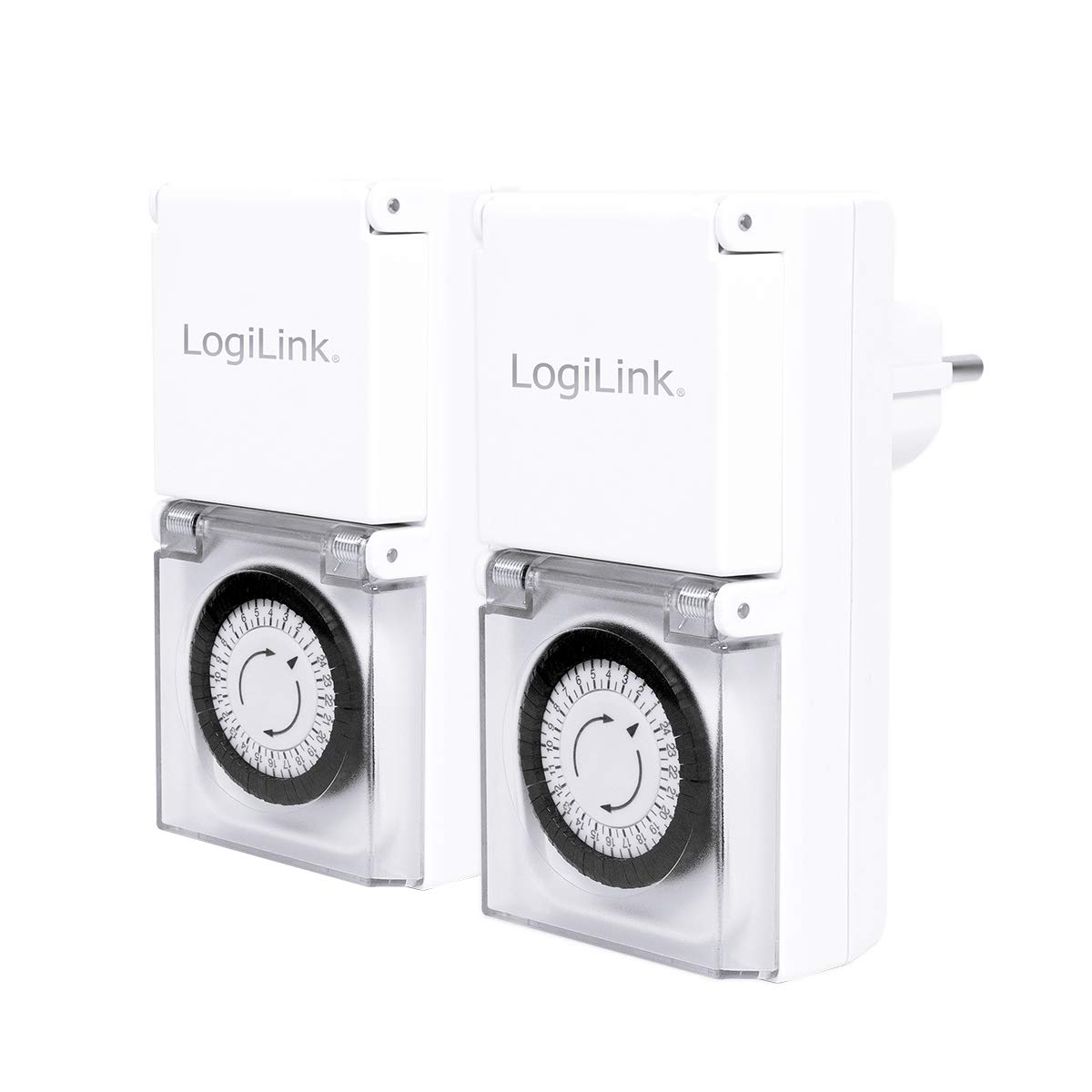
Image 1.1: Front view of the LogiLink ET0006A Outdoor Mechanical Timer, showing the timer dial and plug.

Image 1.2: The timer demonstrating its IP44 water resistance with a splash effect.
2. Setup and Programming
2.1 Initial Setup
- Unpack: Carefully remove the timer from its packaging.
- Plug In: Insert the timer into a suitable outdoor power socket. Ensure the socket is also rated for outdoor use and protected from direct heavy rain.
- Connect Device: Open the protective cover of the timer's socket and plug in the device you wish to control. Close the cover securely to maintain IP44 rating.

Image 2.1: The timer with its protective socket cover open, ready for a device to be plugged in.
2.2 Setting the Current Time
The timer dial is marked with 24 hours. Rotate the entire dial clockwise until the current time aligns with the arrow indicator on the timer's body. For example, if it is 3 PM, rotate the dial until '15' (for 15:00) is aligned with the arrow.
2.3 Programming On/Off Intervals
The timer dial has small segments around its circumference. Each segment represents 30 minutes. To program an 'ON' period, push the corresponding segments outwards. To program an 'OFF' period, leave the segments in their inward position.
- To Set an 'ON' Period: Push the black segments outwards for the desired duration. For example, to turn a light on from 6 PM to 10 PM, push out the segments from '18' to '22'.
- Minimum Interval: The smallest programmable interval is 30 minutes (one segment).
- Repeat Cycle: The timer operates on a 24-hour cycle, repeating the programmed settings daily.

Image 2.2: Close-up view of the timer dial, showing the 30-minute segments for programming.
3. Operating the Timer
Once programmed, the timer will automatically switch the connected device on and off according to your settings. The internal mechanism will continuously rotate the dial, activating the switch when an 'ON' segment passes the indicator and deactivating it for 'OFF' segments.
- Continuous Operation: The timer will run continuously as long as it is plugged into a live power source.
- Manual Override: This mechanical timer typically does not feature a manual override switch. To temporarily turn a device on or off outside of the programmed schedule, you must either unplug the device from the timer or unplug the timer from the wall socket.
- Power Outages: In the event of a power outage, the mechanical timer will stop. Once power is restored, you will need to reset the current time on the dial to ensure accurate scheduling.

Image 3.1: The timer installed on an outdoor wall, controlling an unseen device.
4. Maintenance
The LogiLink ET0006A mechanical timer requires minimal maintenance to ensure long-term performance.
- Cleaning: Disconnect the timer from the power source before cleaning. Wipe the exterior with a soft, damp cloth. Do not use abrasive cleaners or immerse the timer in water.
- Inspection: Periodically inspect the timer and its plug for any signs of damage, wear, or corrosion, especially if used outdoors. Ensure the protective cover for the socket is intact and closes securely.
- Storage: If storing the timer for an extended period, ensure it is clean and dry. Store it in a cool, dry place away from direct sunlight and extreme temperatures.
5. Troubleshooting
If you encounter issues with your LogiLink ET0006A timer, please refer to the following common problems and solutions:
- Timer is not turning on/off:
- Ensure the timer is securely plugged into a live power outlet.
- Verify that the connected device is functioning correctly by plugging it directly into a wall socket.
- Check that the segments for the desired 'ON' period are pushed outwards and the current time is correctly set on the dial.
- Confirm that the power outlet itself is working.
- Timer dial is not rotating:
- Ensure the timer is plugged into a live power source. Mechanical timers require continuous power to operate their internal clock mechanism.
- If the timer has been subjected to a power outage, the internal mechanism may have stopped. Reset the current time.
- Device remains on/off constantly:
- Re-check your programming. Ensure 'ON' segments are pushed out and 'OFF' segments are pushed in for the correct times.
- Ensure the current time is accurately set on the dial.
If these steps do not resolve the issue, please contact customer support.
6. Specifications
| Model Number | ET0006A |
| Brand | Logilink |
| Colour | White |
| IP Rating | IP44 (Suitable for outdoor use, protected against splashing water) |
| Voltage | 230 VAC, 50 Hz |
| Max. Power Load | 16(2)A, 3680W |
| Programmable Time | 24 hours |
| Minimum Setting Interval | 30 minutes |
| Product Dimensions (D x W x H) | 6.5D x 8.5W x 12.5H centimetres |
| Item Weight | 0.3 Kilograms |
| Included Components | 2 x timer(s), 1 x user manual |

Image 6.1: Back view of the timer, displaying the product label with specifications.
7. Warranty and Support
For warranty information, please refer to the documentation included with your purchase or visit the official LogiLink website. Warranty terms and conditions may vary by region and retailer.
If you require technical assistance or have questions not covered in this manual, please contact LogiLink customer support through their official channels. Keep your purchase receipt and model number (ET0006A) handy when contacting support.