
1. Product Overview
The BOSS Audio Systems BV9384NV is a Double-DIN DVD Player with built-in GPS Navigation and a 6.2-inch Touchscreen Monitor. This unit offers a variety of media playback options and connectivity features for an enhanced in-car entertainment and navigation experience.

Front view of the BOSS Audio Systems BV9384NV Double-DIN Receiver, showcasing the 6.2-inch touchscreen display and physical controls.
Key Features:
- GPS Navigation: Built-in GPS with coverage for all 50 US States and Puerto Rico, including pre-loaded points of interest and text-to-speech guidance.
- Bluetooth Connectivity: Hands-free calling and audio streaming for music apps like Pandora and Spotify.
- Media Playback: Supports DVD/CD, USB, SD card, and AM/FM radio.
- Auxiliary Input: 3.5mm Aux-in for external audio devices.
- Inputs/Outputs: USB/SD ports, AUX input, rearview camera input (camera sold separately), front, rear, and subwoofer pre-amp outputs, video output.
- Steering Wheel Control Ready: Compatible with existing steering wheel controls (interface module sold separately).
- Built-in Equalizer: Customize audio with balance, fader, bass, and treble controls.
- Wireless Remote Control: Included for convenient operation.
2. Setup and Installation
Professional installation of this product is strongly recommended to ensure proper and safe functionality. Incorrect installation can lead to damage to the unit or vehicle.
2.1 Wiring Connections
Refer to the wiring diagram for detailed connections. Ensure all power, ground, speaker, and accessory wires are correctly connected. The unit includes various inputs and outputs for integration with your vehicle's audio system and accessories.
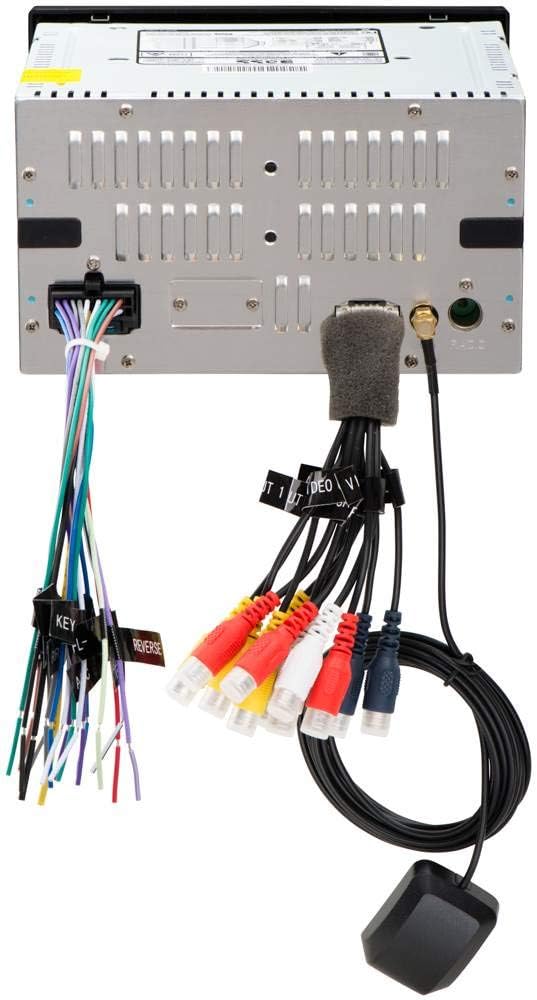
Rear view of the BV9384NV unit showing the various wiring harnesses for power, speakers, and auxiliary connections, along with the GPS antenna.
2.2 Mounting
The BV9384NV is a Double-DIN unit designed for dashboard mounting. Use the provided mounting hardware and brackets to secure the unit firmly in your vehicle's dashboard opening. Ensure adequate clearance for wiring and ventilation.
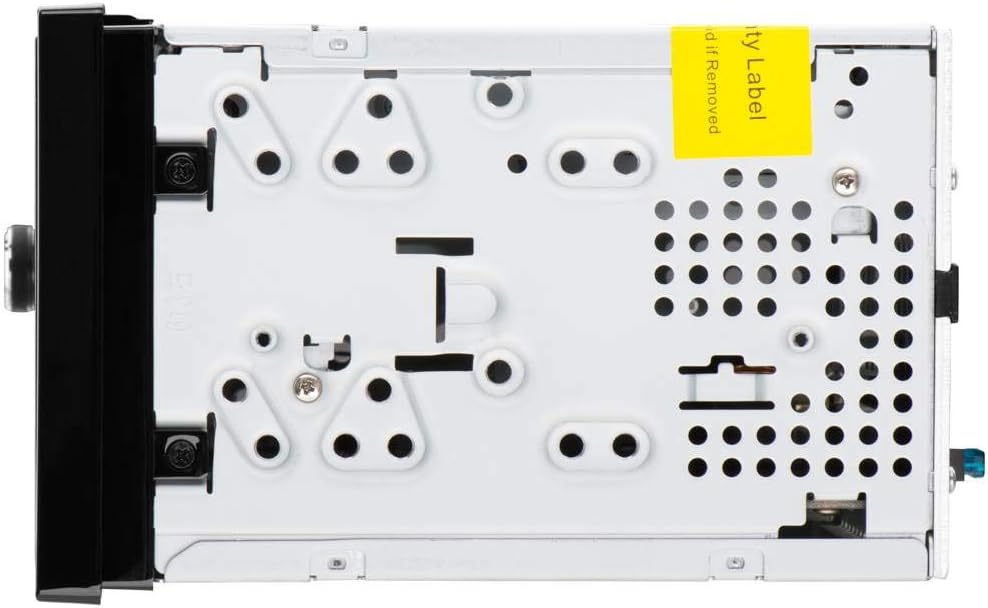
Side view of the BV9384NV unit, illustrating the mounting points and chassis design.
2.3 Included Components
The product package includes the main unit, wiring harnesses, a GPS antenna, a remote control, and mounting accessories. Please verify all components are present before beginning installation.
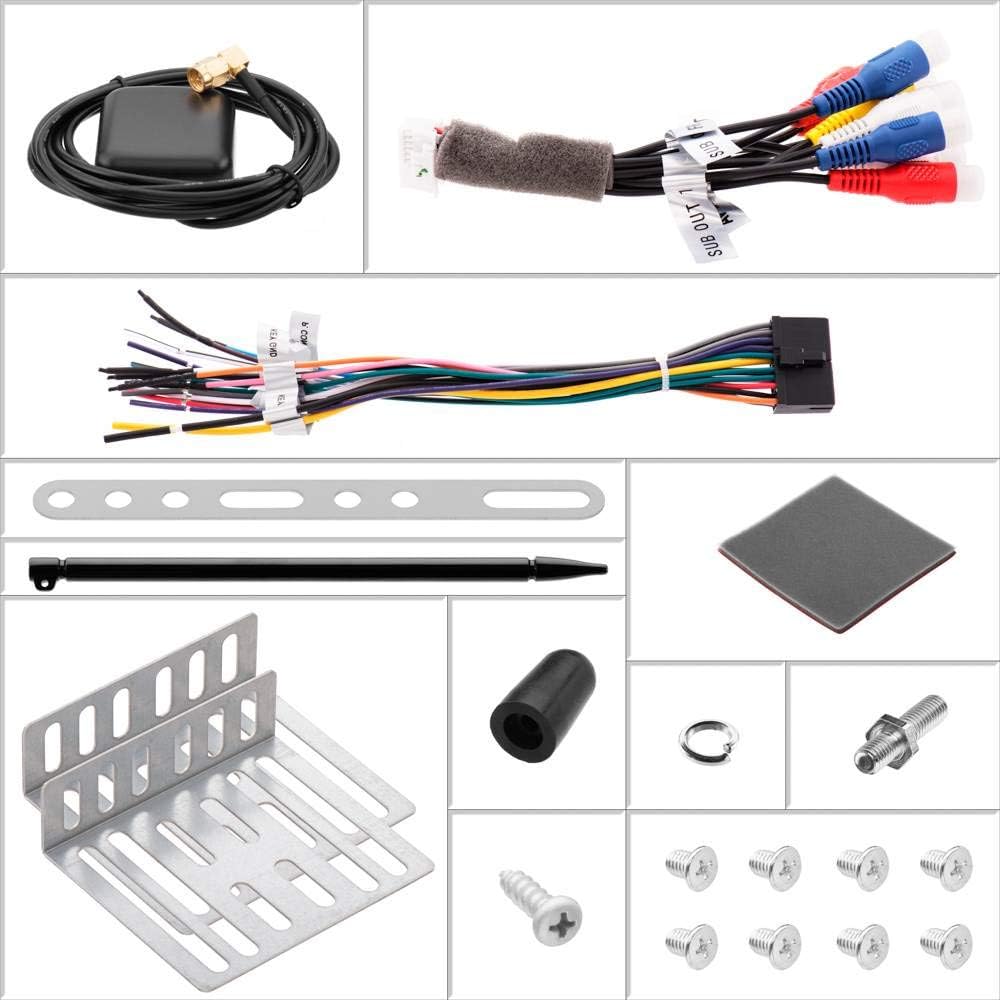
An overview of all components included with the BV9384NV, such as the GPS antenna, wiring, mounting brackets, and remote control.
3. Operating Instructions
This section details the primary functions and how to operate your BV9384NV receiver.
This video provides a brief overview of the inputs, outputs, and playback capabilities of the BOSS Audio Systems BV9384NV receiver.
3.1 GPS Navigation
Access the navigation function from the main menu. The built-in GPS provides turn-by-turn directions with text-to-speech prompts. Use the touchscreen to input destinations, search for points of interest, and customize route preferences.
The GPS navigation screen showing a map with route information and current location.
3.2 Bluetooth Operation
- Pairing: Enable Bluetooth on your mobile device and search for 'BOSS Audio BV9384NV'. Select the unit to pair.
- Hands-Free Calling: Once paired, you can answer, make, and end calls directly from the unit's touchscreen. The built-in microphone captures your voice.
- Audio Streaming: Stream music from your paired device. Control playback (play/pause, skip tracks) from the receiver.
3.3 Media Playback
- DVD/CD: Insert a disc into the slot. The unit will automatically detect and begin playback.
- USB/SD: Insert a USB drive or SD card into the respective port. Select the USB or SD source from the main menu to browse and play media files.
- AM/FM Radio: Select the Radio source. Use the touchscreen to tune to stations, save presets, and switch between AM and FM bands.
- Auxiliary Input: Connect an external audio device to the 3.5mm AUX-in port. Select the AUX source to play audio from the connected device.
3.4 Audio Settings and Equalizer
Access the audio settings menu to adjust balance, fader, bass, and treble. The built-in equalizer allows for further sound customization to suit your preferences.

Icon representing the built-in equalizer feature.
3.5 Remote Control
The included wireless remote control provides convenient access to various functions, including power, volume, mode selection, and media playback controls.
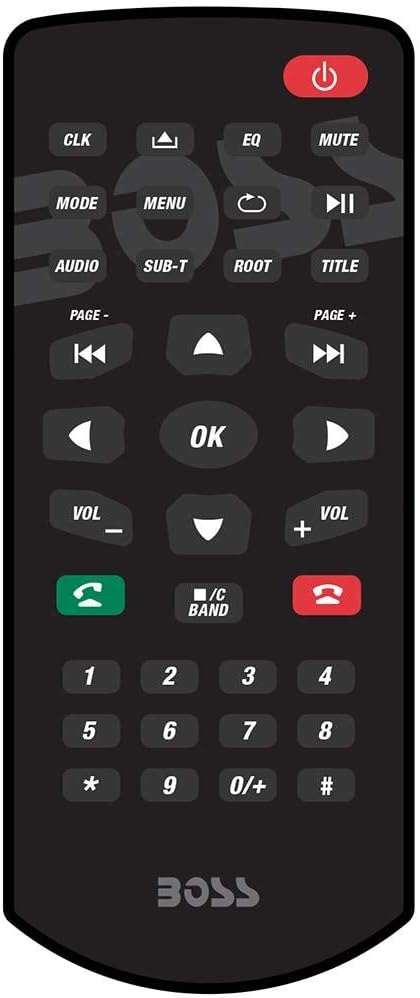
The wireless remote control for the BV9384NV, featuring various buttons for system operation.
4. Maintenance
To ensure the longevity and optimal performance of your BV9384NV receiver, follow these general maintenance guidelines:
- Cleaning: Use a soft, dry cloth to clean the touchscreen and unit exterior. Avoid abrasive cleaners or solvents.
- Disc Care: Handle discs by their edges to prevent scratches. Keep discs clean and store them in their cases when not in use.
- Temperature: Avoid exposing the unit to extreme temperatures, which can affect performance and lifespan.
5. Troubleshooting
If you encounter issues with your BV9384NV, refer to the following basic troubleshooting steps:
- No Power: Check all power connections and fuses. Ensure the vehicle's ignition is on.
- No Audio: Verify speaker connections. Check volume levels and audio source selection. Ensure the mute function is not active.
- Bluetooth Pairing Issues: Ensure Bluetooth is enabled on both devices and the unit is in pairing mode. Delete previous pairings and try again.
- GPS Signal Loss: Ensure the GPS antenna is properly connected and has a clear view of the sky.
- Disc Read Error: Check the disc for scratches or dirt. Try a different disc.
For more complex issues, consult the full user manual (PDF) or contact BOSS Audio Systems customer support.
6. Specifications
| Feature | Specification |
|---|---|
| Brand | BOSS Audio Systems |
| Model Name | BV9384NV |
| Screen Size | 6.2 inches |
| Display Type | LCD |
| Human-Interface Input | Touchscreen |
| Special Features | Bluetooth, GPS, Navigation |
| Connectivity Technology | Bluetooth |
| Map Type | North America |
| Audio Output Mode | AUX, Speaker |
| Item Weight | 4.2 pounds |
| UPC | 791489123303 |
7. Warranty and Support
7.1 Warranty Information
BOSS Audio Systems provides a 3-year Platinum Online Dealer Warranty for this product, provided the purchase is made through Amazon.com. Please retain your proof of purchase for warranty claims.
7.2 Additional Resources
- Official User Manual (PDF): For detailed instructions and diagrams, you can download the official user manual here.
- BOSS Audio Systems Store: Visit the official BOSS Audio Systems store on Amazon for more products and support information: BOSS Audio Systems Store.
8. Important Safety Information
WARNING: This product contains chemicals known to the State of California to cause cancer and birth defects or other reproductive harm.