
Introduction
This manual provides detailed instructions for the installation, operation, maintenance, and troubleshooting of your Denali Pure Refrigerator Water Filter. Please read this manual thoroughly before installation and keep it for future reference.
The Denali Pure water filter is designed to provide clean, great-tasting water by reducing chlorine taste and odor, and other contaminants. It is a replacement filter compatible with specific General Electric and Kenmore refrigerator models.

Image: Two Denali Pure replacement water filters, showing product labeling and design.
Safety Information
- Do not use with water that is microbiologically unsafe or of unknown quality without adequate disinfection before or after the system.
- This filter is designed for cold water use only.
- Do not allow the filter to freeze.
- Ensure proper installation to prevent leaks.
Compatibility
This Denali Pure water filter is compatible with the following refrigerator models and filter cartridges:
- GE: MWF, MWFP, MWFA, MWFAP, MWFINT, GWF, GWF01, GWF06, GWFA, HWF, HWFA, FMG-1
- Kenmore: 46-9991, 46 9991, 469991, 9991, 46-9996, 46 9996, 469996, 9996
- And other compatible models.
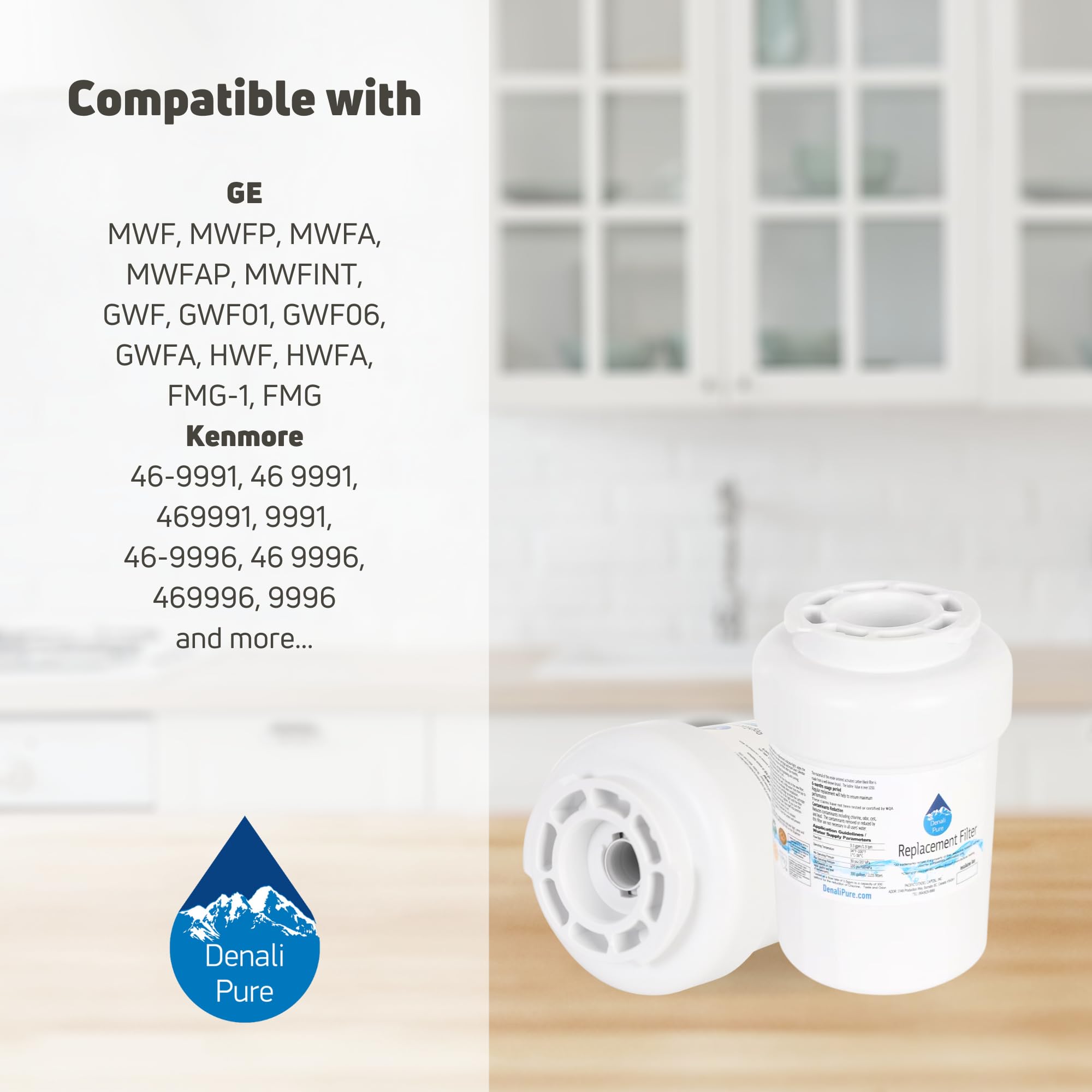
Image: Visual representation of compatible GE and Kenmore filter models.
Setup and Installation
Follow these steps to install your new Denali Pure refrigerator water filter:
- Locate the Filter: The water filter is typically located in the upper right corner of the refrigerator compartment or in the grille at the bottom of the refrigerator.
- Prepare for Removal: Turn off the ice maker (if applicable) and the water supply to the refrigerator.
- Remove Old Filter:
- For filters in the upper right corner: Rotate the old filter counter-clockwise until it releases. Pull the filter straight out.
- For filters in the bottom grille: Push the release button or tab, then pull the filter straight out.
Note: A small amount of water may drip when removing the filter. Have a towel ready.
- Install New Filter:
- Remove the protective cap from the new Denali Pure filter.
- Align the new filter with the filter housing.
- For filters in the upper right corner: Push the filter in until it stops, then rotate it clockwise until it locks into place.
- For filters in the bottom grille: Push the filter straight in until it clicks into place.
- Restore Water Supply: Turn on the water supply to the refrigerator and the ice maker.
- Flush the System: Dispense approximately 2-3 gallons of water through the dispenser to flush out air and carbon fines. This may take about 5 minutes.
- Reset Filter Indicator: Refer to your refrigerator's owner's manual for specific instructions on how to reset the "Change Filter" indicator light. This usually involves pressing and holding a specific button (e.g., "Filter," "Reset," or "Water Filter") for 3-5 seconds.

Image: Depiction of a user installing a water filter, highlighting the ease of installation.
Operating Instructions
Once installed, the filter operates automatically with your refrigerator's water dispensing system. No further user interaction is required for daily operation.
- Ensure the refrigerator's water supply is always on for proper filtration.
- Regularly check the water dispenser for consistent flow. A reduced flow rate may indicate the filter is nearing the end of its life.
Maintenance
For optimal performance and water quality, it is crucial to replace your Denali Pure water filter regularly.
- Replacement Schedule: Replace the filter every 6 months, or sooner if water flow decreases significantly or taste/odor returns.
- Filter Indicator Light: Pay attention to your refrigerator's filter change indicator light. This light typically turns on after 6 months of use or a certain volume of water has been filtered.
- Flushing: Always flush the system with 2-3 gallons of water after installing a new filter.

Image: Reminder to replace the water filter every 6 months for best performance.
Troubleshooting
| Problem | Possible Cause | Solution |
|---|---|---|
| Slow water flow from dispenser | Clogged filter, air in system | Replace filter if it's old. Flush the system by dispensing several gallons of water. Ensure water supply valve is fully open. |
| Water tastes or smells bad | Filter needs replacement, initial carbon fines | Replace filter if it's older than 6 months. Flush the system thoroughly after installation. |
| Water leak around filter area | Improperly installed filter, damaged O-rings | Ensure filter is fully seated and locked into place. Remove and re-install the filter. Check O-rings for damage. |
| Filter indicator light remains on after replacement | Indicator not reset | Refer to your refrigerator's manual to reset the filter indicator light. Typically involves holding a "Reset" or "Filter" button. |
Specifications
- Model Number: WF-MWF-2PK-DL57
- Brand: Denali Pure
- UPC: 711841414405
- Filter Type: Coconut Carbon Block
- Operating Temperature: 33-100°F (0.6-38°C)
- Operating Pressure: 20-100 psi (140-689 kPa)
- Flow Rate: 0.5 GPM (1.9 LPM)
- Filter Life: 6 months or 300 gallons (1136 liters), whichever comes first
- Certification: NSF/ANSI Standard 42 for the reduction of Chlorine Taste & Odor.

Image: NSF certification details for chlorine reduction, taste, and odor improvement.

Image: Illustration of the coconut charcoal filter technology, highlighting its benefits.
Warranty and Support
Any warranties for this product are offered solely by Denali Pure. This product is not affiliated with any OEM brands and is not covered under any warranties offered by the original manufacturers.
For support or warranty inquiries, please contact Denali Pure directly. Refer to the product packaging or the Denali Pure website for contact information.
Disclaimer: All mentions of brand names or model descriptions are made strictly to illustrate compatibility. All brand names and logos are registered trademarks of their respective owners.