
1. Introduction
This manual provides essential instructions for the installation, operation, and maintenance of your Denali Pure GSWF replacement refrigerator water filter. This filter is designed to provide clean, fresh-tasting water by reducing impurities. It is compatible with refrigerators that use the GSWF filter type, including specific General Electric models.
For optimal performance and safety, please read these instructions thoroughly before installation and keep this manual for future reference.

Image 1.1: Assortment of Denali Pure refrigerator water filters, highlighting the product category.
2. Setup and Installation
Follow these steps to properly install your new Denali Pure GSWF water filter.
2.1. Preparation
- Locate your refrigerator's water filter compartment. This is typically found in the upper right corner of the fresh food section, or in the base grille.
- Turn off the water supply to your refrigerator. This can usually be done by turning the shut-off valve located behind the refrigerator or under the sink.
- Have a towel ready to catch any drips.
2.2. Removing the Old Filter
- If your filter has a cap, twist the cap counter-clockwise to remove it.
- Twist the old filter cartridge counter-clockwise until it releases from the filter housing.
- Pull the old filter straight out. Some water may drip, which is normal.
- Discard the old filter responsibly.
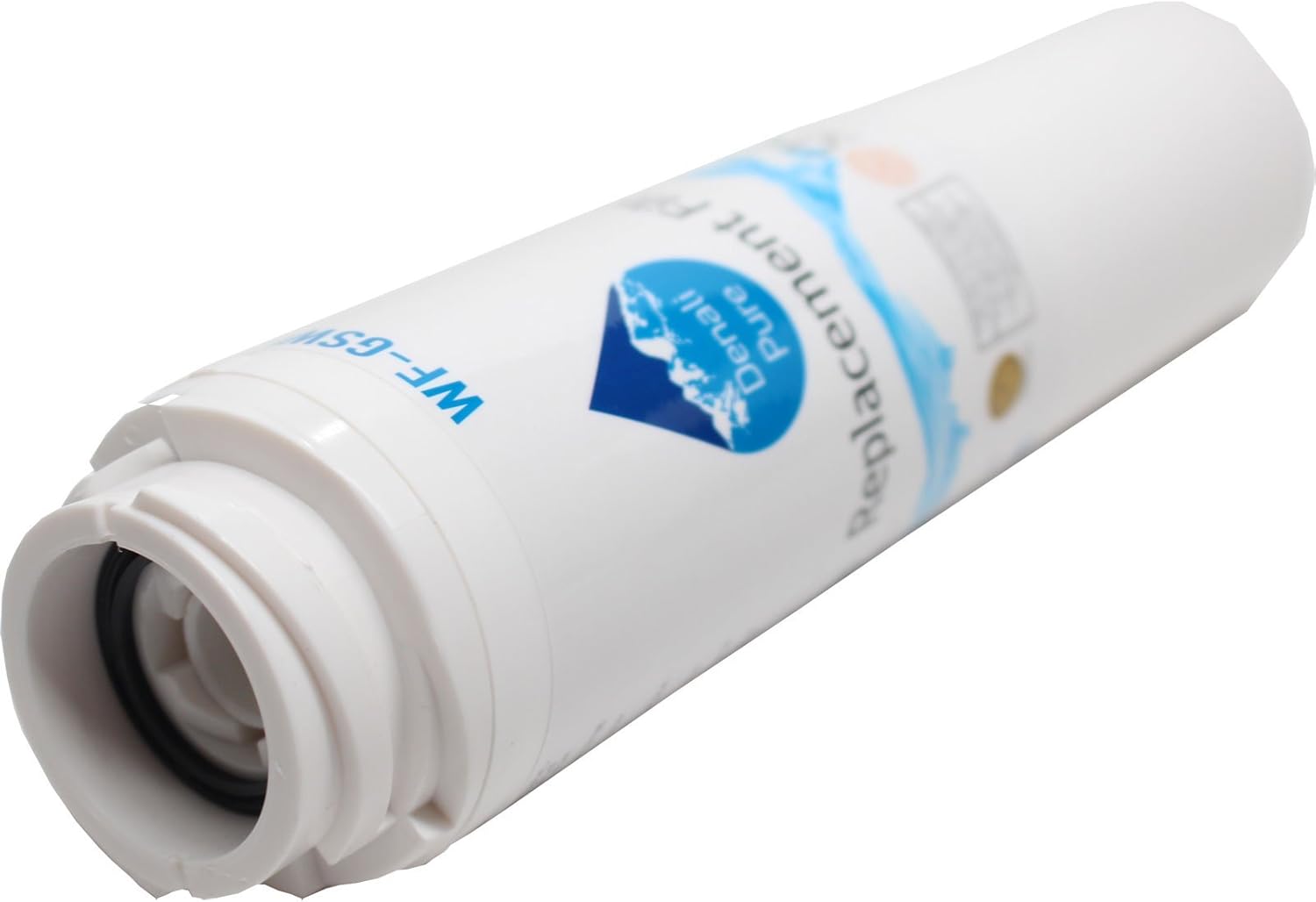
Image 2.1: The Denali Pure GSWF replacement water filter, showing its overall design.
2.3. Installing the New Filter
- Remove the new Denali Pure GSWF filter from its packaging.
- If your refrigerator uses a filter cap, attach the cap to the new filter by aligning the cap with the filter and twisting clockwise until it locks.
- Align the new filter with the filter housing. Push the filter into the housing until it stops.
- Twist the filter clockwise until it locks into place. You may feel a slight resistance and hear a click. Ensure the "ON" indicator aligns with the arrow on the housing.

Image 2.2: The Denali Pure GSWF filter showing the 'ON' and 'OFF' indicators for proper alignment during installation.
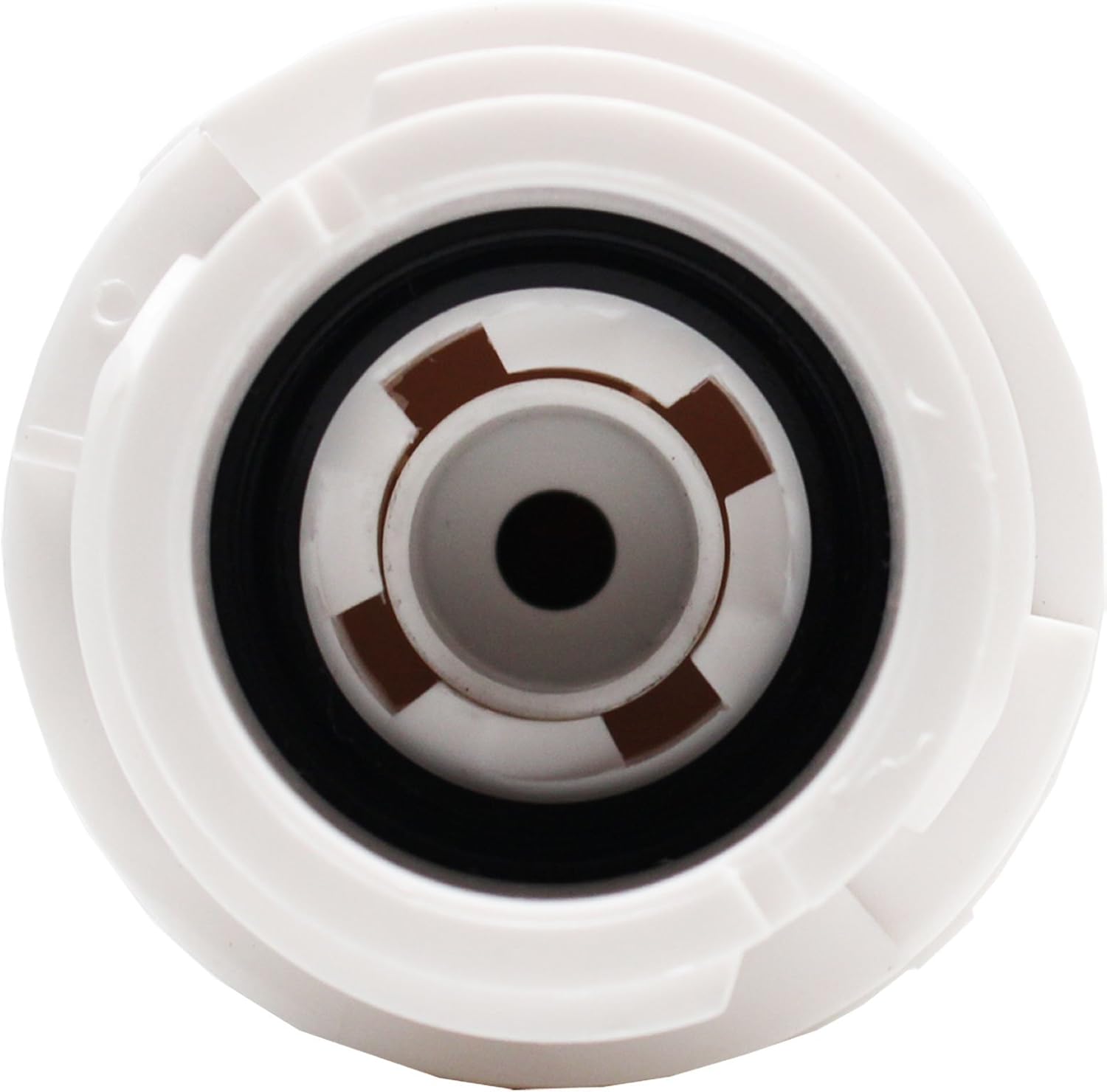
Image 2.3: Close-up view of the Denali Pure GSWF filter's connection end, illustrating the fitting mechanism.
2.4. Post-Installation
- Turn the water supply back on to the refrigerator.
- Dispense approximately 2-3 gallons of water through the refrigerator's dispenser to flush the system. This removes air from the lines and any carbon fines from the new filter.
- Check for any leaks around the filter housing.
- Reset the "Change Filter" indicator light on your refrigerator, if applicable. Refer to your refrigerator's user manual for specific instructions on how to reset the indicator.
3. Operation
Once installed, your Denali Pure GSWF water filter will immediately begin filtering water dispensed from your refrigerator. The filter works by reducing chlorine taste and odor, sediment, and other impurities, providing cleaner and better-tasting water and ice.
The filter is designed for continuous use. For optimal performance, it is recommended to replace the filter every 6 months or after filtering 300 gallons of water, whichever comes first. This ensures consistent water quality and prevents potential issues from an overloaded filter.

Image 3.1: Visual representation of Denali Pure water filter benefits, including reduction of chlorine taste and odor.
4. Maintenance
Regular maintenance of your water filter primarily involves timely replacement. Adhering to the recommended replacement schedule is crucial for maintaining water quality and the longevity of your refrigerator's water dispensing system.
- Filter Replacement: Replace the Denali Pure GSWF filter every 6 months or after 300 gallons of use. This period may vary depending on your water quality and usage.
- Indicator Light: Pay attention to your refrigerator's filter change indicator light. This light serves as a reminder for replacement. Always reset it after installing a new filter.
- Cleaning: No specific cleaning is required for the filter cartridge itself. Ensure the filter housing area is clean during replacement.
5. Troubleshooting
If you encounter any issues with your Denali Pure GSWF water filter, refer to the common problems and solutions below:
5.1. Slow Water Flow
- Cause: Air trapped in the system or a clogged filter.
- Solution: Dispense 2-3 gallons of water to flush out air. If flow remains slow, the filter may be old and clogged; replace it. Ensure the water supply valve is fully open.
5.2. Leaks Around Filter Housing
- Cause: Filter not properly seated or O-rings are damaged.
- Solution: Remove and re-install the filter, ensuring it is twisted fully clockwise until it locks. Check the O-rings on the filter for any visible damage. If damaged, contact support.
5.3. Bad Taste or Odor in Water
- Cause: New filter not flushed sufficiently, or old filter needs replacement.
- Solution: Flush the new filter with 2-3 gallons of water. If the filter is older than 6 months, replace it.
5.4. Filter Change Indicator Light Remains On
- Cause: Indicator not reset after filter replacement.
- Solution: Refer to your refrigerator's user manual for specific instructions on how to reset the filter indicator light. This usually involves pressing and holding a specific button for a few seconds.
6. Specifications
| Feature | Detail |
|---|---|
| Brand | Denali Pure |
| Model Number | GSWF (WF-GSWF-2PK-DL352) |
| Material | Resin |
| External Testing Certification | NSF Standard 42 (for chlorine taste and odor reduction) |
| Product Benefits | Removes impurities for cleaner, healthier water; reduces chlorine taste and odor. |
| Unit Count | 2 Count (as packaged) |
| Recommended Filter Life | 6 months or 300 gallons, whichever comes first |
| Compatibility | Compatible with General Electric GSWF Fridge Water Filter Cartridge |
7. Warranty Information
This Denali Pure replacement water filter is covered by a warranty offered solely by Denali Pure. This product is not affiliated with any OEM brands and is not covered under any warranties offered by the original manufacturers of your refrigerator.
For specific details regarding the warranty period and terms, please refer to the packaging or contact Denali Pure customer support directly.
8. Customer Support
If you have any questions, require assistance with installation, or need to troubleshoot an issue not covered in this manual, please contact Denali Pure customer support.
Contact Information:
- Website: www.denalipure.com (Note: This is a placeholder URL, please replace with actual support website if available.)
- Email: support@denalipure.com (Note: This is a placeholder email, please replace with actual support email if available.)
- Phone: Please refer to product packaging for phone support details.
When contacting support, please have your product model number (GSWF) and purchase information ready.