1. Introduction
This manual provides comprehensive instructions for the safe installation, operation, and maintenance of your Broan-NuTone A70L Ventilation Fan with Light. This unit is designed to effectively remove moisture and odors from bathrooms up to 65 sq. ft., ensuring a comfortable and healthy indoor environment. Please read all instructions carefully before beginning installation or operation.

Figure 1: Broan-NuTone A70L Ventilation Fan with Light
2. Safety Information
WARNING: To reduce the risk of fire, electric shock, or injury to persons, observe the following:
- Use this unit only in the manner intended by the manufacturer. If you have questions, contact the manufacturer.
- Before servicing or cleaning unit, switch power off at service panel and lock the service disconnecting means to prevent power from being switched on accidentally. When the service disconnecting means cannot be locked, securely fasten a prominent warning device, such as a tag, to the service panel.
- Installation work and electrical wiring must be done by qualified person(s) in accordance with all applicable codes and standards, including fire-rated construction codes and standards.
- Sufficient air is needed for proper combustion and exhausting of gases through the flue (chimney) of fuel burning equipment to prevent back-drafting. Follow the heating equipment manufacturer’s guideline and safety standards such as those published by the National Fire Protection Association (NFPA), and the American Society for Heating, Refrigeration and Air Conditioning Engineers (ASHRAE), and the local code authorities.
- When cutting or drilling into wall or ceiling, do not damage electrical wiring and other hidden utilities.
- Ducted fans must always be vented to the outdoors.
- This unit is UL Listed for use over bathtubs and showers with a GFCI circuit.
3. Package Contents
Verify that all components are present before beginning installation:
- Ventilation Fan Housing
- Grille with Light Assembly
- Duct Connector (4-inch polymeric)
- Installation Hardware (screws, wire nuts)
- Instruction Manual

Figure 2: Internal components of the fan unit
4. Specifications
| Feature | Specification |
|---|---|
| Model Number | A70L |
| Air Flow Capacity | 70 Cubic Feet Per Minute (CFM) |
| Noise Level | 2.0 Sones |
| Room Size (Max) | 65 sq. ft. |
| Light Type | 100-Watt max. incandescent A19 type bulb or energy efficient equivalent (bulb not included) |
| Voltage | 120V |
| Wattage | 42.3 watts |
| Product Dimensions (D x W x H) | 5.75"D x 10"W x 9.25"H |
| Mounting Type | Ceiling Mount |
| Material | Alloy Steel (housing), Plastic (blade) |
| Certification | Energy Star, UL Listed |

Figure 3: Product dimensions and components
5. Installation
The Broan-NuTone A70L fan is designed for versatile installation, accommodating both new construction and room-side retrofit applications. Always ensure power is disconnected before installation.
5.1. New Construction Installation
- Position the fan housing between ceiling joists.
- Utilize the fold-out mounting ears to secure the housing directly to the ceiling structure using appropriate fasteners.
- Connect the 4-inch ductwork to the polymeric duct connector.
- Complete electrical wiring according to local codes.
5.2. Room-Side Retrofit Installation
This fan features room-side installation, eliminating the need for attic access.
- Carefully cut an opening in the ceiling to accommodate the fan housing.
- Fold back the mounting ears on the fan housing.
- Slide the fan housing into the ceiling opening.
- Secure the housing to the ceiling structure through the housing walls using screws.
- Attach the 4-inch duct connector and connect the ductwork from the room side. The TrueSeal damper technology helps reduce air leakage.
- Perform electrical connections.
Video 1: Broan Flex Installation Guide. This video demonstrates the installation process for Broan Flex series fans, including both new construction and room-side retrofit methods, highlighting the flexible mounting options and duct connector features.
5.3. Final Assembly
- Install a 100-watt maximum incandescent A19 type bulb or energy-efficient equivalent (M.O.L. of 4.4" or less) into the light socket.
- Attach the grille with light assembly to the fan housing.
- Restore power and test the fan and light functions.
6. Operating Instructions
The Broan-NuTone A70L operates with a simple button control switch (not included). It features a single speed for ventilation.
- Fan Operation: Activate the fan by pressing the designated switch. The fan will begin to exhaust air from the room.
- Light Operation: Activate the light by pressing its designated switch. The light provides illumination for the bathroom area.
- For optimal moisture removal, operate the fan during and after showering or bathing until excess humidity is cleared from the room.
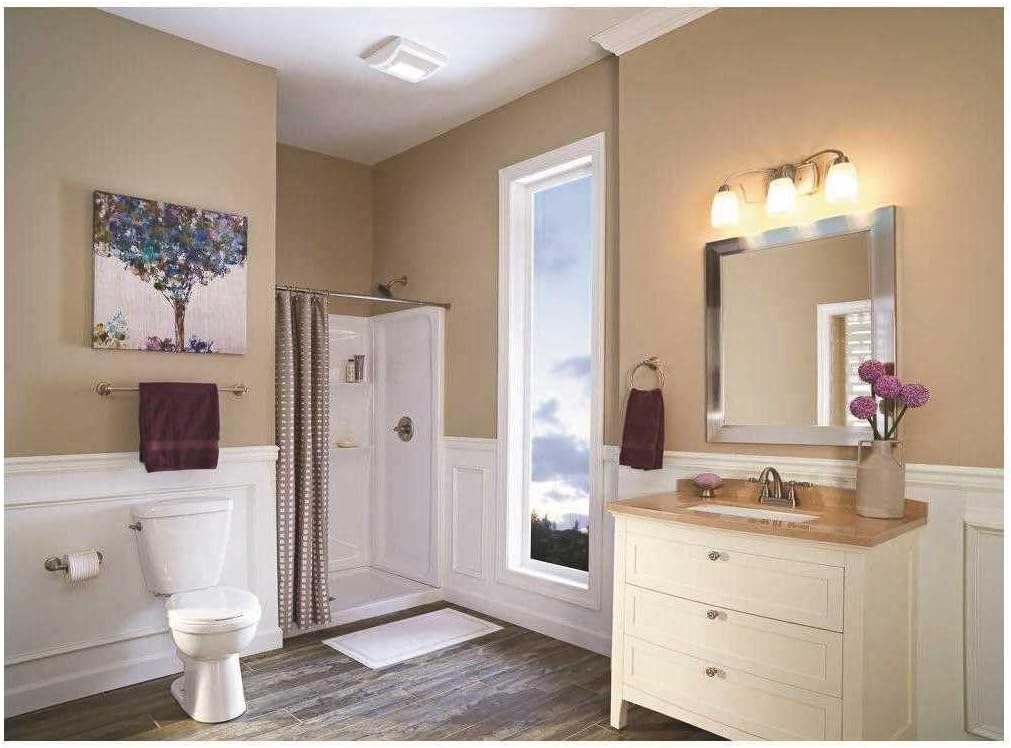
Figure 4: Broan-NuTone A70L installed in a bathroom
7. Maintenance
Regular maintenance ensures optimal performance and longevity of your ventilation fan. Always disconnect power before performing any maintenance.
7.1. Cleaning the Grille
- Turn off power at the service panel.
- Gently pull down the grille to detach it from the housing.
- Wash the grille in warm, soapy water. Rinse thoroughly and dry completely before reattaching.
- Wipe the fan housing clean with a damp cloth.
7.2. Replacing the Light Bulb
- Turn off power at the service panel.
- Remove the grille.
- Carefully unscrew the old bulb and replace it with a new 100-watt maximum incandescent A19 type bulb or energy-efficient equivalent (M.O.L. of 4.4" or less).
- Reattach the grille and restore power.
8. Troubleshooting
If your fan is not operating correctly, consult the following table for common issues and solutions:
| Problem | Possible Cause | Solution |
|---|---|---|
| Fan does not operate | No power to the unit; tripped circuit breaker; loose wiring connection. | Check power supply; reset circuit breaker; verify wiring connections. |
| Light does not turn on | Burned out bulb; loose wiring connection to light. | Replace bulb; check light wiring. |
| Excessive noise | Loose mounting screws; debris in fan blade; motor issue. | Tighten mounting screws; clean fan blade; contact support if motor issue persists. |
| Poor ventilation | Blocked ductwork; dirty grille; fan undersized for room. | Check and clear ductwork; clean grille; ensure fan CFM matches room size requirements. |
9. Warranty and Support
This Broan-NuTone A70L Ventilation Fan with Light comes with a 1-Year Limited Warranty from the date of purchase. This warranty covers defects in materials and workmanship under normal use.
For warranty claims, technical assistance, or to purchase replacement parts, please contact Broan-NuTone customer support. Keep your proof of purchase for warranty validation.
Manufacturer: Broan-NuTone
Website: www.broan-nutone.com
For additional information and resources, you may visit the Broan-NuTone Store on Amazon.


