
Introduction
Thank you for choosing the BLITZU Cyborg 168H USB Rechargeable Bicycle Front Headlight. This manual provides essential information for the safe and efficient use of your new bike light. Please read it thoroughly before operation and retain it for future reference.
Product Features
- Super Bright Illumination: 168 Lumens LED technology for visibility day and night.
- Wide Angle Visibility: Designed for 300-degree visibility, enhancing safety from multiple angles.
- Multiple Lighting Modes: Six versatile modes including High, Medium, Low, Strobe, High Flashing, and Low Flashing.
- USB Rechargeable: Convenient USB charging eliminates the need for disposable batteries.
- Weather Resistant: IPX4 rated for resistance against adverse weather conditions.
- Easy Installation: Tool-free mounting system for quick attachment and removal.
- Versatile Mounting: Suitable for handlebars, helmets, scooters, strollers, and wheelchairs.
What's in the Box
- BLITZU Cyborg 168H Bike Light
- USB Charging Cable
- Mounting Strap
- Instruction Manual
Setup and Installation
-
Choose Mounting Location: Select a suitable location on your bicycle, such as handlebars, or on your helmet. Ensure the light's beam is unobstructed and visible.
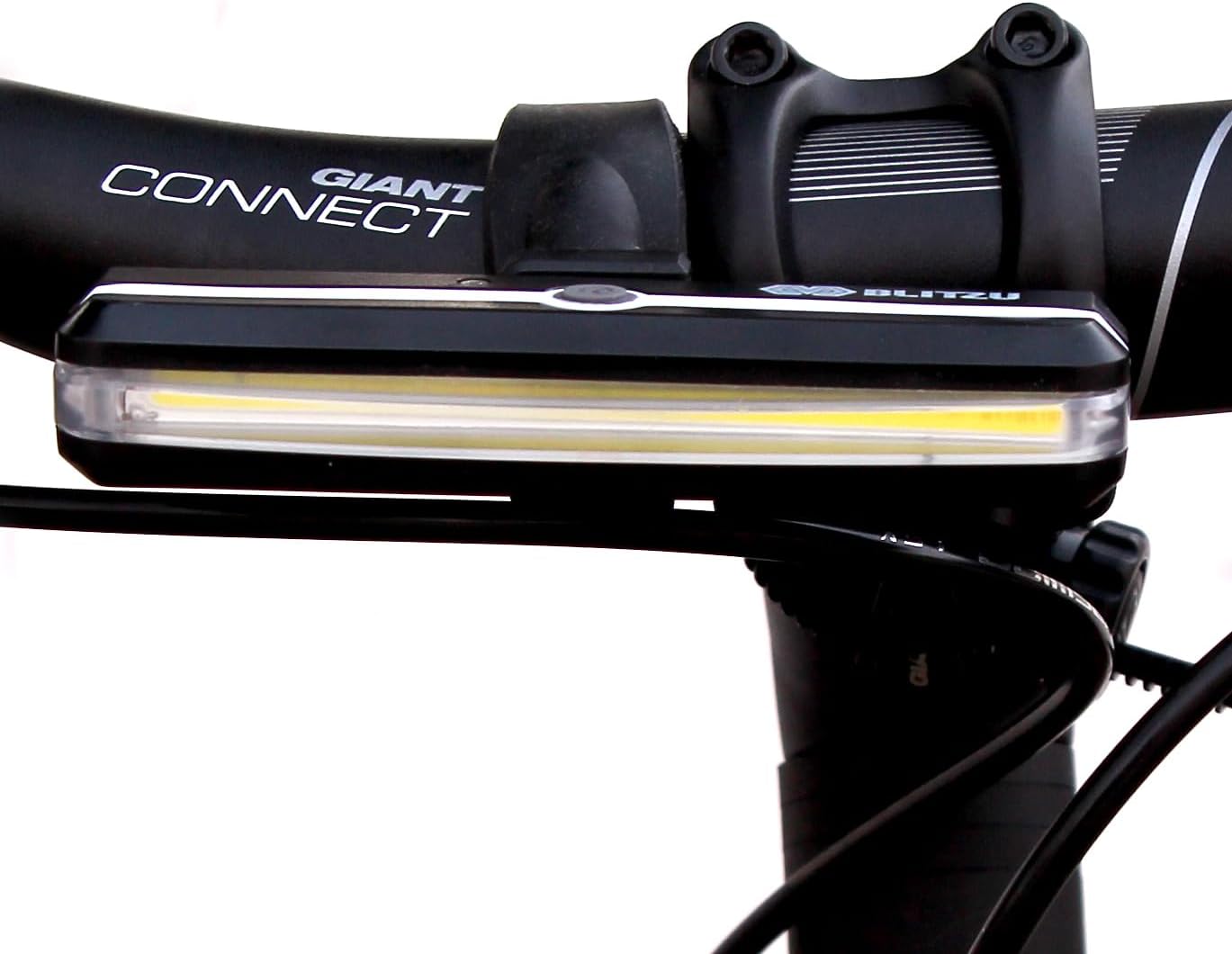
Image: BLITZU Cyborg 168H bike light mounted on bicycle handlebars.
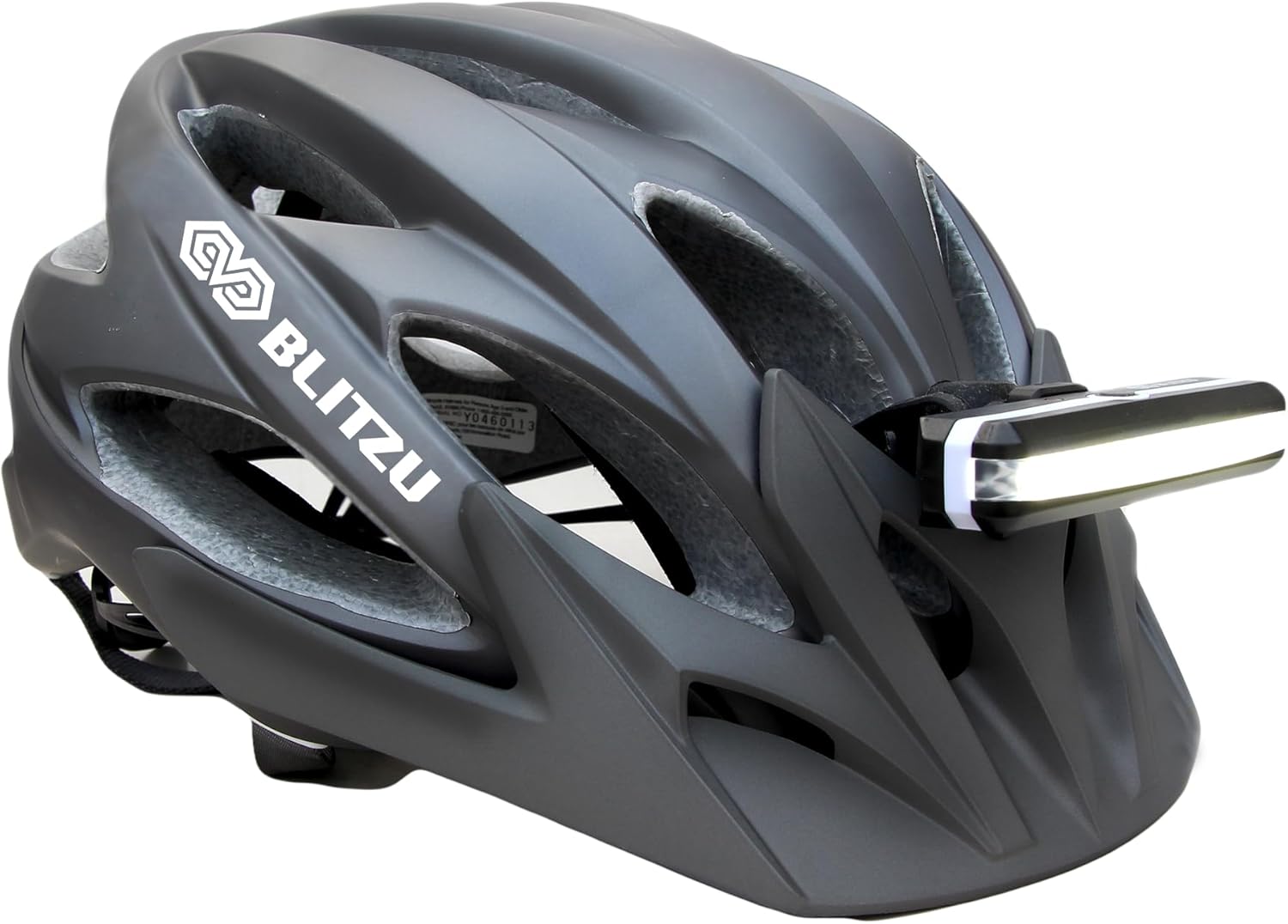
Image: BLITZU Cyborg 168H bike light mounted on a bicycle helmet.
- Attach Mounting Strap: Secure the provided rubber mounting strap around the chosen location. The strap is designed for tool-free installation.
-
Mount the Light: Slide the BLITZU Cyborg 168H light onto the mounting strap until it clicks securely into place. Ensure the light is firmly attached and facing the desired direction.

Image: Close-up of BLITZU Cyborg 168H bike light attached to handlebars, showing the power button and indicator light.
Charging Instructions
The BLITZU Cyborg 168H features a built-in rechargeable battery. To charge the device:
- Locate the USB charging port on the side of the light. It is typically covered by a rubber flap for water resistance.
- Gently open the rubber flap.
- Connect the small end of the provided USB charging cable to the light's port.
- Connect the larger end of the USB cable to a powered USB port (e.g., computer, wall adapter, power bank).
- The indicator light on the device will show charging status (e.g., red for charging, green/blue for fully charged).
- Once fully charged, disconnect the cable and securely close the rubber flap to maintain water resistance.

Image: BLITZU Cyborg 168H bike light connected to a laptop via USB cable for charging.
Operating Instructions
The BLITZU Cyborg 168H features a single power button to control its functions.
- Power On/Off: Press and hold the power button for approximately 1-2 seconds to turn the light on or off.
- Change Lighting Mode: While the light is on, short press the power button to cycle through the six available lighting modes:
- High (Steady) - Approx. 1.5 hours runtime
- Medium (Steady) - Approx. 3 hours runtime
- Low (Steady) - Approx. 5 hours runtime
- Strobe - Approx. 5 hours runtime
- High Flashing - Approx. 3 hours runtime
- Low Flashing - Approx. 6 hours runtime

Image: Illustration of the six lighting modes and their runtimes.

Image: The BLITZU Cyborg 168H provides 300-degree visibility for enhanced safety.
Video: Demonstration of BLITZU Cyborg 168H bike lights in use, showcasing visibility and different lighting modes.
Maintenance
- Cleaning: Wipe the light with a soft, damp cloth. Do not use abrasive cleaners or solvents.
- Charging: Recharge the battery regularly, especially if the light has not been used for an extended period, to maintain battery health.
- Storage: Store the light in a cool, dry place when not in use. Avoid extreme temperatures.
- Water Resistance: Ensure the USB port's rubber flap is securely closed at all times when not charging to maintain IPX4 water resistance.
Troubleshooting
| Problem | Possible Cause | Solution |
|---|---|---|
| Light does not turn on. | Battery is depleted. | Charge the light using the provided USB cable. |
| Light does not charge. | USB cable faulty or power source not active. | Try a different USB cable or a different USB power source. Ensure the cable is fully inserted. |
| Light flickers or dims unexpectedly. | Low battery. | Recharge the light. |
| Light detaches from mount. | Improper installation or damaged strap. | Ensure the light is securely clicked into the mounting strap. Inspect the strap for damage and replace if necessary. |
Specifications
- Model: 168H
- Light Output: 168 Lumens (Maximum)
- Power Source: Rechargeable Battery
- Material: Plastic
- Item Weight: 1.12 ounces
- Mounting Type: Frame Mount (Strap)
- Number of Settings: 6
- International Protection Rating: IPX4 (Water Resistant)
- Color: White (Front Light)
Warranty and Support
This BLITZU product comes with a 1 Year Warranty from the date of purchase. For warranty claims, technical support, or any inquiries, please contact BLITZU customer service through the retailer where the product was purchased or visit the official BLITZU website.
For more information and support, you can visit the BLITZU Store on Amazon.