
Introduction
This manual provides essential information for the safe and efficient operation of your SunSun Pool Pump CPP-12000F. This frequency-controlled swimming pool pump with a synchronous motor offers high efficiency, contributing significantly to water quality improvement in various aquatic environments. Its design allows for both submersible and dry installation, making it versatile for aquariums, saltwater pools, fountains, protein skimmers, and garden ponds. The pump features a durable ceramic shaft, ensuring minimal maintenance.
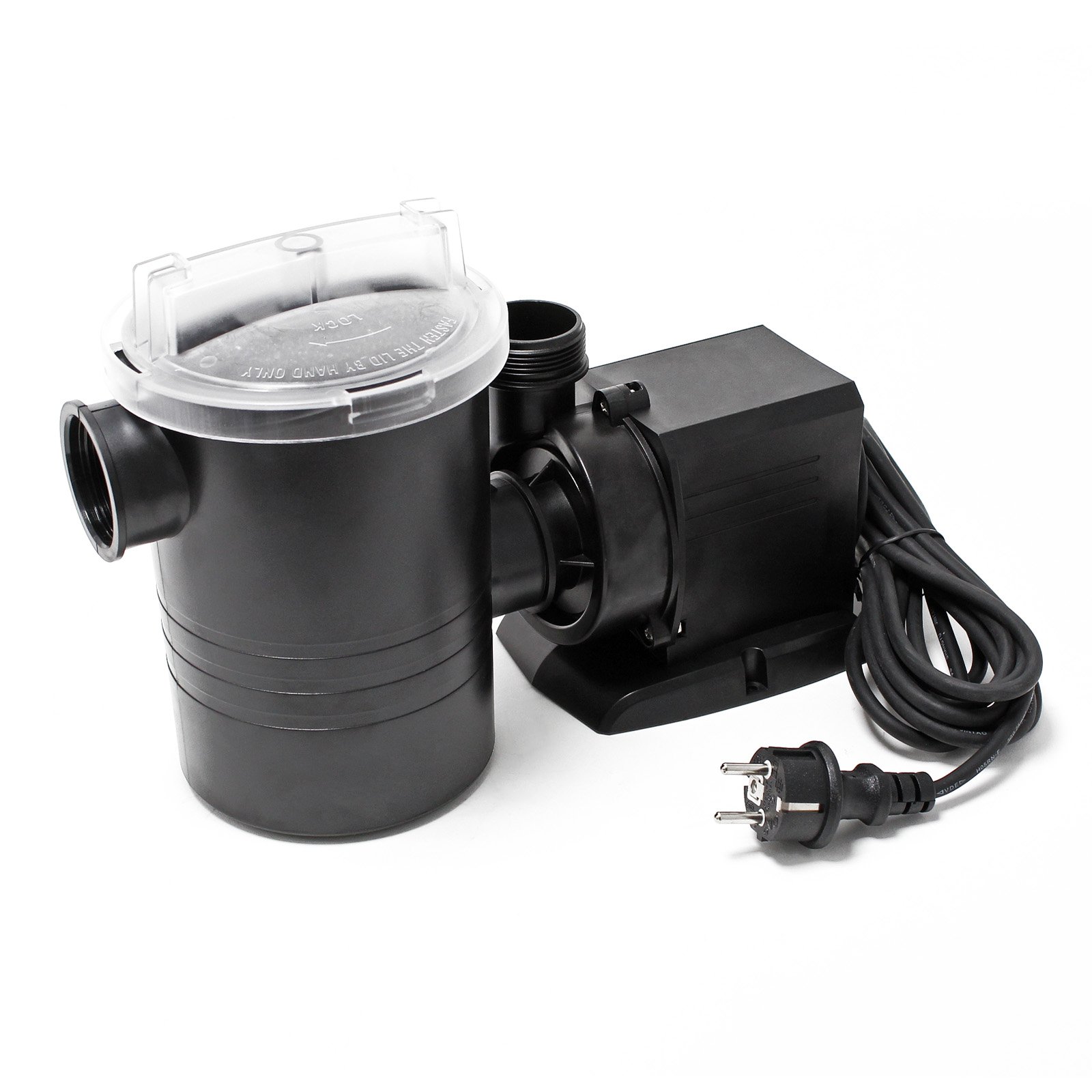
Image: The assembled SunSun Pool Pump CPP-12000F, ready for installation.
Safety Information
- Always disconnect the power supply before performing any installation, maintenance, or cleaning tasks.
- Ensure the pump is properly grounded to prevent electrical hazards.
- Do not operate the pump dry (without water) unless specifically designed for dry installation and connected to a water source, as this can cause damage.
- Keep the pump and electrical connections away from children and pets.
- Do not use the pump for flammable or corrosive liquids.
- Regularly inspect the power cord for damage. If damaged, it must be replaced by a qualified technician.
Package Contents
Upon unpacking, please verify that all components are present and undamaged:
- SunSun Pool Pump CPP-12000F unit
- Pre-filter sieve
- Sieve
- Hose connection adapters

Image: Disassembled components of the SunSun Pool Pump CPP-12000F, including the pump, pre-filter housing, filter sponge, and clear lid.
Setup and Installation
The SunSun CPP-12000F pump can be installed either submerged or dry. Choose the appropriate installation method for your application.
1. Connecting Hoses
Select the appropriate hose connection adapter(s) for your hose diameter (19mm, 25mm, 32mm, 38mm, 50mm). Securely attach the inlet and outlet hoses to the pump using hose clamps (not included) to prevent leaks.

Image: Various hose connection adapters provided with the pump, showing different diameters for flexible installation.
2. Placement
- Submerged Installation: Place the pump on a stable, level surface at the bottom of your pond, pool, or aquarium. Ensure the pump is fully submerged and positioned to draw water effectively without obstruction.
- Dry Installation: Position the pump on a dry, level surface near the water source. Ensure the pump is protected from direct weather exposure and that the inlet is below the water level for proper priming. The pump is designed to be self-priming when installed correctly for dry use.
3. Electrical Connection
Connect the pump to a suitable power outlet. Ensure the voltage matches the pump's requirements and that the outlet is protected by a Ground Fault Circuit Interrupter (GFCI) for outdoor or wet environments.
Operating Instructions
Once installed and connected, the pump is ready for operation.
- Starting the Pump: Plug the pump into the power outlet. The pump will start automatically. For dry installations, ensure the pump is primed before starting.
- Monitoring Performance: Observe the water flow. The CPP-12000F has a maximum flow rate of 8000 liters per hour. Reduced flow may indicate a clogged filter or an obstruction in the hoses.
- Stopping the Pump: Disconnect the pump from the power outlet.

Image: Performance curve chart illustrating the flow rate (Output L/h) versus head height (H(m)) for various SunSun CPP-F series pumps, including the CPP-8000F, to help understand operational characteristics.
Maintenance
Regular maintenance ensures optimal performance and longevity of your pump. Always disconnect power before maintenance.
1. Cleaning the Pre-filter
The pre-filter sieve should be cleaned regularly to prevent blockages and maintain efficient water flow. Unscrew the pre-filter housing, remove the sieve, and rinse it thoroughly with clean water. Reassemble securely.

Image: Close-up view of the filter sponge installed within the pre-filter housing, which should be regularly cleaned.
2. Impeller Inspection
Periodically inspect the impeller for debris or damage. The ceramic shaft is designed for low maintenance, but obstructions can affect performance. Refer to the exploded view for disassembly guidance.

Image: Exploded diagram of the SunSun Pool Pump CPP-12000F, detailing individual parts for assembly and maintenance, including the impeller and motor housing.
3. Winterization
In regions with freezing temperatures, remove the pump from the water (if submerged) or drain it completely (if dry-installed). Clean the pump thoroughly and store it in a frost-free location.
Troubleshooting
| Problem | Possible Cause | Solution |
|---|---|---|
| Pump does not start | No power supply; Impeller blocked; Motor fault | Check power connection and GFCI; Disconnect power and clean impeller; Contact support |
| Reduced water flow | Clogged pre-filter; Obstruction in hoses/impeller; Low water level (for submerged) | Clean pre-filter; Disconnect power and clear obstructions; Ensure adequate water level |
| Unusual noise/vibration | Debris in impeller; Pump not stable; Air in system (for dry-installed) | Disconnect power and clean impeller; Ensure stable placement; Re-prime pump |
Specifications
| Feature | Detail |
|---|---|
| Brand | SunSun |
| Model Number | 50969 |
| Product Type | Pool Pump |
| Color | Black |
| Material | ABS, PC |
| Model Variant | 8000 l/h 100 W |
| Power Source | Wired |
| Item Weight | 3.82 Kilograms |
| Maximum Flow Rate | 8000 Liters per hour |
| Maximum Head Lift | 7.5 Meters |
| Max. Water Temperature | 100°C |
| Protection Class | IPX8 |
| Country of Origin | China |

Image: Technical drawing showing the dimensions of the SunSun Pool Pump CPP-12000F, useful for planning installation space.
Warranty and Support
For warranty information or technical support, please refer to the documentation provided with your purchase or contact the seller directly. Keep your proof of purchase for warranty claims.