
Pulox PO-200 Solo
Pulox PO-200 Solo Finger Pulse Oximeter
Instruction Manual
Model: PO-200 Solo | Brand: Pulox
1. Introduction
The Pulox PO-200 Solo Finger Pulse Oximeter is a professional device designed for reliable and painless measurement of oxygen saturation (SpO2 value in %), pulse rate (heart rate in bpm), and perfusion index (PI) non-invasively at the fingertip. This compact and mobile device is suitable for home use, medical facilities, and extreme sports at high altitudes.
The device features an automatically rotating 90° LCD screen with large, easy-to-read digits, displaying heart rate as both a waveform and a pulse bar. Its high-contrast color display offers different viewing perspectives for optimal readability in various positions.
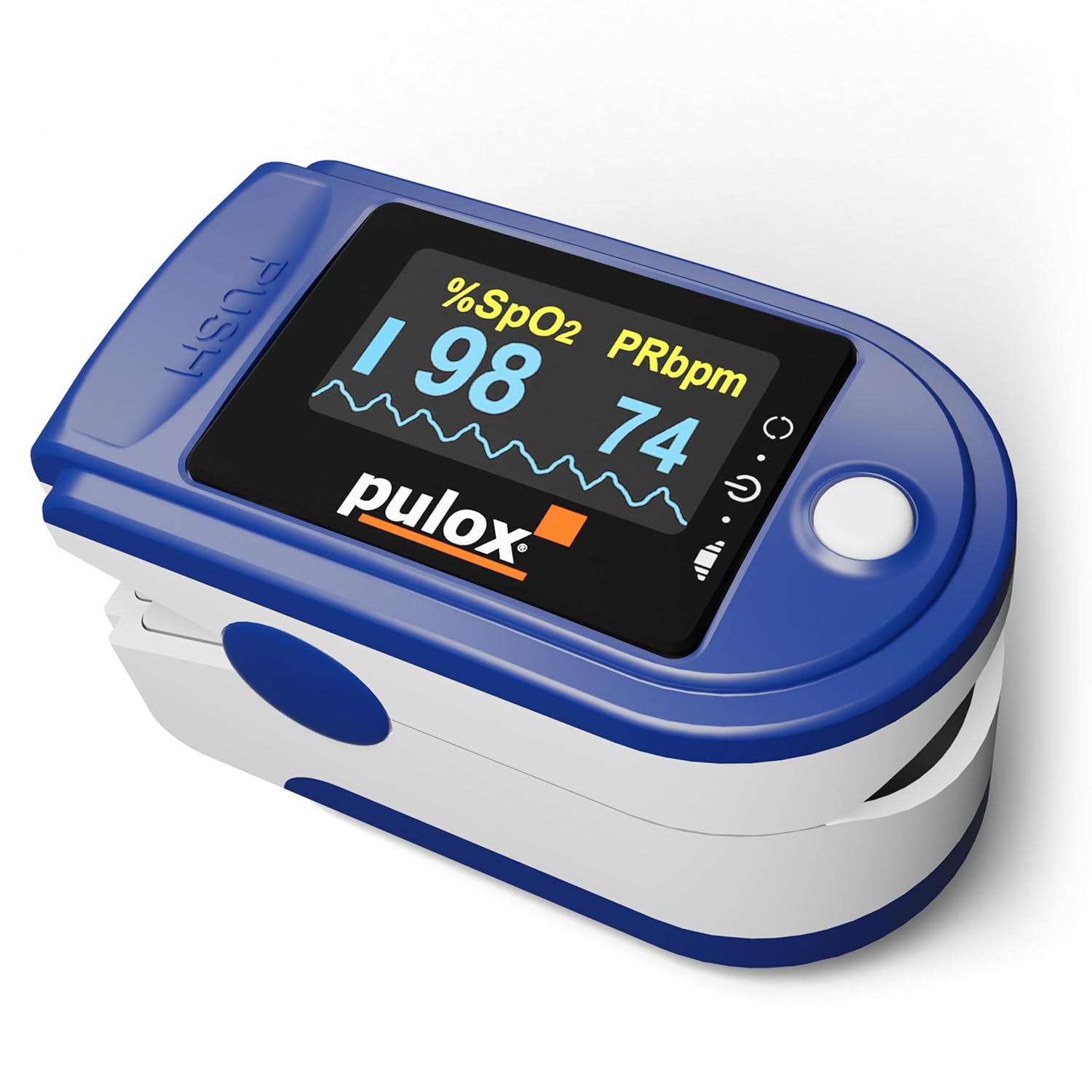
Figure 1: Pulox PO-200 Solo Finger Pulse Oximeter
2. Setup
2.1 Package Contents
- Pulox PO-200 Solo Finger Pulse Oximeter
- 2 x AAA 1.5V Batteries
- Instruction Manual

Figure 2: Package Contents
2.2 Battery Installation
- Locate the battery compartment cover on the back of the device.
- Slide the cover open in the direction indicated by the arrow.
- Insert two AAA 1.5V batteries, ensuring correct polarity (+ and -) as marked inside the compartment.
- Close the battery compartment cover by sliding it back until it clicks into place.
Note: The included batteries provide up to 20 hours of continuous operation.
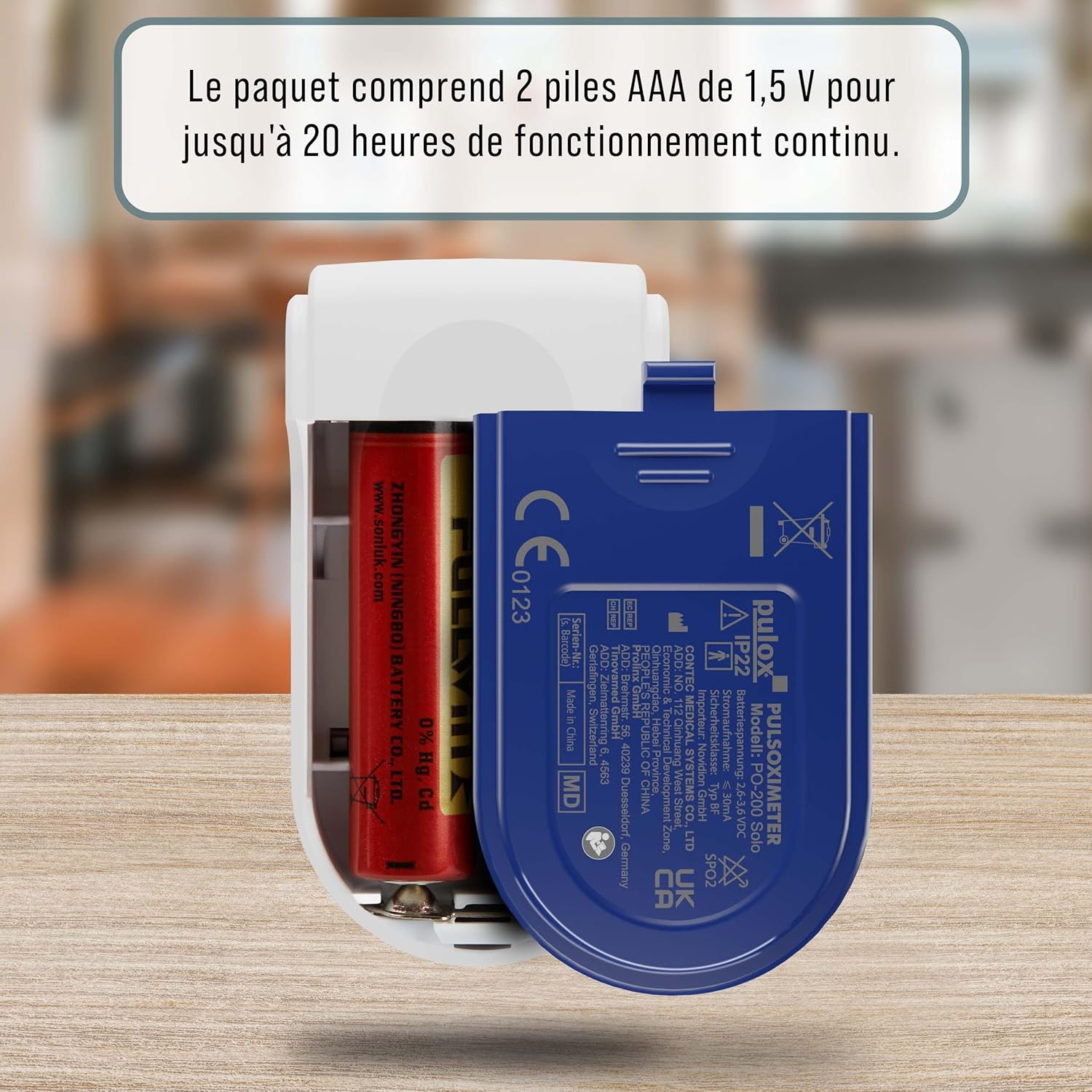
Figure 3: Battery Compartment
3. Operating Instructions
3.1 Taking a Measurement
- Ensure your finger is clean and dry.
- Open the finger clip of the oximeter.
- Insert one of your fingers (preferably the index, middle, or ring finger) fully into the rubber opening of the oximeter, ensuring the nail is facing upwards towards the display.
- Release the clip, allowing it to gently close around your finger.
- Press the single button on the device to initiate the measurement. The device will automatically begin measuring.
- Keep your hand still during the measurement. Readings will appear on the display within a few seconds.

Figure 4: Proper Finger Placement
3.2 Understanding the Display
The high-contrast LCD screen displays the following parameters:
- SpO2 (%): Oxygen saturation level in the blood.
- PRbpm: Pulse rate in beats per minute.
- PI (%): Perfusion Index, indicating the strength of the pulse signal.
- Pulse Waveform: A graphical representation of your pulse.
- Pulse Bar Graph: A visual indicator of pulse strength.
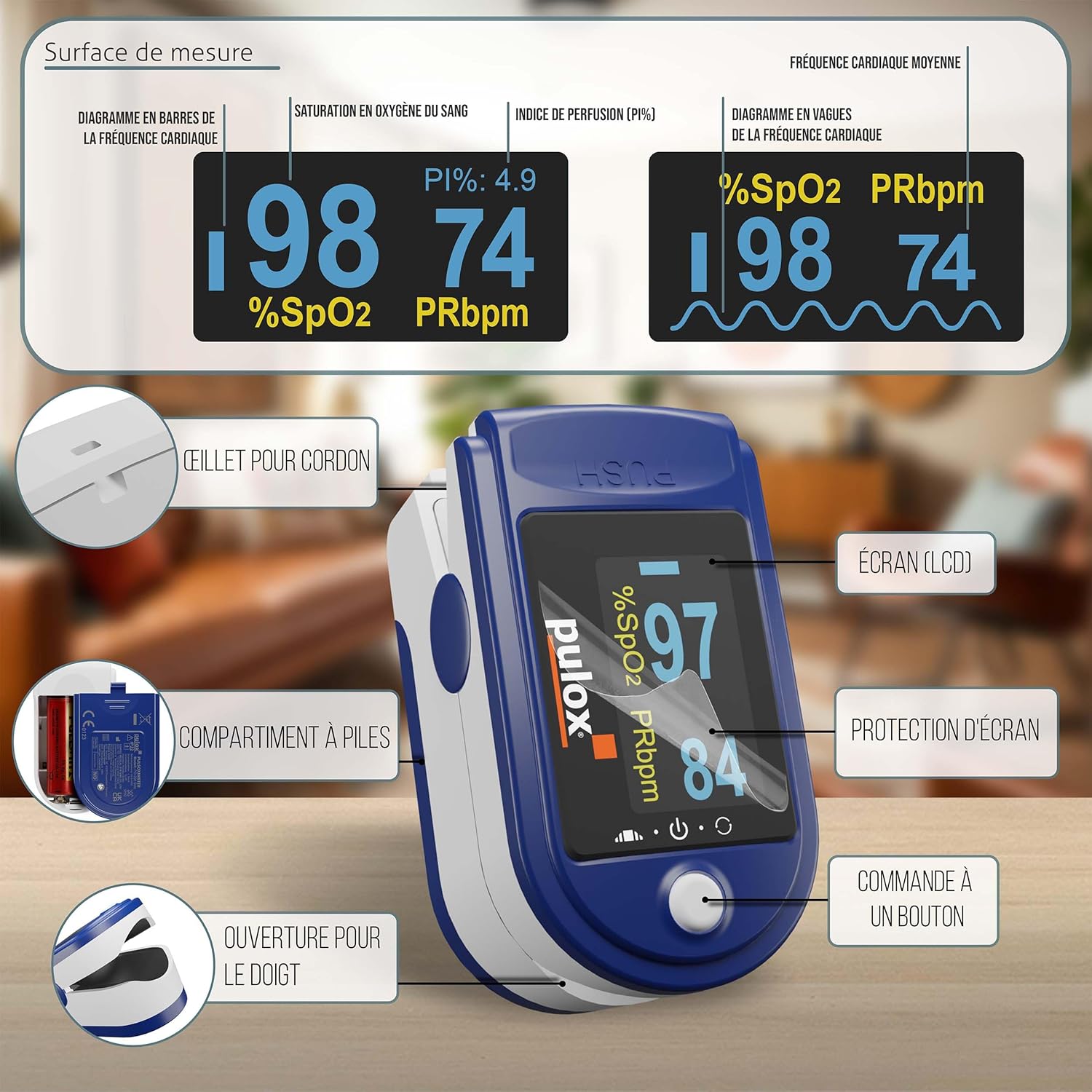
Figure 5: Display Information
3.3 Automatic Display Rotation
The device features an automatic 90° display rotation function. Depending on the orientation of the device, the screen will automatically adjust to ensure the readings are always upright and easy to read from any angle.

Figure 6: Automatic Display Rotation
4. Maintenance
4.1 Cleaning
- Clean the surface of the oximeter with a soft cloth dampened with a mild disinfectant (e.g., 70% isopropyl alcohol).
- Do not immerse the device in water or any other liquid.
- Ensure the device is completely dry before storage or next use.
4.2 Storage
- Store the oximeter in a cool, dry place, away from direct sunlight and extreme temperatures.
- If the device will not be used for an extended period, remove the batteries to prevent leakage.
5. Troubleshooting
| Problem | Possible Cause | Solution |
|---|---|---|
| No display after pressing button | Batteries are dead or incorrectly inserted. | Replace batteries or re-insert them with correct polarity. |
| Unstable or inaccurate readings | Finger not inserted properly; movement during measurement; cold fingers; nail polish. | Re-insert finger correctly; remain still; warm hands; remove nail polish. |
| "Finger Out" message | Finger not detected or removed. | Ensure finger is fully inserted and in contact with sensors. |
| Low battery indicator | Batteries are low. | Replace batteries immediately. |
6. Specifications
| Parameter | Value |
|---|---|
| Model Name | PO-200 Solo |
| Product Model Number | 20152949 |
| Dimensions (L x W x H) | 5.7 x 3.2 x 3.3 cm |
| Weight | 50 grams |
| Power Source | 2 x AAA batteries (included) |
| Battery Life | Approx. 20 hours continuous operation |
| Measurement Range (SpO2) | 0 - 100% |
| Measurement Range (Pulse Ratio) | 30 - 250 bpm |
| Display Type | LCD, Color, Automatic 90° Rotation |
| Country of Origin | China |
7. Warranty and Support
7.1 Warranty Information
The Pulox PO-200 Solo Finger Pulse Oximeter comes with a 2-year availability of spare parts. For specific warranty terms and conditions, please refer to the documentation provided with your purchase or contact the manufacturer directly.
7.2 Customer Support
For any questions, technical assistance, or support regarding your Pulox PO-200 Solo, please contact Pulox customer service. Contact details can typically be found on the manufacturer's official website or on the product packaging.
Related documentsPO-200 Solo


Ask a question about this manual
Ask about setup, troubleshooting, compatibility, parts, safety, or missing instructions. Manuals+ will review the question and use this page’s manual context to help answer it.