1. Introduction
This manual provides essential information for the safe and efficient installation, operation, and maintenance of your Schellenberg 60915 Smart Drive SD14 Garage Door Opener. Please read all instructions carefully before beginning installation or operation to ensure proper function and to prevent injury or damage.

Image: The Schellenberg Smart Drive SD14 Garage Door Opener installed, illuminating the garage interior.
2. Safety Instructions
- Always disconnect power before performing any maintenance or repairs.
- Keep children and pets away from the garage door area, especially during operation.
- Ensure the garage door is balanced and in good working condition before installing the opener.
- Do not operate the opener if the door is obstructed or damaged.
- The emergency release cord should be easily accessible and tested regularly.
- This device is designed for private use only.

Image: A toy car under a closing garage door, demonstrating the automatic obstruction stop feature.
3. Package Contents
Verify that all components are present in the package:
- Schellenberg Smart Drive SD14 Garage Door Opener unit
- 2 Handheld Transmitters (433 MHz)
- Mounting hardware
- Emergency release mechanism (for interior use)
- Rail system (partially pre-assembled)
- User manual (this document)
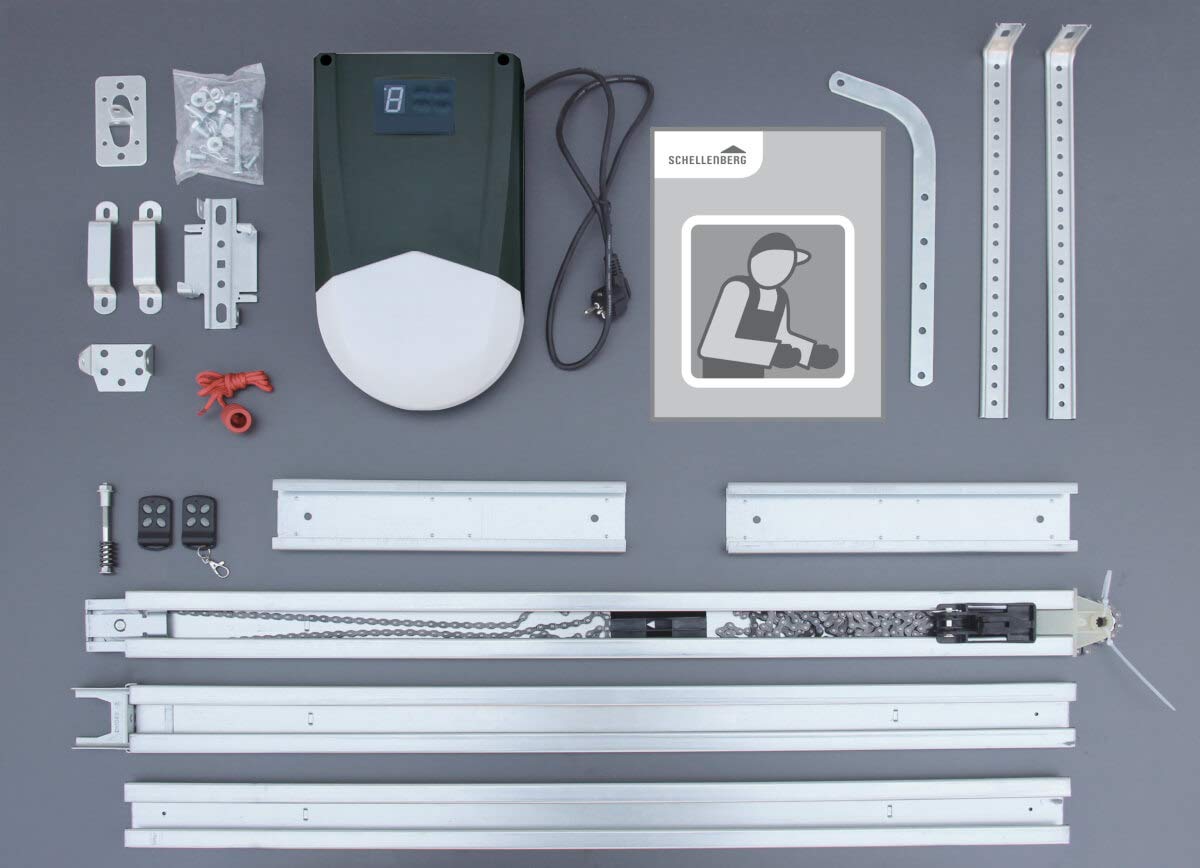
Image: All included components of the Smart Drive SD14 kit, including the motor, rail, and accessories.
4. Setup and Installation
The Schellenberg Smart Drive SD14 garage door opener is designed for quick and easy installation, with 90% of the unit pre-assembled. It is suitable for both sectional and up-and-over garage doors up to a maximum area of 14.0 m² and a maximum width of 5.95 m.
For detailed, step-by-step installation instructions, please refer to the separate installation guide provided with your product. Ensure you have the necessary tools and follow all safety precautions.

Image: Diagram illustrating the garage door opener's application for vertical-opening garage doors.
5. Operating Instructions
Your garage door opener can be operated conveniently using the included handheld transmitters or integrated into a Smart Home system.
5.1 Remote Control Operation
Use the buttons on the handheld transmitters to open, close, or stop the garage door. The opener features a soft start and soft stop function to protect the door mechanism and reduce noise.

Image: The garage door opener unit with two remote controls.
5.2 Safety Features
- Automatic Stop: The motor automatically stops if an obstruction is detected during operation, enhancing safety.
- LED Lighting: A bright LED light illuminates the garage when the door is operated, with an automatic shut-off.
- Emergency Release: An internal emergency release allows manual operation of the door during power outages.

Image: Operating the garage door from inside a car using a remote control.
5.3 Smart Home Integration
Certain models of Schellenberg garage door openers, including the Smart Drive SD14, can be integrated into the Smart Friends Smart Home system for enhanced control options.

Image: Controlling the garage door via a smartphone application.
6. Maintenance
Regular maintenance ensures the longevity and safe operation of your garage door opener. Perform the following checks periodically:
- Inspect the garage door for proper balance and smooth operation.
- Check all mounting hardware for tightness.
- Ensure the emergency release mechanism functions correctly.
- Clean the rail system and motor unit to prevent debris buildup.
- Test the automatic stop feature by placing a small object in the door's path.

Image: Connecting a spiral power cable to the garage door opener for accessory power.
7. Troubleshooting
If your garage door opener is not functioning as expected, consider the following common issues:
- Opener does not respond: Check power supply, remote control batteries, and ensure the emergency release is not engaged.
- Door stops unexpectedly: Inspect the door path for obstructions. The automatic stop feature is designed to prevent damage or injury.
- Unusual noises: Check for loose hardware or debris in the rail system.
- Remote control range issues: Replace remote batteries or check for interference.
For persistent issues, consult the detailed troubleshooting section in the full user manual or contact customer support.
8. Specifications
| Model Number | 60915 |
| Max. Door Area | 14 m² |
| Pulling Force | 100 kg (1000 N) |
| Dimensions (L x W x H) | 112.6 x 23 x 19 cm |
| Weight | 15.8 kg |
| Included Components | Smart Drive 14 Set, 2 handheld transmitters, mounting hardware, user manual |
| Manufacturer | Alfred Schellenberg GmbH |
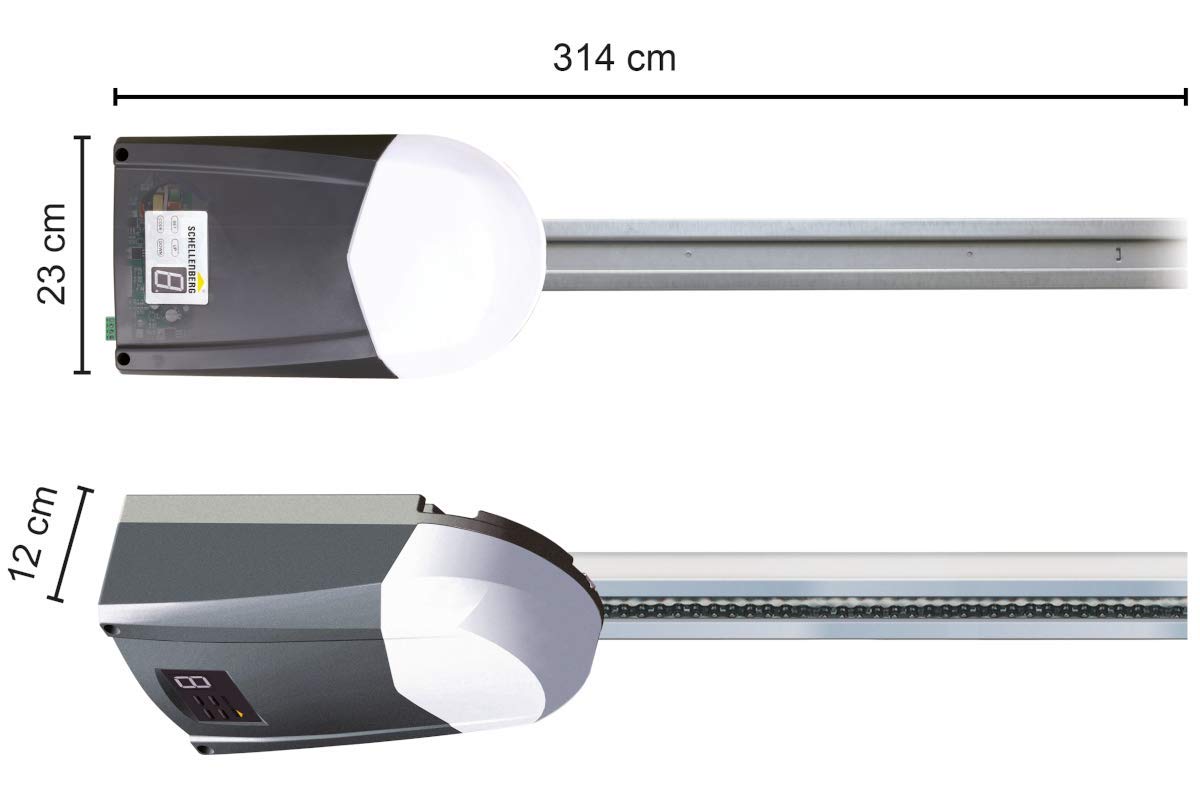
Image: Dimensional drawing of the Smart Drive SD14 opener.
9. Warranty and Support
Schellenberg products are known for their quality and durability. Our range is constantly developed to meet high standards. If you have any questions regarding your Schellenberg products, including selection, installation, or replacement, please do not hesitate to contact our customer support. We are here to assist you.
Please retain your proof of purchase for warranty claims.


