
Panasonic KX-TGF375S
Contents
Panasonic KX-TGF375S DECT 5-Handset Landline Telephone Instruction Manual
Model: KX-TGF375S
1. Introduction
This manual provides detailed instructions for the Panasonic KX-TGF375S DECT 5-Handset Landline Telephone system. This intelligent system enhances home and home office communication with features like Link2Cell smartphone integration, a dedicated Call Block button, a large LCD display, power backup, and an integrated answering machine. Please read this manual thoroughly to ensure proper setup and operation of your telephone system.
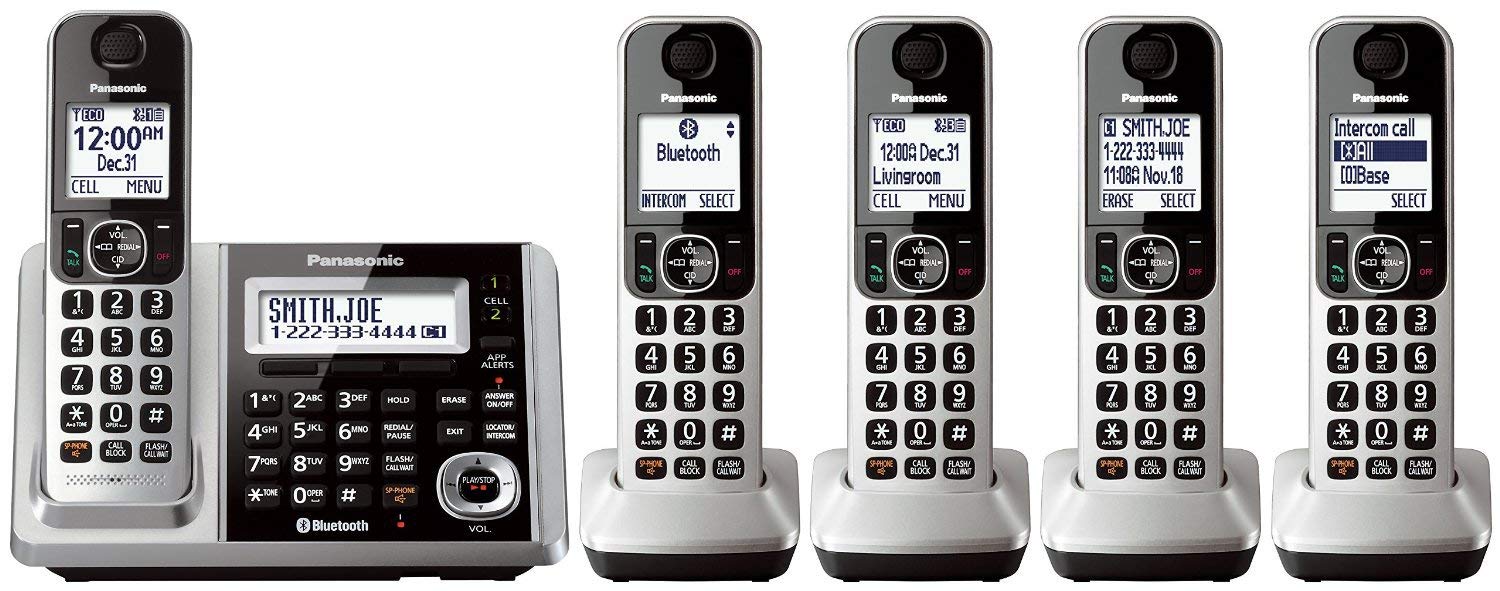
Figure 1: Panasonic KX-TGF375S DECT 5-Handset Landline Telephone System
Product Overview Video
This video provides a general overview of the Panasonic Cordless Phone system, highlighting its key features and components.
2. Package Contents
Verify that your package contains the following items:
- 1 x Base Unit with integrated answering machine
- 5 x Cordless Handsets
- 5 x Handset Chargers (one for each handset)
- 5 x AC Adapters (for base unit and chargers)
- 10 x Rechargeable Batteries (2 per handset)
- 1 x Telephone Line Cord
- 5 x Belt Clips (for each handset)
- 1 x Instruction Manual (this document)
3. Setup
3.1. Connecting the Base Unit
- Connect the AC adapter to the base unit and plug it into a standard electrical outlet.
- Connect the telephone line cord to the base unit and plug the other end into your telephone wall jack.
3.2. Installing Handset Batteries
- Remove the battery cover on the back of each handset.
- Insert the two supplied rechargeable batteries, observing the correct polarity (+ and -).
- Replace the battery cover.
3.3. Charging Handsets
Place each handset on its respective charger. The charge indicator on the handset display will show 'Charging'. Allow at least 7 hours for the initial charge to ensure optimal battery performance.
3.4. Initial Setup (Date and Time)
Follow the on-screen prompts on the handset display to set the date and time. This is crucial for accurate call logging and answering machine timestamps.
4. Operating Instructions
4.1. Making and Receiving Calls
- To Make a Call: Press the TALK button, then dial the phone number.
- To Receive a Call: Press the TALK button when the phone rings.
- To End a Call: Press the OFF button or place the handset back on the base/charger.

Figure 2: Handset with large, illuminated buttons for easy dialing.
4.2. Link2Cell (Bluetooth)
The Link2Cell feature allows you to connect up to two smartphones to your Panasonic system via Bluetooth. This enables you to make and receive cell phone calls using your cordless handsets.
- Pairing a Smartphone: Access the Bluetooth menu on your handset, then follow the instructions to pair your smartphone.
- Making/Receiving Cell Calls: Once paired, you can use the CELL 1 or CELL 2 buttons on the base unit or handsets to manage calls from your connected smartphones.
- Smartphone Alerts: A downloadable Android App can alert you on your handsets when your cell receives emails, social media updates, and more.
4.3. Call Block
Block unwanted calls with ease using the dedicated Call Block button. The system can block up to 250 numbers.
- One-Touch Blocking: During an unwanted call or after it ends, press the CALL BLOCK button on the base unit or handset to add the number to the block list.
- Automated Call Block: The system can be configured to automatically block robocalls and telemarketers before the phone rings.
Automated Call Block Demonstration
This video demonstrates how the Automated Call Block feature works, preventing unwanted robocalls from reaching you.
4.4. Answering Machine
The integrated digital answering machine records incoming messages.
- Turn On/Off: Press the ANSWER ON/OFF button on the base unit.
- Play Messages: Press the PLAY/STOP button on the base unit.
- Erase Messages: Press the ERASE button during message playback.
4.5. Intercom
Use the intercom feature for communication between handsets or between a handset and the base unit.
- To Initiate: Press the LOCATOR/INTERCOM button on the base unit or the INTERCOM button on a handset, then select the desired unit.
4.6. Speakerphone
Engage the speakerphone for hands-free conversations.
- To Activate: During a call, press the SP-PHONE button. Press again to switch back to the earpiece.
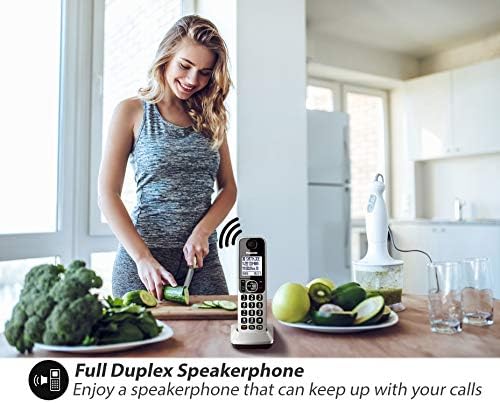
Figure 3: Full Duplex Speakerphone in use.
4.7. Phonebook
Store up to 3,000 numbers in the shared phonebook for quick dialing.
- Adding Contacts: Follow the menu options on the handset to add new entries.
- Accessing Contacts: Press the PHONEBOOK button and navigate through your stored contacts.
4.8. Talking Caller ID
The system announces the caller's name or number, allowing you to screen calls without looking at the display.
4.9. Baby Monitor
Use a handset as a baby monitor to listen for sounds in another room.
4.10. Power Backup
In case of a power outage, the base unit can temporarily draw power from the charged handsets, allowing you to make and receive calls.
5. Maintenance
- Cleaning: Wipe the telephone units with a soft, dry cloth. Avoid using abrasive cleaners or solvents.
- Battery Care: Ensure handsets are regularly placed on their chargers to maintain battery life. Replace batteries when their performance significantly degrades.
6. Troubleshooting
- No Dial Tone: Check that the telephone line cord is securely connected to both the base unit and the wall jack.
- Handset Not Working: Ensure the handset batteries are properly installed and fully charged. Place the handset on its charger for several hours.
- Poor Call Quality: Move closer to the base unit. Ensure there are no large metal objects or other electronic devices interfering with the signal.
- Answering Machine Not Recording: Verify that the answering machine is turned ON. Check for sufficient recording time available.
For more detailed troubleshooting, refer to the full operating instructions available on the Panasonic support website.
7. Specifications
| Feature | Specification |
|---|---|
| Model Number | KX-TGF375S |
| Brand | Panasonic |
| Telephone Type | Cordless (DECT 6.0) |
| Number of Handsets | 5 |
| Answering System Type | Digital (up to 18 minutes recording time) |
| Call Block Capacity | Up to 250 numbers |
| Phonebook Capacity | 3,000 numbers |
| Bluetooth | Link2Cell (syncs two smartphones) |
| Display | 2.5-inch LCD |
| Power Source | Battery Powered |
| Item Weight | 4.85 pounds (total package) |
| Package Dimensions | 14.02 x 10 x 4.21 inches |
8. Warranty and Support
This Panasonic KX-TGF375S product is tested and certified by Panasonic to function like new. It includes all original accessories and is backed by a 90-Day Warranty.
For further assistance, technical support, or warranty claims, please refer to the contact information provided in your product packaging or visit the official Panasonic support website.
Documents and downloads
Ask a question about this manual
Ask about setup, troubleshooting, compatibility, parts, safety, or missing instructions. Manuals+ will review the question and use this page’s manual context to help answer it.