
Introduction
Thank you for choosing the Classic Cantabile SP-250 BK Stage Piano. This instrument is designed to provide a rich and versatile musical experience with its 88 hammer-action keys, extensive sound library, and various performance features. This manual will guide you through the setup, operation, maintenance, and troubleshooting of your new stage piano, ensuring you get the most out of its capabilities.
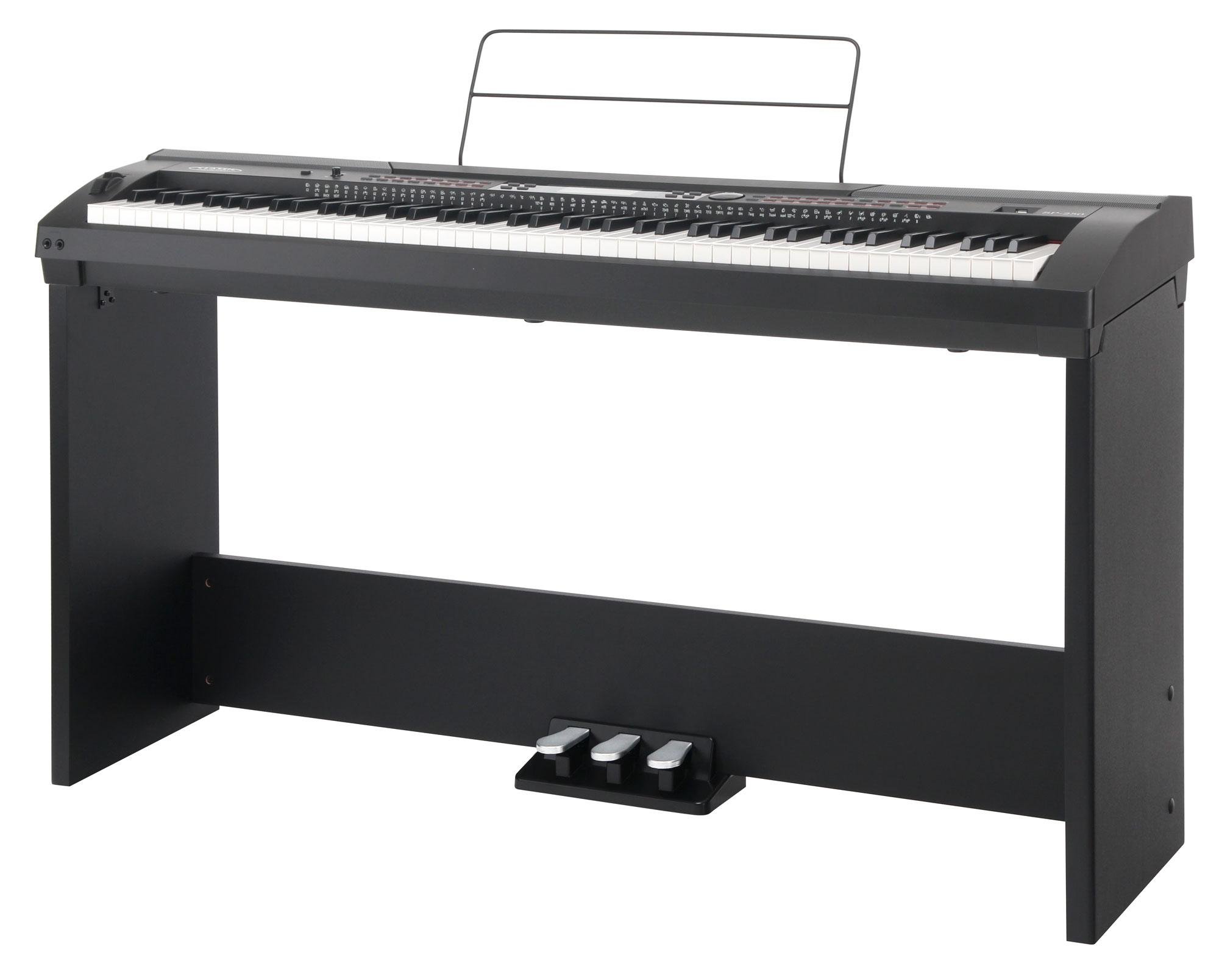
Figure 1: Front view of the Classic Cantabile SP-250 BK Stage Piano.
Setup
Follow these steps to correctly set up your Classic Cantabile SP-250 BK Stage Piano.
1. Assembling the Stand
The SP-250 BK comes with a dedicated stand. Carefully unpack all components and follow the included assembly instructions for the stand. Ensure all screws are tightened securely for stability.
2. Connecting the Pedals
Locate the pedal unit and connect its cable to the 'Unit Pedal' input on the rear panel of the piano. If using a single sustain pedal, connect it to the 'Sustain' input.
3. Power Connection
Connect the provided 12V power adapter to the 'DC IN' port on the rear of the piano. Plug the adapter into a standard wall outlet. Ensure the power switch on the piano is in the OFF position before connecting power.
4. Music Stand Installation
Insert the included music stand into the designated slots on top of the piano. Ensure it is firmly seated.

Figure 2: Music stand properly installed on the stage piano.
5. Audio Connections
- Headphones: Connect headphones to one of the two 'Headphones' jacks on the left side of the piano for private practice.
- External Speakers/Amplifier: Use the 'AUX OUT' jacks to connect to external speakers or an amplifier for louder sound output.
- External Audio Input: Connect an external audio source (e.g., MP3 player) to the 'AUX IN' jack to play along with music.
- Microphone: Connect a microphone to the 'MIC' input for vocal accompaniment.

Figure 3: Headphone jacks and Pitch Bend wheel on the left side.

Figure 4: Rear panel showing USB, MIDI, Sustain, AUX, MIC, and DC IN connections.
Operating Instructions
This section details the various functions and controls of your SP-250 BK Stage Piano.
1. Power On/Off and Volume
- Power: Press the POWER button to turn the piano on or off.
- Volume: Use the MASTER VOLUME knob to adjust the overall sound level.
2. Voice Selection
The SP-250 BK features 600 different voices. Use the VOICE buttons and the data entry knob or +/- buttons to browse and select your desired instrument sound.

Figure 5: Left control panel with voice selection and function buttons.
3. Style Selection and Accompaniment
Choose from 230 accompaniment styles. Press the STYLE button and use the data entry knob or +/- buttons to select a style. Use the START/STOP button to begin/end the accompaniment. The piano supports one-finger and chord modes for automatic accompaniment.
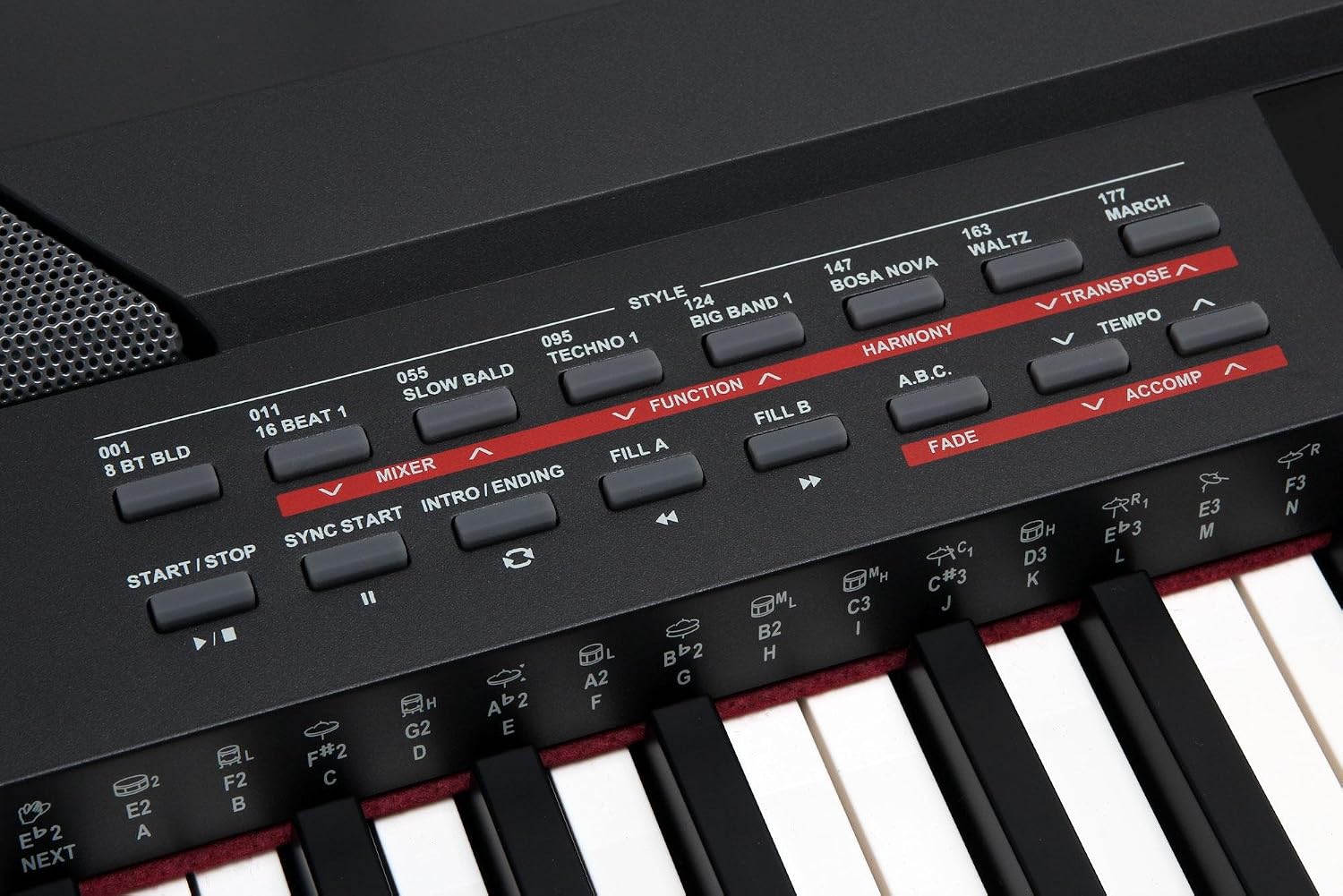
Figure 6: Right control panel with style selection and accompaniment controls.
4. Song Playback and Recording
The piano includes 120 preset songs and a recording function for up to 5 user songs with 6 tracks each. Use the SONG button to access these features. The RECORD button initiates recording.
5. Key Functions and Effects
- Sustain: Use the SUSTAIN button or pedal for sustained notes.
- Pitch Bend: The pitch bend wheel on the left side allows for real-time pitch modulation.
- Transpose: Adjust the key of the entire keyboard using the TRANSPOSE buttons.
- Twinova: Splits the keyboard into two identical pitch ranges, ideal for duets or teaching.
- Octave: Shift the octave of the keyboard.
- Tempo: Adjust the speed of rhythms and songs.
- Metronome: Provides a click track for practice.
- DSP Effects: Apply adjustable Reverb and Chorus effects to enhance the sound.
6. LCD Display
The multi-functional LCD screen displays current settings, selected voices, styles, and other operational information.

Figure 7: The multi-functional LCD display showing current settings.
7. MIDI and USB Connectivity
The SP-250 BK supports MIDI IN/OUT for connecting to other MIDI devices and USB for connecting to a computer, allowing for advanced music production and software integration.
Maintenance
Proper care will ensure the longevity and optimal performance of your stage piano.
- Cleaning: Use a soft, dry cloth to wipe the surface of the piano. For stubborn dirt, slightly dampen the cloth with water. Avoid abrasive cleaners, solvents, or waxes, as they can damage the finish.
- Key Cleaning: Gently wipe the keys with a soft, slightly damp cloth. Do not use excessive moisture.
- Storage: Store the piano in a dry environment, away from direct sunlight, extreme temperatures, and high humidity.
- Handling: Avoid placing heavy objects on the keyboard or applying excessive force to the keys or controls.
- Power Off: Always turn off the piano and unplug it from the power outlet when not in use for extended periods or during electrical storms.
Troubleshooting
If you encounter issues with your SP-250 BK, refer to the following common problems and solutions.
| Problem | Possible Cause | Solution |
|---|---|---|
| No sound | Volume too low; headphones connected; external speakers off/unplugged. | Increase master volume; disconnect headphones; check external speaker power and connections. |
| Keys not responding | Piano in a specific mode (e.g., demo mode); internal malfunction. | Restart the piano; check manual for specific mode exits. If problem persists, contact support. |
| MIDI data not transmitting/receiving | Incorrect MIDI connections; MIDI settings on piano or connected device. | Verify MIDI IN/OUT connections; check MIDI channel settings on both devices. |
| USB MIDI files not playing | File format incompatibility; USB drive not recognized; incorrect playback procedure. | Ensure MIDI files are in a compatible format (e.g., Standard MIDI File, SMF). Refer to the manual for specific USB playback instructions. Try a different USB drive. |
| Distorted sound | Volume too high; faulty cable; speaker issue. | Reduce master volume; try different cables; test with headphones to isolate issue. |
Specifications
Key technical specifications for the Classic Cantabile SP-250 BK Stage Piano:
| Feature | Detail |
|---|---|
| Keys | 88 Hammer-action keys with touch dynamics |
| Polyphony | Max. 128 notes |
| Voices | 600 Voices (including 5 user voices) |
| Songs | 120 songs |
| Styles | 230 styles (including 10 user styles) |
| Recording Function | 5 songs, 6 tracks |
| Effects | DSP effect with adjustable Reverb and Chorus, 6 EQ types |
| Speakers | 2 x 20 W, 4 Ohm |
| Connections | USB, MIDI IN/OUT, 2x Headphones, AUX IN/OUT, Microphone, Sustain, Unit Pedal, DC IN |
| Power Supply | 12V DC adapter |
| Dimensions (W x D x H) | 1360 x 360 x 135 mm |
| Weight | 13.8 kg |
| Color | Black |
Warranty Information
The Classic Cantabile SP-250 BK Stage Piano is covered by a manufacturer's warranty against defects in materials and workmanship. Please retain your proof of purchase for warranty claims. Specific warranty terms and duration may vary by region. For detailed warranty information, please refer to the documentation provided with your purchase or contact your retailer.
Support
For further assistance, technical support, or service inquiries regarding your Classic Cantabile SP-250 BK Stage Piano, please contact your authorized dealer or the Classic Cantabile customer service department. Contact details can typically be found on the manufacturer's website or in your product packaging.


