
Introduction
This manual provides essential instructions for the safe and efficient operation of your F&D T400X Full Wooden 2.1 Tower Speakers. Please read this manual thoroughly before using the product and retain it for future reference.
Safety Information
- Ensure the power supply matches the voltage specified on the speaker unit.
- Do not expose the speakers to water, moisture, or extreme temperatures.
- Avoid placing the speakers near heat sources or in direct sunlight.
- Do not block ventilation openings.
- Unplug the unit during lightning storms or when unused for long periods.
- Refer all servicing to qualified personnel.
Package Contents
Verify that all items are present in the package:
- F&D T400X Tower Speakers (2 units)
- Subwoofer Unit (1 unit)
- Remote Control (1 unit)
- Audio Cable (1 unit)
- User Manual (This document)
Product Overview
The F&D T400X system consists of two tower speakers and a central subwoofer unit, designed for a 2.1 channel audio experience. It features a bright LED display and multiple input options.
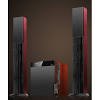
Figure 1: Front view of the F&D T400X Full Wooden 2.1 Tower Speakers system, showing the two tall tower speakers and the central subwoofer unit.
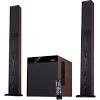
Figure 2: The F&D T400X Tower Speakers and subwoofer, accompanied by the remote control for convenient operation.
Setup
- Placement: Position the two tower speakers on either side of your listening area, and the subwoofer unit centrally, preferably on the floor for optimal bass response. Ensure adequate ventilation around all units.
- Connections:
- Connect the tower speakers to the subwoofer unit using the provided speaker cables.
- Connect the audio source (e.g., smartphone, tablet, laptop, gaming console) to the subwoofer unit using the Auxiliary (AUX) input cable.
- Plug the power cord from the subwoofer unit into a suitable AC power outlet.
Operating Instructions
- Power On/Off: Press the Power button on the subwoofer unit or the remote control to turn the speakers on or off. The LED display will illuminate when powered on.
- Input Selection: Press the "Input" or "Source" button on the subwoofer unit or remote control to cycle through available input modes:
- Bluetooth: Select Bluetooth mode to pair with a compatible device. The LED display will indicate "BT". Search for "F&D T400X" on your device and connect.
- Auxiliary (AUX): Select AUX mode for wired connections. The LED display will indicate "AUX".
- FM Radio: Select FM mode to listen to radio stations. Use the remote control to scan and select stations.
- Volume Control: Use the Volume Up/Down buttons on the subwoofer unit or remote control to adjust the master volume.
- Karaoke Function: The T400X features dual microphone inputs. Connect microphones (not included) to the designated ports on the subwoofer unit to use the karaoke function. Adjust microphone volume as needed.
- Remote Control: The included remote control provides full functionality for power, input selection, volume, track control (for Bluetooth/USB), and FM tuning.
Maintenance
- Cleaning: Use a soft, dry cloth to clean the speaker surfaces. Do not use liquid cleaners or abrasive materials.
- Storage: If storing the speakers for an extended period, unplug them from the power outlet and store them in a cool, dry place away from direct sunlight.
Troubleshooting
| Problem | Possible Cause | Solution |
|---|---|---|
| No power | Power cord not connected; Power outlet faulty. | Ensure power cord is securely plugged in; Test power outlet with another device. |
| No sound | Incorrect input selected; Volume too low; Audio cable not connected properly. | Select the correct input source; Increase volume; Check audio cable connections. |
| Bluetooth pairing issues | Device too far; Speakers not in pairing mode; Interference. | Ensure device is within range; Select Bluetooth input on speakers; Restart both devices. |
| Poor FM reception | Weak signal; Antenna not positioned correctly. | Adjust the position of the FM antenna; Try auto-scanning for stations again. |
Specifications
- Model Name: T400X
- Speaker Type: Tower
- Sound Channel Configuration: 2.1
- Connectivity Technology: Bluetooth, Auxiliary
- Wireless Communication Technology: Bluetooth
- Power Source: AC
- Wattage: 37.00 W
- Subwoofer Diameter: 8 Inches
- Tweeter Diameter: 1 Inches
- Special Features: Built-in Microphone inputs (Dual), Bright LED display
- Control Method: Remote
- Compatible Devices: Smartphone, Tablet, Laptop, Gaming Console
- Material: Wood
- Item Weight: 9.5 kg
- Product Dimensions (LxWxH): 33.6 x 40.8 x 43.6 cm
- Manufacturer: F&D
Warranty Information
The F&D T400X Tower Speakers come with a 1 Year Manufacturer's Warranty from the date of purchase. This warranty covers manufacturing defects under normal use. Please retain your purchase receipt as proof of purchase for warranty claims. The warranty does not cover damage caused by misuse, accidents, unauthorized modifications, or normal wear and tear.
Support
For technical assistance, service, or warranty claims, please contact F&D customer support. Refer to the contact information provided with your product packaging or visit the official F&D website for the most up-to-date support details.


