
1. Introduction
This manual provides essential information for the proper use and maintenance of LTWHOME replacement filter sponges. These sponges are designed to function as high-quality filter media for compatible Eheim Professional 3 external aquarium filters, ensuring optimal water quality in your aquatic environment.
2. Product Overview
The LTWHOME filter sponges are high-quality replacement media, manufactured from materials comparable to original Eheim sponges. They are designed for use with Eheim Professional 3 filtration systems. Each package contains one blue filter sponge and four white filter sponges. These sponges enhance biological filtration, help reduce water clogging, and provide effective, long-lasting filtration for both freshwater and saltwater aquarium environments.

Image 2.1: LTWHOME filter sponge pack, including one blue coarse filter sponge and four white fine filter sponges.
3. Compatibility
These LTWHOME filter sponges are compatible with the following Eheim Professional 3 external aquarium filter models:
- Eheim Professional 3 250 (Filter 2071)
- Eheim Professional 3 350 (Filter 2073)
- Eheim Professional 3e 350 (Filter 2074)
- Eheim Professional 3 600 (Filter 2075)
4. Setup and Installation
Follow these general steps for installing the filter sponges into your compatible Eheim Professional 3 filter. Always refer to your specific Eheim filter's instruction manual for detailed disassembly and reassembly procedures.
- Preparation: Disconnect your Eheim Professional 3 filter from the power supply and turn off any associated pumps. Close the inlet and outlet valves.
- Access Filter Media: Carefully open the filter head and remove the media baskets.
- Remove Old Media: Dispose of old, clogged filter sponges responsibly.
- Rinse New Sponges: Rinse the new LTWHOME filter sponges thoroughly under clean, dechlorinated water to remove any manufacturing dust. Do not use tap water directly from the faucet if it contains chlorine, as this can harm beneficial bacteria.
- Install Sponges: Place the blue coarse filter sponge in the designated coarse filtration compartment, typically at the bottom or first stage of filtration. Place the white fine filter sponges in the subsequent fine filtration compartments, following the media layering recommended by your Eheim filter's manual.
- Reassemble and Restart: Reassemble the filter, ensuring all seals are correctly seated. Reconnect the filter to the power supply and open the inlet and outlet valves. Prime the filter as per your Eheim filter's instructions to remove air before restarting.
5. Operating Instructions
Once installed, the filter sponges will continuously work within your Eheim Professional 3 filter to maintain water quality. The blue coarse sponge provides mechanical pre-filtration, trapping larger particles, while the white fine sponges offer further mechanical filtration and provide a large surface area for beneficial bacteria to colonize, contributing to biological filtration.
6. Maintenance
Regular maintenance of your filter sponges is crucial for optimal filter performance and aquarium health.
- Cleaning Frequency: The frequency of cleaning depends on your aquarium's bioload. Generally, coarse sponges may require rinsing every 2-4 weeks, while fine sponges can be rinsed every 1-2 months.
- Cleaning Procedure: When cleaning, gently rinse the sponges in old aquarium water removed during a water change. Avoid using tap water directly, as chlorine can kill beneficial bacteria. Do not scrub vigorously, as this can damage the sponge structure and remove too much beneficial bacteria.
- Replacement: Filter sponges should be replaced periodically, typically every 3-6 months for fine sponges and 6-12 months for coarse sponges, or when they show signs of significant degradation, clogging that cannot be rinsed out, or reduced filter flow despite cleaning. Replace sponges gradually over several weeks to avoid disrupting the biological filter.
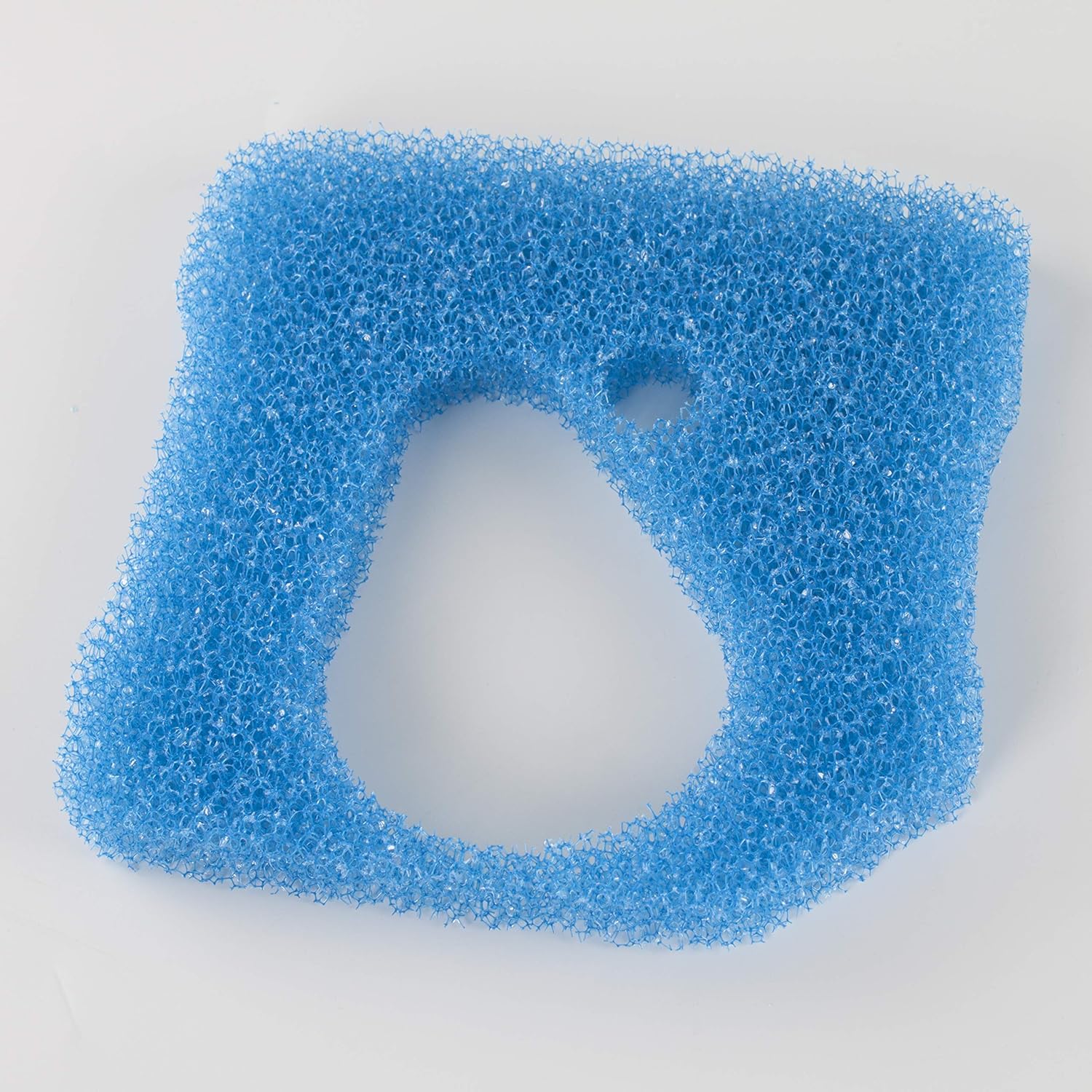

Image 6.1: Blue coarse filter sponge (left) and white fine filter sponge (right).
7. Troubleshooting
If you experience issues with your filter system after installing new sponges, consider the following:
- Reduced Water Flow: Check if the sponges are excessively clogged. If so, rinse or replace them. Ensure the filter is properly primed and free of air pockets.
- Cloudy Water: This could indicate insufficient filtration or a bacterial imbalance. Ensure sponges are clean and correctly installed. If recently replaced, allow time for beneficial bacteria to establish.
- Filter Leaks: Ensure the filter head is properly sealed and all O-rings are correctly seated and lubricated. This is typically not related to the filter media itself but to the filter's assembly.
8. Specifications
| Brand | LTWHOME |
| Model Number | EP3350B01P04 |
| Compatible Filter Models | Eheim Professional 3 250, 350, 600 (2071, 2073, 2074, 2075) |
| Color | 1 x Blue, 4 x White |
| Material | Carbon Fiber (Filter Media) |
| Item Weight | 50 grams |
| Package Dimensions | 18.39 x 17.91 x 10.79 cm |
| UPC | 703546658840 |
9. Warranty and Support
As these are replacement filter media, specific warranty information may vary. For any product-related inquiries, support, or concerns, please contact the seller directly through your purchase platform. Ensure you retain your proof of purchase for any potential claims.