1. Product Overview
The I-Tek Perfectday Foldable Extendable Bluetooth Selfie Stick is designed for capturing photos and videos with your smartphone. It features a built-in remote shutter for convenient operation and is compatible with both iOS and Android devices. Its compact, foldable design makes it portable, while its extendable arm allows for a wider range of shots.
Key Features:
- Non-Slip Soft Rubber Handle: Provides a secure and comfortable grip.
- Universal Compatibility: Designed to fit most mobile phones and cameras.
- Durable Construction: Made with stainless steel and plastic materials.
- Extendable Design: Collapses to 10.6 inches and extends up to 44 inches for versatile shooting.
- Adjustable Ball Head: Features a thumb screw lock for 360-degree position adjustments, enabling multiple angle shooting.
- Integrated Bluetooth Remote Shutter: Pairs with iOS and Android devices for remote photo capture.
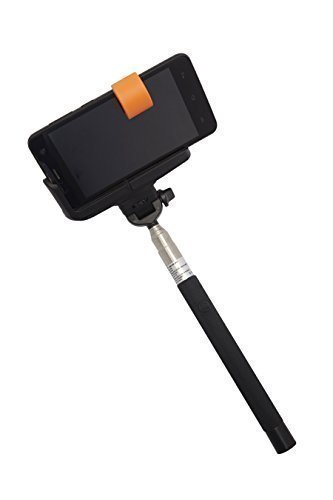
Figure 1: The I-Tek Selfie Stick with a smartphone securely mounted in the adjustable holder, ready for use. The stick is partially extended, showcasing its design.
2. Package Contents
Please verify that all items are present in the package:
- I-Tek Perfectday Foldable Extendable Bluetooth Selfie Stick
- USB Charging Cable (for remote shutter)
Note: The USB charging cable is essential for the Bluetooth remote shutter. Please ensure it is included in your packaging.
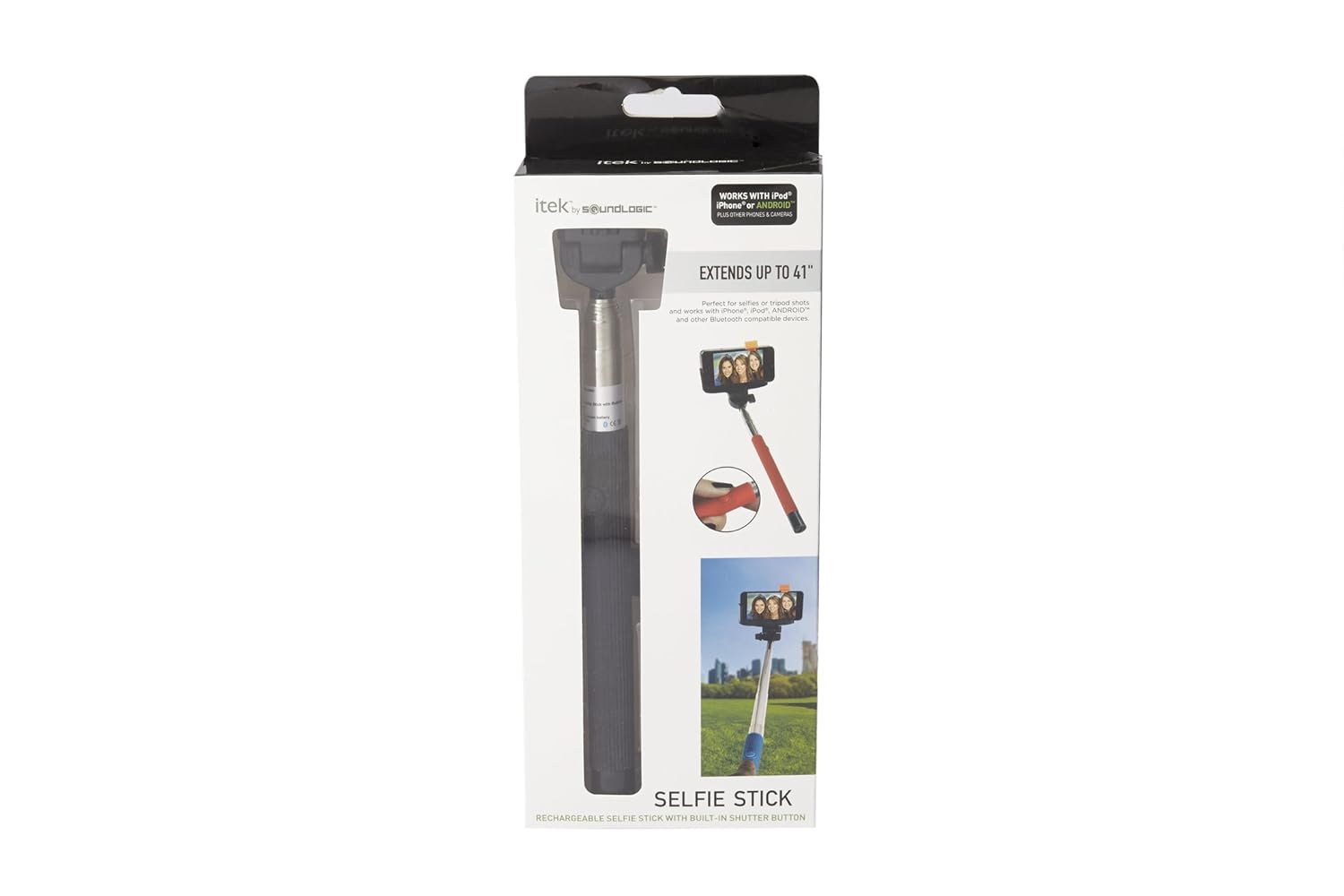
Figure 2: The retail packaging for the I-Tek Selfie Stick, illustrating its key features and how it extends. The package displays compatibility with iOS and Android devices.
3. Setup Instructions
3.1 Charging the Remote Shutter
- Locate the charging port on the handle of the selfie stick (refer to Figure 3).
- Connect the provided USB charging cable to the port and to a USB power source.
- Allow the device to charge fully before first use. An indicator light (if present) will typically change color or turn off when charging is complete.

Figure 3: A close-up view of the selfie stick's handle, highlighting the micro-USB charging port and the ON/OFF switch for the Bluetooth remote shutter.
3.2 Pairing with Your Smartphone
- Ensure your smartphone's Bluetooth is enabled.
- Turn on the selfie stick's remote shutter by sliding the ON/OFF switch (refer to Figure 3). An indicator light should begin to flash, indicating pairing mode.
- On your smartphone, go to Bluetooth settings and search for available devices.
- Select "iTek Selfie Stick" or a similar name from the list of devices.
- Once paired, the indicator light on the selfie stick will typically stop flashing and remain solid, or turn off.
3.3 Attaching Your Smartphone
- Gently pull apart the adjustable phone holder clamps.
- Carefully insert your smartphone into the holder, ensuring it is securely gripped by both clamps.
- Adjust the phone holder's angle using the adjustable ball head and thumb screw lock for optimal positioning.

Figure 4: The I-Tek Selfie Stick in its compact, folded position, demonstrating its portability when not in use.
4. Operating Instructions
4.1 Extending and Retracting the Stick
- To extend: Hold the handle firmly and gently pull the phone holder upwards until the desired length is reached. The stick can extend up to 44 inches.
- To retract: Push the phone holder back towards the handle until it is fully collapsed to 10.6 inches.

Figure 5: The I-Tek Selfie Stick fully extended, illustrating its maximum reach for wider angle shots.
4.2 Taking Photos/Videos
- Once your smartphone is securely attached and paired via Bluetooth, open your smartphone's camera application.
- Position the selfie stick and adjust the angle as desired.
- Press the button on the selfie stick's handle to remotely trigger your smartphone's camera shutter.
- For video recording, start recording via your phone's camera app, then use the stick to position your phone. The remote button typically functions as a shutter release for photos, not a video start/stop button.
5. Maintenance
- Cleaning: Wipe the selfie stick with a soft, dry cloth. Avoid using harsh chemicals or abrasive cleaners.
- Storage: Store the selfie stick in a cool, dry place when not in use. Retract the stick fully to its compact size for storage.
- Battery Care: To prolong battery life, avoid fully discharging the remote shutter's battery frequently. Charge it regularly.
- Handle with Care: Avoid excessive force when extending or retracting the stick, or when adjusting the phone holder.
6. Troubleshooting
6.1 Remote Shutter Not Working
- Check Battery: Ensure the remote shutter is charged. Refer to Section 3.1.
- Check Power: Verify the ON/OFF switch is in the 'ON' position.
- Re-pair Device: Unpair the selfie stick from your phone's Bluetooth settings and then re-pair it. Refer to Section 3.2.
- App Compatibility: Ensure your camera app is compatible with external Bluetooth shutters. Some third-party camera apps may require specific settings.
- Phone Settings: On some Android phones, the volume button can be configured as a shutter button. Ensure this setting is enabled if the remote uses volume commands.
6.2 Phone Not Fitting Securely
- Remove Case: If your phone has a bulky case, try removing it to ensure a better fit in the holder.
- Check Dimensions: Verify your phone's dimensions are within the supported range of the selfie stick holder.
6.3 Stick Not Extending/Retracting Smoothly
- Clean: Check for any dirt or debris in the telescopic sections and gently clean if necessary.
- Avoid Force: Do not force the stick. If it's stiff, ensure it's not bent or damaged.
7. Specifications
| Feature | Detail |
|---|---|
| Brand | I-Tek |
| Model Number | SLSOB_BK |
| Connectivity | Bluetooth (Wireless) |
| Compatible Devices | Smartphone, Camera |
| Folded Size | 10.6 inches |
| Extended Length | Up to 44 inches |
| Adjustable Head | 360-degree position with ball head and thumb screw lock |
| Handle Material | Non-slip soft rubber |
| Construction Material | Stainless Steel and Plastic |
| Item Weight | 220 g |
| Colour | Black |
| UPC | 044902500626 |
8. Warranty and Support
Specific warranty information for the I-Tek Perfectday Foldable Extendable Bluetooth Selfie Stick (Model SLSOB_BK) is not provided in the product details. For warranty claims, technical support, or further assistance, please contact the retailer or manufacturer directly.
Manufacturer: Acetron Enterprise Pvt Ltd