
1. Introduction
This manual provides instructions for the safe and efficient use of your Vivitar Infinite Bluetooth Speaker Soundbar. Please read this manual thoroughly before operating the device and retain it for future reference.
The Vivitar Infinite Bluetooth Speaker Soundbar is designed to provide portable audio playback via Bluetooth connectivity. It features a built-in rechargeable battery for wireless operation and includes controls for music navigation and call management.
2. Package Contents and Device Overview
2.1 Package Contents
- Vivitar Infinite Bluetooth Speaker Soundbar
- USB Charging Cable
- Auxiliary Audio Cable
- User Manual (this document)
2.2 Device Overview
Familiarize yourself with the speaker's controls and ports.
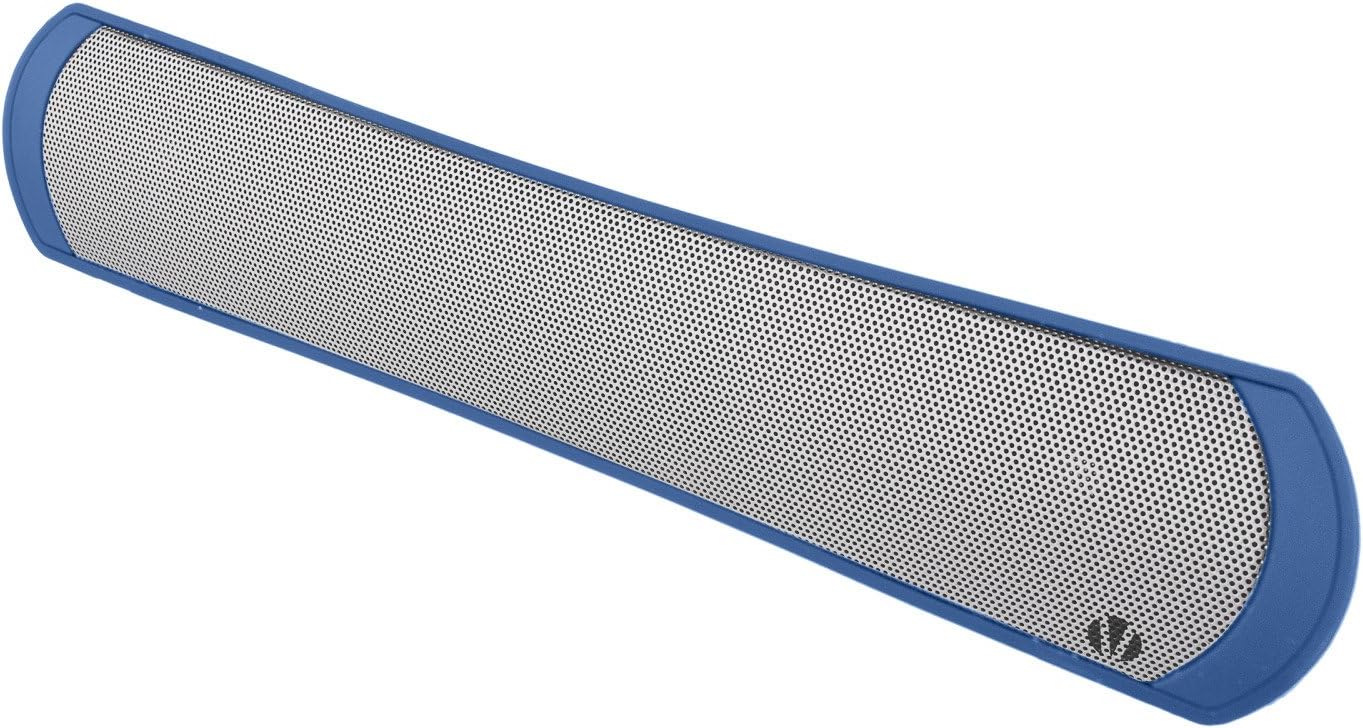
Figure 1: Front view of the Vivitar Infinite Bluetooth Speaker Soundbar. This image displays the speaker's grille and overall shape.

Figure 2: Rear view of the Vivitar Infinite Bluetooth Speaker Soundbar, highlighting the control buttons and various input/output ports. These include the power button, volume/track controls, USB port, DC 5V/USB charging port, TF card slot, and AUX input.
Control Buttons and Ports:
- Power Button: Used to turn the speaker on or off.
- Play/Pause Button: Controls music playback and answers/ends calls.
- Volume Up / Next Track Button: Increases volume with a short press, skips to the next track with a long press.
- Volume Down / Previous Track Button: Decreases volume with a short press, skips to the previous track with a long press.
- DC 5V/USB Charging Port: For connecting the charging cable.
- USB Port: For playing music from a USB flash drive.
- TF Card Slot: For playing music from a TF (MicroSD) card.
- AUX Input: For connecting external audio devices via a 3.5mm audio cable.
3. Setup
3.1 Charging the Speaker
- Before first use, fully charge the speaker.
- Connect the small end of the USB charging cable to the DC 5V/USB Charging Port on the speaker.
- Connect the large end of the USB charging cable to a USB power adapter (not included) or a computer's USB port.
- The charging indicator light will illuminate during charging and turn off when fully charged.
Note: Use a 5V/500mA USB charger for optimal charging. Avoid using chargers with higher amperage as this may damage the battery over time.
3.2 Powering On/Off
- To power on: Press and hold the Power Button until the indicator light illuminates and you hear an audible prompt.
- To power off: Press and hold the Power Button again until the indicator light turns off and you hear an audible prompt.
4. Operation
4.1 Bluetooth Pairing
- Ensure the speaker is powered on and in Bluetooth pairing mode (indicated by a flashing LED light, typically blue).
- On your smartphone, tablet, or other Bluetooth-enabled device, go to the Bluetooth settings menu.
- Enable Bluetooth and search for available devices.
- Select "Vivitar Infinite" (or similar name) from the list of found devices.
- Once paired, the speaker will emit an audible confirmation, and the LED indicator will typically stop flashing and remain solid.
- You can now play audio from your device through the speaker.
Note: The speaker will automatically attempt to reconnect to the last paired device when powered on, if that device is within range and has Bluetooth enabled.
4.2 Music Playback
- Play/Pause: Press the Play/Pause Button to start or pause music playback.
- Next Track: Long press the Volume Up / Next Track Button to skip to the next song.
- Previous Track: Long press the Volume Down / Previous Track Button to go to the previous song.
- Volume Control: Short press the Volume Up / Next Track Button to increase volume. Short press the Volume Down / Previous Track Button to decrease volume.
4.3 Hands-Free Calling
When paired with a smartphone, the speaker can be used for hands-free calls.
- Answer Call: Press the Play/Pause Button once to answer an incoming call.
- End Call: Press the Play/Pause Button once during a call to end it.
- Reject Call: Press and hold the Play/Pause Button for approximately 2 seconds to reject an incoming call.
4.4 Using USB Drive or TF Card
- Insert a USB flash drive into the USB Port or a TF (MicroSD) card into the TF Card Slot.
- The speaker will automatically detect the storage device and begin playing audio files (MP3 format typically supported).
- Use the Play/Pause, Next Track, and Previous Track buttons to control playback.
4.5 AUX Input Mode
- Connect one end of a 3.5mm auxiliary audio cable (not included) to the AUX Input port on the speaker.
- Connect the other end of the cable to the headphone jack or audio output of your external audio device.
- The speaker will automatically switch to AUX mode.
- Control playback and volume from your external audio device.
5. Maintenance
5.1 Cleaning
- Wipe the speaker's exterior with a soft, dry cloth.
- Do not use abrasive cleaners, waxes, or solvents.
- Avoid getting moisture into any openings.
5.2 Storage
- Store the speaker in a cool, dry place away from direct sunlight and extreme temperatures.
- If storing for an extended period, charge the battery periodically to maintain its lifespan.
5.3 Battery Care
- Do not expose the battery to excessive heat or fire.
- Do not attempt to replace the battery yourself. Contact qualified service personnel.
- Dispose of batteries according to local regulations.
6. Troubleshooting
| Problem | Possible Cause | Solution |
|---|---|---|
| Speaker does not turn on. | Battery is depleted. | Charge the speaker fully. |
| No sound from speaker. | Volume is too low on speaker or connected device. Device not properly paired (Bluetooth). Incorrect input mode selected. | Increase volume on both speaker and connected device. Re-pair the Bluetooth device. Ensure correct mode (Bluetooth, AUX, USB, TF) is active. |
| Bluetooth pairing fails. | Speaker is not in pairing mode. Device is too far from speaker. Interference from other devices. | Ensure speaker is in pairing mode (flashing LED). Move device closer to speaker (within 10 meters). Turn off other Bluetooth devices temporarily. |
| Poor sound quality. | Low battery. Device too far from speaker (Bluetooth). Audio source quality is low. | Charge the speaker. Move device closer to speaker. Try a different audio source or file. |
| Speaker not charging. | Charging cable is faulty or not properly connected. USB power source is not providing power. | Check cable connections. Try a different USB cable or power adapter. |
7. Specifications
| Model Number | VBTS20158 |
| Brand | Vivitar |
| Wireless Technology | Bluetooth |
| Power Source | Battery Powered (Rechargeable) |
| Battery Type | 2 Lithium Ion batteries (included) |
| Speaker Type | Soundbar |
| Special Feature | Portable, Hands-Free Call Management |
| Compatible Devices | Smartphones, Tablets, Computers |
| Item Weight | 0.7 Pounds (approximately 11.2 ounces) |
| Waterproof | No |
| Manufacturer | Sakar International, Inc. |
8. Warranty & Support
8.1 Limited Warranty
Vivitar products are manufactured by Sakar International, Inc. This product is covered by a limited warranty against defects in materials and workmanship for a period specified by the manufacturer. Please refer to the warranty card included with your purchase or visit the manufacturer's website for detailed warranty terms and conditions.
This warranty does not cover damage caused by misuse, neglect, accident, alteration, or unauthorized repair.
8.2 Customer Support
For technical support, warranty inquiries, or replacement parts, please contact Vivitar customer service. Contact information can typically be found on the product packaging, the manufacturer's website, or by searching online for "Vivitar customer support".
When contacting support, please have your product model number (VBTS20158) and proof of purchase readily available.


