
Introduction
The Pulox PO-100 Finger Pulse Oximeter is designed for reliable and non-invasive measurement of oxygen saturation (SpO2) and pulse rate directly from your finger. This device is suitable for home use for self-monitoring of oxygen saturation in cases of acute or chronic respiratory diseases such as COPD, bronchial asthma, or for athletes. Its compact size makes it portable and easy to use.

Image: The Pulox PO-100 Finger Pulse Oximeter, a compact device for measuring SpO2 and pulse rate.
Setup
1. Battery Installation
The Pulox PO-100 requires two AAA batteries (included). Follow these steps to install them:
- Locate the battery compartment cover on the back of the device.
- Slide the cover open in the direction indicated by the arrow.
- Insert two AAA batteries, ensuring the positive (+) and negative (-) terminals match the indicators inside the compartment.
- Close the battery compartment cover by sliding it back into place until it clicks.

Image: The open battery compartment of the Pulox PO-100, showing where to insert the two AAA batteries.
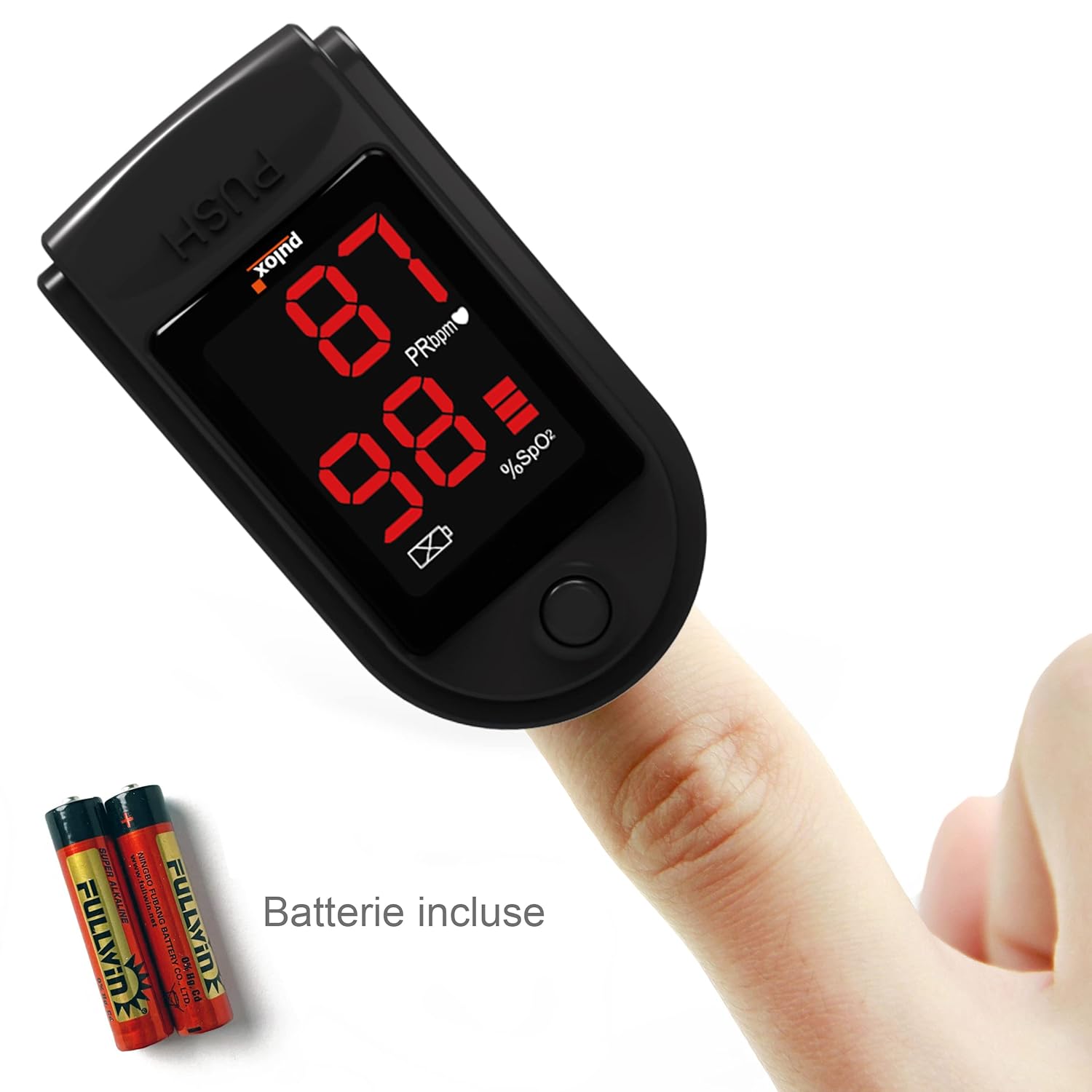
Image: The Pulox PO-100 with two AAA batteries placed next to it, indicating they are included and ready for installation.
Operating Instructions
Using the Pulox PO-100 is straightforward. Follow these steps for accurate measurements:
- Ensure the device has fresh batteries installed.
- Open the clamp of the oximeter.
- Insert one of your fingers (preferably the index finger) into the rubber opening of the oximeter, ensuring the nail is facing upwards towards the display.
- Release the clamp, allowing the oximeter to gently grip your finger.
- Press the power button once to turn on the device.
- Keep your hand still during the measurement. The device will automatically begin measuring your SpO2 and pulse rate.
- The readings will appear on the LED display within a few seconds. The display shows SpO2 percentage, pulse rate (PRbpm), and a pulse bar graph.
- To turn off the device, simply remove your finger. The oximeter will automatically shut off after approximately 8 seconds of inactivity to conserve battery life.
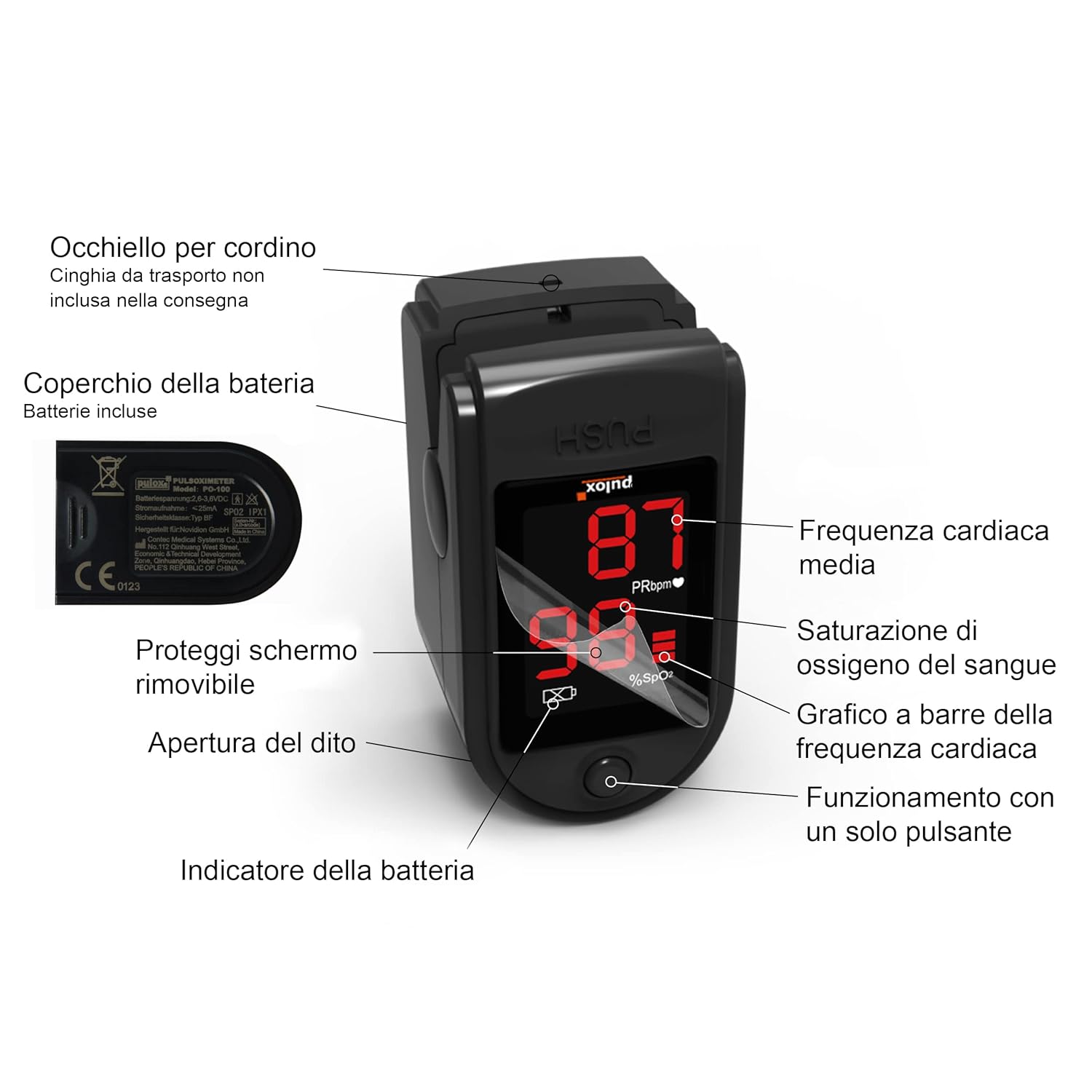
Image: Diagram of the Pulox PO-100 showing key components: lanyard hole, battery cover, removable screen protector, finger opening, battery indicator, average heart rate, blood oxygen saturation, heart rate bar graph, and single button operation.

Image: A Pulox PO-100 pulse oximeter in use on a person's finger, displaying readings for SpO2 and pulse rate.
Maintenance
Cleaning
- Clean the surface of the oximeter with a soft cloth dampened with medical alcohol (70% ethanol or isopropanol) before and after each use.
- Do not immerse the device in water or any other cleaning solution.
- Ensure the device is completely dry before use.
Storage
- Store the oximeter in a cool, dry place, away from direct sunlight, extreme temperatures, and humidity.
- If the device will not be used for an extended period, remove the batteries to prevent leakage.
Battery Replacement
When the battery indicator on the display shows low power, replace both AAA batteries promptly to ensure accurate readings.
Troubleshooting
| Problem | Possible Cause | Solution |
|---|---|---|
| No display after turning on. | Batteries are dead or incorrectly installed. | Replace batteries or re-install them correctly, observing polarity. |
| Inaccurate or unstable readings. |
|
|
| Device turns off automatically. | Automatic power-off feature (after 8 seconds of inactivity). | This is normal operation. Re-insert finger and press button to restart. |
Specifications
| Feature | Detail |
|---|---|
| Brand | Pulox |
| Model | PO-100 Solo |
| Color | Black |
| Measurement Range (SpO2) | 35-99% |
| Batteries Required | 2 AAA (included) |
| Battery Life | Approximately 40 hours |
| Item Weight | 50 Grams |
Warranty Information
Please refer to the warranty card included with your product for detailed warranty terms and conditions. Typically, Pulox products come with a standard manufacturer's warranty covering defects in materials and workmanship from the date of purchase. Keep your proof of purchase for warranty claims.
Customer Support
For technical assistance, troubleshooting beyond this manual, or warranty inquiries, please contact Pulox customer support. Contact details can usually be found on the product packaging or the official Pulox website. When contacting support, please have your product model (PO-100 Solo) and purchase information ready.
You can also visit the official Pulox brand store for more information: Pulox Brand Store

