
Introduction
This manual provides detailed instructions for the operation and maintenance of your Soundmaster UR200 White Alarm Clock Radio. Please read this manual thoroughly before using the device to ensure proper functionality and to prevent damage.
The Soundmaster UR200 is a versatile alarm clock radio featuring PLL FM radio, a dimmable display, dual alarms with weekend function, and various alarm modes including radio or buzzer. It also includes convenient sleep and snooze functions, along with a date display.
Product Overview

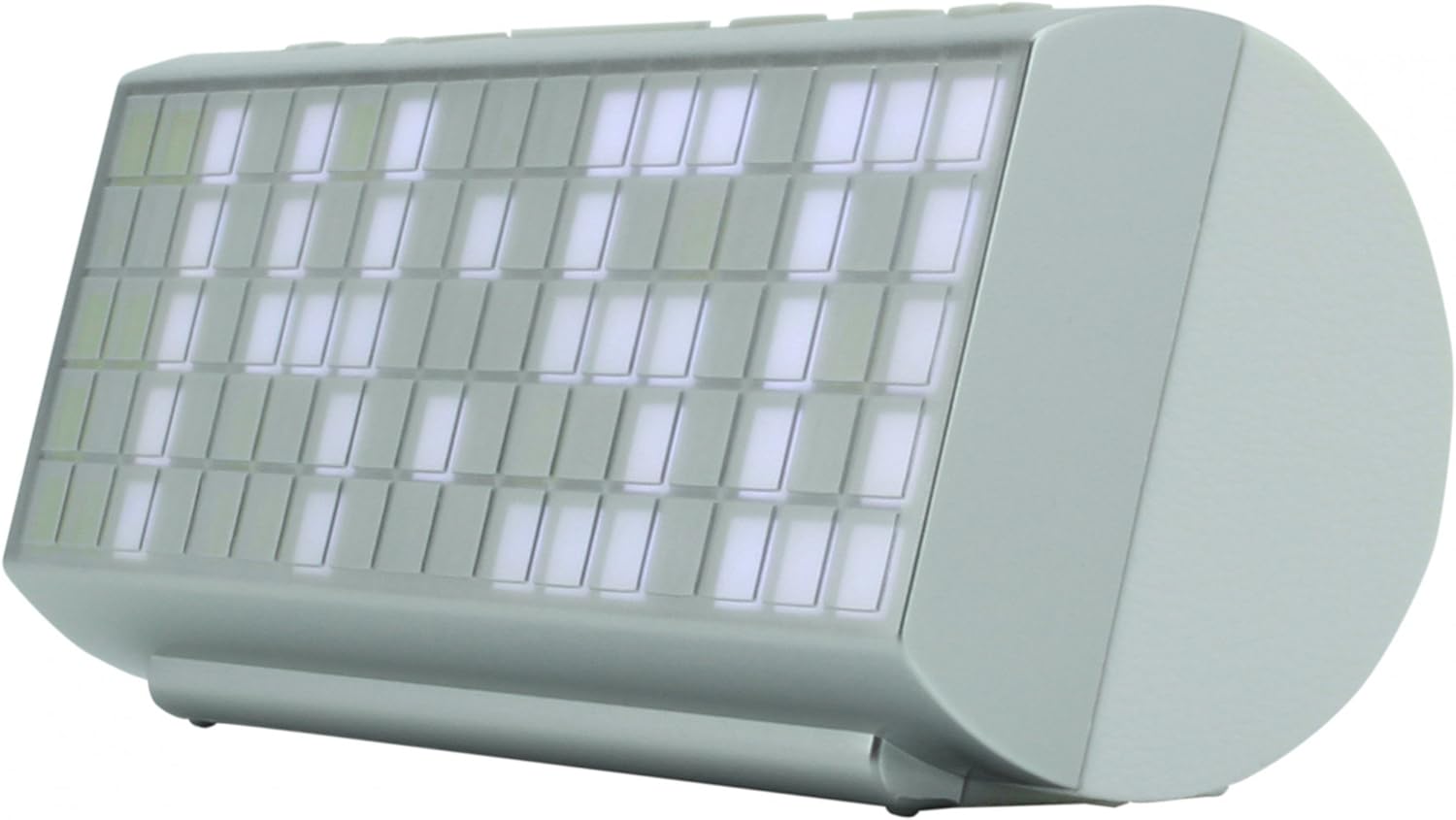

Key Features:
- PLL FM Radio with 10 preset stations
- Dimmable display brightness
- Two programmable alarms with weekend function; wake up with radio or buzzer
- NAP timer - Sleep function - Snooze function
- Date display
Setup
1. Power Connection:
Connect the provided power adapter to the DC input jack on the back of the UR200. Plug the adapter into a standard wall outlet (AC 230V ~ 50Hz). The unit will power on and the display will illuminate.
2. Battery Backup (Optional):
For time and alarm settings backup during power outages, insert 2 x AAA batteries (not included) into the battery compartment located on the bottom of the unit. Ensure correct polarity (+/-) when inserting batteries.
3. Antenna Setup:
Extend the FM wire antenna fully for optimal radio reception. Adjust its position to improve signal clarity if needed.
Operating Instructions
1. Setting the Time:
- In standby mode, press and hold the TIME SET button. The hour digits will flash.
- Use the HOUR and MINUTE buttons to adjust the time.
- Press TIME SET again to confirm and exit.
2. Setting Alarms (Alarm 1 & Alarm 2):
- Press and hold the ALARM 1 or ALARM 2 button. The alarm time will flash.
- Use the HOUR and MINUTE buttons to set the desired alarm time.
- Press the respective ALARM button again to select the alarm source (Radio or Buzzer). An icon will appear on the display.
- Press the ALARM button one more time to activate/deactivate the alarm.
3. FM Radio Operation:
- Press the POWER button to turn on the radio.
- Press the TUNING +/- buttons to manually tune to a station.
- Press and hold TUNING +/- for automatic scanning to the next available station.
- To save a preset station: Tune to the desired station, then press and hold the PRESET button until the preset number flashes. Use PRESET +/- to select a preset number (1-10), then press PRESET again to confirm.
- To recall a preset station: Press the PRESET button repeatedly to cycle through saved stations.
4. Snooze and Sleep Functions:
- Snooze: When the alarm sounds, press the SNOOZE button to temporarily silence the alarm for approximately 9 minutes.
- Sleep: While the radio is playing, press the SLEEP button repeatedly to set a sleep timer (e.g., 90, 60, 30, 15 minutes). The radio will automatically turn off after the selected time.
5. Display Brightness:
Press the DIMMER button to cycle through different display brightness levels (High, Low, Off).
Maintenance
- Cleaning: Use a soft, dry cloth to clean the exterior of the unit. Do not use abrasive cleaners or solvents, as they may damage the finish.
- Storage: If the unit will not be used for an extended period, disconnect it from the power outlet and remove the backup batteries. Store in a cool, dry place.
- Battery Replacement: Replace backup batteries annually or when the display shows signs of dimming during a power outage.
Troubleshooting
| Problem | Possible Cause | Solution |
|---|---|---|
| Unit does not power on. | Power adapter not connected or faulty. | Ensure power adapter is securely plugged into the unit and a working wall outlet. |
| Poor FM reception. | Antenna not extended or poor signal area. | Fully extend the FM wire antenna and reposition it for better reception. Try moving the unit to a different location. |
| Alarm does not sound. | Alarm not activated or set incorrectly. | Verify alarm time and source are set correctly. Ensure the alarm icon is displayed. Check volume level if radio alarm is selected. |
| Display is too bright/dim. | Brightness setting needs adjustment. | Press the DIMMER button to cycle through brightness levels. |
Specifications
| Feature | Detail |
|---|---|
| Brand | Soundmaster |
| Model Number | UR200WE |
| Color | White |
| Product Dimensions (L x W x H) | 30 x 20 x 20 cm (approx. 11.8 x 7.9 x 7.9 inches) |
| Item Weight | 560 g (approx. 1.23 lbs) |
| Material | Plastic (Acrylonitrile Butadiene Styrene frame) |
| Power Source | Mains powered (AC adapter), Battery powered (for backup) |
| Voltage | 3 Volts (for battery backup) |
| Special Features | Calendar, Alarm function, Integrated speaker, Volume control |
| Radio Type | PLL FM Radio |
| Preset Stations | 10 |
| Display | Dimmable LED display |
| Alarm Functions | Dual programmable alarms, Weekend function, Radio/Buzzer wake-up, NAP timer, Snooze, Sleep |
Warranty and Support
Soundmaster products are designed for reliability and performance. For warranty information, please refer to the warranty card included with your purchase or visit the official Soundmaster website. Keep your proof of purchase for any warranty claims.
For technical support, troubleshooting assistance beyond this manual, or spare parts inquiries, please contact Soundmaster customer service. Contact details can typically be found on the manufacturer's website or on the product packaging.
Manufacturer: Soundmaster
Country of Origin: Germany


