Introduction
Thank you for purchasing the Comfort Zone CZHD24 Ultrasonic Humidifier. This device is designed to provide soothing cool mist for improved air quality in your home or office. Please read this manual thoroughly before operation to ensure proper use, maintenance, and safety.
Important Safeguards
READ ALL INSTRUCTIONS BEFORE USING THIS HUMIDIFIER.
- Always place the humidifier on a firm, flat, level surface. A waterproof mat or pad is recommended under the humidifier.
- Do not place the humidifier on carpet, near heat sources, or in direct sunlight.
- Do not block air vents.
- Do not immerse the base in water or other liquids.
- Unplug the unit from the power outlet when not in use, when filling or emptying, and during cleaning.
- Do not operate the humidifier with a damaged cord or plug, or if the unit malfunctions or has been dropped or damaged in any manner.
- Keep out of reach of children and pets.
- Use only clean, cool tap water. Do not add essential oils or other additives directly into the water tank or base, as this may damage the unit and void the warranty.
- Do not attempt to repair or adjust any electrical or mechanical functions on this unit. Doing so will void your warranty.
- This appliance has a polarized plug (one blade is wider than the other). To reduce the risk of electric shock, this plug is intended to fit into a polarized outlet only one way. If the plug does not fit fully into the outlet, reverse the plug. If it still does not fit, contact a qualified electrician. Do not attempt to defeat this safety feature.
Product Components
Familiarize yourself with the parts of your Comfort Zone CZHD24 Humidifier:
- Water Tank: Holds up to 0.6 gallons of water.
- Base Unit: Contains the ultrasonic transducer and control electronics.
- Mist Outlet Nozzles: Dual, 360-degree adjustable nozzles for directing mist.
- Control Knob: Adjusts mist intensity and acts as the power switch.
- Power Indicator Light: Illuminates when the unit is operating.
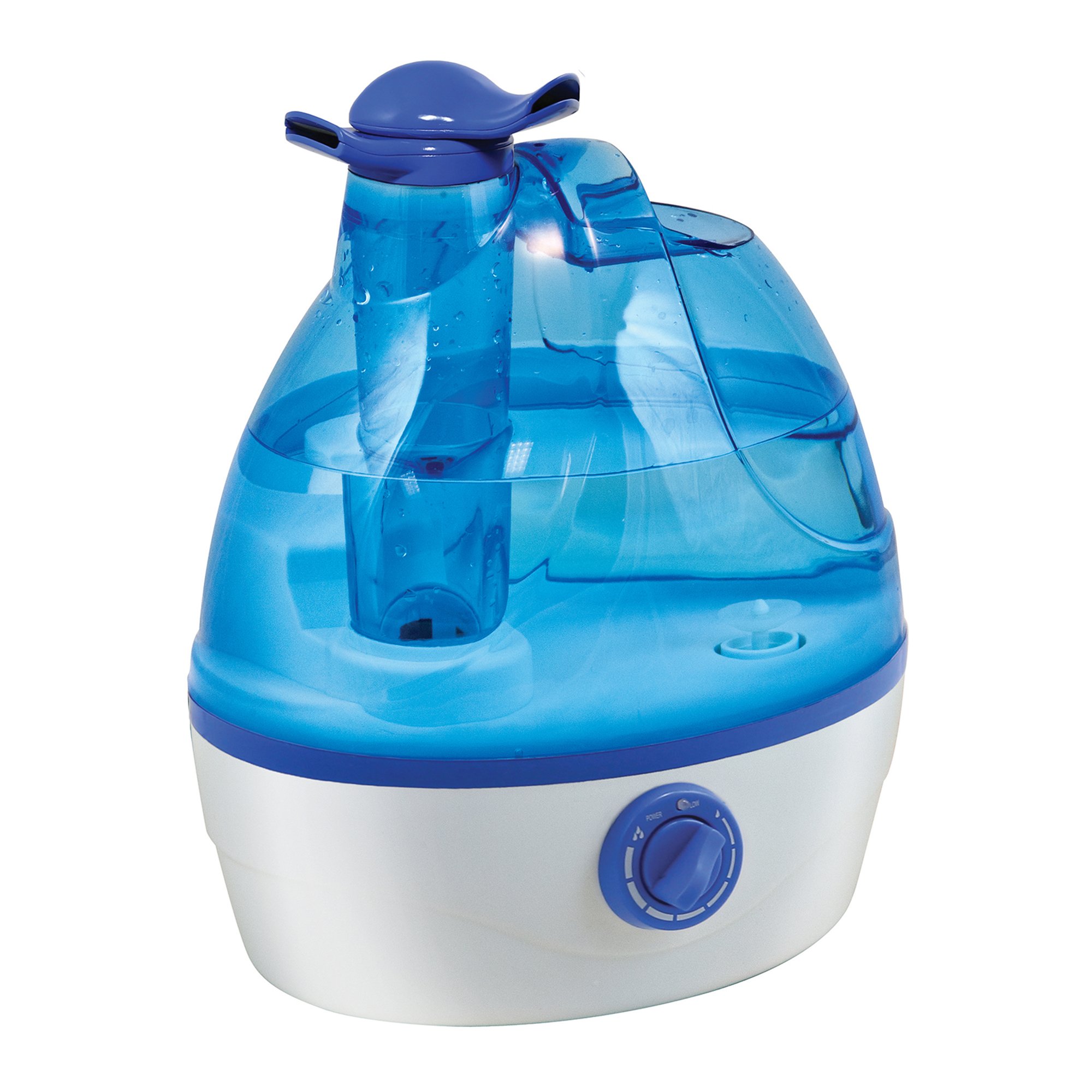
Figure 1: Overall view of the Comfort Zone CZHD24 Ultrasonic Humidifier.
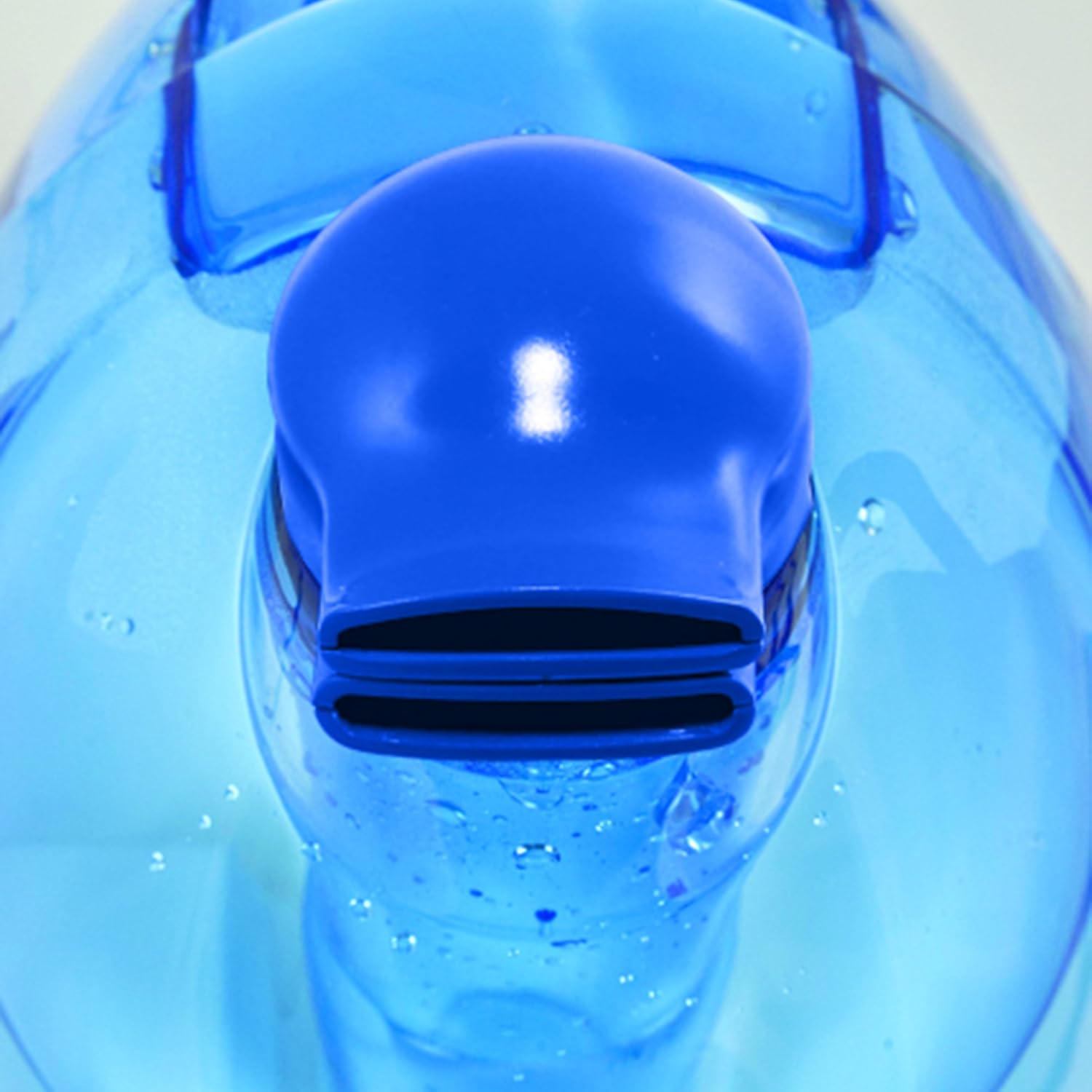
Figure 2: Dual mist outlet nozzles, allowing for 360-degree mist direction.
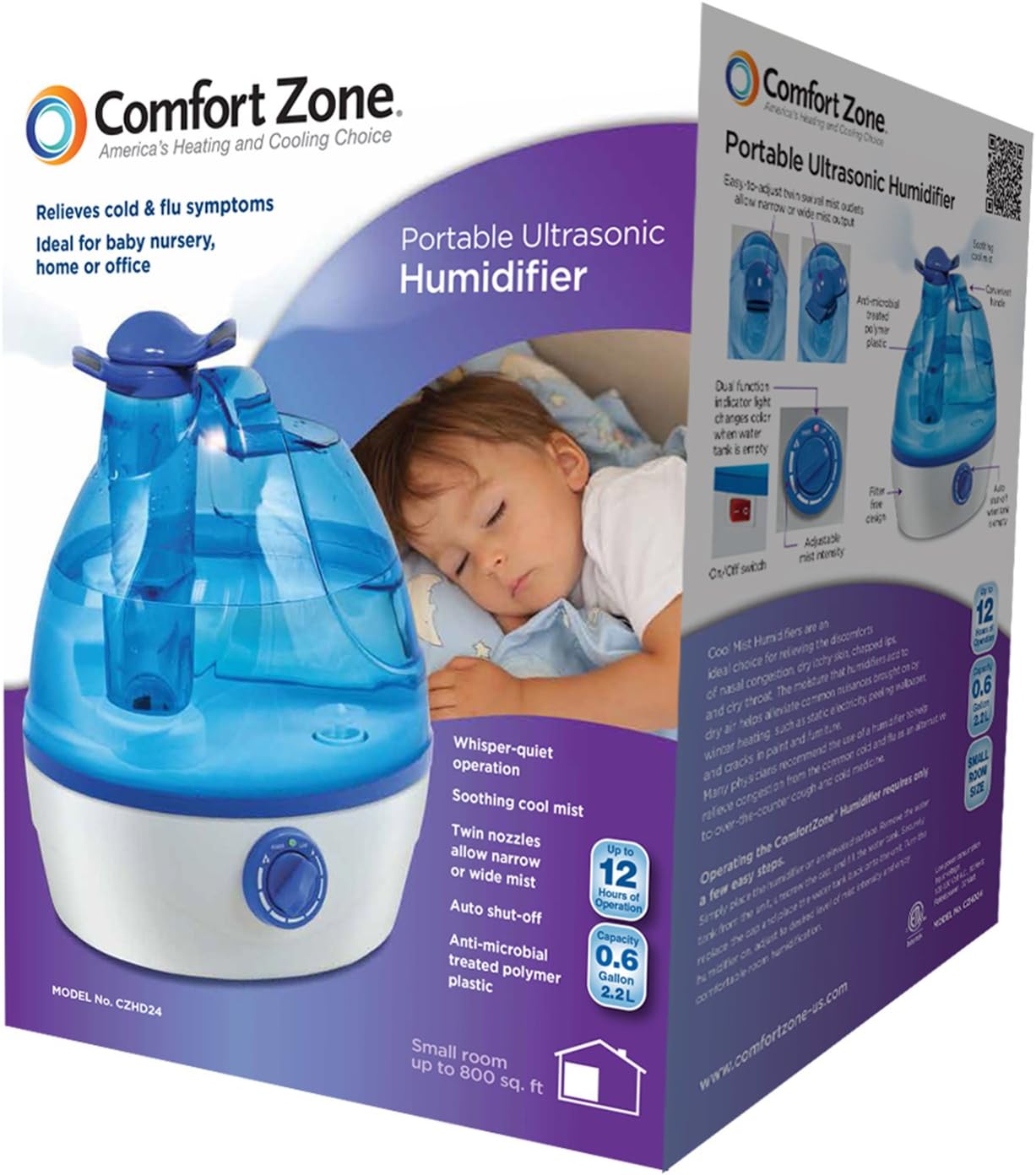
Figure 3: The control knob for power and mist intensity adjustment.

Figure 4: The main power switch located on the base unit.
Setup Instructions
- Unpack: Carefully remove the humidifier from its packaging. Retain packaging for future storage.
- Placement: Place the humidifier on a firm, flat, water-resistant surface at least 6 inches away from walls and furniture. Ensure the mist is directed away from walls, furniture, and electronics.
- Fill Water Tank:
- Remove the water tank from the base unit.
- Unscrew the tank cap at the bottom of the tank.
- Fill the tank with cool, clean tap water. Do not use hot water.
- Securely screw the tank cap back on.
- Place the filled water tank back onto the base unit, ensuring it is seated correctly.
- Connect Power: Plug the power cord into a standard 120V AC electrical outlet.
Operating Instructions
- Power On: Turn the control knob clockwise from the "OFF" position. The power indicator light will illuminate, and the unit will begin to produce mist.
- Adjust Mist Intensity: Continue turning the control knob clockwise to increase the mist output. Turn it counter-clockwise to decrease the mist output.
- Direct Mist: Adjust the dual mist outlet nozzles to direct the mist in your desired direction. The nozzles can be rotated 360 degrees independently.
- Auto Shut-Off: The humidifier features an automatic shut-off function. When the water tank is empty, the unit will stop producing mist, and the power indicator light may change color or turn off, depending on the model.
- Refilling: When the unit automatically shuts off due to an empty tank, unplug the unit, remove the tank, refill it as per the "Setup Instructions," and replace it. Plug the unit back in and turn the control knob to resume operation.
- Power Off: Turn the control knob counter-clockwise until it clicks into the "OFF" position. Unplug the unit from the power outlet when not in use.
Note: For optimal performance, use distilled or demineralized water to prevent mineral buildup and white dust, especially in hard water areas.
Care and Maintenance
Regular cleaning is essential for optimal performance and to prevent mineral buildup and bacterial growth. This humidifier features a filter-free design, simplifying maintenance.
Daily Maintenance:
- Unplug the unit.
- Empty any remaining water from the tank and base.
- Rinse the water tank and base with fresh water.
- Allow all parts to air dry before reassembly or storage.
Weekly Cleaning (or more often with heavy use/hard water):
- Unplug and Disassemble: Ensure the unit is unplugged. Remove the water tank and mist nozzles.
- Clean Water Tank:
- Unscrew the tank cap.
- Fill the tank with a mixture of 2 tablespoons of white vinegar and 1 gallon of water.
- Let it stand for 20 minutes.
- Shake vigorously, then empty the tank.
- Rinse thoroughly with clean water until the vinegar smell is gone.
- Clean Base Unit:
- Pour 1 cup of undiluted white vinegar into the base reservoir, covering the ultrasonic transducer (the small metal disc).
- Let it soak for 20 minutes.
- Gently scrub the transducer and reservoir with a soft brush or cloth to remove mineral buildup.
- Empty the vinegar solution and rinse the base thoroughly with clean water. Do not immerse the base in water.
- Clean Mist Nozzles: Wipe the nozzles with a damp cloth.
- Dry and Reassemble: Allow all parts to air dry completely before reassembling the unit.
Caution: Do not use harsh chemicals, abrasive cleaners, or scouring pads to clean the humidifier, as this may damage the surfaces or internal components.
Troubleshooting
| Problem | Possible Cause | Solution |
|---|---|---|
| No mist output |
|
|
| Weak mist output |
|
|
| White dust around humidifier | Hard water minerals. | Use distilled or demineralized water. Clean the unit regularly. |
| Unusual odor | Stagnant water or mineral buildup. | Empty and clean the water tank and base thoroughly. Use fresh water daily. |
Specifications
- Model: CZHD24
- Brand: Comfort Zone
- Operation Mode: Ultrasonic
- Capacity: 0.6 Gallons
- Run Time: Up to 12 hours (depending on mist setting)
- Dimensions (D x W x H): 8.25" x 10.5" x 7"
- Item Weight: 2.1 Pounds
- Special Feature: Adjustable Humidity Control, Dual Nozzles
- Room Type: Bedroom
- Power: 120 Volts, 60 Hertz, AC
- Features: Whisper-quiet operation, Filter-free design, Auto shut-off when tank is empty.
Warranty and Support
Comfort Zone products are warranted to the original consumer to be free of defects in material and workmanship for twelve (12) months from the original date of purchase. This warranty does not cover products modified outside our factory, damage or failure caused by acts of God, abuse, misuse, abnormal usage, faulty installation, or failure to follow suggested maintenance procedures.
If this unit fails because of a manufacturing defect within 30 days of purchase, return the unit, with your receipt, to the retailer. After 30 days, but within the warranty period, if the unit was purchased within the continental United States, return it, freight prepaid, to Comfort Zone for repair or replacement. If the unit was purchased outside the continental United States, return the unit to the place of purchase.
This warranty does not cover damage due to accidents, operation on other than 120 volts, 60 hertz, AC current, or any other abuse. All implied warranties, including the warranties of merchantability and of fitness of purpose, if applicable, are hereby limited in duration to the period of one year from the date of original retail purchase. Incidental or consequential damages arising from a breach of either express or implied warranties are hereby disclaimed and excluded.
For customer support or warranty claims, please refer to the contact information provided with your purchase documentation or visit the official Comfort Zone website.


