
1. Introduction
This manual provides essential information for the proper setup, operation, and maintenance of your GoPro HERO3+ Black Edition action camera. Please read these instructions carefully to ensure optimal performance and longevity of your device.
The GoPro HERO3+ Black Edition is designed for capturing high-quality video and photos in various environments, featuring a compact design and robust capabilities.
2. Camera Overview
2.1 Camera Components
Familiarize yourself with the main components of your GoPro HERO3+ Black Edition camera.

This image displays the GoPro HERO3+ Black Edition camera securely housed within its transparent waterproof casing, attached to a standard mounting buckle. The front display shows recording settings.

The front of the GoPro HERO3+ Black Edition camera, without its housing, featuring the prominent power/mode button, record button, and camera lens.
2.2 Key Features
- Compact and lightweight housing, waterproof to 131 feet (40 meters).
- Enhanced image sharpness and reduced distortion.
- Integrated Wi-Fi for connectivity with the Wi-Fi Remote and GoPro App.
- SuperView video mode for an immersive wide-angle perspective.
- Extended battery life for longer recording sessions.
3. Initial Setup
3.1 Charging the Battery
- Open the battery door on the bottom of the camera.
- Insert the included Lithium-Ion battery.
- Connect the camera to a USB power source using the provided USB cable. The red LED indicator will illuminate during charging and turn off when fully charged.
3.2 Inserting a MicroSD Card
A MicroSD card (Class 10 or UHS-1 recommended, sold separately) is required to store photos and videos.
- Locate the MicroSD card slot on the side of the camera.
- Insert the MicroSD card with the label facing up until it clicks into place.
- To remove, gently push the card in until it springs out.
3.3 Mounting the Camera
The camera comes with various mounts to attach it to helmets, vehicles, and other gear. Ensure the camera is securely fastened to prevent loss during activity.
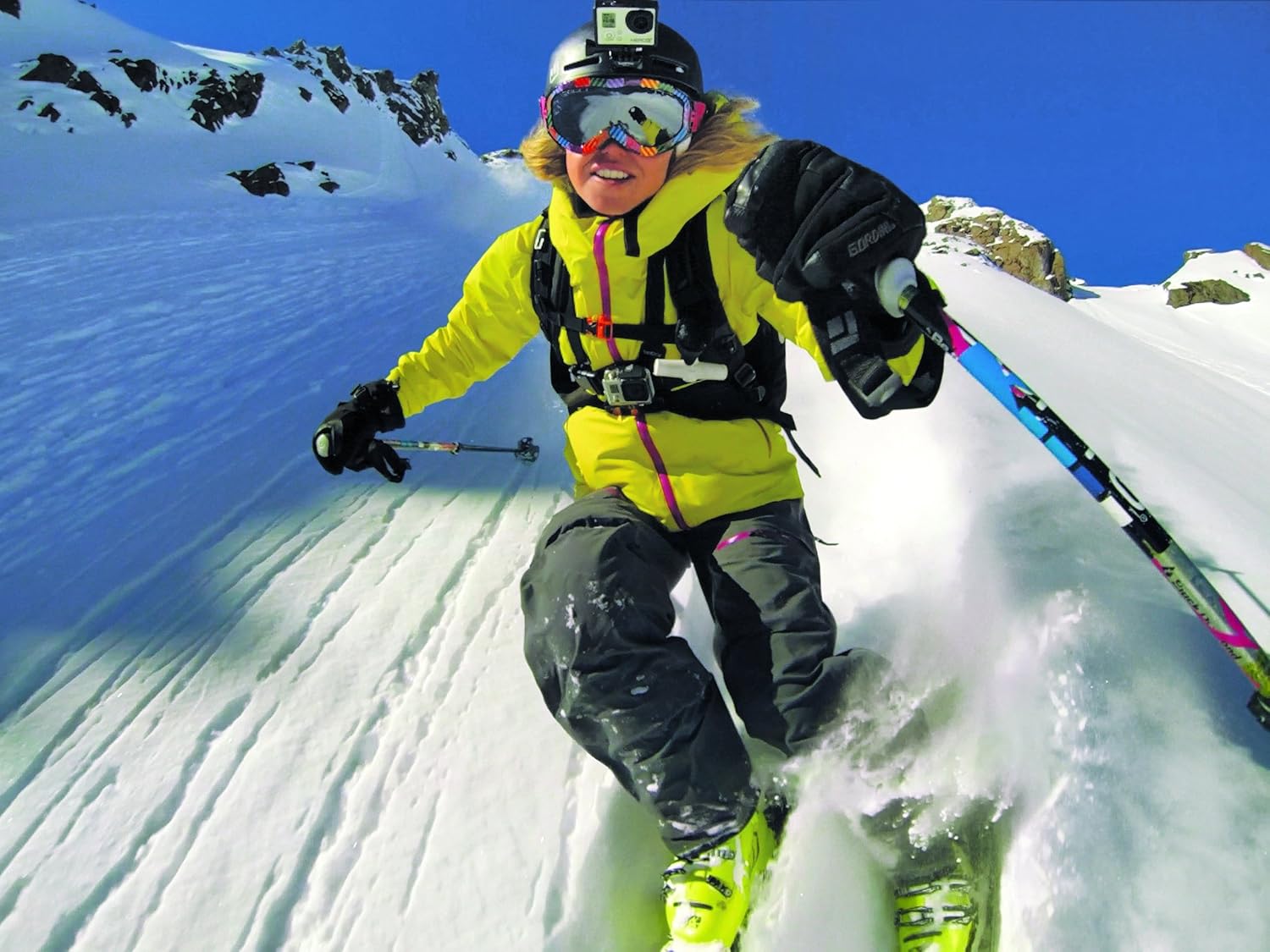
An action shot of a skier descending a snow-covered mountain, with the GoPro HERO3+ Black Edition camera visibly mounted on their helmet, capturing the dynamic experience.
4. Basic Operation
4.1 Powering On/Off
- To power on: Press the Mode button (front of camera).
- To power off: Press and hold the Mode button for two seconds.
4.2 Changing Modes
The camera features several modes, including Video, Photo, Burst Photo, Time Lapse, and Settings.
- With the camera powered on, press the Mode button repeatedly to cycle through the available modes.
- The current mode will be displayed on the front LCD screen.
4.3 Recording Video and Capturing Photos
- Select the desired mode (Video or Photo) using the Mode button.
- Press the Shutter/Select button (top of camera) to start recording video or take a photo.
- To stop video recording, press the Shutter/Select button again.
4.4 Wi-Fi Connectivity
The HERO3+ Black Edition features built-in Wi-Fi for remote control via the GoPro App on your smartphone or the optional Wi-Fi Remote.
- Enable Wi-Fi on your camera through the settings menu.
- On your smartphone, download and open the GoPro App, then follow the on-screen instructions to connect to your camera's Wi-Fi network.
- For the Wi-Fi Remote, ensure both devices are powered on and follow the pairing instructions provided with the remote.
5. Care and Maintenance
- Cleaning the Lens: Use a soft, lint-free cloth to clean the camera lens. For stubborn smudges, a lens cleaning solution designed for optics can be used.
- Cleaning the Housing: Rinse the waterproof housing with fresh water after use in saltwater or chlorinated water. Allow it to air dry.
- Battery Care: Store batteries in a cool, dry place. Avoid fully discharging batteries for extended periods.
- Storage: When not in use, store the camera in a protective case to prevent scratches and damage.
6. Troubleshooting Common Issues
| Problem | Solution |
|---|---|
| Camera does not power on. | Ensure the battery is fully charged. If the battery is old, consider replacing it. |
| Video recording stops unexpectedly. | Check if the MicroSD card is full or if it is a low-speed card. Use a Class 10 or UHS-1 MicroSD card. Format the card regularly. |
| Wi-Fi connection issues. | Ensure Wi-Fi is enabled on the camera. Restart both the camera and your connecting device. Verify the Wi-Fi password. Update camera firmware if available. |
| Poor image quality. | Clean the camera lens and the housing lens. Check camera settings for resolution and frame rate. Ensure adequate lighting. |
7. Technical Specifications
| Feature | Detail |
|---|---|
| Model Number | CHDHX-302-CR |
| Dimensions | 6 x 4 x 6 inches |
| Item Weight | 11.3 ounces |
| Photo Sensor Technology | CMOS |
| Video Capture Resolution | 1080p (supports up to 4K in specific modes) |
| Flash Memory Type | Micro SD |
| Video Capture Format | MP4 |
| Supported Audio Format | AAC, MP3 |
| Connectivity Technology | Bluetooth, Wi-Fi |
| Batteries | 1 Lithium Metal battery required |
| Waterproof Depth | Up to 131 feet (40 meters) with included housing |
8. Warranty and Customer Support
This renewed product is typically backed by a minimum 90-day warranty, ensuring it is tested and certified to work like new. Please refer to your purchase documentation for specific warranty details and terms.
For technical assistance, troubleshooting beyond this manual, or warranty claims, please contact the seller or refer to the official GoPro support resources available online.


