
1. Introduction
Welcome to the user manual for your Amazon Basics High Speed Mini HDMI (Source) to HDMI (Display) Cable. This manual provides essential information for the proper setup, operation, and maintenance of your cable to ensure optimal performance and longevity. Please read through this guide carefully before using the product.
2. Product Overview
The Amazon Basics High Speed Mini HDMI to HDMI Cable is designed to connect devices with a Mini HDMI output (source) to displays with a standard HDMI input (display). It supports high-speed data transfer for various audio and video applications. This cable measures 6 feet (1.8 meters) in length.
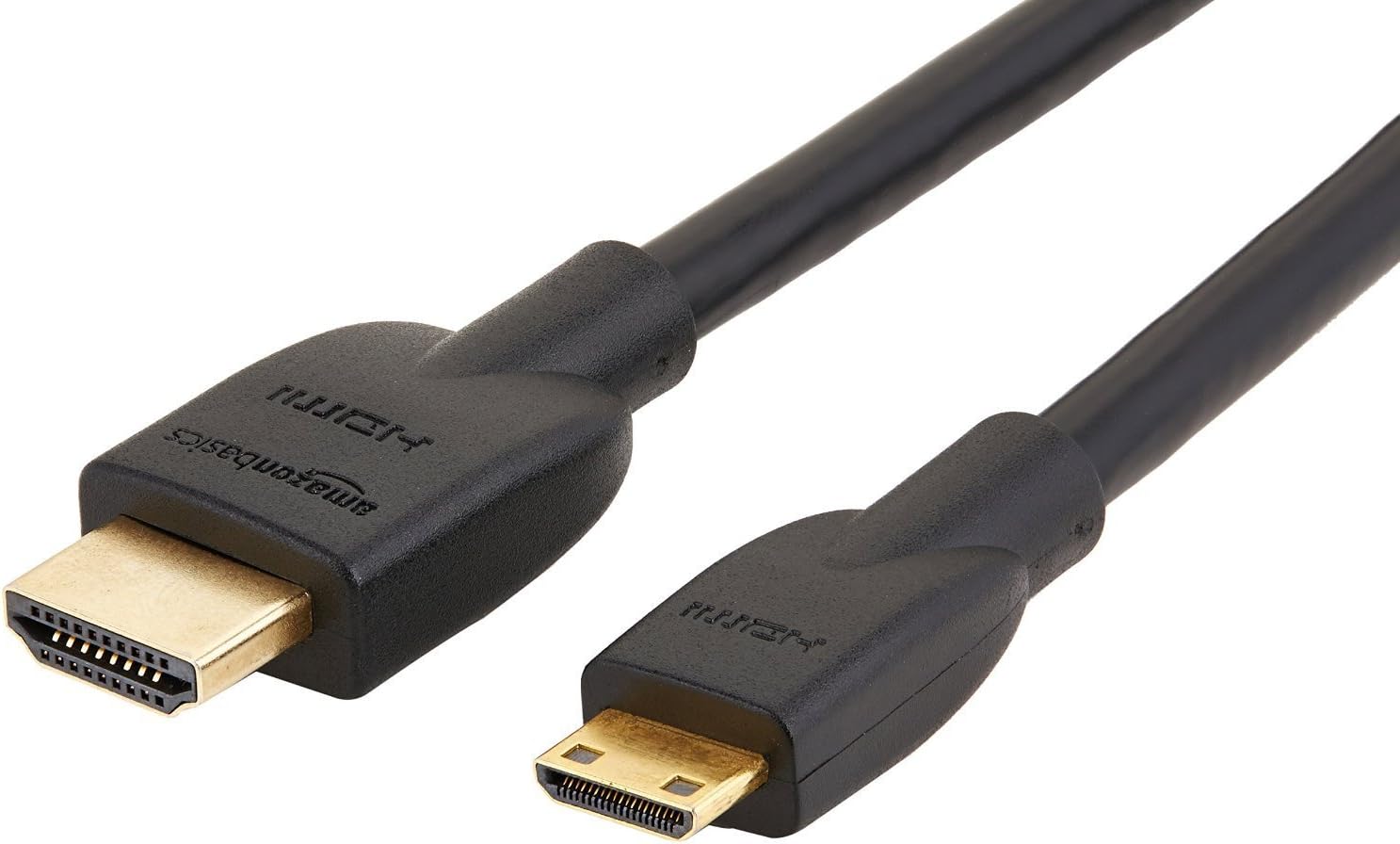
Image: The Amazon Basics High Speed Mini HDMI to HDMI Cable, showing both the Mini HDMI and standard HDMI connectors.
3. Key Features
- Port Compatibility: Specifically designed for Mini HDMI 10.5 x 2.5mm ports. It is NOT compatible with Micro HDMI (6 x 2.3mm), Micro USB, or USB Type-C ports. Please verify your device's port type before connecting.
- High Speed Performance: Meets HDMI standards for 4K video at 30 Hz, 2160p, and 48-bit/px color depth. Supports bandwidth up to 10.2 Gbps.
- Versatile Connectivity: Suitable for connecting HDTVs, digital cameras, camcorders, MP3 players, and other Mini HDMI compatible devices to an HDMI display.
- Convenient Functionality: Supports Ethernet, 3D, and Audio Return Channel (ARC), eliminating the need for separate cables for these functions.
- Backwards Compatible: Works with earlier HDMI versions, ensuring compatibility with a wide range of HDMI-enabled devices.
- Uni-Directional Design: This cable is NOT bi-directional. The display connector is clearly marked with a monitor logo to indicate the correct connection direction.

Image: Visual comparison of HDMI (A), Mini HDMI (C), and Micro HDMI (D) connector types, highlighting the correct compatibility for this cable.

Image: Illustration indicating the cable supports 4K video at 60Hz, 18Gbps bandwidth speed, and 48-bit color depth.

Image: Diagram showing the internal construction of the cable, including the PVC outer jacket, high-resistance insulation, 24K gold-plated contacts, copper foil shielding, and high-quality copper wire for durability and signal integrity.
4. Setup Instructions
- Identify Ports: Locate the Mini HDMI output port on your source device (e.g., camera, camcorder) and the standard HDMI input port on your display device (e.g., TV, monitor).
- Connect Source: Plug the Mini HDMI end of the cable into the Mini HDMI output port of your source device.
- Connect Display: Plug the standard HDMI end of the cable into the HDMI input port of your display device. Ensure the connector marked with a monitor logo is connected to the display.
- Secure Connection: Ensure both ends of the cable are firmly seated in their respective ports to prevent signal loss.
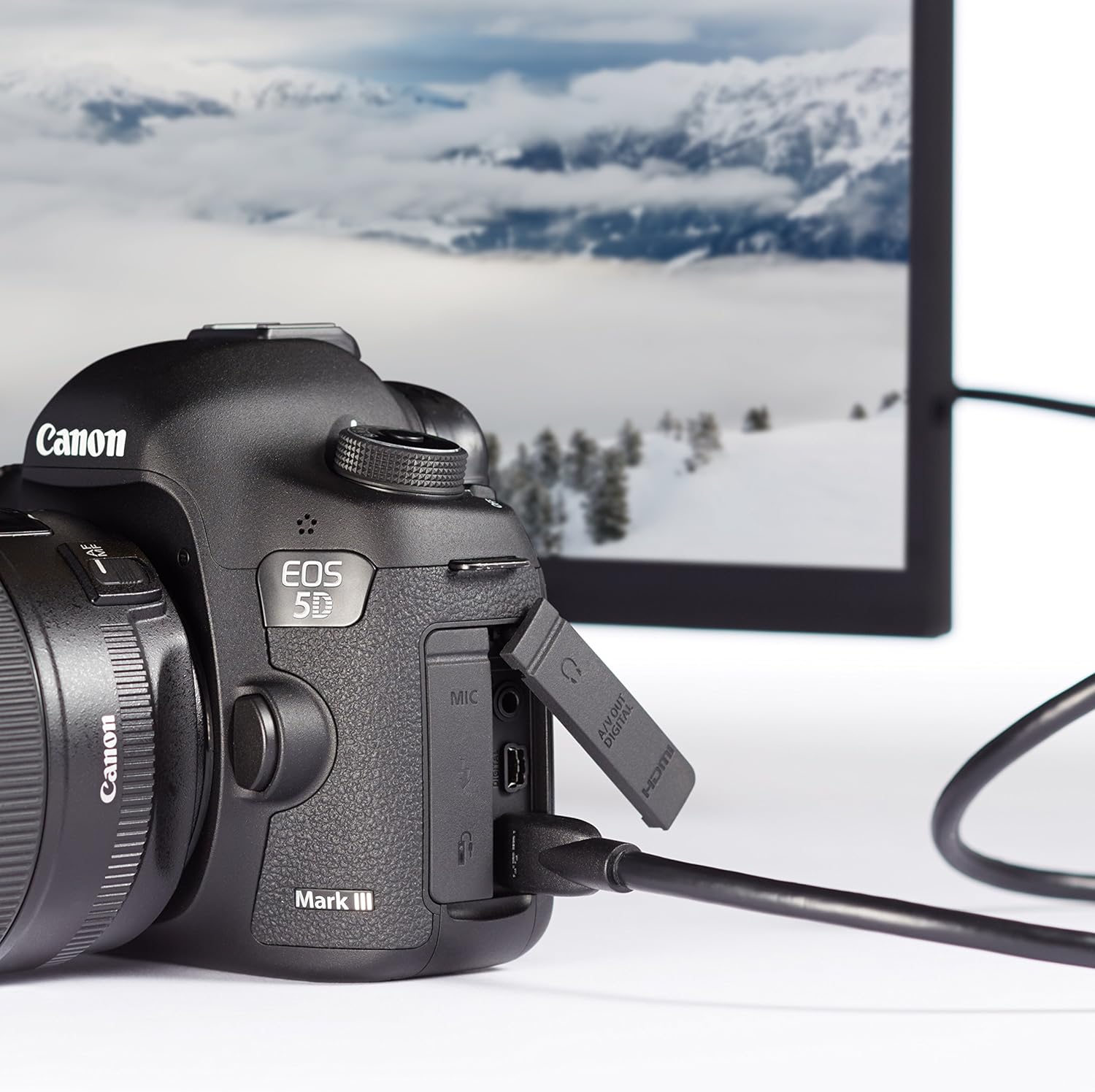
Image: A Mini HDMI cable connected from a digital camera (source) to a monitor (display), illustrating a typical setup scenario.
5. Operating Instructions
Once the cable is securely connected between your source and display devices:
- Power On Devices: Turn on both your source device and your display device.
- Select Input: On your display device, select the correct HDMI input source that corresponds to the port where the cable is connected. Most modern displays will automatically detect the active input.
- Verify Signal: Confirm that the audio and video signal from your source device is now displayed on your monitor or TV.
6. Maintenance
To ensure the longevity and optimal performance of your Amazon Basics Mini HDMI to HDMI Cable:
- Handle with Care: Avoid over-bending or pulling the cable, especially near the connectors, as this can damage the internal core wires and lead to malfunction.
- Storage: When not in use, store the cable in a cool, dry place, ideally coiled loosely to prevent kinks.
- Cleaning: Use a soft, dry cloth to clean the cable and connectors. Do not use liquid cleaners or solvents.
7. Troubleshooting
| Problem | Possible Cause | Solution |
|---|---|---|
| No signal or black screen | Incorrect port type; Loose connection; Incorrect input selected on display. | Ensure you are using a Mini HDMI port (10.5 x 2.5mm), not Micro HDMI. Check that both ends of the cable are fully inserted. Select the correct HDMI input on your display. |
| Poor picture/audio quality | Damaged cable; Incompatible device settings. | Inspect the cable for visible damage. Ensure your source and display devices are configured for compatible resolutions and refresh rates. Try a different cable if available to rule out cable defect. |
| Cable does not fit port | Attempting to connect to a Micro HDMI, Micro USB, or USB Type-C port. | This cable is exclusively for Mini HDMI ports. Refer to your device's manual to confirm its port type. This cable is NOT compatible with Micro HDMI (Type D). |
| No Ethernet/3D/ARC functionality | Device incompatibility; Feature not enabled. | Ensure both connected devices support the desired feature (Ethernet, 3D, ARC) and that it is enabled in their settings. |
8. Specifications
| Attribute | Detail |
|---|---|
| Brand | Amazon Basics |
| Model Name | High Speed TV Adapter Cable |
| Item Model Number | HL-007342 |
| Connector Type | Mini HDMI (Type C) to HDMI (Type A) |
| Cable Type | Mini HDMI |
| Length | 6 Feet (1.8 meters) |
| Color | Black |
| Data Transfer Rate | Up to 10.2 Gigabits Per Second |
| Supported Resolution | 4K at 30 Hz (2160p) |
| Color Depth | 48-bit/px |
| Special Features | High Speed, Ethernet, 3D, Audio Return Channel (ARC) |
| UPC | 841710102291 |
| Product Dimensions | 72 x 0.79 x 0.39 inches |
| Item Weight | 3.57 ounces |
9. Warranty & Support
Your Amazon Basics High Speed Mini HDMI to HDMI Cable comes with a manufacturer's warranty. For detailed warranty information and terms, please refer to the official Warranty document provided with your purchase or available online:
For product support, technical assistance, or to inquire about returns and replacements, please contact Amazon Basics customer service through the Amazon website or your purchase order details.
