Introduction
This manual provides essential instructions for the installation, operation, and maintenance of your Brother LC10E Extra High Yield Ink Cartridge Set. This set includes one Cyan (LC10EC), one Magenta (LC10EM), and one Yellow (LC10EY) ink cartridge, designed for compatible Brother inkjet printers.
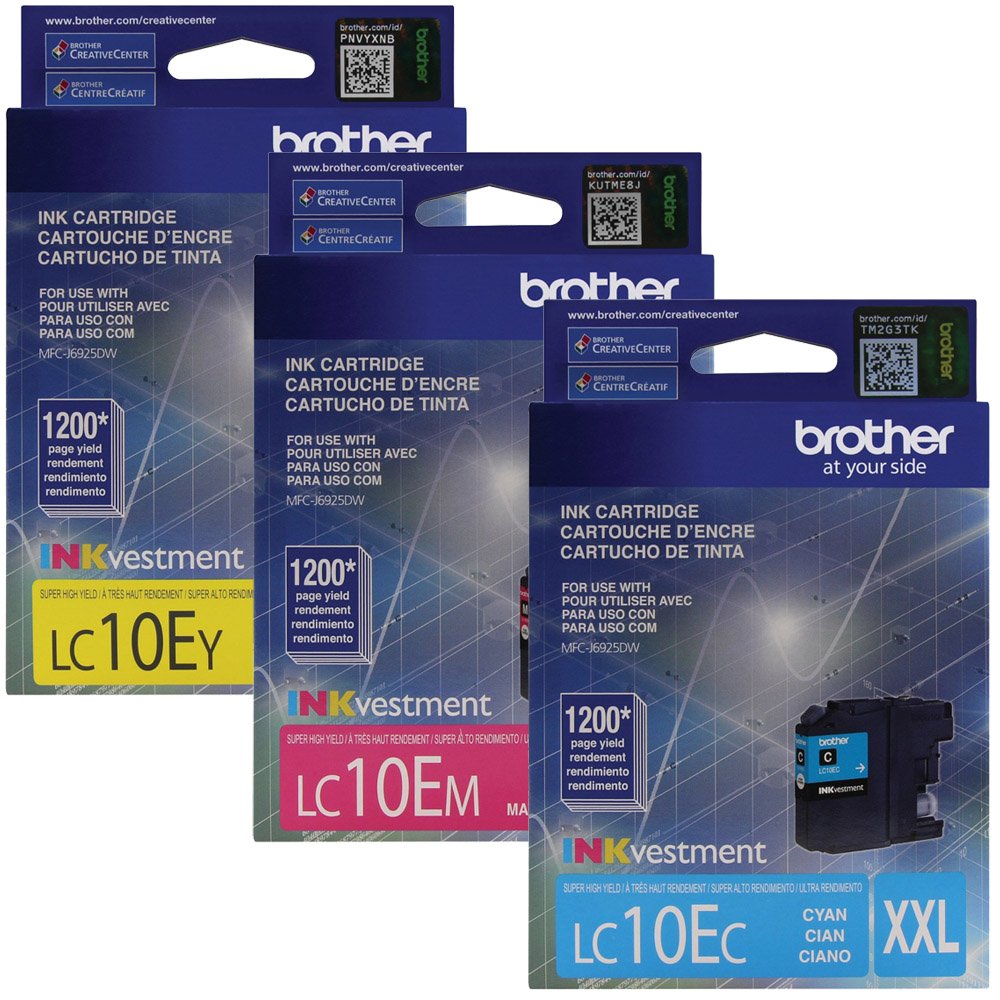
Image: Brother LC10E Extra High Yield Ink Cartridge Set, showing the Cyan, Magenta, and Yellow cartridges.
Setup and Installation
Follow these steps to correctly install your new Brother LC10E ink cartridges into your compatible Brother inkjet printer.
- Prepare the Printer: Ensure your printer is turned on. Open the ink cartridge cover or access door. Refer to your printer's specific manual for exact location.
- Remove Old Cartridges: If replacing existing cartridges, gently press the release lever for the old cartridge and pull it out. Dispose of used cartridges responsibly.
- Unpack New Cartridge: Carefully remove the new LC10E ink cartridge from its sealed packaging. Do not touch the electrical contacts or the print head nozzle.
- Remove Protective Cap: Locate and remove the protective yellow or orange cap/tape from the cartridge. Be careful not to shake or squeeze the cartridge excessively.
- Insert New Cartridge: Insert the new cartridge into the correct slot, matching the color (Cyan, Magenta, or Yellow). Push it firmly until it clicks into place.
- Close Cover: Close the ink cartridge cover or access door. The printer will typically perform an initialization process.
- Print Test Page: After installation, it is recommended to print a test page or perform a nozzle check from your printer's utility software to ensure proper ink flow and print quality.
Operating Instructions
Once installed, your Brother LC10E ink cartridges are ready for use. Here are some general operating guidelines:
- Printing Documents: Select your Brother printer from your computer's print dialogue. Choose desired print settings (e.g., paper type, print quality).
- Monitoring Ink Levels: Regularly check ink levels through your printer's display panel or the Brother printer utility software on your computer. Replace cartridges when indicated by the printer.
- Print Quality: For best results, use Brother genuine paper and ensure your printer drivers are up to date.
Maintenance
Proper maintenance helps ensure optimal performance and longevity of your ink cartridges and printer.
- Regular Printing: Print at least once a week to prevent ink from drying out in the print head nozzles.
- Nozzle Cleaning: If print quality degrades (e.g., streaks, missing colors), perform a nozzle cleaning cycle using your printer's maintenance utility. Do not perform excessive cleaning cycles as this consumes ink.
- Storage: Store unopened ink cartridges in their original sealed packaging in a cool, dark place. Avoid extreme temperatures.
- Handling: Always handle cartridges carefully to avoid damage to the print head or electrical contacts.
Troubleshooting
Here are solutions to common issues you might encounter with your ink cartridges.
- "Ink Low" or "Ink Empty" Message:
- Verify the cartridge is correctly installed and clicked into place.
- If the message persists after installing a new cartridge, ensure you have removed all protective caps/tapes.
- Replace the indicated cartridge if it is genuinely empty.
- Poor Print Quality (Streaks, Faded Colors, Missing Lines):
- Perform a nozzle check and print head cleaning cycle from your printer's maintenance utility.
- Ensure you are using genuine Brother ink cartridges.
- Check if the paper type setting in your printer driver matches the paper loaded.
- Cartridge Not Recognized:
- Remove the cartridge and reinsert it firmly until it clicks.
- Gently wipe the electrical contacts on the cartridge and inside the printer with a lint-free cloth.
- Ensure the printer's firmware is up to date.
Specifications
| Feature | Detail |
|---|---|
| Model Name | LC10E |
| Brand | Brother |
| Ink Color | Cyan, Magenta, Yellow (CMY) |
| Number of Items | 3 (one of each color) |
| Special Feature | Extra High Yield |
| Compatible Devices | Brother inkjet printers (refer to your printer's manual for specific compatibility) |
| Page Yield | Up to 2400 pages per cartridge (approximate, varies by usage) |
| Item Weight | Approximately 1 pound (for the set) |
| Package Dimensions | 4.5 x 4.25 x 3.75 inches |
| Ink Base | Water |
Warranty and Support
For specific warranty information and technical support regarding your Brother LC10E ink cartridges or compatible Brother printer, please refer to the documentation included with your printer or visit the official Brother support website. Warranty terms may vary by region and retailer.
You can often find support resources, FAQs, and contact information on the Brother Support Website.


