
1. Introduction
The allsun TS530 is a versatile 4-in-1 multifunction detector designed for accurately locating various materials within walls, ceilings, and floors. It can detect metal, wood studs, and live AC wires, making it an essential tool for construction, renovation, and DIY projects. This manual provides detailed instructions for the safe and effective use of your device.
2. Safety Information
- Always exercise caution when working near electrical wiring. Disconnect power if necessary.
- Do not rely solely on the detector to determine the presence of live wires. Always verify with a non-contact voltage tester or by turning off power at the circuit breaker.
- Keep the device dry and clean. Avoid exposure to moisture or extreme temperatures.
- Do not attempt to open or modify the device. Refer all servicing to qualified personnel.
- Remove the battery if the device will not be used for an extended period to prevent leakage.
3. Product Overview
The allsun TS530 features a clear LCD display and intuitive controls for easy operation.

Figure 1: Front view of the allsun TS530 Multifunction Detector. It shows the LCD screen displaying detection modes (Metal, AC, Wood), a battery indicator, and the target indicator. Below the screen are the 'MARK' and 'SELECT' buttons.
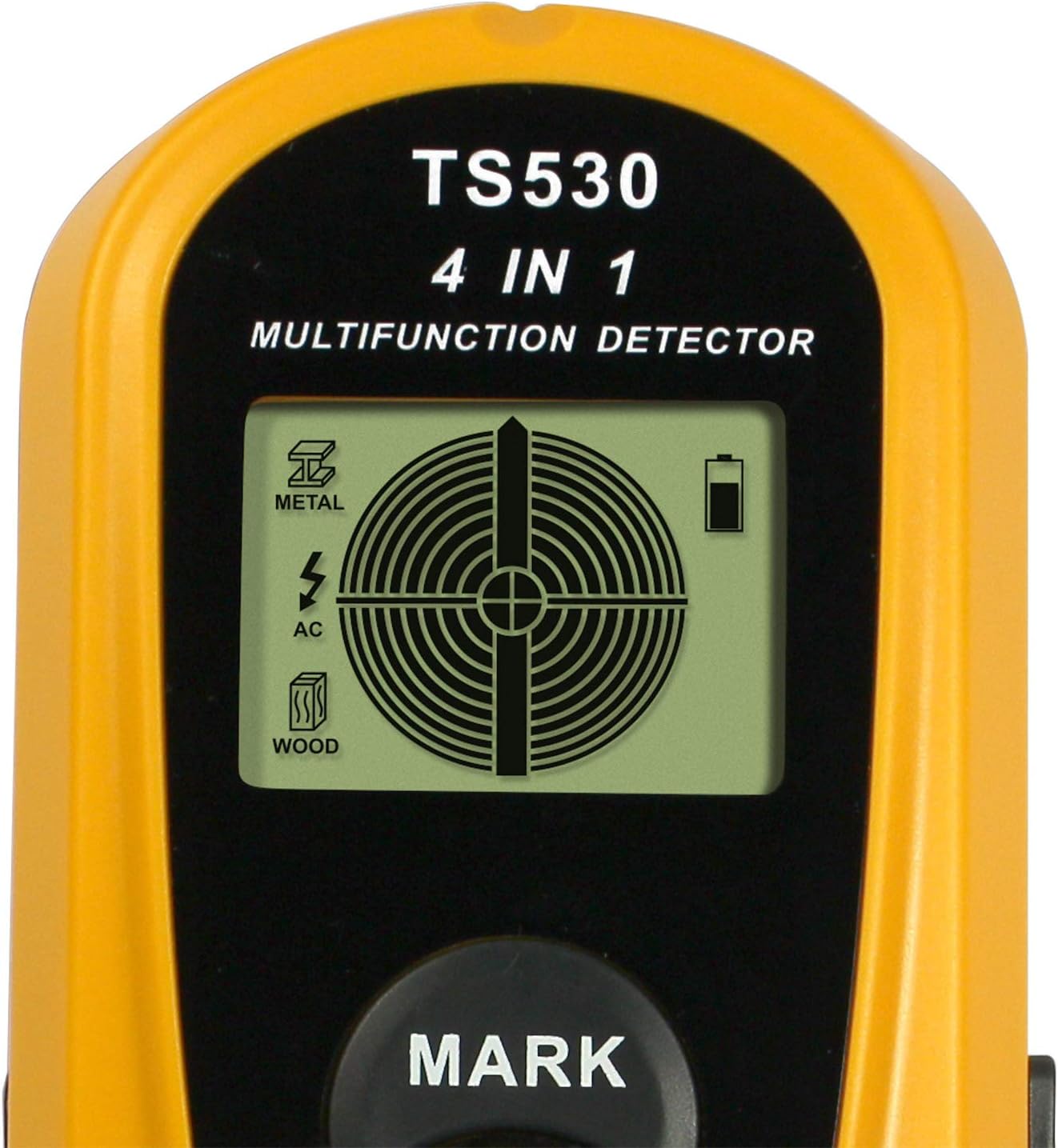
Figure 2: Close-up of the TS530's LCD display. The screen clearly shows icons for Metal, AC, and Wood detection modes, along with a battery level indicator and a central target crosshair for precise object location.

Figure 3: Illustration of the TS530's detection capabilities and depths. It indicates detection of metal rebar up to 1.0" (25.4mm), wood studs up to 0.55" (14mm), and AC live wires up to 2.0" (51mm).
Key Components:
- LCD Display: Shows detection mode, signal strength, battery status, and target indication.
- SELECT Button: Used to cycle through detection modes (Metal, Wood, AC).
- MARK Button: Used to mark the detected object's position (functionality may vary, typically for marking the center).
- Sensor Area: Located on the back of the device, this area must be in contact with the surface being scanned.
4. Setup
4.1 Battery Installation
- Locate the battery compartment cover on the back of the device.
- Slide or unclip the cover to open it.
- Insert one 9V battery, ensuring the polarity (+/-) matches the diagram inside the compartment.
- Close the battery compartment cover securely.
Note: A 9V battery is required and not included with the device.
5. Operation
5.1 Power On/Off
The device powers on automatically when a mode is selected or when the sensor is pressed against a surface. It features an automatic shut-off function to conserve battery power after a period of inactivity.
5.2 Mode Selection
Press the SELECT button to cycle through the available detection modes:
- Metal Mode: For detecting ferrous and non-ferrous metals, such as rebar, pipes, and metal studs.
- Wood Mode: For locating wood studs and joists.
- AC Mode: For identifying live AC electrical wires.
The selected mode will be indicated on the LCD display.
5.3 Detection Process
- Preparation: Place the detector flat against the surface you wish to scan. Ensure the sensor area is fully in contact.
- Calibration: Before scanning, the device may perform an automatic calibration. Keep the device still during this process.
- Scanning: Slowly slide the detector horizontally across the surface. Maintain constant contact and pressure.
- Indication: When an object is detected, the LCD display will show a signal strength indicator, and an audible alert may sound. The central crosshair on the display will help pinpoint the object's center.
- Marking: Once the center of an object is located, you can press the MARK button to assist in marking its position on the wall.
Detection Depths:
- Wood: Up to 14 mm (0.55 inches)
- Metal: Up to 25 mm (1.0 inches)
- Live AC Wire: Up to 50 mm (2.0 inches)
Note: Actual detection depth can vary depending on material composition, moisture content, and other environmental factors.
6. Maintenance
- Cleaning: Wipe the device with a soft, damp cloth. Do not use abrasive cleaners or solvents.
- Storage: Store the detector in a dry, dust-free environment, away from direct sunlight and extreme temperatures.
- Battery: Replace the battery when the low battery indicator appears on the display. Remove the battery for long-term storage.
7. Troubleshooting
| Problem | Possible Cause | Solution |
|---|---|---|
| Device does not power on. | Low or dead battery; incorrect battery installation. | Replace with a new 9V battery; ensure correct polarity. |
| Inaccurate or inconsistent readings. | Improper calibration; uneven surface contact; high moisture content in wall; interference from other electronics. | Ensure proper calibration by placing on a clear section of the wall; maintain firm, even contact; avoid scanning over wet areas; move away from other electronic devices. |
| Weak or no signal detection. | Object too deep; low battery; incorrect mode selected. | Verify object is within detection depth; replace battery; ensure the correct detection mode is selected for the target material. |
8. Specifications
| Feature | Detail |
|---|---|
| Model Number | TS530 |
| Brand | allsun |
| Detection Modes | Metal, Wood, Live AC Wire |
| Max. Wood Detection Depth | 14 mm (0.55 inches) |
| Max. Metal Detection Depth | 25 mm (1.0 inches) |
| Max. Live AC Wire Detection Depth | 50 mm (2.0 inches) |
| Power Source | 1 x 9V Battery (not included) |
| Automatic Shut-off | Yes |
| Product Dimensions (L x W x H) | 180 x 73 x 32 mm (7.09 x 2.87 x 1.26 inches) |
| Product Weight (with battery) | 213 g (0.47 lbs) |
| International Protection (IP) Rating | IP54 |
9. Warranty and Support
For warranty information or technical support, please refer to the documentation provided with your purchase or contact the manufacturer directly. Keep your proof of purchase for any warranty claims.