
Pentair 355008S
Contents
Pentair SF/WF 0.75 HP Motor (Model 355008S) Instruction Manual
1. Introduction
This manual provides essential information for the safe and efficient installation, operation, and maintenance of your Pentair SF/WF 0.75 HP Motor, Model 355008S. This motor is designed for use in pool and spa pump applications. Please read all instructions carefully before proceeding with installation or operation.
2. Safety Information
WARNING: Electrical shock hazard. Always disconnect power at the circuit breaker before attempting any service or installation. Failure to do so can result in serious injury or death.
- Installation and servicing must be performed by a qualified professional in accordance with all local and national electrical codes.
- Ensure the motor is properly grounded to prevent electrical shock.
- Do not operate the motor if it is damaged or if any electrical components are exposed.
- Keep hands, hair, and loose clothing away from moving parts.
- Refer to the warning label on the motor for specific safety instructions and electrical specifications.

Figure 2.1: Motor Specification Label with Safety Warnings and Wiring Diagram
3. Package Contents
Verify that all components are present and undamaged upon unpacking.
- Pentair SF/WF 0.75 HP Motor (Model 355008S)
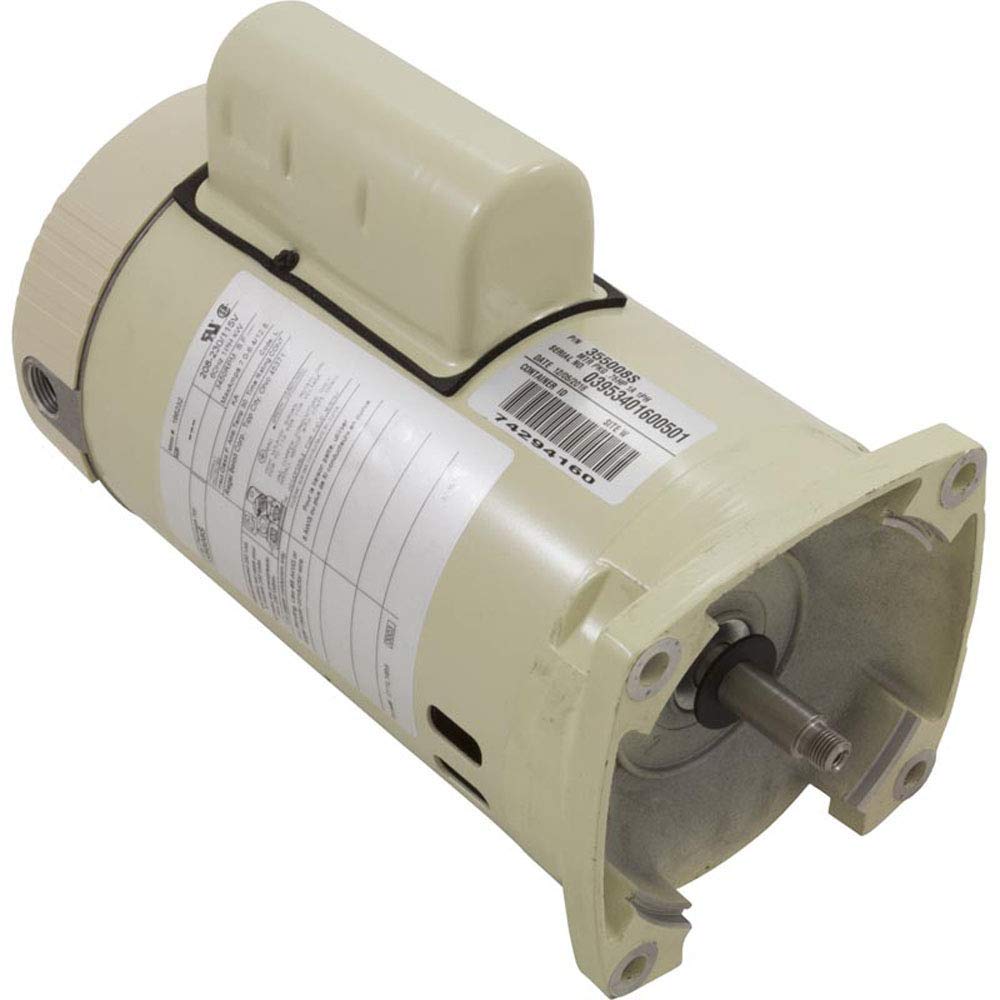
Figure 3.1: Pentair SF/WF 0.75 HP Motor (Model 355008S)
4. Setup and Installation
4.1 Pre-Installation Checks
- Verify that the supply voltage matches the motor's voltage requirements (115V or 208-230V).
- Confirm the motor's horsepower (0.75 HP) is appropriate for your pump application.
- Ensure the mounting surface is stable and level.
4.2 Mounting the Motor
Mount the motor securely to the pump housing using appropriate fasteners. Ensure the motor shaft aligns correctly with the pump impeller. Refer to the pump manufacturer's instructions for specific mounting procedures.
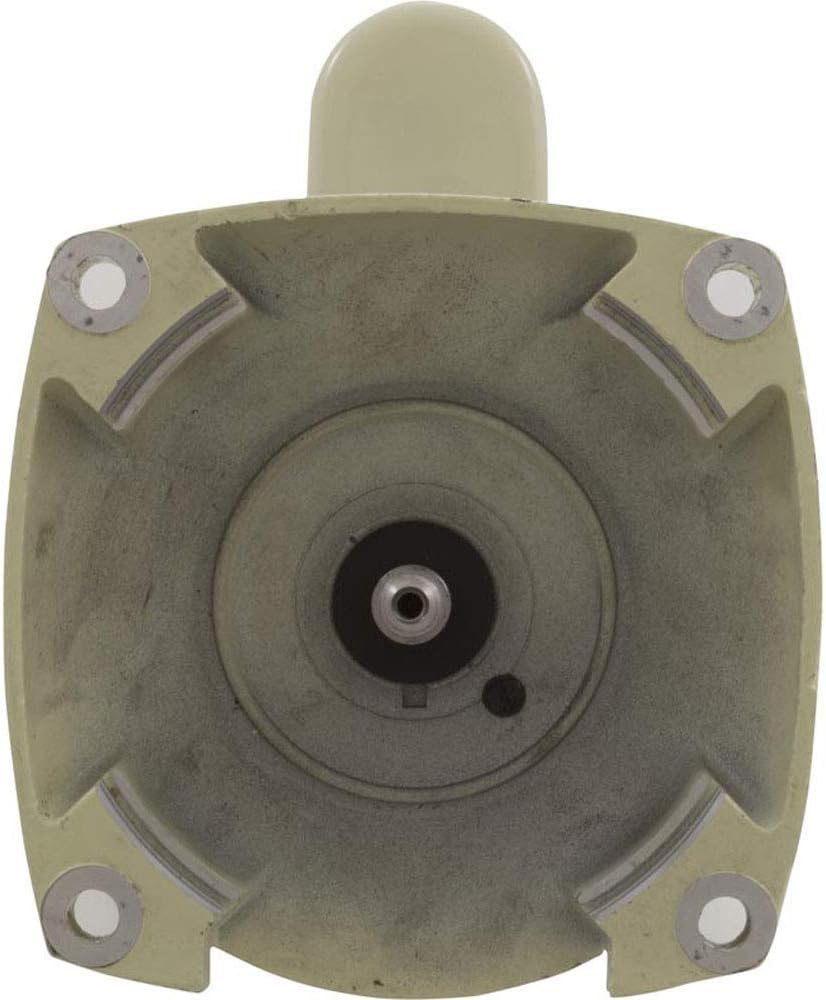
Figure 4.1: Motor Shaft End for Pump Connection
4.3 Electrical Connections
IMPORTANT: All wiring must comply with local and national electrical codes. Consult a qualified electrician if you are unsure about any wiring procedures.
- Disconnect Power: Ensure all power to the pump circuit is OFF at the main breaker.
- Access Wiring Compartment: Remove the motor's wiring compartment cover.
- Voltage Selection: The motor is pre-wired for 230V. If 115V operation is required, refer to the wiring diagram on the motor label (Figure 2.1) and adjust the internal connections accordingly.
- Connect Power Wires: Connect the incoming power supply wires to the appropriate terminals (L1, L2) within the motor's wiring compartment.
- Grounding: Connect the ground wire to the designated ground terminal. Ensure a solid, secure ground connection.
- Bonding: For bonding, use #8 AWG or larger copper conductor wire as specified on the motor label.
- Secure Connections: Ensure all electrical connections are tight and secure.
- Replace Cover: Reinstall the wiring compartment cover securely.

Figure 4.2: Motor Wiring Compartment
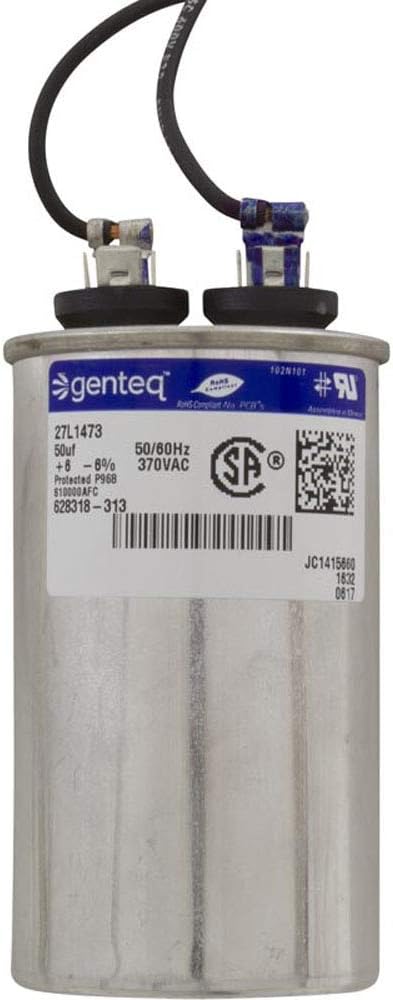
Figure 4.3: Motor Capacitor (if applicable to your specific motor configuration)
5. Operating Instructions
Once the motor is properly installed and wired, it will operate as part of your pool or spa pump system. Refer to your pump's instruction manual for specific operating procedures, priming, and system startup.
- Ensure the pump is filled with water before starting the motor to prevent dry running.
- Listen for unusual noises during startup and operation, which may indicate a problem.
- Monitor the motor for excessive heat.
6. Maintenance
Regular maintenance helps ensure the longevity and efficient operation of your motor.
- Keep Vents Clear: Periodically inspect and clean the motor's ventilation openings to ensure proper airflow and prevent overheating.
- Inspect Wiring: Annually, or as needed, inspect all electrical connections for tightness and signs of corrosion or damage. Ensure power is disconnected before inspection.
- Environmental Protection: Protect the motor from excessive moisture, direct sunlight, and extreme temperatures.
- Professional Service: If the motor exhibits unusual noise, vibration, or performance issues, consult a qualified service technician.
7. Troubleshooting
This section provides basic troubleshooting steps for common motor issues. For complex problems, contact a qualified professional.
| Problem | Possible Cause | Solution |
|---|---|---|
| Motor does not start | No power, tripped breaker, incorrect wiring, faulty capacitor | Check power supply, reset breaker, verify wiring, inspect/replace capacitor (by professional) |
| Motor overheats | Blocked ventilation, low voltage, excessive load, worn bearings | Clear vents, verify voltage, reduce load, professional inspection for bearings |
| Motor makes unusual noise | Worn bearings, foreign object, pump cavitation | Inspect for obstructions, check pump for proper water flow, professional inspection for bearings |
| Motor trips breaker | Short circuit, motor overload, faulty wiring | Inspect wiring for damage, check for motor overload, professional diagnosis |
8. Specifications
| Specification | Value |
|---|---|
| Model Number | 355008S |
| Horsepower (HP) | 0.75 HP |
| Voltage | 115/208-230V |
| Speed | 1-Speed (1-SPD) |
| Frame Type | SQFL (Square Flange) |
| Product Dimensions | 10.75 x 18.75 x 10.85 inches |
| Item Weight | 29.6 pounds |
| Manufacturer | Pentair Pool Products |
9. Warranty and Support
For warranty information, please refer to the documentation provided with your purchase or visit the official Pentair website. For technical support or service inquiries, contact Pentair customer service or an authorized Pentair dealer.
Pentair Official Website: www.pentair.com
Ask a question about this manual
Ask about setup, troubleshooting, compatibility, parts, safety, or missing instructions. Manuals+ will review the question and use this page’s manual context to help answer it.