
Introduction
Thank you for choosing the JBL Flip 3 Splashproof Portable Bluetooth Speaker. This manual provides essential information for setting up, operating, and maintaining your speaker to ensure optimal performance and longevity. Please read this manual thoroughly before using your device.
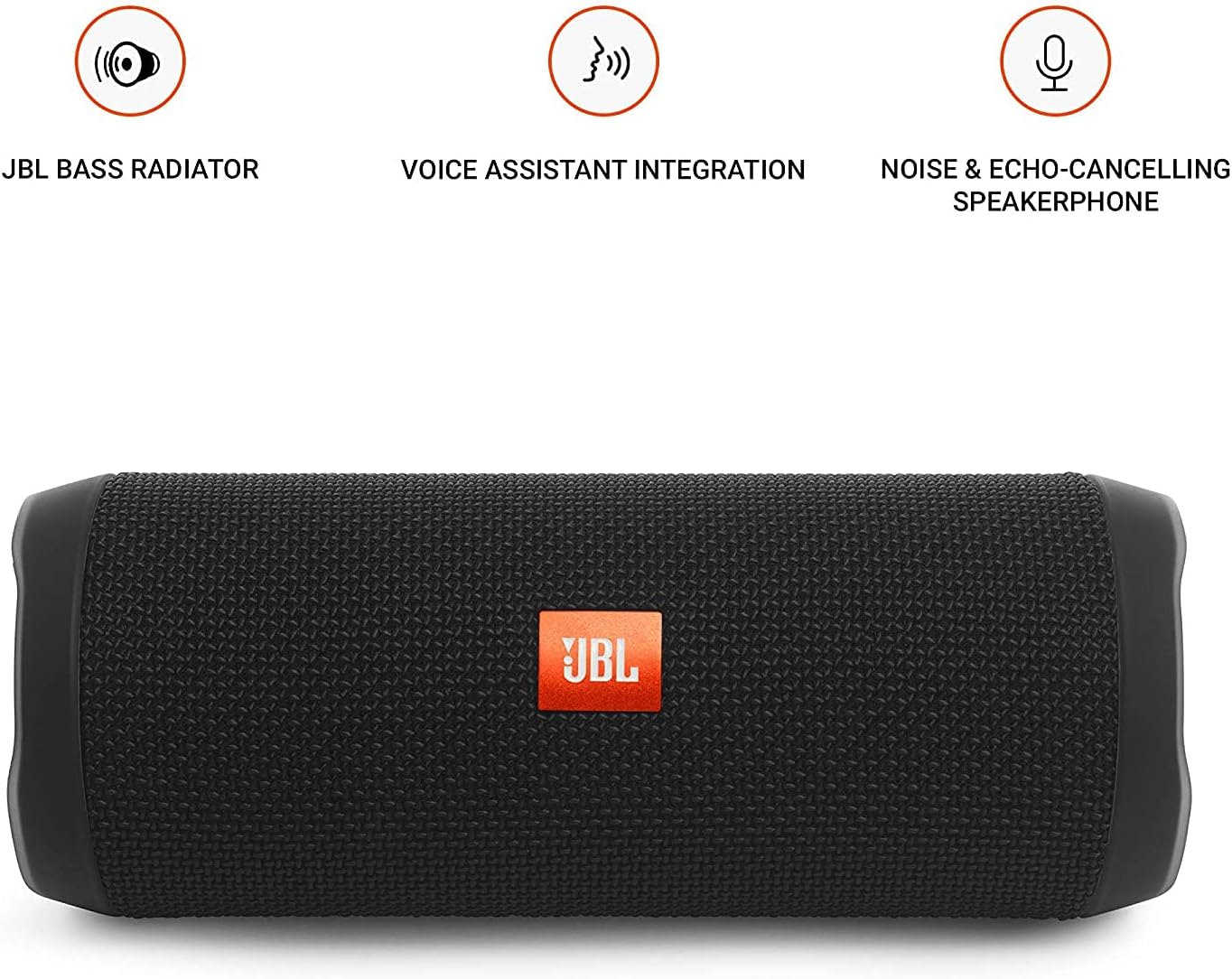
Image: JBL Flip 3 highlighting key features like the bass radiator, voice assistant integration, and noise & echo-cancelling speakerphone.
What's in the Box
- JBL Flip 3 Splashproof Portable Speaker
- USB Charging Cable (orange)
- Quick Start Guide (not included in this manual)
- Safety Sheet (not included in this manual)
- Warranty Card (not included in this manual)
Setup
1. Charging the Battery
Before first use, fully charge your JBL Flip 3 speaker. The built-in 3000mAh Li-ion battery supports up to 10 hours of playtime and takes approximately 3.5 hours to fully charge.
- Locate the charging port on the side of the speaker, usually protected by a rubber flap.
- Connect the orange USB charging cable to the speaker's charging port.
- Connect the other end of the USB cable to a compatible USB power adapter (not included) or a computer's USB port.
- The LED indicators on the speaker will illuminate to show the charging status. All five LEDs will be solid white when fully charged.

Image: The JBL Flip 3 speaker connected to a charging cable, with its battery indicator LEDs lit.
2. Powering On/Off
- To power on, press the Power button (usually indicated by a circle with a vertical line). The power indicator light will illuminate.
- To power off, press and hold the Power button again until the indicator light turns off.
Operating Instructions
1. Bluetooth Pairing
The JBL Flip 3 can wirelessly connect up to 3 smartphones or tablets simultaneously.
- Power on the JBL Flip 3 speaker.
- Press the Bluetooth button (usually indicated by the Bluetooth logo) on the speaker. The Bluetooth indicator light will flash, indicating it's in pairing mode.
- On your smartphone or tablet, go to the Bluetooth settings and select "JBL Flip 3" from the list of available devices.
- Once connected, the Bluetooth indicator light will turn solid.
- To connect additional devices, repeat steps 2-3. The speaker will automatically switch between connected devices when music is played.
2. Music Playback
- Play/Pause: Press the Play/Pause button (usually indicated by a triangle or two vertical bars).
- Volume Control: Use the Volume Up (+) and Volume Down (-) buttons on the speaker or your connected device.
- Skip Track: Double-press the Play/Pause button to skip to the next track.
3. Speakerphone Function
The JBL Flip 3 features a noise and echo-cancelling speakerphone for clear calls.
- Answer/End Call: Press the Phone button (usually indicated by a phone icon) to answer an incoming call or end an ongoing call.
- Reject Call: Press and hold the Phone button to reject an incoming call.
4. JBL Connect
Amplify your listening experience by wirelessly connecting multiple JBL Connect enabled speakers together.
- Ensure both JBL Connect enabled speakers are powered on.
- Press the JBL Connect button (usually indicated by an hourglass or infinity symbol) on both speakers.
- The speakers will automatically connect to each other. Once connected, they will play audio in sync.

Image: The JBL Flip 3 speaker shown vertically, highlighting its compact and portable design.
Maintenance
Cleaning
The JBL Flip 3 is splashproof, meaning it can withstand splashes and light rain. You can clean it with running tap water. Important: Do not submerge the speaker in water. Ensure the rubber flap covering the ports is securely closed before cleaning or exposing to water.
Battery Care
- To prolong battery life, fully charge the speaker at least once every 3 months.
- Avoid exposing the speaker to extreme temperatures (hot or cold) as this can affect battery performance.
Troubleshooting
| Problem | Possible Solution |
|---|---|
| Speaker does not power on. | Ensure the battery is charged. Connect the speaker to a power source using the USB cable. |
| No sound from the speaker. | Check the volume level on both the speaker and your connected device. Ensure the speaker is properly paired via Bluetooth. |
| Bluetooth connection fails or is unstable. | Move the speaker closer to your device. Ensure no other devices are interfering with the Bluetooth signal. Try unpairing and re-pairing the speaker. |
| JBL Connect not working. | Ensure both speakers are JBL Connect enabled and are within range. Press the JBL Connect button on both speakers simultaneously. |
If you encounter issues not listed here, please refer to the official JBL support website or contact customer service for further assistance.
Specifications
- Model Name: JBLFLIP3BLK
- Brand: JBL
- Dimensions (H x W x D): 7.5 x 4.5 x 3.9 inches
- Item Weight: 16 ounces (1 pound)
- Material: Fabric
- Speaker Type: Outdoor
- Connectivity Technology: Bluetooth, Wireless
- Wireless Communication Technology: Bluetooth
- Bluetooth Range: 10 Meters
- Power Source: Battery Powered
- Battery Type: 1 Lithium Polymer battery required
- Battery Capacity: 3000mAh
- Playtime: Up to 10 hours
- Charging Time: 3.5 Hours
- Speaker Maximum Output Power: 16 Watts
- Frequency Response: 20 KHz (Note: This is likely the upper limit, typical range is broader)
- Signal-to-Noise Ratio: 80 dB
- Impedance: 4 Ohms
- Audio Output Mode: Stereo
- Special Feature: Built-in Microphone, Echo-certified
- Water Resistance Level: Water Resistant (Splashproof, do not submerge)
- Compatible Devices: Smartphone, Tablet
- Recommended Uses: For Smartphones or Tablets, outdoor activities, parties, travel, portable usage
Warranty and Support
The JBL Flip 3 comes with a Limited Warranty. For detailed warranty information, please refer to the warranty card included with your product or visit the official JBL website.
For technical support, troubleshooting, or service inquiries, please visit the JBL Support Website or contact their customer service directly.


